Our Short List of 3

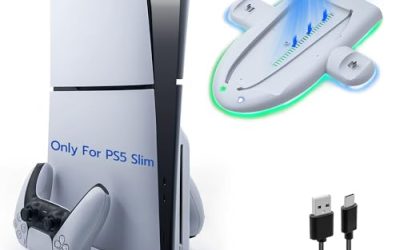
- Best for: Households that may upgrade consoles and want one stand that follows.
- Compatibility: PS5 Pro, PS5 Slim, and PS5 (2020), Disc and Digital Editions
- Cooling: 3-level turbo fan with enlarged 2.36-inch fan and speed memory
- Game storage: 13 game disc slots
- Charging: dual DualSense dock, full charge within 3 hours per the listing, LED indicators

- Best for: RGB-lit desk and TV setups that still keep games on disc.
- Brand and model: Kawaye S7000
- Compatibility: PS5, PS5 Slim, and PS5 Pro consoles
- Cooling: 2.36-inch large fan
- Lighting: RGB light

- Best for: Disc collectors who want the most cases stored in the stand itself.
- Compatibility: PS5 and PS5 Slim, Disc and Digital Editions
- Game storage: 15 game slots
- Cooling: built-in cooling fan
- Charging: controller charging station for DualSense controllers
All 4 Picks at a Glance
| Product | Specs | Action |
|---|---|---|
| KICKDOT PS5 Cooling Station and Stand |
| Check price on Amazon |
| Kawaye S7000 PS5 Cooling Station |
| Check price on Amazon |
| NinJoyGo PS5 Stand and Cooling Station |
| Check price on Amazon |
 Fivtek P-639W PS5 Cooling Station |
| Check price on Amazon |
🛒 Best Price Today on Amazon
Prime members get fast, free shipping on everything above, plus member-only deals. New members get a 30-day free trial — cancel anytime.
A cooling stand is easy to buy badly. The real decision is whether one base can hold your exact console generation, move air through the vents at the bottom of the machine, charge both controllers, and still leave room for the physical games you actually own. A stand built for the 2020 PS5 may not fit a Slim or Pro, and a base with no disc storage solves only half of the clutter problem on most TV stands.
This guide is for PS5 owners who still buy games on disc and want the console, controllers, headset, and game cases in one place. Every pick below was chosen from its Amazon product page name and listed specifications, and each one combines a cooling fan stand with built-in game storage, whether that means open disc slots, a rack, or a retractable tray.
Quick Picks
As an Amazon Associate we earn from qualifying purchases.
| Product | Best for | Key spec from title |
|---|---|---|
| KICKDOT PS5 Cooling Station and Stand | Most PS5, Slim, and Pro households | 13 game slots, 3-level cooling fan |
| Kawaye S7000 PS5 Cooling Station | RGB setups that still need disc storage | 2.36-inch large fan, RGB light |
| NinJoyGo PS5 Stand and Cooling Station | The largest disc collections | 15 game slots |
| Fivtek P-639W PS5 Cooling Station | White PS5 and PS5 Slim setups | 11 storage slots, 4 USB hub ports |
| MENEEA Cooling Stand for PS5 | Launch-model PS5 owners | 10 game slots, 2-in-1 cable included |
How to Choose
Match the Stand to Your Console Generation
The PS5 family now covers three different shells: the 2020 launch console, the smaller PS5 Slim, and the PS5 Pro. Cooling stands are built around the base of a specific shell, so a model that locks onto a launch console may wobble under a Slim or block its vents. Check the listing’s compatibility line before anything else, and look for interchangeable panels or a supplied adapter if the stand claims to fit more than one generation. Disc and Digital Editions also differ in width, so confirm both your model and your edition are named.
Count the Game Storage You Will Really Use
Game storage on these stands ranges from 10 slots to 15, and the format matters as much as the number. Open slots keep cases visible and quick to grab, while a retractable tray hides the rack when a Digital Edition console makes it unnecessary. Count the physical games you keep near the TV rather than your whole library, and leave a couple of slots spare for new releases. If your collection is mostly digital, prioritize a stand where the storage does not force a wider footprint than your shelf can take.
Check the Fan Design and Speed Control
Every stand here uses a fan in the base that pulls or pushes air around the bottom of the console, where the PS5 exhausts heat. Maker listings describe features such as enlarged turbo fans, three speed levels, and touch or switch controls, and those details are what you can compare honestly. A stand with adjustable speeds lets you run it quietly during films and faster during long sessions. Also check how the fan is powered: some bases draw power from the console itself, while others can run from a separate USB adapter.
Look at Charging, Ports, and Power Options
Most of these stations charge two DualSense controllers at once, with listed full-charge times around three hours and LED indicators that show charging status. Extra USB hub ports are useful for headsets, dongles, and a media remote, but they share the stand’s power supply, so heavy charging on every port at once can slow things down. Note whether the dock uses fixed USB-C dongles or drop-in contacts, since dongles protect the controller shell but must be removed for some cases. Finally, confirm what is in the box, including cables, panels, and screws.
The 5 Best Options
KICKDOT PS5 Cooling Station and Stand
- Best for: Households that may upgrade consoles and want one stand that follows.
- Compatibility: PS5 Pro, PS5 Slim, and PS5 (2020), Disc and Digital Editions
- Cooling: 3-level turbo fan with enlarged 2.36-inch fan and speed memory
- Game storage: 13 game disc slots
- Charging: dual DualSense dock, full charge within 3 hours per the listing, LED indicators
Households that may upgrade consoles and want one stand that follows.
The stand adds a panel and base under the console, so measure your cabinet height before ordering.
The KICKDOT station is the most complete all-rounder in this group because its listing covers all three console generations and pairs 13 game slots with a proper three-level fan. The enlarged turbo fan sits in the base, the dock charges two DualSense controllers with fixed USB-C dongles, and a memory function restores your last fan speed when you switch the stand back on. Three extra USB hub ports, a headset holder, and space for the media remote round out a base that replaces several separate accessories on a crowded TV stand.
Kawaye S7000 PS5 Cooling Station
- Best for: RGB-lit desk and TV setups that still keep games on disc.
- Brand and model: Kawaye S7000
- Compatibility: PS5, PS5 Slim, and PS5 Pro consoles
- Cooling: 2.36-inch large fan
- Lighting: RGB light
RGB-lit desk and TV setups that still keep games on disc.
Kawaye sells several stand revisions, so confirm the S7000 model number on the listing before ordering.
The Kawaye S7000 is the pick for players who want their storage stand to look like part of a gaming setup rather than a plain dock. Its Amazon listing leads with a 2.36-inch large fan and RGB lighting, and the same listing family adds 13 game slots, a headset holder, and a media remote slot, so the lighting does not come at the cost of organization. The dual controller charger uses LED indicators for status, and the stand is listed for the PS5, PS5 Slim, and PS5 Pro in both Disc and Digital forms.
NinJoyGo PS5 Stand and Cooling Station
- Best for: Disc collectors who want the most cases stored in the stand itself.
- Compatibility: PS5 and PS5 Slim, Disc and Digital Editions
- Game storage: 15 game slots
- Cooling: built-in cooling fan
- Charging: controller charging station for DualSense controllers
Disc collectors who want the most cases stored in the stand itself.
The listing covers PS5 and PS5 Slim only, with no PS5 Pro fit stated, so Pro owners should choose another pick.
If your disc collection is the problem, the NinJoyGo stand answers with the largest storage count in this guide: 15 game slots built into a base that also carries a cooling fan, a controller charging station, and a headset holder. It is listed for the PS5 and PS5 Slim in both Disc and Digital Editions, which covers the two generations most likely to sit in a family living room. The unit is also the lightest pick here, which suits shelves and TV units where a heavier steel base would be overkill for a mid-sized setup.
Fivtek P-639W PS5 Cooling Station
- Best for: White PS5 and PS5 Slim setups that need USB ports as much as storage.
- Brand and model: Fivtek P-639W, white finish
- Compatibility: PS5 (2020) and PS5 Slim, Disc and Digital Editions
- Game storage: 11 storage slots
- Cooling: 3 fan speeds, listed at 3000, 3500, and 4000 RPM
White PS5 and PS5 Slim setups that need USB ports as much as storage.
There is no PS5 Pro support in the listing, and the white finish will show dust sooner than the black models.
The Fivtek P-639W is the white option for owners of the 2020 PS5 or PS5 Slim who want their stand to match the console’s plates. Its listing specifies 11 storage slots for game cases, a three-speed fan, dual controller charging, and a four-port USB hub, which is the most hub connectivity in this group. A compatibility panel for the PS5 Slim and a safety screw are included in the box, so the same base adjusts between the launch console and the Slim without a separate purchase or a second stand.
MENEEA Cooling Stand for PS5
The MENEEA stand is the veteran design here, sold since 2021 for the original PS5, and it still covers the brief well: a cooling fan in the base, fast dual controller charging, storage for game discs, a remote-control holder, and a headset mount in one unit. Editorial coverage of this stand highlights its retractable game tray, which slides away when a Digital Edition console makes disc storage unnecessary. It only fits the launch console, but for owners who never upgraded, it remains a tidy, proven way to group the console and its accessories together.
Specs
- Compatibility: PS5 Disc (Ultra HD) and Digital Editions, 2020 models
- Cooling: built-in cooling fan for the console base
- Charging: dual DualSense chargers, about 3 hours for two controllers per the listing
- Game storage: 10 game slots
- Extras: remote-control holder, controller and headset mount, 2-in-1 cable included
- Item weight: 1.03 kg
- Date first available: May 28, 2021
Best for: Launch-model PS5 owners who want a simple, established all-in-one stand.
Watch out for: This design predates the Slim and Pro, so it will not fit either newer console.
ASIN: B0956VN8FF
Which One Fits Your Situation
You Own a PS5 Pro or Slim and Keep Games on Disc
Choose the KICKDOT station or the Kawaye S7000. Both are listed for the newer consoles as well as the 2020 model, and both store 13 game cases alongside the console. The KICKDOT adds a fan-speed memory function and fixed charging dongles, while the Kawaye leans into RGB lighting. Either way, you get cooling, charging, and storage that will not need replacing if you change console generation later.
Your Launch PS5 Is Staying Put
The MENEEA stand was designed for your console and only your console, which makes its fit the most settled here. Its retractable game tray suits mixed libraries, and the remote holder and headset mount clear the small items that usually scatter around a TV unit. Just accept that the stand will not follow you to a Slim or Pro later, and check the current listing before ordering, since this is an older product page.
Your Disc Shelf Is the Real Problem
Start with the NinJoyGo and its 15 game slots, the largest count in this guide. If your console is a PS5 Pro, step down to a 13-slot model such as the KICKDOT or Kawaye instead, since the NinJoyGo listing stops at the PS5 Slim. Count your cases before ordering: a stand that holds your full active rotation keeps the rest of the library on a shelf instead of stacked on the TV unit.
You Want a White Stand With Room for Peripherals
The Fivtek P-639W matches the white plates of the 2020 PS5 and PS5 Slim and adds a four-port USB hub for a headset dongle, camera, or spare cables. Its 11 slots cover a typical active rotation, and the included Slim panel means the stand still fits if you move from the launch console to the smaller one. Skip it only if a PS5 Pro is part of your plan.
Common Mistakes
- Buying a stand for the wrong console generation, then forcing a fit that blocks vents or leaves the console rocking on its base.
- Counting total library size instead of the games kept near the TV, and paying for storage slots that will never be filled.
- Assuming every stand charges the DualSense Edge controller; check the listing, since several docks are specified for the standard DualSense only.
- Placing the stand inside a closed cabinet where the fan simply recirculates warm air instead of drawing in cooler room air.
- Forgetting the power source: a stand powered only by the console cannot charge controllers while the PS5 is fully powered off unless the listing says otherwise.
Frequently Asked Questions
Do these stands work with the PS5 Digital Edition?
Most do, but the storage half of the design matters less with a digital console. The KICKDOT, Kawaye, NinJoyGo, and Fivtek listings all name Disc and Digital Editions, while the MENEEA’s retractable tray can slide away when no discs need storing. Always match the exact edition and generation in the compatibility line before ordering, because the base shape differs between models.
How many game cases should a stand hold?
Count the games you rotate through in a typical month rather than your entire collection. For most households that is between 10 and 15 cases, which is exactly the range these stands cover, from the MENEEA’s 10 slots to the NinJoyGo’s 15. Anything beyond your active rotation is better kept on a shelf, where cases are not adding width to the stand under your console.
Can a cooling stand charge controllers while the PS5 is off?
It depends on how the stand is powered. Models that draw power only from the console stop charging when the console is fully off, although rest mode usually keeps USB power available. Some listings, including the KICKDOT’s, note that a separate 5V adapter can power the dock instead. Check the power options in the product description if overnight charging with the console off matters to you.
Is a stand with game storage wider than a plain cooling stand?
Yes, usually by a few inches, because the disc rack sits beside or in front of the console base. The listed package dimensions in each product section give a fair guide to the footprint, and the Fivtek and NinJoyGo are among the more compact options here. Measure your shelf depth and width before ordering, especially inside TV cabinets where doors and cable bends eat into the usable space.