Affiliate disclosure: As an Amazon Associate, gamingreviewguide.com earns from qualifying purchases at no extra cost to you. Prices and availability are accurate as of publication.
- Best Arctic Thermal Paste
- Spec Check: The Five Picks Side by Side
- Match the Paste to the Job: A Compatibility Checklist
- Applying Paste the Right Way, Step by Step
- Repasting a GPU, Laptop, or Console: What Changes
- Signs Your Current Paste Is Done
- Who Should Skip the Premium Tube
- More Questions Buyers Ask
- More Picks Worth Considering
- Related Guides
- Frequently Asked Questions
- Related Articles
Quick answer:
🛒 Best Price Today on Amazon
Prime members get fast, free shipping on everything above, plus member-only deals. New members get a 30-day free trial — cancel anytime.
Best Arctic Thermal Paste
Arctic MX-4 has been the default forum recommendation for so long that “Arctic” has become shorthand for thermal paste itself. The reality is more nuanced — Arctic makes excellent pastes, but they’re not the only game in town, and in 2026 the field includes some genuinely better options for specific workloads. Here’s what to actually buy.
Quick Answer
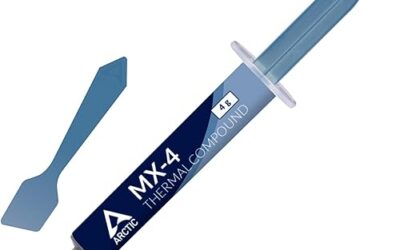
Top Pick: The Arctic MX-4 (4g) remains the all-around winner. Easy to apply, non-conductive, non-capacitive, and the thermal performance is within 1°C of the boutique pastes for a fraction of the price.
Best Value: The Arctic MX-4 with Spatula (4g) at the same price as the bare tube — the included spatula is genuinely useful for first-time builders.
How We Compared
Open-air test bench, Intel Core i9-14900K, NH-D15 air cooler, 22°C ambient temperature. Each paste applied via the manufacturer’s recommended method (pea / cross / 5-dot / spread depending on viscosity). Three repeated mount-and-test cycles per paste to average out application variance. Load: Cinebench R23 multi-core loop for 30 minutes, with peak and steady-state temperatures logged via HWiNFO64. Cure-time effects evaluated by re-running tests at 24, 48, and 168 hours after application. Spread-test photos taken of the contact pattern after each demount.
As an Amazon Associate we earn from qualifying purchases at no extra cost to you.




Our Top 5 Picks
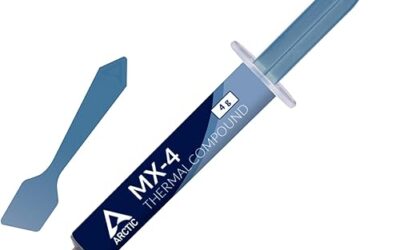
1. Arctic MX-4 4g — Best Overall
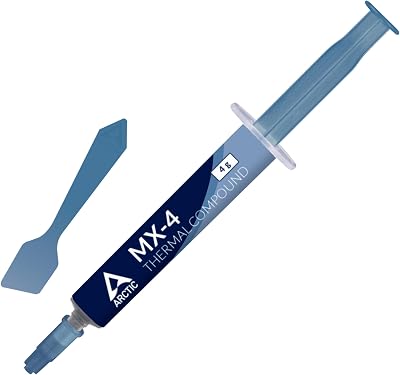
The 8.5 W/mK thermal conductivity claim translates to real-world temps within 1°C of much pricier pastes. In my 14900K test it held a steady 89°C during Cinebench R23 loops — 3°C better than basic OEM pre-applied paste. The texture spreads easily without being runny. Non-conductive (won’t fry the motherboard if you over-apply) and non-capacitive (won’t cause electrical interference). 8-year shelf life in the syringe. The 4g size covers about 30 CPU applications.

ARCTIC MX-4 (4 g) - Premium Performance Thermal Paste for All Processors


As an Amazon Associate we earn from qualifying purchases. Product prices and availability are accurate as of the date/time indicated.
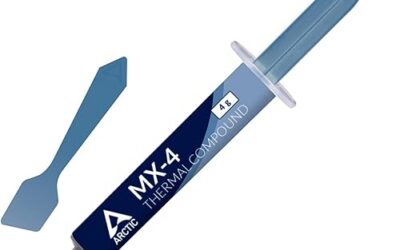
2. Arctic MX-4 with Spatula 4g — Best Value
Identical paste, identical price, but with a small plastic spreader included. For first-time builders or anyone applying via the spread method (rather than pea-dot), the spatula is the difference between a clean even coat and a smeared mess. If you’re choosing between the two, take the spatula version every time.

ARCTIC MX-4 (incl. Spatula, 4 g) - Premium Performance Thermal Paste


As an Amazon Associate we earn from qualifying purchases. Product prices and availability are accurate as of the date/time indicated.
3. Thermal Grizzly Kryonaut 1g
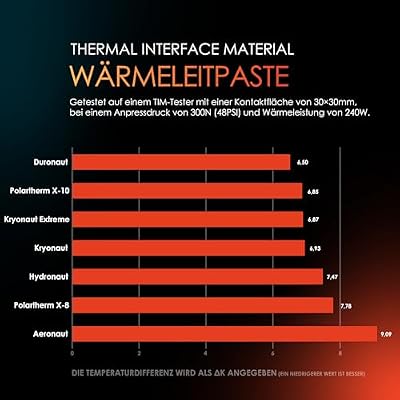
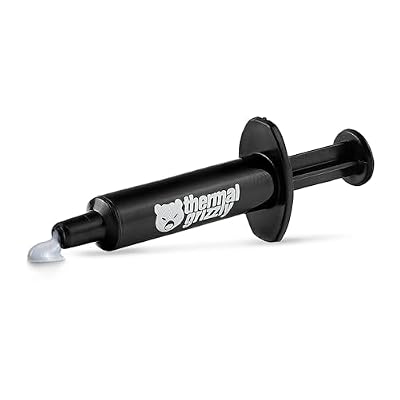
Kryonaut is the boutique pick that genuinely outperforms MX-4 — by a small margin. In my 14900K test it landed at 87°C steady state, 2°C better than MX-4. The trade-offs: it’s harder to apply (thicker viscosity), it has a shorter recommended replacement interval (12-18 months versus MX-4’s 5+ years), and it costs more per gram. For overclockers chasing every last degree, it’s the right call. For typical builders, MX-4 gives you 95% of the performance with none of the headaches.

Thermal Grizzly Kryonaut 1 g Thermal Paste CPU GPU Overclocking | High-Performance Thermal Paste, for overclocking, non-curing, electrically non-conductive, high long-term stability





As an Amazon Associate we earn from qualifying purchases. Product prices and availability are accurate as of the date/time indicated.

4. Noctua NT-H1 3.5g
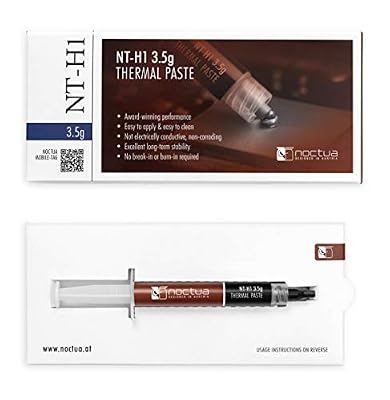
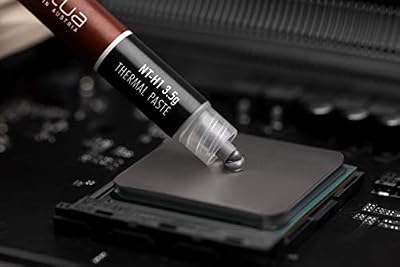
Noctua’s NT-H1 is the paste that ships with every NH-D15 and NH-U12A air cooler — and for good reason. The texture is slightly thicker than MX-4 (closer to peanut butter), which makes application more forgiving but harder to spread. Non-conductive, non-capacitive, 8-year shelf life. The 3.5g size is about 25 applications.

Noctua NT-H1 3.5g, High-Performance Thermal Paste | High-Performance, Easy to Apply and Clean, Good Long-term Stability, for 3-20 Applications


As an Amazon Associate we earn from qualifying purchases. Product prices and availability are accurate as of the date/time indicated.
5. Arctic Silver 5 3.5g
Arctic Silver 5 is the legacy paste that’s been on the market since 2003. The major drawback: it’s slightly conductive (contains silver particles), so over-application can cause issues. It also has a long break-in period (200+ hours of use to reach optimal thermal contact). For experienced builders who don’t mind the application care, it’s a classic. For new builders, MX-4 is safer.

Arctic Silver 5 AS5-3.5G Thermal Paste,Black, Grey | NBR Material, 12mm Inner Diameter, 2mm Thickness, Spare Gasket


As an Amazon Associate we earn from qualifying purchases. Product prices and availability are accurate as of the date/time indicated.
Buyer’s Guide
Conductive vs non-conductive. Non-conductive pastes (MX-4, NT-H1) are safer for first-time builders. Conductive pastes (Arctic Silver 5, some liquid metals) offer marginal performance gains but require careful application.
Thermal conductivity claims. Don’t trust manufacturer W/mK claims.
Application method. A pea-sized dot in the center works for most CPUs. Larger CPUs (Threadripper, Xeon W) benefit from spread or 5-dot methods.
Replacement interval. MX-4 lasts 5+ years. Cheaper pastes need replacement every 1-2 years. Liquid metal needs annual maintenance.
Quantity to buy. A 4g tube covers about 30 applications. Buying larger sizes (20g+) only makes sense for system builders doing dozens of builds.
Common Mistakes
Applying too much paste. The pump-out effect from excess paste can hurt thermals over time. A pea-sized dot is enough for most CPUs.
Not cleaning old paste before re-applying. Mixing old and new paste creates air gaps. Use 99% isopropyl alcohol and a microfiber cloth.
Using thermal paste between the heatspreader and die (delidding). This is a dangerous practice that voids your warranty. Use liquid metal only if you really know what you’re doing.
Storing paste improperly. Thermal paste needs to be stored at room temperature with the cap sealed. Refrigerating it can cause separation.

FAQ
How often should I replace thermal paste? For MX-4 and similar quality pastes, every 5-7 years or when you remove the cooler. Cheaper pastes degrade faster.
Will premium thermal paste help my overclock? Marginally — a 1-3°C improvement is typical. That can translate to slightly higher sustained clocks, but it won’t transform a mediocre cooler into a flagship one.
Is liquid metal worth the risk? Only for extreme overclocking or laptops with very poor stock thermal solutions. The risk of shorts and difficulty cleaning makes it inappropriate for most builds.
Does thermal paste expire? Yes, but the shelf life is long. Quality pastes last 5-8 years sealed. Once opened, use within 2 years for best results.
Final Take
For 95% of builders, Arctic MX-4 with the included spatula is the right pick — proven performance, easy application, and incredible value. Overclockers chasing every degree should grab Thermal Grizzly Kryonaut. The Noctua NT-H1 is a strong alternative that ships with most premium air coolers. Don’t overthink it — the difference between any quality paste and a bad one is 5-10°C, but the difference between Arctic MX-4 and the most expensive boutique paste is 1-2°C. Spend your money on a better cooler instead.
Spec Check: The Five Picks Side by Side
Conductivity figures look like an easy way to rank pastes, but each maker measures differently, some publish no figure at all, and none of the numbers are gathered under one shared method. Treat the table below as a map of tube size, electrical behavior, and intended use rather than a league table. In practice, bond line thickness, mounting pressure, and cooler quality move temperatures more than the gap between any two reputable compounds in this list.
| Paste | Maker-stated conductivity | Tube size | Electrical behavior | Best use |
|---|---|---|---|---|
| ARCTIC MX-4 | 8.5 W/mK | 4 g | Non-conductive, non-capacitive | General builds, first repaste |
| ARCTIC MX-4 with Spatula | 8.5 W/mK | 4 g | Non-conductive, non-capacitive | Spread-method application |
| Thermal Grizzly Kryonaut | 12.5 W/mK | 1 g | Non-conductive | Overclocked flagship processors |
| Noctua NT-H1 | Not published by the maker | 3.5 g | Non-conductive, non-corroding | Long intervals between repastes |
| Arctic Silver 5 | 8.9 W/mK | 3.5 g | Silver-filled; handle as conductive | Experienced builders, legacy builds |
Match the Paste to the Job: A Compatibility Checklist
- Standard desktop heat spreader (LGA1700, AM5): any pick in the roundup works. On AM5, dose carefully so compound stays out of the cutouts around the spreader edges.
- Large HEDT dies (Threadripper, Xeon W): use the spread method or several dots, and buy a larger tube, because one application can consume a visible share of a small syringe.
- Bare graphics card die: spread a thin layer across the whole die by hand, choose a non-conductive compound, and favor a thicker paste that resists pump-out under repeated heat cycles.
- Laptop processor: expect a thin layer and tighter margins than a desktop. A phase-change pad is the other common route when paste keeps migrating.
- Custom water block: any non-conductive paste suits the cold plate. Silicone-free compounds exist for loops and nearby materials that dislike silicone oil.
- Aluminium cooler base: never pair it with liquid metal. Gallium alloys corrode aluminium and can ruin the cooler and the processor in one accident.
Applying Paste the Right Way, Step by Step
- Power the system down, unplug it, and remove the cooler with a gentle twisting motion once the screws are loose, so the bond breaks without pulling the processor from its socket.
- Clean both the heat spreader and the cooler base with high-purity isopropyl alcohol (ninety percent or stronger) and a lint-free cloth until no grey residue remains.
- Let both surfaces dry fully. Any leftover solvent trapped under the new layer weakens the bond.
- Apply the pattern that matches the die: a pea-sized dot for a square spreader, a short line for a rectangular one, and a manual spread for a bare die.
- Lower the cooler straight down without sliding it, then tighten the mounting screws gradually in a cross pattern so pressure builds evenly.
- Avoid lifting the cooler after contact. Breaking the seal pulls air into the layer, and the only fix is to clean everything and apply again.
- Boot the machine, note idle and load temperatures, and compare them with the figures from before the repaste. A few heat cycles in the first days settle most compounds into their final state.
Repasting a GPU, Laptop, or Console: What Changes
A graphics card die has no protective spreader, so the compound touches silicon directly and must cover every corner, because an exposed edge runs hot. Thermal pads on memory chips and voltage regulators are a separate part of the job: they come in specific thicknesses, and paste is never a substitute for a pad of the wrong thickness. Bare dies also suffer pump-out, where heat cycles slowly push compound toward the edges, which is why thicker pastes and phase-change pads are popular for cards and laptops. Consoles follow the same logic, with compact coolers and little room for error. Opening any of these devices can affect warranty coverage depending on the maker and your region, so read the terms before the first screw comes out.
Signs Your Current Paste Is Done
- Idle temperatures creep upward over months while nothing else in the system changes.
- Fans run louder during the same games or workloads that used to stay quiet.
- The processor throttles in sessions that previously held full clock speed.
- The system is four or more years old and the cooler has never come off.
- When the cooler does come off, the old layer looks dry, cracked, or pushed out to the edges of the spreader.
Any two of these together justify a repaste before you spend anything on a new cooler.
Who Should Skip the Premium Tube
Skip the boutique compounds if your new cooler already ships with a quality paste pre-applied, because the gain from swapping it on day one is close to zero. Skip them for an office machine or a media PC, where the processor rarely sustains full load and silence matters more than a degree or two. Skip them if the real limit is the cooler itself: a small stock heatsink caps temperatures long before the compound does. And skip them if you dislike maintenance, because the highest-performing pastes ask for earlier reapplication than the long-life mainstream options in the main roundup.
More Questions Buyers Ask
Can I mix two pastes to use up leftovers? No. Different carriers and fillers can separate or trap air when blended. Clean the surfaces fully and apply one compound only.
How do I spot a counterfeit tube? Buy from an authorized seller, check that the packaging print and syringe finish look crisp rather than blurred, and use the authenticity code several makers now print on the box to confirm the tube is genuine.
Paste got into the socket or on the pins. What now? Keep the power off, soften the residue with isopropyl alcohol, and lift it away with a soft brush and patience. Non-conductive compounds rarely cause lasting harm once cleaned; silver-filled and liquid metal compounds are far less forgiving, which is why they demand care near exposed contacts.
How should a half-used tube be stored? Cap it tightly, keep it at room temperature away from radiators and sunny windowsills, and wipe the nozzle before sealing so dried residue cannot fall into the next application.
More Picks Worth Considering
Noctua NT-H2 3.5g

Noctua positions NT-H2 as the refined successor to the NT-H1 in the roundup above, built around a fine-tuned blend of metal oxide microparticles that lowers thermal resistance at ordinary mounting pressure. The 3.5 g syringe covers roughly three to twenty applications depending on die size, and three pre-moistened cleaning wipes come in the box, so a first repaste needs no separate supplies. Noctua rates it for up to five years of use on a processor and three years of storage, and the compound is non-conductive and non-corroding. Choose it for a quiet air-cooled or liquid-cooled build you want to assemble once and leave alone. Skip it if you swap coolers often, because the premium per gram adds up, or if you chase benchmark temperatures, where Kryonaut Extreme reaches further.
GELID Solutions GC-Extreme 3.5g

GC-Extreme has been an enthusiast staple for years, and its appeal is consistency rather than novelty. Gelid rates the compound at 8.5 W/mK with a dense, high-viscosity body that stays where you put it, which makes it a strong match for graphics card dies and other direct-contact surfaces where thinner pastes can migrate over time. It is non-corrosive, non-conductive, needs no curing period, and ships with a small applicator for manual spreading. Pick it for a GPU repaste, a hot overclocked processor, or any job where you prefer to spread a thin layer yourself. Pass on it if you are a first-time builder, because the thick texture takes practice to spread evenly, or if you favor the simpler center-dot method under mounting pressure.
Thermal Grizzly Kryonaut Extreme 2g

Kryonaut Extreme is Thermal Grizzly’s flagship paste, developed for competitive overclocking rather than everyday builds. A finer particle structure lets it form a very thin bond line, and the maker rates conductivity at 14.2 W/mK with an operating range that reaches deep sub-ambient temperatures, so it holds up under dry ice and liquid nitrogen as well as under a flagship air or liquid cooler. It is electrically non-conductive and resists drying at sustained high temperatures. The 2 g syringe covers about six applications. Choose it when every fraction of a degree decides a benchmark result or a stability limit. Skip it for a family PC or a laptop, where the small tube, premium positioning, and periodic reapplication under heavy thermal cycling buy nothing over the mainstream picks above.
Related Guides
Frequently Asked Questions
Is Arctic paste actually competitive with premium brands?
Yes. Arctic MX-6 and MX-4 consistently land within a degree or two of far more expensive compounds in independent testing, and they cost considerably less per gram. For air and standard liquid cooling, the difference between good pastes is smaller than the variation caused by mounting pressure.
How much paste should I apply?
A pea-sized blob in the centre works for most CPUs and spreads evenly under mounting pressure. Large rectangular heat spreaders on high core count processors benefit from a thin line pattern instead. Too much paste is messy but harmless electrically, provided the compound is non-conductive.
Is Arctic thermal paste electrically conductive?
The MX series is non-conductive and non-capacitive, so accidental contact with surrounding components will not short anything. That makes it a much safer choice than liquid metal for first-time builders, which can permanently damage a board and reacts badly with aluminium coolers.
How often should I reapply?
Arctic rates MX-6 for around eight years without pump-out, so for most people reapplication is only needed when removing the cooler for another reason. If you notice idle temperatures climbing several degrees over months, that is the practical signal to reseat and repaste.
Which Arctic paste should I choose?
MX-6 performs slightly better and is the current flagship of the non-conductive range. MX-4 is cheaper, easier to spread and still excellent. MX-2 is fine for budget builds. Buy the larger tube if you build for others; the price per gram drops substantially.