🛒 Best Price Today on Amazon
Prime members get fast, free shipping on everything above, plus member-only deals. New members get a 30-day free trial — cancel anytime.
- Best Keyboards for Beginners at a Glance
- What Beginners Should Know Before Buying
- Best Starter Keyboards by Tier
- Best Affordable and Inexpensive Keyboards for PC
- Best Keyboards for Kids and Younger Beginners
- Pick X If You Want Y
- How to Settle In With Your First Mechanical Keyboard
- What to Skip as a First-Time Buyer
- Size, Compatibility and Setup Notes
- Frequently Asked Questions
Updated November 2026 – The best keyboards for beginners are the Keychron C3 Pro for a first hot-swappable board, the Redragon K552 for the cheapest solid mechanical start, the Logitech G413 SE for a full-size budget option, and the Corsair K70 Core or Razer BlackWidow V4 X if you want gaming features from day one.
If you are shopping for your first mechanical board, the best keyboards for beginners share a few traits: a layout that fits your desk, a switch type you can live with, a wired or simple wireless connection, and enough build quality to last. This guide covers the best starter keyboards, affordable and entry-level picks for PC and gaming, what the switch terms mean, and which products to skip, using the makers’ published specs and 2026 reviewer coverage.
Best Keyboards for Beginners at a Glance
| Keyboard | Best for | Layout | Key stated features | Main limit |
|---|---|---|---|---|
| Keychron C3 Pro | First hot-swappable board | Tenkeyless | Hot-swap sockets, QMK/VIA support, gasket-style mounting as listed | Compact layout has no number pad |
| Redragon K552 | Lowest-cost mechanical start | 87-key tenkeyless | Mechanical switches, metal-style frame, wired | Basic software, clone switches |
| Redragon K617 Fizz | Small 60 percent layout on a budget | 61 keys | Compact wired mechanical board | No arrow cluster dedicated keys; function layers |
| Logitech G413 SE | Full-size budget typing and gaming | Full-size | Brushed aluminum top case, PBT keycaps as reviewers note | Not hot-swappable |
| Corsair K70 Core | Budget gaming with strong software | Full-size | Wired, RGB lighting, iCUE software | Higher cost than the cheapest picks |
| Razer BlackWidow V4 X | Gamers who want macro keys | Full-size | Six dedicated macro keys, media controls, Yellow linear or silent switches | Premium among beginner boards |
| Royal Kludge RK61 | Compact wireless on a budget | 61 keys | Bluetooth and wired as the maker lists | Small layout takes adjustment |
| Ducky One 3 | Typists wanting a refined first board | Several sizes | Hot-swap on listed versions, quality keycaps | Steeper entry than basic boards |
What Beginners Should Know Before Buying
Switches: Linear, Tactile and Clicky
Switch type is the biggest feel difference. Linear switches press smoothly with no bump and are popular for gaming. Tactile switches have a bump partway through the press that you can feel when a key registers, which many typists like. Clicky switches add an audible click. Makers also label switches by color, such as red, brown and blue, but colors are not standardized across brands, so read the maker’s description of the feel. If you are unsure, a linear or tactile switch is a safe start, and silent versions help in shared rooms.
Hot-Swap and Why It Matters for a First Board
A hot-swappable board lets you pull out switches and fit new ones without soldering. For a beginner it is a low-risk way to change your mind about switch feel later. Reviewers highlight hot-swap on the Keychron C3 Pro, while the Redragon K552 and Logitech G413 SE are not described that way. If you think you might want to experiment, buy hot-swap; if you just want a board that works, it is optional.
Layout Size
Full-size boards have a number pad and suit spreadsheets and data entry. Tenkeyless removes it, leaving more mouse room. Sixty percent boards drop the arrows and function row and rely on layers, which saves space but needs a learning period. Beginners who are not sure should lean toward tenkeyless or full-size.
Wired vs Wireless
A wired board has no battery and no pairing, which is the simplest start. Wireless adds Bluetooth or a 2.4GHz receiver for a cleaner desk, but check the maker’s battery claims and how they change with lighting on. Most budget picks below are wired for that reason.
Keycaps and Build
Keycap material affects shine and feel over time. Reviewers praise PBT caps on the Logitech G413 SE for durability. A metal top plate or frame adds weight and reduces flex. These details matter less than layout and switches for a first purchase, but they explain price differences.
Best Starter Keyboards by Tier
Keychron C3 Pro – Best for a First Hot-Swappable Keyboard
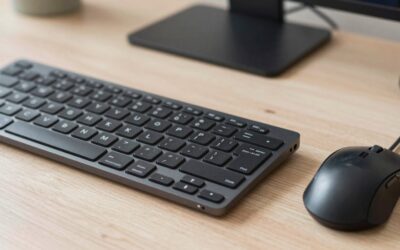
Specs the maker lists: tenkeyless layout · hot-swappable switches · QMK/VIA support · gasket-style mounting · wired USB.
The C3 Pro is the beginner pick in a 2026 roundup because it combines customization and a compact layout at an entry-level tier. You can remap keys through QMK/VIA tools and change switches later without soldering. It is a sensible choice for someone who suspects they will get deeper into the hobby. The compromise is the missing number pad.

Keychron C3 Pro QMK/VIA Custom Gaming Keyboard, Programmable 87 Keys Compact TKL Layout Gasket Mount, Red LED Backlight Wired Mechanical Keyboard with Brown Switches for Mac/Windows/Linux
Included for 'Best Mechanical Keyboards for Beginners in 2026 (First Board Buying Guide)' as a representative home product in this roundup; selection reflects the product set returned for this topic.
View on AmazonRedragon K552 – Best for the Lowest-Cost Mechanical Start
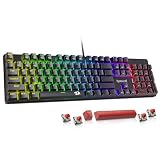
Specs the maker lists: 87-key tenkeyless layout · mechanical switches · metal-style frame · single-color or RGB versions · wired USB.
One 2026 roundup calls the K552 the best-value choice: cheap, tough and simple. It is among the easiest budget mechanical boards to recommend for students and for kids setting up a first desk. Software is basic, and the switches are clone types, so it is not a board for heavy customization. It does the job for typing and gaming, which is why it is a staple of best affordable keyboards lists.
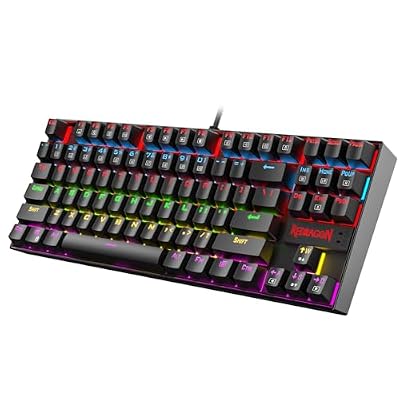
Redragon K552 Mechanical Keyboard, LED Gaming Keyboard with Red Switches | 87-Key TKL Compact, Anti-Ghosting, Metal Frame for PC Gaming & Typing, Beginner-Friendly, Redragon Classic Gaming Keyboard
Included for 'Best Mechanical Keyboards for Beginners in 2026 (First Board Buying Guide)' as a representative home product in this roundup; selection reflects the product set returned for this topic.
View on AmazonRedragon K617 Fizz – Best for a Compact 60 Percent Layout
Specs the maker lists: 61-key layout · mechanical switches · wired USB · compact footprint.
The K617 Fizz suits desks with little room. A 60 percent layout removes the number pad, arrow keys and function row, so common actions sit on a function layer. It is a fine way to try the small format cheaply, but read the layout diagram first so you know what you are giving up. Beginners who need arrow keys constantly should choose a larger board.

Redragon K617 Wired 60% Compact Hot-Swap RGB Gaming Mechanical Keyboard | 61 Keys Design for More Room to Aim, Swap-Ready Socket for Mod, Vibrant 20-Mode Lighting Hype Vibing, Pro Software Supported
Included for 'Best Mechanical Keyboards for Beginners in 2026 (First Board Buying Guide)' as a representative home product in this roundup; selection reflects the product set returned for this topic.
View on AmazonLogitech G413 SE – Best Full-Size Budget Option
Specs the maker lists: full-size layout · mechanical switches · brushed aluminum top case · backlight · wired USB.
A 2026 roundup names the G413 SE the best full-size budget option, and another guide praises its aluminum top case and PBT keycaps. It is not hot-swappable and does not offer deep programmability, so it fits people who want to plug in and type. The number pad makes it a good all-around entry-level gaming keyboard.

Logitech G413 SE Full-Size Mechanical Gaming Keyboard, Black Aluminum | Backlit keyboard with tactile mechanical switches, anti-ghosting, and compatible with Windows and macOS
Included for 'Best Mechanical Keyboards for Beginners in 2026 (First Board Buying Guide)' as a representative home product in this roundup; selection reflects the product set returned for this topic.
View on AmazonCorsair K70 Core – Best Budget Gaming Board With Software
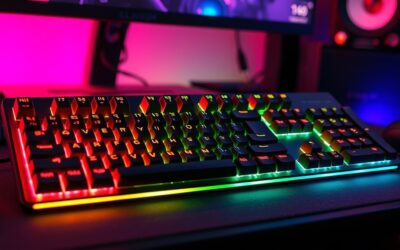
Specs the maker lists: full-size layout · RGB lighting · wired USB · iCUE software · gaming-focused switches.
RTINGS calls the K70 Core the best budget gaming keyboard it has tested, which is a reviewer claim rather than the maker’s. Another review notes that you do not need magnetic switches for responsive play. It costs more than the Redragon options, so choose it if you want brand software, lighting control and a gaming-grade build for entry-level gaming. Many buyers searching for best entry gaming keyboards land here.

Corsair K70 CORE RGB Mechanical Wired Gaming Keyboard – Pre-Lubed MLX Red Linear Switches, SOCD, ABS Double-Shot Keycaps, Sound Dampening, Media Control Dial, 1000Hz Polling, QWERTY NA – Black
Included for 'Best Mechanical Keyboards for Beginners in 2026 (First Board Buying Guide)' as a representative home product in this roundup; selection reflects the product set returned for this topic.
View on AmazonRazer BlackWidow V4 X – Best for Beginners Who Want Macro Keys
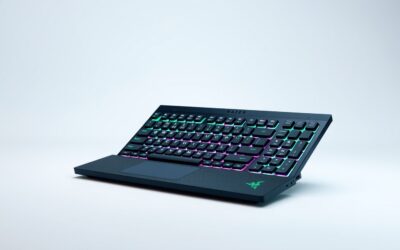
Specs the maker lists: full-size layout · six dedicated macro keys · media controls and roller · Yellow linear or Green clicky switches as listed by the maker · wired USB.
A 2026 roundup describes the V4 X as the choice for players who want macro keys, and it is the priciest of the five boards named there. The dedicated macro keys help in MMOs and creative software. It is more than a beginner strictly needs, but it grows with you if you play games that reward shortcuts.

Razer BlackWidow V4 X Mechanical Gaming Keyboard, Yellow Switches, Black | Linear & Silent Switches, 6 Dedicated Macro Keys, Chroma RGB, Doubleshot ABS Keycaps, Roller & Media Controls, Snap Tap
Included for 'Best Mechanical Keyboards for Beginners in 2026 (First Board Buying Guide)' as a representative home product in this roundup; selection reflects the product set returned for this topic.
View on AmazonRoyal Kludge RK61 – Best for Compact Wireless on a Budget
Specs the maker lists: 61-key layout · Bluetooth and wired connection · mechanical switches · backlit versions.
Royal Kludge boards are common on affordable keyboard lists because they bring wireless and compact sizes to a low tier. The small layout means a learning curve, and battery claims should be read as the maker’s statements, especially with lighting on. It suits a laptop user who wants a portable mechanical board to pair with a phone or tablet.

RK ROYAL KLUDGE RK61 Wireless Mechanical Keyboard, 60% Percent RGB, Black | 60% RGB Gaming Keyboard with Bluetooth/2.4GHz/Wired, Hot Swappable 61 Keys Ultra-Compact for Win/Mac/PC, Linear Red Switch
Included for 'Best Mechanical Keyboards for Beginners in 2026 (First Board Buying Guide)' as a representative home product in this roundup; selection reflects the product set returned for this topic.
View on AmazonDucky One 3 – Best for a Refined First Board
Specs the maker lists: several layouts including full-size and tenkeyless · quality keycaps · hot-swap on listed versions · wired USB.
Ducky has a reputation among enthusiasts for build and keycap quality. The One 3 line costs more than the budget boards, so it is a pick for the beginner who already knows they will keep the board for years. Check the maker’s page for which sizes and switch options are offered.

Ducky One 3 Mechanical Gaming Keyboard, Cherry MX Brown, RGB | Mechanical gaming keyboard with hot-swappable switches, RGB backlight
Included for 'Best Mechanical Keyboards for Beginners in 2026 (First Board Buying Guide)' as a representative home product in this roundup; selection reflects the product set returned for this topic.
View on AmazonBest Affordable and Inexpensive Keyboards for PC
For buyers searching best affordable PC keyboards or best inexpensive keyboards, the practical shortlist is the Redragon K552 for the lowest cost, the Keychron C3 Pro for upgradeability, and the Logitech G413 SE for a full-size layout. Each is wired, which keeps cost down and avoids battery questions. A budget board is not a compromise on feel if you pick the switch type you like, because the switch shapes the experience more than the brand.
Best Keyboards for Kids and Younger Beginners
Younger users often do best with a compact, durable wired board. The Redragon K552 is a common choice because it is tough and simple. A full-size layout is easier for learning to type with a number pad, while a small hand may find a tenkeyless board more comfortable because the mouse sits closer. Silent or quiet switches help in shared homes. Avoid very small 60 percent boards for early typing practice, since arrow keys and function keys sit on layers.
Pick X If You Want Y
| Pick this | If you want |
|---|---|
| Keychron C3 Pro | A board you can customize later without soldering |
| Redragon K552 | The cheapest reliable mechanical start |
| Redragon K617 Fizz | A very small desk footprint |
| Logitech G413 SE | A full-size board with a number pad and durable caps |
| Corsair K70 Core | Gaming features and software at an entry tier |
| Razer BlackWidow V4 X | Macro keys and gaming extras |
| Royal Kludge RK61 | A portable wireless compact board |
| Ducky One 3 | A long-term board with refined build |
How to Settle In With Your First Mechanical Keyboard
The first week with a mechanical board feels different from a membrane or laptop keyboard. Keys travel further, and you can rest your fingers on them without pressing. Many new users type harder than needed at first; a lighter touch reduces noise and finger fatigue. If a board feels too loud or too stiff after a few days of real use, that is a switch-type mismatch rather than a defect, and it is the case where a hot-swap board lets you change course.
Set up the basics early. Update any firmware the maker offers, since updates can fix key registration and lighting behavior. Learn the function-key shortcuts for brightness and media, and keep the maker’s manual handy for layer keys on compact boards. If you game, spend a session in a favorite title with the new layout before a competitive match so key positions feel natural.
Think about posture too. A keyboard that sits high can strain wrists, and a wrist rest may help some typists, though comfort is personal and anyone with persistent pain should talk to a doctor or an occupational health professional. Most boards include small feet to tilt the case; use the lower angle if your wrists bend upward.
Finally, give yourself an upgrade path. A wired board with a standard layout lets you add replacement keycaps later, and a hot-swap board lets you try different switches. These small changes cost far less than buying a new keyboard and are a gentle way to learn what you like, which is the real goal of a first board.
What to Skip as a First-Time Buyer
- Boards with no listed switch type: if the maker does not say what is under the keys, you cannot judge the feel.
- Very small layouts when you rely on arrows or function keys: 60 percent boards need layers, which frustrates new users.
- Premium magnetic-switch boards: adjustable actuation is aimed at competitive players and costs more than a beginner needs.
- Kits that require soldering: a hot-swap or ready-built board is the easier first step.
- Battery claims without conditions: wireless run time changes with lighting and use, so read the maker’s footnotes.
Size, Compatibility and Setup Notes
- Measure your desk: a full-size board is wider than a tenkeyless board by the number pad.
- Check the operating system list on the maker’s page; most boards state Windows support and some state macOS.
- Lighting and macro software such as iCUE and Synapse is typically Windows based; basic typing works without it.
- Replacement keycaps and switches must match the board’s stem and socket type, so read the maker’s compatibility notes before swapping.
- Take it slowly with a new layout: give a compact board a week or two before deciding whether it suits you.
Frequently Asked Questions
What is the best starter keyboard for a first mechanical board?
The Keychron C3 Pro is the most often cited beginner pick because it combines a compact layout with hot-swap sockets. The Redragon K552 is the lower-cost alternative. Both are wired and simple to set up.
Are cheap mechanical keyboards worth buying?
Yes, for most beginners. Budget boards such as the Redragon K552 provide a real mechanical feel and are described by reviewers as tough and simple. They give up customization and software depth, not basic typing quality.
Which switch type is best for a beginner?
Linear switches are a common start for gaming, and tactile switches suit typing. Clicky switches are loud, so they are less suited to shared spaces. Because colors differ by brand, read the maker’s description of the feel rather than the color name.
Do I need a hot-swappable keyboard as a beginner?
No, but it is a safety net. Hot-swap lets you change switches without soldering if you dislike the first set. Reviewers point to the Keychron C3 Pro for that reason.
What is the best entry-level gaming keyboard?
RTINGS names the Corsair K70 Core its best budget gaming keyboard. The Logitech G413 SE is a cheaper full-size option, and the Razer BlackWidow V4 X suits players who want macro keys. Choose by layout and features rather than lighting.
What size keyboard should a beginner choose?
A full-size or tenkeyless layout is easiest to learn on because arrows and function keys sit where you expect. Compact 60 percent boards save space but need function layers. Pick based on whether you use the number pad and how much desk room you have.