🛒 Best Price Today on Amazon
Prime members get fast, free shipping on everything above, plus member-only deals. New members get a 30-day free trial — cancel anytime.
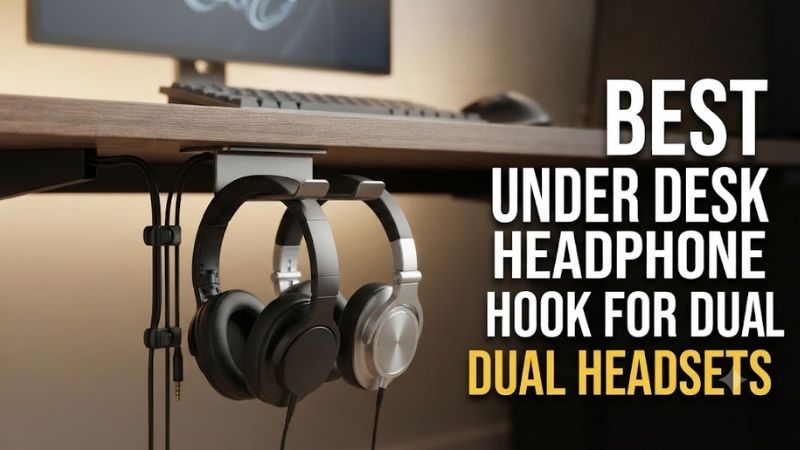
The best under desk headphone hook for dual headsets should store two pairs securely without crushing their headbands, tangling cables, or occupying valuable desktop space. Dual storage creates additional requirements for load capacity, hanger spacing, installation strength, and access to both headsets.
Quick Verdict: Which Dual Headset Holder Is Best?
The Brainwavz BigT is our preferred purpose-built adhesive option for two headsets because it offers a dedicated dual-support design, a documented weight limit, and a compact footprint beneath a desk. However, adhesive compatibility with the desktop remains essential.
The ADV. Dual Suspension 360 is a strong alternative for users who prefer a mechanical clamp and independently rotating hanger arms.
The Brainwavz XLT provides another dedicated dual-headset arrangement with a different spacing and support geometry.
For gamers who want additional cable organization or a professional studio-style clamp, the Gravity HP HTC 01 B is worth considering.
Quick Comparison Table
Not all dual-headset hangers distribute weight in the same way. A single broad support places two headbands close together, while separated arms allow independent access. Adhesive mounts avoid drilling but depend on surface bonding, whereas mechanical clamps require compatible desk edges.
| Product | Mounting | Dual-Headset Design | Best For |
|---|---|---|---|
| Brainwavz BigT | 3M VHB adhesive | Two support sides | Best overall adhesive |
| ADV. Dual Suspension 360 | Screw clamp | Two rotating arms | Independent access |
| Brainwavz XLT | 3M VHB adhesive | Dual support platform | Larger headbands |
| Gravity HP HTC 01 B | Desk clamp | One broad 1–2-headset support | Studio-style storage |
| Brainwavz Ultra-T | 3M VHB adhesive | Large T-shaped support | Broad underside storage |
| Elevation Lab The Anchor | Adhesive | Two-sided hook | Minimalist setup |
| 6amLifestyle Dual Aluminum Hook | Adhesive or screws | Two opposing hooks | Metal construction |
How We Selected Dual Headset Hooks
Storing two headsets on one hanger requires more attention to physical spacing than storing one. We evaluated whether both headbands can remain supported, whether the mounting method accommodates the combined weight, and whether each headset can be removed without disturbing the other.
Combined Weight and Mounting Security
Two gaming headsets can place significantly more weight on a hanger than one lightweight pair of headphones. The mounting system must support their combined load, including any attached accessories, without excessive movement or reliance on an unsuitable adhesive surface.
Adhesive ratings depend on proper installation.
Surface preparation, temperature, finish, pressure, and curing time can affect bonding.
Mechanical clamps use a different load path but require stable contact with the desk.
A published capacity should never be treated as independent proof that every desktop or adhesive installation is safe.
Headset Spacing and Headband Protection
Two headsets need sufficient separation to prevent their earcups, microphones, and cables from becoming tangled. A hanger that accommodates two narrow headphones may become crowded when used with bulky wireless gaming headsets.
Broad supports help distribute pressure across padded headbands.
Separated arms make individual headset removal easier.
However, a wider hanger occupies more underside space.
The correct design depends on the headset dimensions and the available mounting region.
Access, Cable Routing, and Desk Clearance
An under-desk hanger should position both headsets where they can be reached without interfering with chair movement. Cable routing is also important because two wired headsets can create a tangled bundle if their connectors and excess wiring share one narrow hook.
For wireless headsets, charging cables may still need management.
The hanger should not block USB ports, desk controls, or monitor-arm hardware.
Users of standing desks must also confirm that the stored headsets remain clear of nearby furniture throughout height adjustment.
Best Under-Desk Dual Headphone Hooks Reviewed
These seven options include dedicated two-headset holders, broad supports intended for one or two headphones, and alternative dual-hook designs. Their mounting requirements and usable spacing differ, so the most suitable choice depends on the headsets and desktop rather than one universal ranking.
Brainwavz BigT — Best Overall Adhesive Dual Headset Hanger
The Brainwavz BigT is designed specifically for two sets of headphones beneath a desk or shelf. Its symmetrical support and documented load rating make it a sensible choice when gamers want compact storage without drilling or installing a clamp along the desk edge.
Best For: Two ordinary gaming headsets on a clean, compatible underside surface.
Technical Specifications
-
Capacity: Two headphones or headsets.
-
Published maximum load: 1.5 kilograms, approximately 3.3 pounds.
-
Overall dimensions: 100 × 56 × 30 millimeters.
-
Support lip height: 17 millimeters.
-
Plate depth: 41 millimeters.
-
Material: Plastic.
-
Installation: Pre-applied 3M VHB adhesive.
Dual-Sided Construction
The BigT uses a T-shaped support arrangement.
This allows one headset to hang from each side.
The design is compact, which helps preserve desk space.
However, bulky earcups can still contact one another depending on their shape.
The hanger’s nominal two-headset capacity should not be confused with guaranteed clearance for every headset combination.
Adhesive Installation
The 3M VHB mounting system avoids drilling.
This is convenient for users who do not want permanent modifications.
However, adhesive strength depends on correct surface preparation and the manufacturer’s installation process.
Rough, dusty, low-energy, or unsuitable finishes may prevent reliable bonding.
Users should not attach expensive headsets until the adhesive has been installed and allowed to develop strength as directed.
Gaming Setup Advantages
The compact footprint is useful under a keyboard or monitor area.
Headsets remain accessible without occupying desktop surface space.
For wired models, cable routing still needs attention.
A headset cable should not dangle into chair wheels or become trapped beneath the desk.
Pros
-
Purpose-built two-headset design.
-
Published 1.5kg capacity.
-
Compact dimensions.
-
No drilling or clamps.
-
Broad curved support surfaces.
-
Suitable for many conventional headsets.
Cons
-
Adhesive compatibility depends on surface.
-
Limited clearance for very bulky earcups.
-
Removal may affect certain finishes.
-
Repositioning requires new adhesive.
Buy If: You want compact dual-headset storage on a suitable underside surface.
Skip If: Your desk finish is incompatible with adhesive mounting.
ADV. Dual Suspension 360 — Best Rotating Clamp-On Dual Hanger
The ADV. Dual Suspension 360 uses two independently rotating hanger arms attached through a mechanical desk clamp. This makes it attractive for gamers who want to remove either headset without lifting or moving the other one.
Best For: Two headsets requiring separate, accessible support arms.
Technical Specifications
-
Headset capacity: Two pairs.
-
Construction: Steel with silicone padding.
-
Rotation: 360-degree hanger movement.
-
Maximum desktop thickness: Approximately 1.57 inches, or 40 millimeters.
-
Installation: Mechanical screw clamp.
Dual-Arm Design
Unlike a fixed T-shaped holder, the ADV. provides two rotating support arms.
This can improve access when both headsets have large earcups or microphone booms.
The user can rotate a hanger outward, remove the headset, and reposition the empty arm.
However, the surrounding desk area must provide enough room for the movement.
Mounting Strength
The steel structure provides a rigid mounting arrangement.
Silicone padding helps protect contact surfaces and headbands.
The mechanical clamp eliminates dependence on adhesive bonding.
However, the 40-millimeter thickness limit restricts compatibility with thicker worktops.
Use With Gaming and Streaming Headsets
The design is attractive for users who maintain separate headsets for gaming and communication.
For example, a streamer might have one closed-back gaming headset and another pair of monitoring headphones.
The dual-arm format keeps both accessible.
Pros
-
Two independent hanger arms.
-
360-degree rotation.
-
Steel construction.
-
Silicone padding.
-
Mechanical clamp.
-
Convenient individual access.
Cons
-
Maximum desktop thickness around 40 millimeters.
-
Requires desk-edge clearance.
-
More moving parts than a fixed hook.
-
Arms need surrounding movement space.
Buy If: You want independently accessible headset storage without adhesive.
Skip If: Your desk is too thick for the clamp.
Brainwavz XLT — Best Alternative Adhesive Dual Holder
The Brainwavz XLT is another dedicated dual-headset hanger using a broad support arrangement beneath the desk. Its design offers an alternative to the compact BigT, particularly when headset headband dimensions and physical spacing require a different holder shape.
Best For: Two headsets with headbands up to the documented supported width.
Technical Specifications
-
Maximum headband width: 50 millimeters.
-
Published maximum load: 1.5 kilograms.
-
Mounting: Pre-applied 3M VHB adhesive.
-
Intended use: Two headphones or headsets.
Support Geometry
The XLT provides two headset-hanging positions.
Its design is intended to keep headphones away from the work surface.
However, users should measure the actual headband width.
A padded or suspended headband wider than 50 millimeters may not sit securely.
Installation and Surface Compatibility
The adhesive approach is convenient for compatible smooth surfaces.
No drill or screwdriver is required.
However, the adhesive should be installed according to the manufacturer’s instructions.
A poorly prepared surface can compromise the installation.
Advantages Over Compact Hooks
A dedicated dual hanger can be more convenient than placing two headsets on a narrow generic hook.
The XLT is especially worth considering when its support geometry better matches the headsets.
However, it does not provide independent rotating arms.
Pros
-
Purpose-built dual-headset format.
-
Documented 1.5kg capacity.
-
50-millimeter headband compatibility.
-
No-drill mounting.
-
Compact underside location.
Cons
-
Adhesive installation requirements.
-
Fixed rather than rotating design.
-
Headband width limitation.
-
Physical spacing depends on headset size.
Buy If: You want a fixed adhesive dual holder with documented headband compatibility.
Skip If: You need independent swivel arms or removable clamp installation.
Gravity HP HTC 01 B — Best Studio-Style Dual Support
The Gravity HP HTC 01 B provides a broad headset support attached through a steel desk clamp. Although not structured as two independent hooks, the manufacturer identifies it as suitable for one or two compatible headphones or headsets.
Best For: One or two moderate-sized headsets on compatible desks.
Technical Specifications
-
Clamp range: 0–45 millimeters.
-
Support width: 60 millimeters.
-
Support depth: 100 millimeters.
-
Materials: Steel and plastic.
-
Additional storage: Two cable slots.
Single Broad Support
The Gravity uses one broad support rather than independent arms.
This can provide stable contact for one headset.
Two headsets can share the support if their dimensions permit it.
However, bulky earcups may overlap, and one headset may need to be moved to access the other.
Mechanical Installation
The steel clamp can be mounted on compatible desk or shelf edges.
A protective plastic screw end helps reduce direct contact with the surface.
Unlike adhesive hangers, the product can be removed and repositioned without replacing adhesive.
Cable Organization
Two cable slots provide storage for connectors or loose cable ends.
This is useful for wired gaming headsets.
However, cables should be secured without placing tension on the headset’s connectors.
Pros
-
Manufacturer-described 1–2-headset capacity.
-
Steel desk clamp.
-
Broad support.
-
Two cable slots.
-
Repositionable installation.
Cons
-
Single shared support.
-
Less separation between headsets.
-
Limited clamp thickness.
-
Not ideal for two very bulky headphones.
Buy If: You want a dedicated professional-style hanger that may hold two compatible headsets.
Skip If: You require separate arms for independent access.
Brainwavz Ultra-T — Best Broad Adhesive Support Alternative
The Brainwavz Ultra-T is designed as a larger under-desk headphone hanger that can accommodate headsets and other lightweight accessories. Its broad support format is useful for users who prioritize headband contact area and a simple adhesive installation.
Best For: Broad headset support beneath a desk or shelf.
Construction
The Ultra-T uses an enlarged T-shaped support structure.
Its design allows headphones to be positioned beneath a horizontal surface.
The manufacturer supplies pre-applied 3M VHB adhesive.
This eliminates drilling when used on a compatible surface.
Dual-Headset Suitability
The general T-shaped geometry can accommodate headset storage on opposite sides, subject to the selected configuration and actual headset dimensions.
However, users should confirm the current product version’s intended dual-use capacity and load rating.
It should not automatically be treated as equivalent to the BigT’s documented 1.5kg limit.
Installation
The mounting surface should be clean, suitable, and prepared according to the adhesive instructions.
Users should avoid attaching the product to weak laminate or an unstable surface.
A secure bond matters because headset damage from a falling hanger can exceed the cost of the accessory.
Pros
-
Broad support format.
-
Adhesive installation.
-
No drilling.
-
Suitable for common gaming headsets.
-
Compact underside storage.
Cons
-
Exact loading specifications require version confirmation.
-
Fixed installation position.
-
Adhesive removal can be inconvenient.
-
Dual-headset clearance depends on dimensions.
Buy If: You prefer a larger T-shaped adhesive support.
Skip If: You need a fully documented dual-headset load rating before purchase.
Elevation Lab The Anchor — Best Minimalist Two-Sided Hook
The Elevation Lab The Anchor uses a compact two-sided design to store headphones beneath a desk. Its simple shape makes it attractive for gamers who want an unobtrusive accessory rather than a large mechanical mount.
Best For: Minimalist gaming setups with compatible underside surfaces.
Design
The Anchor provides two support sides beneath a compact mounting body.
It is intended to hold headphones away from the work surface.
This can free space around the keyboard and mouse.
However, the two headsets must be physically compatible with the available spacing.
Adhesive Installation
The design uses adhesive mounting.
This is convenient when the user does not want to drill.
However, surface compatibility is critical.
The mounting surface must support the intended load, and installation instructions must be followed carefully.
Practical Limitations
A minimalist support may be less convenient for very bulky headsets.
Users should examine whether earcups collide when both pairs are stored.
Also consider how charging cables will be routed.
Pros
-
Compact two-sided design.
-
No drilling required.
-
Keeps headsets off the desktop.
-
Minimal appearance.
-
Suitable for ordinary headset storage.
Cons
-
Adhesive-dependent mounting.
-
Limited headset separation.
-
Not suitable for every desk finish.
-
Exact product-version capacity should be verified.
Buy If: You want unobtrusive storage for two compatible headsets.
Skip If: You prefer mechanically fastened hardware.
6amLifestyle Dual Aluminum Hook — Best Metal Dual-Hook Alternative
The 6amLifestyle Dual Aluminum Hook uses a compact metal construction with separate support positions for two headsets or lightweight accessories. Its simple design is attractive when durability and minimal space usage matter more than adjustable positioning.
Best For: Gamers who prefer metal hooks with straightforward mounting.
Construction
The accessory uses an aluminum-alloy design with two hook positions.
Its compact body can be installed beneath a compatible desk or shelf.
The separate hooks allow headsets or other lightweight accessories to be stored away from the main desktop.
However, hook curvature and contact width should be checked against padded headbands.
Mounting Options
Selected versions support adhesive or screw mounting.
Screw mounting may be preferable for users who want a mechanically fastened installation.
However, it requires an appropriate desktop material and suitable screw length.
Adhesive installation avoids drilling but depends on surface bonding.
Gaming Applications
The metal design may suit users with two relatively compact headsets.
However, narrow metal hooks can create concentrated pressure on thick headband padding.
Users should examine the actual contact surface before choosing the product.
Pros
-
Aluminum-alloy construction.
-
Two hook positions.
-
Compact design.
-
Multiple mounting approaches on applicable versions.
-
Suitable for ordinary accessory storage.
Cons
-
Narrower support than some padded holders.
-
Screw mounting requires care.
-
Adhesive versions depend on surface compatibility.
-
Exact load limits must be confirmed.
Buy If: You want a compact metal dual-hook arrangement.
Skip If: Your headsets have delicate or unusually broad padded headbands.
Buying Guide: Choosing an Under-Desk Dual Headphone Holder
Two-headset storage should be selected according to the combined weight and physical dimensions of the actual headsets. A dual hanger can save desktop space, but insufficient separation or poor mounting can make it less convenient than two separate single-headset hooks.
Decide Between One Dual Holder and Two Separate Hooks
A single dual holder reduces the number of mounting points.
However, two separate hooks provide more flexibility in positioning.
For bulky headsets, independent mounting may prevent earcup collisions.
For compact gaming workstations, one dual holder may be easier to organize.
Verify the Combined Headset Weight
Weigh or check the specifications of both headsets.
Include attached cables or accessories when relevant.
The mounting system must support their combined load.
Do not rely on a rating that applies only to one headset.
Protect Headbands and Ear Cushions
Choose support surfaces that distribute weight appropriately.
Avoid storing headsets in ways that compress their ear cushions for prolonged periods.
A broad padded support may be more appropriate for delicate materials than a narrow hard hook.
Choose Adhesive or Clamp Mounting
Adhesive systems work well on compatible prepared surfaces.
Mechanical clamps are removable but require suitable desk-edge geometry.
Screw mounting can provide a more permanent installation on compatible materials.
Each method has different risks and should be used according to instructions.
Keep Charging Cables Organized
Wireless headsets often require periodic charging.
Store charging leads where they remain accessible without hanging beneath the chair.
For wired headsets, avoid wrapping cables tightly around the hanger.
Gentle routing reduces unnecessary strain on connectors.
Frequently Asked Questions
Dual-headset hangers must accommodate both the weight and physical size of two headphones. The following answers explain the differences between fixed T-shaped hooks, separate swivel arms, adhesive mounts, and mechanically attached supports.
Can one under-desk hook hold two gaming headsets?
Yes, when it is designed for dual storage and the combined load remains within its supported limit.
Are adhesive dual-headset hangers reliable?
They can be suitable on compatible surfaces when installed correctly, but adhesive performance depends on preparation and environmental conditions.
Is a rotating dual hanger better?
It can improve independent access, especially for bulky headsets, but requires suitable space and clamp compatibility.
Can two wireless gaming headsets share one holder?
Yes, if their headbands and earcups fit without excessive contact.
Should headphone hooks have padding?
Broad or padded contact surfaces can help reduce concentrated pressure against headset headbands.
Is one dual holder better than two single hooks?
Not always. Separate hooks provide more freedom in location and spacing.
Can I mount a headset hook under a standing desk?
Yes, provided it remains clear of obstacles throughout the desk’s height range.
Final Verdict
The Brainwavz BigT is a strong compact option for two headsets on a compatible adhesive surface, while the ADV. Dual Suspension 360 provides more flexible independent access. Gravity offers a practical shared-support alternative. Prioritize combined weight, adequate separation, and secure mounting rather than appearance alone.