🛒 Best Price Today on Amazon
Prime members get fast, free shipping on everything above, plus member-only deals. New members get a 30-day free trial — cancel anytime.
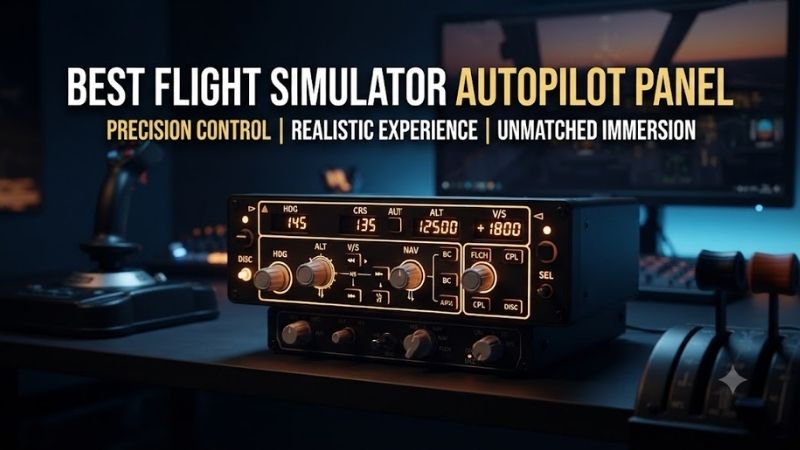
The best flight simulator autopilot panel provides physical controls for adjusting heading, altitude, vertical speed, airspeed, and aircraft guidance modes. Instead of repeatedly clicking virtual cockpit controls, pilots can operate rotary knobs and dedicated buttons. These six panels serve different aircraft types, from general aviation systems to Airbus and Boeing airliners.
Quick Verdict
Best Overall for General Aviation: Logitech G Flight Multi Panel. It provides common autopilot controls, a real-time display, and a relatively compact desktop-friendly format.
Best for Garmin GFC500 Aircraft: RealSimGear GFC500 Autopilot. A dedicated replica offering physical knobs, mode buttons, and status indicators.
Best for Airbus: miniCOCKPIT miniFCU V2. Its compact Airbus-inspired layout is particularly useful for flight simulator users who regularly operate compatible A320-family aircraft.
Best for Boeing 737: CPflight MCP737EL. A dedicated mode-control panel designed around Boeing autopilot functions.
Quick Comparison Table
| Product | Aircraft Focus | Main Controls | Best For |
|---|---|---|---|
| Logitech G Flight Multi Panel | General-purpose | Altitude, VS, heading, modes | Best overall |
| RealSimGear GFC500 | Garmin GFC500 | AP modes, HDG, CRS, wheel | General aviation |
| RealSimGear GFC700 | Garmin GFC700 | AP modes, adjustment wheel | G1000-style cockpit |
| miniCOCKPIT miniFCU V2 | Airbus | FCU knobs and mode controls | Airbus simulation |
| WINWING FCU Unit1 | Airbus | FCU display, push-pull knobs | Airbus alternative |
| CPflight MCP737EL | Boeing 737 | MCP windows, LNAV, VNAV, CMD | Boeing 737 cockpit |
An aircraft-specific panel is not automatically compatible with every simulator aircraft. Software integration and the precise avionics implementation matter.
How We Selected These Autopilot Panels
We focused on identifiable hardware intended to operate simulator autopilot functions through physical controls.
Products were evaluated according to aircraft compatibility, control arrangement, display functions, physical size, connection requirements, and software integration.
A multifunction input panel may be programmable, but it is not equivalent to a dedicated autopilot replica with synchronized mode indications.
We therefore prioritized actual autopilot and flight-control-unit products rather than ordinary button boxes.
Detailed Product Recommendations
1. Logitech G Flight Multi Panel — Best Overall for General Aviation
Best For: Microsoft Flight Simulator and X-Plane users seeking common autopilot controls.
Why We Picked It: The Logitech panel combines a compact LCD display, rotary adjustment knob, and dedicated autopilot buttons in one unit.
Key Specifications
-
Model: 945-000028
-
Interface: USB
-
Display: Integrated LCD
-
Controls: Autopilot mode buttons and adjustment knob
-
Additional functions: Trim, flaps, and related aircraft controls
-
Platform: Supported Windows flight simulator configurations
Features and Benefits
The Flight Multi Panel is useful because it replaces several frequently accessed on-screen controls with physical inputs.
Pilots can adjust heading, altitude, and vertical speed using the dedicated control arrangement.
The display presents selected values, reducing reliance on mouse interactions.
Its physical design is also suitable for mounting beside a compatible Logitech flight yoke or within a custom cockpit panel.
Performance and Practical Use
The Logitech panel is not a complete replica of every aircraft autopilot.
Different aircraft use different modes and control terminology.
In supported simulator configurations, the panel provides practical access to common functions, but aircraft-specific behaviors may differ.
Its USB connection also requires appropriate drivers or plugin support.
Pros
-
Dedicated autopilot controls.
-
Integrated display.
-
Compact hardware format.
-
Established flight simulator accessory ecosystem.
Cons
-
Generic rather than aircraft-specific layout.
-
Software integration varies by simulator and aircraft.
Buy If: You fly several types of general aviation aircraft and want physical autopilot controls.
Skip If: You need a precise replica of one specific airliner system.
2. RealSimGear GFC500 Autopilot — Best for Garmin GFC500 Aircraft
Best For: Pilots using aircraft equipped with GFC500-style autopilot systems.
Why We Picked It: RealSimGear provides a compact physical replica with functioning mode buttons, LED indications, and dedicated adjustment controls.
Key Specifications
-
Product: RealSimGear GFC500 Autopilot
-
Width: Approximately 158mm
-
Height: Approximately 53.3mm
-
Connection: USB
-
Controls: AP modes, heading, course, adjustment wheel
-
Software compatibility: Supported MSFS 2020/2024 and X-Plane 11/12
Features and Benefits
The GFC500 is designed for a more aircraft-specific experience than a generic autopilot panel.
Its physical buttons correspond to Garmin-style autopilot functions.
LED indicators display the relevant operating modes when supported by the aircraft and software integration.
The adjustment wheel allows changes to selected targets such as airspeed, vertical speed, or altitude.
Performance and Practical Use
The panel is useful for pilots who repeatedly fly compatible general aviation aircraft.
However, its exact functionality depends on the aircraft’s simulated avionics.
A GFC500 replica should not be treated as a universal replacement for an Airbus or Boeing autopilot controller.
Pros: Aircraft-specific layout, status LEDs, dedicated controls, USB-powered operation.
Cons: Narrower aircraft focus; model availability and software compatibility require confirmation.
Buy If: You regularly fly supported GFC500-equipped aircraft.
Skip If: You primarily simulate airliners.
3. RealSimGear GFC700 Autopilot — Best for G1000-Style Cockpits
Best For: General aviation cockpit builders using supported G1000-related avionics.
Why We Picked It: The GFC700 is a compact autopilot panel designed around Garmin-style controls and indications.
Key Specifications
-
Product: RealSimGear GFC700 Autopilot
-
Width: Approximately 158mm
-
Height: Approximately 46mm
-
Connection: USB
-
Controls: Mode buttons and adjustment wheel
-
Indicators: Operating-mode LEDs
-
Software support: Compatible MSFS and X-Plane configurations
Features and Benefits
The GFC700 is particularly attractive when building a cockpit with dedicated G1000 displays.
Its compact dimensions allow integration into an instrument panel beneath or near the main avionics screens.
Physical mode buttons make it easier to operate the autopilot without moving the mouse away from the primary flight controls.
Performance and Practical Use
The GFC700 and GFC500 panels are not interchangeable replicas of the same avionics arrangement.
They have different intended aircraft configurations and control layouts.
Choose the hardware based on the simulated aircraft rather than assuming all Garmin-branded autopilot systems use identical interfaces.
Pros: Compact design, G1000-oriented controls, USB connection, physical mode indications.
Cons: Aircraft-specific compatibility; mounting arrangements may need additional hardware.
Buy If: You are building a compatible glass-cockpit simulator.
Skip If: You need a generic panel for many unrelated aircraft types.
4. miniCOCKPIT miniFCU V2 — Best Compact Airbus Panel
Best For: Airbus enthusiasts flying compatible A320-family simulations.
Why We Picked It: The miniFCU V2 provides an Airbus-inspired flight-control-unit interface with rotary and push-pull inputs.
Key Specifications
-
Product: miniFCU V2
-
Aircraft focus: Airbus
-
Interface: USB-C
-
Controls: FCU knobs and mode-selection inputs
-
Additional feature: Power switch
-
Display: Airbus-style numerical windows
-
Integration: Compatible simulator aircraft through supported software
Features and Benefits
Airbus autopilot interaction differs from generic flight-control systems.
The FCU includes selected and managed modes, with certain knob operations involving pushing or pulling.
The miniFCU V2 is designed to recreate these interactions in a compact desktop format.
This makes it attractive for users who want Airbus-style control without constructing a full-size flight deck.
Performance and Practical Use
The miniFCU is not a universal autopilot controller for every simulated aircraft.
Its function depends on compatible Airbus aircraft and the software integration used.
Users should verify support for their preferred A320 add-on and simulator version.
Pros
-
Airbus-specific layout.
-
Compact design.
-
Physical push-pull controls.
-
USB-C connection.
Cons
-
Limited value outside compatible Airbus aircraft.
-
Software integration required.
Buy If: You regularly fly supported Airbus aircraft and want realistic FCU interaction.
Skip If: You primarily fly general aviation aircraft.
5. WINWING FCU Unit1 — Best Airbus Alternative
Best For: Flight simulator users who want a substantial Airbus-style autopilot control panel.
Why We Picked It: WINWING’s FCU Unit1 emphasizes physical knob behavior, display layout, and multiple mounting configurations.
Key Specifications
-
Product: WINWING FCU Unit1
-
Aircraft focus: Airbus
-
Interface: USB-based simulator control
-
Display: FCU-style numerical readouts
-
Controls: Rotary push-pull knobs and mode selectors
-
Mounting: Desktop or supported cockpit installation
Features and Benefits
The FCU Unit1 aims to reproduce the physical interactions of an Airbus flight-control unit.
The push-pull mechanism is particularly important because Airbus autopilot controls distinguish between managed and selected functions.
Its display windows provide visual feedback for selected values.
This allows users to adjust flight parameters without repeatedly operating the virtual cockpit using a mouse.
Performance and Practical Use
The main limitation is aircraft and software compatibility.
The product should be selected only when the manufacturer provides support for the intended simulator and aircraft.
Mounting also deserves attention because a larger control panel may require more space than a compact unit.
Pros: Airbus-inspired control layout, physical push-pull knobs, visible numerical displays.
Cons: Aircraft-specific, software integration required, mounting space needed.
Buy If: You want a dedicated Airbus autopilot panel and have compatible simulator software.
Skip If: You want one controller for many unrelated aircraft.
6. CPflight MCP737EL — Best for Boeing 737 Simulation
Best For: Boeing 737 cockpit builders using supported aircraft and simulation software.
Why We Picked It: The MCP737EL is a dedicated replica of the Boeing 737 Mode Control Panel, with physical controls for common autopilot functions.
Key Specifications
-
Product: MCP737EL
-
Aircraft focus: Boeing 737
-
Connection: USB
-
Power: USB-powered
-
Controls: Course, speed, heading, altitude, and vertical speed
-
Modes: LNAV, VNAV, autopilot engagement, and related controls
-
Expansion: Compatible CPflight modules
Features and Benefits
The MCP737EL provides a much more aircraft-specific experience than a generic autopilot accessory.
Its display windows and physical controls correspond to Boeing 737 autopilot functions.
For users building a dedicated Boeing cockpit, this reduces dependence on mouse clicks during flight-management operations.
The device also supports additional CPflight modules through its expansion system.
Performance and Practical Use
Compatibility depends on the simulator and aircraft add-on.
Some aircraft provide the required autopilot data through supported interfaces, while others use different internal systems.
Not every autopilot function is available in every simulator aircraft.
Users should verify the exact combination of software, aircraft, and MCP firmware before purchasing.
Pros: Boeing-specific design, dedicated mode controls, expansion options.
Cons: Specialized compatibility, greater setup complexity, less useful for other aircraft.
Buy If: You are building a supported Boeing 737 home cockpit.
Skip If: You primarily fly smaller general aviation aircraft.
Buying Guide: Choosing a Flight Simulator Autopilot Panel
Match the Panel to the Aircraft
General aviation autopilot systems differ from Airbus and Boeing implementations.
A generic panel can provide broad functionality, but it may not reproduce specialized aircraft behaviors.
Choose according to the aircraft you fly most frequently.
Understand Aircraft-Specific Modes
Autopilot controls are not limited to turning the system on and off.
Different aircraft use different lateral and vertical guidance modes.
An Airbus FCU uses managed and selected control behavior, while a Boeing MCP provides its own mode-control arrangement.
A physical panel must be supported by the simulator’s avionics implementation.
Check Software Integration
USB connectivity alone does not establish functional compatibility.
Some panels require drivers, plugins, or aircraft-specific integration utilities.
Check support for the exact Microsoft Flight Simulator or X-Plane version and aircraft add-on.
Consider Display Synchronization
Some autopilot panels include LEDs and numerical displays that reflect the simulator’s current state.
Others function mainly as input devices.
For realistic procedures, synchronization can be important.
A physical switch or displayed value should remain consistent with the virtual aircraft.
Measure Cockpit Space
A compact desktop panel requires less room than a full-size airliner MCP.
However, the controls must still remain accessible while seated.
Measure the available width, mounting depth, and cable clearance.
Plan Future Expansion
A dedicated airliner cockpit may eventually include radio panels, EFIS selectors, and additional instruments.
Choose a hardware ecosystem with compatible expansion options if those upgrades are likely.
Frequently Asked Questions
What is the best autopilot panel for Microsoft Flight Simulator?
The Logitech Flight Multi Panel is a flexible general-purpose option. Airbus and Boeing specialists may prefer aircraft-specific hardware.
Can I use an Airbus FCU with Boeing aircraft?
Not as a guaranteed native replica. Any broader functionality depends on software mapping and integration.
Does an autopilot panel work without a yoke?
Yes, many connect independently through USB, but a flight-control device is still needed for manual aircraft control.
Do autopilot panels need external power?
Some are powered through USB, while others have different requirements. Check the exact model.
Can I use these panels in VR?
Yes, supported physical controls can be useful in VR, although locating them by touch may require practice.
Conclusion
The Logitech G Flight Multi Panel is our overall recommendation among the best flight simulator autopilot panel options for pilots who fly a variety of general aviation aircraft. RealSimGear’s GFC500 and GFC700 serve specialized Garmin-style cockpits, while miniCOCKPIT and WINWING offer dedicated Airbus interfaces. The CPflight MCP737EL is more appropriate for Boeing 737 enthusiasts. Match the panel to the aircraft’s avionics, software integration, and cockpit dimensions before purchasing.