🛒 Best Price Today on Amazon
Prime members get fast, free shipping on everything above, plus member-only deals. New members get a 30-day free trial — cancel anytime.
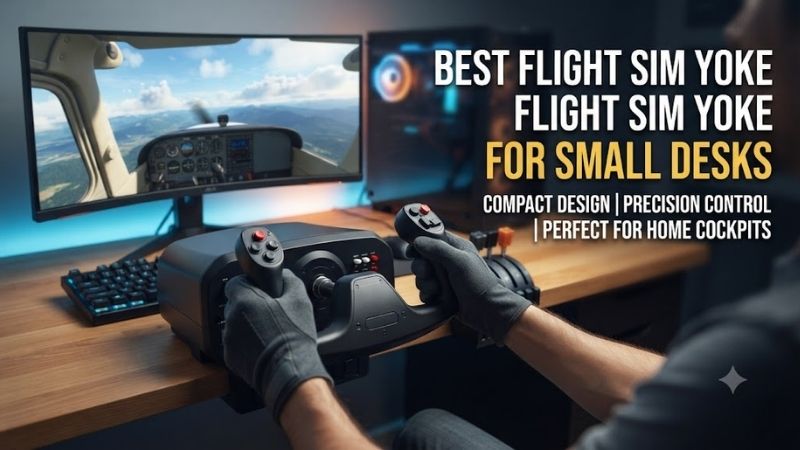
The best flight sim yoke for small desks should provide precise pitch and roll control without occupying so much space that the keyboard, mouse, or monitor becomes difficult to use. Compact flight setups also need sufficient desk-edge clearance for clamps and moving yoke shafts. This guide compares six yokes for Microsoft Flight Simulator, X-Plane, and other compatible simulation platforms.
Quick Verdict
Best Overall: Honeycomb Alpha Flight Controls Lite. It offers a conventional flight-yoke mechanism and 180-degree rotation without the additional switch-panel complexity of the full Alpha.
Best Budget System: Logitech G Flight Yoke System. Includes a separate three-lever throttle quadrant, reducing the need to purchase an additional throttle immediately.
Best All-in-One Solution: Turtle Beach VelocityOne Flight. Combines a yoke, integrated throttle controls, trim wheel, and auxiliary functions.
Best for Airliner Simulation: Thrustmaster TCA Yoke Boeing Edition. Its pendular mechanism is distinctive, but it needs more movement clearance than its apparent desk footprint suggests.
Quick Comparison Table
| Product | Yoke Rotation | Throttle Included | Best For |
|---|---|---|---|
| Honeycomb Alpha Flight Controls Lite | 180° | No | Best compact conventional yoke |
| Logitech G Flight Yoke System | Approximately 90° | Yes | Budget complete controls |
| Honeycomb Alpha Flight Controls | 180° | No | Integrated aircraft switches |
| Honeycomb Alpha XPC | 180° | No | PC and Xbox |
| Turtle Beach VelocityOne Flight | 180° | Integrated | All-in-one desk setup |
| Thrustmaster TCA Yoke Boeing Edition | Pendular design | No, unless bundled | Airliner simulation |
A small desk requires evaluation of total installed depth, not just the width of the yoke housing.
How We Selected These Flight Yokes
We prioritized identifiable flight yokes that can be used on a desktop rather than products requiring permanent cockpit installation.
The most important considerations were mounting footprint, clamp requirements, pitch movement, roll travel, integrated controls, platform support, and the need for separate accessories.
A compact yoke is not automatically a better yoke. Excessively limited movement can reduce control precision, while a large mechanism may be unsuitable for a shallow desk.
The recommendations distinguish complete yoke systems from standalone yokes and optional throttle bundles.
Detailed Product Recommendations
1. Honeycomb Alpha Flight Controls Lite — Best Overall for Small Desks
Best For: PC flight simulator users who want a conventional yoke without a large integrated switch console.
Why We Picked It: The Alpha Lite retains the broad control movement associated with Honeycomb’s yoke family while focusing on essential flight controls.
Key Specifications
-
Product: Alpha Flight Controls Lite
-
Roll rotation: 180 degrees
-
Approximate housing width: 10.75 inches
-
Control mechanism: Damped centering design
-
Platform: Compatible PC and supported computer configurations
-
Throttle quadrant: Not included
Features and Benefits
The Alpha Lite provides traditional push-pull pitch control and wide roll movement.
For general aviation simulation, 180-degree rotation can feel more representative of aircraft using conventional yokes than devices with much shorter roll travel.
Its focused control arrangement also reduces unnecessary physical clutter.
That is especially attractive on a small desk where a keyboard must remain nearby.
Performance and Practical Use
The yoke still requires adequate front-to-back clearance.
Users should measure the space between the desk edge, chair, and monitor before purchasing.
The absence of an integrated throttle also means that engine-control inputs need a separate device or keyboard mapping.
Pros: Conventional controls, wide roll range, relatively focused housing.
Cons: Separate throttle required; moving shaft needs clearance.
Buy If: You want a traditional yoke for PC general aviation on a relatively compact desk.
Skip If: You want throttle controls included in the same purchase.
2. Logitech G Flight Yoke System — Best Budget All-in-One Purchase
Best For: Beginners who want both a yoke and throttle quadrant.
Why We Picked It: Logitech includes a three-lever throttle quadrant with its flight yoke system.
Key Specifications
-
Product: Logitech G Flight Yoke System
-
Roll movement: Approximately 90 degrees total
-
Pitch: Push-pull movement
-
Included throttle quadrant: Three levers
-
Programming: Configurable buttons and switches
-
Platform: Windows PC
Features and Benefits
The Logitech system is attractive because it combines two essential flight-control devices.
The yoke manages pitch and roll, while the throttle quadrant supports engine-control assignments.
A beginner can map throttle, propeller, and mixture without immediately purchasing another control unit.
Its clamp-mounted arrangement also makes it suitable for a temporary gaming desk installation.
Performance and Practical Use
The major limitation is the yoke mechanism.
Compared with some premium alternatives, its shorter roll movement and centering behavior may provide a less refined control feel.
The separate throttle quadrant also occupies additional desk-edge space.
Pros: Yoke and throttle included, multiple programmable controls, suitable entry-level system.
Cons: Shorter roll movement, two mounting positions required.
Buy If: You want a complete beginner flight-control arrangement.
Skip If: You prioritize the most realistic yoke movement.
3. Honeycomb Alpha Flight Controls — Best Integrated Switch Panel
Best For: Home pilots who want conventional flight controls and aircraft switches in one housing.
Why We Picked It: The full Alpha adds a switch and ignition panel to the basic yoke concept.
Key Specifications
-
Roll rotation: 180 degrees
-
Pitch: Push-pull with centering resistance
-
Integrated controls: Master switches, ignition, and lighting
-
Interface: USB
-
Throttle: Not included
-
Platform: Supported PC and Mac configurations
Features and Benefits
The integrated switch panel reduces the need to use a mouse for common aircraft functions.
For example, a pilot can operate the ignition and exterior lights using physical controls before takeoff.
This makes the device particularly attractive for general aviation simulation.
However, the additional switch panel does not automatically improve the yoke’s suitability for small desks.
Users should still measure the full housing and shaft clearance.
Performance and Practical Use
The Alpha is best for users who want more hardware interaction than the Lite provides.
The main disadvantage is that separate throttle and rudder equipment may still be required.
Pros: Integrated switches, 180-degree movement, established flight-simulation design.
Cons: No throttle quadrant, requires sufficient mounting depth.
Buy If: You want a traditional yoke plus common aircraft switches.
Skip If: You prefer a simpler, lower-cost yoke.
4. Honeycomb Alpha XPC — Best for PC and Xbox
Best For: Flight simulator users who alternate between a computer and compatible Xbox hardware.
Why We Picked It: The Alpha XPC provides a console-compatible version of Honeycomb’s yoke system.
Key Specifications
-
Roll rotation: 180 degrees
-
Platform support: PC, Mac, and supported Xbox configurations
-
Interface: USB
-
Integrated aircraft switches
-
Throttle: Not included
-
Additional accessory requirements: Depends on connected peripherals and platform
Features and Benefits
Many flight-simulation peripherals are PC-only.
The Alpha XPC offers an alternative for users who also fly on Xbox Series consoles.
Its conventional yoke layout is especially appropriate for general aviation aircraft.
However, using additional Honeycomb peripherals on Xbox may require compatible accessories and supported configurations.
Performance and Practical Use
The XPC is not necessarily more compact than the standard Alpha.
Its main advantage is platform support.
Buyers should prioritize it when that additional compatibility is genuinely useful.
Pros: Cross-platform options, traditional yoke operation, integrated switches.
Cons: Higher complexity for some console accessories, throttle sold separately.
Buy If: You need a yoke for both PC and Xbox flight simulation.
Skip If: You only use a PC and do not need console compatibility.
5. Turtle Beach VelocityOne Flight — Best Integrated Desk System
Best For: Gamers who want yoke, throttle, and auxiliary flight controls in one integrated unit.
Why We Picked It: VelocityOne Flight combines several functions that would otherwise require separate desktop accessories.
Key Specifications
-
Roll rotation: 180 degrees
-
Sensors: Contactless Hall-effect sensing
-
Integrated throttle quadrant
-
Trim wheel
-
Flight-management display
-
Additional programmable controls
-
Platform: PC and Xbox
Features and Benefits
The strongest advantage is consolidation.
Rather than mounting a yoke and a separate throttle quadrant in different positions, VelocityOne provides both within one main system.
This can simplify setup and cable routing.
It also provides a trim wheel and additional switches that suit general aviation flying.
Performance and Practical Use
The all-in-one approach creates a relatively wide assembly.
For a narrow desk, that can be a disadvantage.
Measure the combined physical width and leave sufficient space for the yoke’s movement.
Pros: Integrated throttle, trim wheel, programmable controls, PC and Xbox support.
Cons: Wider housing, less flexible peripheral placement.
Buy If: You want one main device providing most essential flight controls.
Skip If: You need the narrowest possible yoke housing.
6. Thrustmaster TCA Yoke Boeing Edition — Best for Airliner Enthusiasts
Best For: Pilots who primarily fly Boeing-style aircraft and have sufficient desk clearance.
Why We Picked It: The TCA Boeing uses a pendular yoke mechanism rather than the conventional straight push-pull arrangement.
Key Specifications
-
Mechanism: Pendular yoke
-
Pitch travel: Approximately 21cm
-
Sensors: Magnetic H.E.A.R.T. technology
-
Platform: PC and Xbox
-
Included throttle: Depends on standalone or Flight Pack configuration
-
Mounting: Desktop clamp arrangement
Features and Benefits
The pendular mechanism is the primary reason to choose this yoke.
It creates a movement path inspired by Boeing aircraft controls.
For airliner simulation, this can provide a different sense of physical interaction compared with conventional desk yokes.
Its control inputs can also be configured for supported flight simulators.
Performance and Practical Use
The major drawback is space.
The pendular motion requires additional clearance in front of and beneath the desk.
A small desktop may have enough surface width but insufficient room for the moving mechanism.
Users should also verify the selected package. The standalone yoke does not provide the same included equipment as the TCA Boeing Flight Pack.
Pros: Aircraft-inspired pendular mechanism, magnetic sensors, PC/Xbox compatibility.
Cons: Significant movement clearance, larger installation footprint, throttle package differences.
Buy If: You prioritize Boeing-style simulation and have adequate space.
Skip If: Your desk is shallow or knee clearance is limited.
Buying Guide: Choosing a Flight Yoke for a Small Desk
Measure Desk Width and Depth
A yoke occupies space both on and in front of the desk.
Measure the housing width, mounting clamp, shaft movement, and required distance to the monitor.
A narrow housing is only beneficial when the control can move through its full range without hitting surrounding equipment.
Check Clamp Compatibility
Some desks have metal supports or drawers beneath the front edge.
These may prevent a yoke clamp from attaching correctly.
Verify tabletop thickness and available underside clearance before buying.
Choose the Correct Yoke Mechanism
Conventional yokes use a push-pull motion for pitch and rotation for roll.
Pendular mechanisms use a different physical movement path.
The best choice depends on aircraft preference and available space.
Consider Throttle Integration
A separate throttle quadrant offers more placement flexibility but consumes additional desk space.
Integrated throttles reduce separate mounting requirements.
However, they can make the main unit wider.
Plan Rudder Controls
A yoke does not necessarily include dedicated rudder pedals.
Some products provide alternative control inputs, but physical pedals remain a separate purchase for many setups.
Check Platform Support
PC compatibility does not guarantee Xbox compatibility.
Verify the exact product model and supported simulator.
Frequently Asked Questions
What is the best flight yoke for a small desk?
Honeycomb Alpha Lite is a strong conventional option when its clamp and shaft movement fit the available space.
Can I use a flight yoke without rudder pedals?
Yes, depending on simulator input mapping, but dedicated pedals provide more realistic rudder control.
Is the Logitech flight yoke good for beginners?
It is a practical starting point because the system includes a throttle quadrant.
Is the Turtle Beach VelocityOne compact?
It combines several controls into one device, but its overall housing is relatively wide.
Does a yoke need to stay permanently mounted?
No. Many use removable desk clamps, although repeated installation requires proper handling.
Conclusion
The Honeycomb Alpha Flight Controls Lite is our best overall choice among the best flight sim yoke for small desks options when conventional control movement and a focused housing are priorities. Logitech offers an economical yoke-and-throttle system, while Turtle Beach VelocityOne Flight consolidates several controls in one unit. Choose the TCA Boeing for its distinctive pendular mechanism only when your desk has adequate clearance. Always measure the full moving assembly before purchasing.