🛒 Best Price Today on Amazon
Prime members get fast, free shipping on everything above, plus member-only deals. New members get a 30-day free trial — cancel anytime.
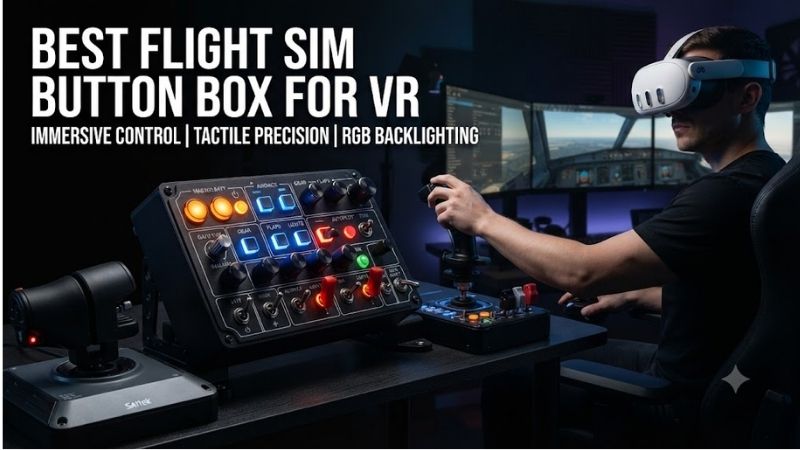
The best flight sim button box for VR should let pilots operate essential cockpit functions by touch instead of searching for keyboard keys while wearing a headset. Physical switches, rotary encoders, guarded toggles, and distinct control shapes can make virtual reality flying more practical. This guide compares six control panels for DCS World, Microsoft Flight Simulator, and other compatible PC simulators.
Quick Verdict
Best Overall: VIRPIL VPC Control Panel #1. Its combination of tactile switches, buttons, rotary controls, and compatible mounting hardware makes it a compelling option for VR-focused combat flight simulation.
Best for Modular VKB Setups: VKB GNX SEM. Its configurable switches, buttons, and optional axes are useful for pilots building around a Gladiator joystick.
Best for General Aviation: VKB GNX FSM-GA. Rotary encoders and illuminated buttons suit common navigation and avionics functions.
Best for a Vertical Mounting Position: VKB GNX SEM-V. Designed to integrate into a vertically arranged VKB control structure.
The correct button box depends on whether the pilot can identify and operate its controls without visual confirmation.
Quick Comparison Table
| Product | Main Controls | Intended Use | Best For |
|---|---|---|---|
| VIRPIL VPC Control Panel #1 | Toggles, buttons, rotary controls | Combat and space simulation | Best overall |
| VIRPIL VPC Control Panel #2 | Switches, buttons, configurable inputs | Advanced cockpit controls | Additional mappings |
| VIRPIL VPC Control Panel #3 | Tactile switches and control inputs | Modular simulator cockpit | Extended control layout |
| VKB GNX SEM | Rotary, buttons, multifunction switches | General and combat simulation | Modular value |
| VKB GNX SEM-V | Vertical switch and button module | Elevated mounting | Vertical cockpit |
| VKB GNX FSM-GA | Encoders, buttons, LEDs | General aviation | Avionics controls |
Each product requires appropriate mounting and software configuration. The VKB modules may also require a separate USB controller depending on how they are connected.
How We Selected These VR Button Boxes
We prioritized identifiable physical control modules with controls that can be operated by touch.
A panel with numerous visually similar buttons is not necessarily more useful in VR than a smaller panel with distinctive switches and knobs.
Our selection considers control diversity, tactile identification, mounting flexibility, software configuration, and integration with popular simulator environments.
We also distinguished complete USB-connected control panels from modular expansion hardware.
A module that connects through a manufacturer’s internal control bus is not automatically a standalone USB device.
Detailed Product Recommendations
1. VIRPIL VPC Control Panel #1 — Best Overall
Best For: VR pilots flying combat aircraft or complex space-simulation vehicles.
Why We Picked It: Control Panel #1 offers a varied collection of physical controls that can be assigned to cockpit functions.
Key Specifications
-
Product: VPC Control Panel #1
-
Interface: USB
-
Additional connections: VIRPIL auxiliary connectivity
-
Controls: Multiple switches, buttons, and rotary inputs
-
Included accessories: Button-label inserts and connection cables
-
Mounting: Compatible VIRPIL desk-mount arrangements
Features and Benefits
The main advantage is tactile diversity.
A pilot wearing a VR headset can learn the physical location of a toggle switch, rotary control, or push button through repetition.
This is more practical than relying on numerous identical keyboard shortcuts.
Control Panel #1 also belongs to VIRPIL’s broader modular ecosystem.
It can be positioned near compatible joysticks or throttles using appropriate mounting hardware.
Performance and Practical Use
The panel’s switches must be mapped to the intended simulator functions.
A physical switch does not automatically synchronize with an aircraft’s virtual state.
For example, a two-position hardware toggle may conflict with a simulator function that only supports a momentary toggle command.
Appropriate bindings or software logic may be necessary.
Pros: Varied tactile controls, established simulator ecosystem, flexible mounting options.
Cons: Configuration required; not every aircraft uses matching switch behavior.
Buy If: You want a dedicated control panel for complex VR flight simulation.
Skip If: You prefer a minimal desktop setup with no additional controls.
2. VIRPIL VPC Control Panel #2 — Best for Complex Control Mapping
Best For: Advanced simulator users requiring additional programmable physical inputs.
Why We Picked It: Control Panel #2 expands the VIRPIL control ecosystem with a different arrangement of tactile inputs.
Key Specifications
-
Product: VPC Control Panel #2
-
Interface: USB-compatible VIRPIL control system
-
Control types: Switches, buttons, and configurable inputs
-
Software: VIRPIL configuration utilities
-
Mounting: Compatible VIRPIL systems
Features and Benefits
A second control panel can be useful in aircraft simulations where the joystick and throttle already occupy most of the pilot’s primary controls.
Additional hardware inputs can be assigned to less frequently used functions such as lighting, fuel systems, and communications.
However, the position and distinction of the controls matter more than simply increasing their number.
Performance and Practical Use
Control Panel #2 is most useful as part of a consistent cockpit layout.
Users should group related controls and assign functions that can be identified without repeatedly removing the VR headset.
Some switches may require additional simulator-specific scripting to reproduce aircraft behavior accurately.
Pros: Expanded physical inputs, modular ecosystem, suitable for complex aircraft.
Cons: Requires mapping and cockpit space; not automatically appropriate for every aircraft.
Buy If: Your existing HOTAS lacks enough accessible physical controls.
Skip If: You have not yet used the available functions on your joystick and throttle.
3. VIRPIL VPC Control Panel #3 — Best for Expanded Cockpit Layouts
Best For: Pilots building a larger VR cockpit with several independent control zones.
Why We Picked It: The third VIRPIL control-panel family provides another physical arrangement for adding configurable cockpit inputs.
Key Specifications
-
Product: VPC Control Panel #3
-
Intended use: Flight and space simulator controls
-
Connection: Compatible VIRPIL USB/control arrangement
-
Configuration: Programmable control inputs
-
Mounting: Compatible cockpit or desk hardware
Features and Benefits
A larger cockpit benefits from consistent physical organization.
For example, one panel might control electrical systems, another lighting and communications, and a third less frequently used aircraft functions.
This can help VR pilots form muscle memory.
However, adding more panels can also increase complexity.
If controls are positioned too far from the natural seated reach, they may become difficult to find while wearing a headset.
Performance and Practical Use
The product should be chosen for its control arrangement rather than its number in the VIRPIL lineup.
Exact hardware revision, physical inputs, and mounting accessories require verification before ordering.
Pros: Additional programmable inputs, modular installation, suitable for dedicated cockpits.
Cons: Advanced configuration, physical space requirements, model-specific features need checking.
Buy If: You want to expand a compatible VIRPIL cockpit.
Skip If: You need a self-contained entry-level button box with minimal setup.
4. VKB GNX SEM — Best Modular Value
Best For: Pilots using a VKB Gladiator joystick or compatible GNX controller system.
Why We Picked It: The GNX SEM offers a useful variety of tactile controls in a compact modular unit.
Key Specifications
-
One rotary switch
-
Two multifunction axes
-
Two K-switches with central push buttons
-
Seven push buttons
-
Eight programmable dual-color LEDs
-
Up to 24 logical buttons, configuration-dependent
-
Connection: GNX bus or optional USB controller
Features and Benefits
The SEM is especially useful because its controls can be mapped differently for different aircraft.
A rotary switch might select lighting states, while a multifunction lever could control landing gear or another suitable function.
The programmable LEDs provide additional visual status information when the VR headset is removed.
For VR use, the control shape and arrangement are more important than the lights themselves.
Performance and Practical Use
The GNX SEM is not automatically a standalone USB device.
It can connect through the GNX bus to a supported VKB controller, or it can require a separate GNX USB Controller.
This should be included in the purchase plan.
Pros: Several tactile input types, modular design, configurable buttons and axes.
Cons: Standalone USB operation may require extra hardware; mounting depends on configuration.
Buy If: You already own compatible VKB equipment and want more inputs.
Skip If: You require a complete standalone plug-and-play box without additional components.
5. VKB GNX SEM-V — Best Vertical Mounting Option
Best For: Pilots mounting controls in an elevated or upright cockpit panel.
Why We Picked It: The SEM-V provides the GNX SEM control concept in a vertical mounting arrangement.
Key Specifications
-
One rotary switch
-
Two multifunction axes
-
Two K-switches with push buttons
-
Seven push buttons
-
Eight programmable dual-color LEDs
-
GNX bus connectivity
-
Compatible mounting system required
Features and Benefits
A vertical control arrangement can be easier to reach in some flight cockpits.
For example, a module mounted near the left-hand throttle can place important switches within a consistent reach area.
That arrangement may be more practical in VR than a flat control panel positioned far behind the keyboard.
Performance and Practical Use
The SEM-V requires suitable mounting hardware, including the relevant VKB support arrangement.
It is not simply a desk-standing version of the standard SEM.
Like other GNX modules, the connection method must be planned before purchase.
Pros: Vertical layout, tactile switch variety, modular VKB integration.
Cons: Additional mounting requirements; not automatically standalone USB.
Buy If: You are building a vertical control panel around compatible VKB equipment.
Skip If: You want a flat desktop button box.
6. VKB GNX FSM-GA — Best for General Aviation
Best For: Microsoft Flight Simulator and X-Plane pilots using general aviation aircraft.
Why We Picked It: The FSM-GA provides rotary encoders, a wheel encoder, illuminated buttons, and a general-aviation-oriented layout.
Key Specifications
-
Two rotary encoders with push-button functions
-
One wheel encoder
-
Sixteen push buttons
-
Twelve bi-color LEDs
-
GNX bus connectivity
-
Optional standalone USB operation with the appropriate controller
-
Vertical mounting design
Features and Benefits
The FSM-GA is particularly suitable for functions such as autopilot adjustments, navigation settings, and cockpit controls.
Rotary encoders are useful because they allow incremental adjustments without requiring repeated keyboard input.
For example, an encoder can be assigned to heading selection or altitude adjustment in a compatible simulator.
The physical separation between the controls can help pilots find the correct input by touch.
Performance and Practical Use
Software mapping remains essential.
The module’s controls do not automatically behave like an aircraft-specific avionics panel.
The user’s simulator must support the required events, and additional software may be needed for advanced functions.
Pros: Rotary controls, numerous buttons, general aviation focus.
Cons: Mounting and connection requirements; not a full aircraft-specific avionics replica.
Buy If: You want a versatile tactile panel for general aviation in VR.
Skip If: You primarily need throttle axes rather than buttons and encoders.
Buying Guide: Choosing a Flight Sim Button Box for VR
Prioritize Controls That Can Be Identified by Touch
Visual labels are less useful while wearing an opaque VR headset.
Distinct switch shapes, tactile detents, guards, and separated control groups make operation easier.
A panel with fewer distinctive controls may be more practical than one containing many identical buttons.
Group Controls by Function
Organize functions logically.
Lighting controls can occupy one area, communications another, and aircraft systems a third.
Consistent physical placement helps develop muscle memory.
Changing layouts frequently can make VR operation more difficult.
Decide Between Standalone USB and Modular Systems
A standalone USB button box connects directly to the PC.
A modular extension may require a compatible joystick base, internal bus, or additional controller.
Check what is included before buying.
Choose the Correct Mounting Position
Controls should be reachable without excessive leaning or shoulder movement.
A side-mounted panel is useful near a throttle, while a vertical panel can resemble an aircraft console.
The mounting system must remain stable when toggles or rotary controls are operated.
Consider Switch Synchronization
Some simulators expose separate commands for switching systems on and off.
Others provide only toggle commands.
A maintained physical toggle can become out of sync with the virtual aircraft if the software does not support discrete states.
Advanced users may need simulator-specific profiles or scripting.
Understand VR Controller Limitations
A physical panel does not automatically become visible inside the VR headset.
Users may need to locate controls through muscle memory.
Mixed-reality passthrough can help in supported headset configurations, but it is not guaranteed by the button box itself.
Frequently Asked Questions
Is a button box worth buying for VR flight simulation?
It can be valuable when frequently used cockpit functions are difficult to access through a joystick alone.
Can I use a button box with DCS World?
Many USB control panels can be mapped in DCS World, but advanced functions may require aircraft-specific configuration.
Do I need illuminated buttons for VR?
Not necessarily. Tactile recognition is usually more important while wearing a headset.
Is the VKB GNX SEM a standalone USB controller?
It can require an additional GNX USB Controller unless connected through a compatible VKB system.
Can one button box work with several flight simulators?
Often yes, but each simulator may require its own button mapping profile.
Conclusion
The VIRPIL VPC Control Panel #1 is our leading recommendation among the best flight sim button box for VR options for pilots wanting a dedicated collection of tactile controls. VKB’s GNX SEM offers modular flexibility, while the FSM-GA is particularly appropriate for general aviation functions. Choose the control layout according to your aircraft, available mounting space, and whether the device requires additional hardware for USB connectivity.