🛒 Best Price Today on Amazon
Prime members get fast, free shipping on everything above, plus member-only deals. New members get a 30-day free trial — cancel anytime.
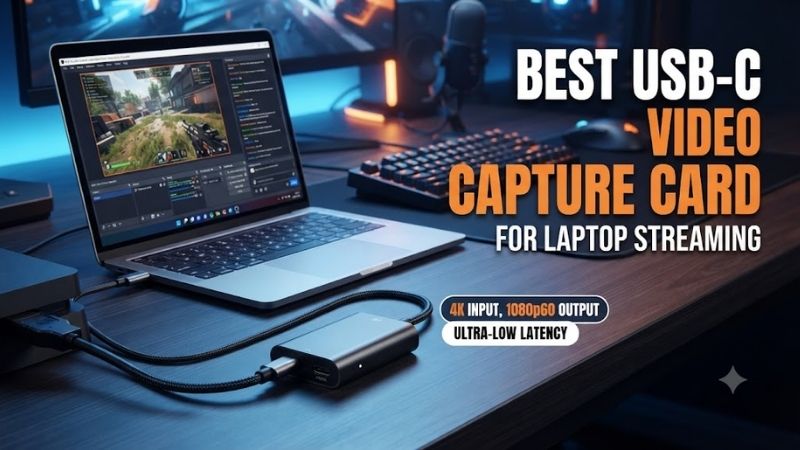
The best USB C video capture card for laptop streaming should deliver a reliable video signal without requiring an internal PCIe expansion slot. External capture cards connect gaming consoles, cameras, or another computer to streaming software through a USB interface. However, USB-C alone does not guarantee sufficient bandwidth, so choosing the right device requires comparing actual USB standards, recording capabilities, passthrough, and software compatibility.
Quick Verdict
The Elgato Game Capture 4K S is our best overall recommendation for laptop streaming because it supports up to 4K60 recording through a USB-C connection while remaining suitable for Full HD livestreaming.
The Elgato Game Capture Neo is a more economical option for creators focused on 1080p60 capture.
For demanding HDMI 2.1 gaming configurations, the Elgato 4K X and AVerMedia Live Gamer ULTRA 2.1 offer additional high-refresh-rate capabilities.
Quick Comparison Table
| Product | USB Connection | Maximum Capture | Best For |
|---|---|---|---|
| Elgato 4K S | USB-C 5Gbps | 4K60 | Best overall |
| Elgato Game Capture Neo | USB-C 5Gbps | 1080p60 | Beginners |
| Elgato HD60 X | USB-C 5Gbps | 4K30 | Console streaming |
| Elgato 4K X | USB-C 10Gbps | Up to 4K144 | High-refresh-rate setups |
| AVerMedia Live Gamer ULTRA 2.1 | USB-C 10Gbps | Up to 4K144, mode-dependent | Advanced laptop capture |
| AVerMedia Live Gamer ULTRA | USB 3.1 Gen 1 Type-C | Up to 4K30 | Established 4K alternative |
How We Selected These Capture Cards
We evaluated external capture cards that connect to a computer using USB-C rather than internal PCIe hardware.
Key considerations included bandwidth requirements, capture resolution, HDMI passthrough, operating-system compatibility, and realistic laptop processing requirements.
A high-resolution capture device does not eliminate the need for sufficient encoding performance.
The laptop must still process or encode the resulting video, potentially alongside webcam footage, overlays, microphone audio, and other livestream elements.
Detailed Product Recommendations
1. Elgato Game Capture 4K S — Best Overall
Best For: Laptop-based streamers who want flexible 1080p and 4K recording.
Why We Picked It: The 4K S combines up to 4K60 capture with a relatively straightforward USB-C 5Gbps connection.
Key Specifications
-
USB interface: USB 3.0 Type-C
-
HDMI interface: HDMI 2.0
-
Maximum capture: 4K60
-
Maximum passthrough: 4K60
-
Supported host systems: Compatible Windows, Mac, and iPad devices
Features and Performance
The 4K S offers useful recording flexibility without demanding the USB 10Gbps connection required for the highest modes of more advanced devices.
It is suitable for creators who primarily livestream at 1080p but occasionally want higher-resolution recordings.
The HDMI passthrough output allows gameplay to continue on a separate display.
This is useful when streaming a console through a laptop because the preview window introduces some latency.
The device also supports selected higher-frame-rate configurations at resolutions below 4K.
Pros: 4K60 recording, USB-C connection, passthrough, multi-platform support.
Cons: No HDMI 2.1 high-refresh-rate 4K passthrough; laptop encoding capability still matters.
Buy If: You want a versatile external capture card for ordinary laptop streaming.
Skip If: You need full HDMI 2.1 high-refresh-rate support.
2. Elgato Game Capture Neo — Best for Beginners
Best For: New streamers focused on Full HD console or camera capture.
Why We Picked It: The Game Capture Neo offers a simpler recording specification while retaining USB connectivity and HDMI passthrough.
Key Specifications
-
USB interface: USB 3.0 Type-C
-
HDMI input: HDMI 2.0
-
Maximum capture: 1080p60
-
Maximum passthrough: 4K60
-
Software support: OBS and compatible streaming applications
Features and Performance
Many livestreaming platforms and viewers do not require 4K source capture.
For creators who stream at 1080p60, the Neo can meet the fundamental recording requirement without the complexity of a high-bandwidth device.
It is suitable for streaming gameplay from Xbox, PlayStation, or Nintendo Switch through a compatible laptop.
The passthrough output allows users to play on a separate display.
However, the Neo is not designed for native 4K recording.
Pros: Straightforward configuration, 1080p60 capture, HDMI passthrough.
Cons: Limited recording resolution; no premium high-refresh-rate capture modes.
Buy If: You want uncomplicated Full HD laptop streaming.
Skip If: You need 4K video files.
3. Elgato HD60 X — Best for Established Console Workflows
Best For: Laptop users who stream modern consoles and want flexible HDMI passthrough.
Why We Picked It: The HD60 X supports 1080p60 recording, selected higher-resolution capture, and 4K60 passthrough.
Key Specifications
-
USB interface: USB 3.0 Type-C
-
HDMI: HDMI 2.0
-
Maximum capture: 4K30
-
Passthrough: Up to 4K60
-
Supported features: Selected VRR and HDR modes
Features and Performance
The HD60 X is a practical choice for console creators who prioritize a reliable gameplay display while recording through a laptop.
Its 4K60 passthrough maintains a higher-resolution gameplay signal than the maximum 4K recording mode.
This difference is important because many buyers mistakenly interpret 4K60 passthrough as 4K60 capture.
The device is also suitable for Full HD streaming through OBS.
Pros: Versatile console support, HDMI passthrough, USB-C connectivity.
Cons: 4K capture limited to 30fps; not the strongest option for newer high-refresh-rate requirements.
Buy If: You primarily stream console gameplay at 1080p60.
Skip If: Native 4K60 recording is essential.
4. Elgato Game Capture 4K X — Best Premium Choice
Best For: Laptop creators using HDMI 2.1 consoles and high-refresh-rate displays.
Why We Picked It: The 4K X provides HDMI 2.1 input and output with a USB 3.2 Gen 2 connection.
Key Specifications
-
USB interface: USB-C 10Gbps
-
HDMI interface: HDMI 2.1
-
Maximum capture: Up to 4K144 in supported configurations
-
Maximum passthrough: Up to 4K144
-
Additional features: VRR and selected HDR modes
Features and Performance
The 4K X is appropriate for demanding recording workflows where high-resolution, high-refresh-rate signals must be preserved.
It supports configurations that go beyond ordinary 1080p livestream requirements.
However, achieving the highest recording modes requires the correct laptop USB interface and suitable software settings.
A laptop with a slower USB port may operate the device at reduced capture capability.
The 4K X is therefore most useful when the host computer can take advantage of its additional bandwidth.
Pros: HDMI 2.1, high-refresh-rate capture, advanced passthrough.
Cons: Greater bandwidth requirements, unnecessary for many beginner streams.
Buy If: You have a capable laptop and want high-end capture flexibility.
Skip If: You only plan to stream 1080p60 gameplay.
5. AVerMedia Live Gamer ULTRA 2.1 — Best Advanced HDMI 2.1 Alternative
Best For: Creators using high-refresh-rate consoles and compatible USB-C laptops.
Why We Picked It: The GC553G2 offers HDMI 2.1 connectivity, a 10Gbps USB interface, and multiple advanced recording modes.
Key Specifications
-
Model: GC553G2
-
USB: USB 3.2 Gen 2 Type-C
-
HDMI: HDMI 2.1 input and passthrough
-
Maximum passthrough: 4K144
-
Capture: Up to 4K144 on supported Windows configurations
-
Additional feature: Analog headset and gamepad audio connections
Features and Performance
The Live Gamer ULTRA 2.1 is especially useful for creators who want to preserve high-resolution gameplay while recording.
Its advanced passthrough modes allow compatible displays to operate at high refresh rates.
It also offers additional audio connections that may help with certain console streaming arrangements.
However, capture capabilities depend on operating system, software, and connected hardware.
The highest capture modes should not be assumed available on every Mac or Windows laptop.
Pros: HDMI 2.1, advanced passthrough, additional audio connectivity.
Cons: Demanding host requirements, feature availability varies by platform.
Buy If: You want a high-performance USB-C capture card for a capable laptop.
Skip If: You need only basic 1080p recording.
6. AVerMedia Live Gamer ULTRA — Best Older 4K Alternative
Best For: Users considering an established external 4K capture device.
Why We Picked It: The original Live Gamer ULTRA remains an identifiable USB capture option for supported console and laptop configurations.
Key Specifications
-
Model: GC553
-
USB interface: USB 3.1 Gen 1 Type-C
-
Maximum capture: 4K30
-
Maximum passthrough: 4K60
-
Intended use: External console and PC capture
Features and Performance
The GC553 provides a practical middle ground between Full HD capture and more advanced modern HDMI 2.1 devices.
Its 4K30 recording mode can be useful for creators producing higher-resolution videos that do not require 60fps at 4K.
However, it belongs to an earlier capture-card generation.
Buyers should verify operating-system drivers, firmware, and software support before purchasing older stock.
Its value depends heavily on whether the available unit is meaningfully less expensive than newer alternatives.
Pros: Established 4K capture capability, HDMI passthrough, USB-C connectivity.
Cons: Older hardware generation; no native 4K60 capture.
Buy If: You find a supported unit that meets your laptop and recording requirements.
Skip If: You need more advanced HDMI 2.1 features.
Buying Guide: Choosing a USB-C Capture Card
USB-C Connector Versus USB Speed
USB-C describes the connector shape.
It does not automatically identify the connection bandwidth.
USB 2.0, USB 3.0 5Gbps, and USB 3.2 Gen 2 10Gbps devices may all use USB-C connectors.
A capture card requiring 10Gbps may operate with limitations or fail to provide its highest modes on a slower port.
Always check the laptop’s actual USB specification.
Capture Resolution Versus Livestream Resolution
A capture card can record at a higher resolution than the livestream output.
For example, the device may capture 4K footage while OBS streams at 1080p60.
The laptop must perform the required processing and encoding.
Choosing a higher capture resolution is useful only when the content workflow benefits from it.
HDMI Passthrough and Latency
HDMI passthrough sends the source signal directly to a display.
This is preferable for competitive gameplay because the streaming preview introduces processing latency.
For camera-based capture, passthrough may be less important.
The ideal device depends on whether the source is a game console, camera, or another computer.
Windows, Mac, and iPad Compatibility
Not all capture cards provide identical features across operating systems.
Some HDR and high-frame-rate modes are limited to Windows.
Other devices support reduced capture configurations on macOS or iPadOS.
Verify both the hardware and software requirements before purchase.
Laptop Encoding Performance
A capture card sends video to the laptop, but the laptop still has to encode the stream or recording.
GPU-based hardware encoding can help reduce processing load.
For a demanding broadcast, consider the combined requirements of gameplay capture, webcam footage, overlays, and audio processing.
Avoid USB Hub Bottlenecks
Connecting a high-bandwidth capture card through a shared USB hub may reduce available throughput.
For best reliability, use a direct compatible port when the manufacturer recommends it.
Also use a cable that supports the required bandwidth.
Frequently Asked Questions
Is USB-C better than USB-A for capture cards?
The connector alone does not determine capture quality. Interface bandwidth and device capabilities matter more.
Can I use a capture card with a MacBook?
Yes, if the specific card supports macOS and the desired capture mode.
Do I need a capture card to stream games running on the same laptop?
Usually not. OBS or compatible software can capture games running directly on the laptop without an external capture card.
Can a USB-C capture card record 4K60?
Some can. The Elgato 4K S and other compatible devices support 4K60 capture when host requirements are met.
Is HDMI 2.1 necessary for laptop streaming?
Not for ordinary 1080p60 streaming. It becomes more useful for high-resolution and high-refresh-rate passthrough.
Conclusion
The Elgato Game Capture 4K S is our best overall choice among the best USB C video capture card for laptop streaming options because it balances 4K60 recording, USB-C connectivity, and straightforward setup. The Game Capture Neo is a practical 1080p60 alternative, while the Elgato 4K X and AVerMedia Live Gamer ULTRA 2.1 suit more demanding HDMI 2.1 configurations. Confirm your laptop’s USB bandwidth and operating-system support before buying.