🛒 Best Price Today on Amazon
Prime members get fast, free shipping on everything above, plus member-only deals. New members get a 30-day free trial — cancel anytime.

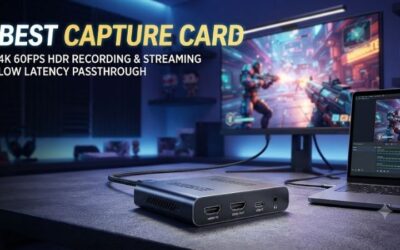
Capture Card, 4K HDMI Video Capture Card, Game Capture Card, 1080P 60FPS Video Capture Device, HDMI to USB 3.0 Capture Card for Streaming, Work with Camera/Xbox/PS4/PS5/PC/OBS
Included for 'Best Capture Card for Xbox Series X|S Gaming Setups' because the listing specifies 4K HDMI Video Capture Card and Game Capture Card, details this guide uses to compare options.
View on Amazon
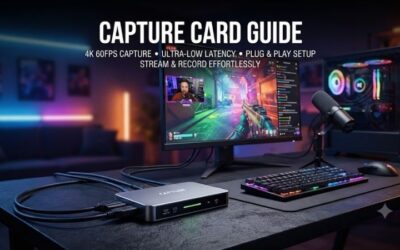
XIIXMASK USB 3.0 HDMI Capture Card, 1080P 60FPS Capture, 4K Pass-Through | Dual-Port USB-A/USB-C, 2K 30FPS/1080P 60FPS Video Capture & Streaming for PS4/PS5, Switch 1/2, Xbox, PC, Mac, Camera (black)
Included for 'Best Capture Card for Xbox Series X|S Gaming Setups' because the listing specifies 1080P 60FPS Capture and 4K Pass-Through, details this guide uses to compare options.
View on AmazonThe best capture card for Xbox should record clean gameplay without forcing you to sacrifice the resolution, refresh rate, HDR, or VRR you normally use. Whether you stream on Twitch or save high-quality clips for YouTube, the right card must match your Xbox Series X|S, display, computer, and preferred recording format.
Best Capture Cards for Xbox Compared
| Capture Card | Best For | Maximum Passthrough | Maximum Capture | Connection |
|---|---|---|---|---|
| Elgato 4K X | Best Overall | Up to 4K144 | Up to 4K144 SDR | USB-C 10Gbps |
| AVerMedia Live Gamer ULTRA 2.1 | High-Refresh Capture | Up to 4K144 HDR/VRR | Up to 4K144 on Windows | USB-C 10Gbps |
| Elgato 4K Pro | Desktop Streaming PCs | Up to 8K60 | Up to 4K60 HDR | PCIe 2.0 x4 |
| Elgato 4K S | Easy 4K60 Streaming | Up to 4K60 | Up to 4K60 SDR | USB-C 5Gbps |
Xbox Series X can output demanding HDMI signals, so passthrough capability matters as much as capture resolution. If you normally play at 4K120 with VRR, buying a card limited to 4K60 passthrough changes the experience even when you only stream at 1080p60. Always separate what a card can pass through from what it can actually record.
External USB cards are easier to use with gaming laptops and portable setups, while PCIe cards require a compatible desktop PC. Neither design is automatically better for every gamer. Your choice should depend on recording resolution, available computer ports, desk arrangement, party-chat needs, and whether the Xbox display uses 120Hz, HDR, or VRR.
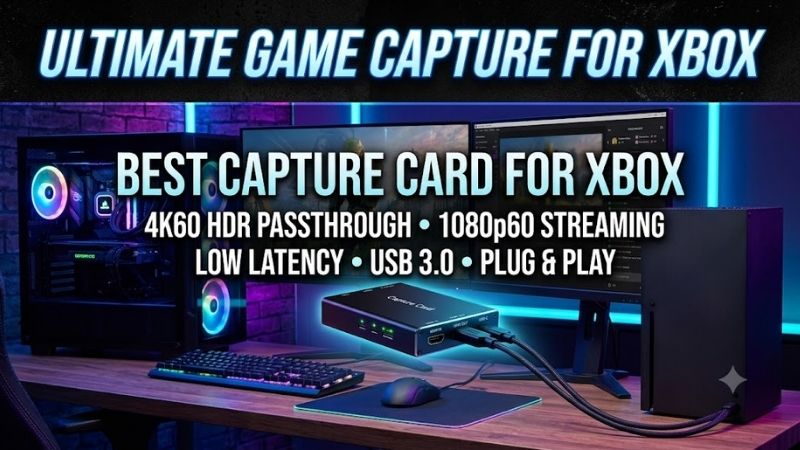
Elgato 4K X – Best Overall
Best For: Xbox Series X players who want high-refresh HDMI 2.1 capture from an external device
Elgato 4K X is an HDMI 2.1 external capture card designed for current consoles and high-refresh displays. Elgato lists passthrough support reaching 4K144, while recording can reach 4K144 SDR in supported configurations. It connects to the capture computer through USB-C 3.2 Gen 2 at up to 10Gbps.
That bandwidth makes 4K X particularly relevant to Xbox Series X owners who want to keep high-refresh gameplay active while capturing. It supports HDR10, Variable Refresh Rate, and Auto Low Latency Mode passthrough, so compatible monitors or televisions can continue using gaming-oriented HDMI features instead of being forced into a basic 60Hz signal.
Key Features
- HDMI 2.1 input and output
- USB-C 3.2 Gen 2 connection
- Up to 4K144 SDR capture
- Up to 1080p240 capture
- HDR10 passthrough
- VRR passthrough
- ALLM passthrough
- 3.5mm analog audio input
- Windows, macOS, and iPad compatibility
What Makes It Different
The strongest advantage is how little compromise it requires from a high-refresh Xbox setup. A player can continue using 4K120-class output while recording through the same device. That matters in competitive shooters, racing games, and action titles where switching a display from 120Hz to 60Hz simply to accommodate capture hardware would be undesirable.
Elgato also includes a 3.5mm stereo line input that can work with its Chat Link Pro cable for controller-based party-chat capture. This makes the 4K X more practical for creators who need teammate voices in recordings rather than only HDMI game audio, although Xbox audio routing still needs to be configured correctly.
Pros
- HDMI 2.1 support
- High-refresh 4K passthrough
- Very high capture frame rates
- HDR10 and VRR passthrough
- External USB design
- Analog audio input
- Works with laptops and desktops
Cons
- Requires a 10Gbps USB connection for full capability
- High-resolution capture demands substantial storage
- HDR capture limits vary by resolution and frame rate
- More capability than basic 1080p streams require
Use Case
4K X makes the most sense when the Xbox Series X is connected to a modern 4K120 or high-refresh gaming display. You can preserve those display features while sending a separate capture feed to OBS or Elgato software. It also suits creators using a powerful laptop because installation does not require opening a desktop PC.
Who It’s For
Choose 4K X if you want a premium external capture card and do not want your Xbox display configuration limited by older HDMI hardware. It is particularly useful for creators who record high-quality local footage while simultaneously streaming at a lower resolution, or who plan to keep the same card through future display upgrades.
AVerMedia Live Gamer ULTRA 2.1 – Best for High-Refresh Capture
Best For: Windows creators who want flexible 4K144 capture and integrated party-chat connections
AVerMedia Live Gamer ULTRA 2.1, model GC553G2, uses HDMI 2.1 input and output with a USB 3.2 Gen 2 Type-C computer connection. AVerMedia specifies passthrough up to 2160p144 with HDR and VRR, plus 1440p240 and 1080p360 modes for users running very high-refresh displays.
Recent firmware and software support lets Windows users record as high as 4K144 through AVerMedia Streaming Center using MJPEG. On macOS, maximum capture is listed at 4K60. That distinction matters because headline maximums depend on both the operating system and the software used rather than only the capture-card hardware itself.
Key Features
- HDMI 2.1 input and output
- USB 3.2 Gen 2 Type-C
- Up to 4K144 HDR/VRR passthrough
- Up to 4K144 capture on supported Windows workflows
- Up to 1440p240 passthrough
- Up to 1080p360 passthrough
- 3.5mm headset connection
- 3.5mm gamepad connection
- 5.1 audio support
- RGB lighting
What Makes It Different
AVerMedia integrates both headset and gamepad 3.5mm connections for party-chat workflows. That is useful for Xbox multiplayer creators because chat capture can otherwise become one of the most confusing parts of console streaming. The design reduces the need to build an improvised analog-audio chain around the capture card.
The card also supports 5.1-channel audio features on Windows, although available formats depend on the software and signal configuration. For users recording cinematic gameplay or building a more advanced production workflow, this additional audio flexibility can matter more than RGB lighting or unusually high theoretical frame rates.
Pros
- 4K144-class HDMI 2.1 capability
- HDR and VRR passthrough
- High-refresh 1440p and 1080p support
- Integrated party-chat connections
- 10Gbps USB interface
- Windows and macOS compatibility
- Compact external design
Cons
- Maximum 4K144 recording requires specific Windows software
- Mac capture tops out lower
- Requires USB 3.2 Gen 2 for full performance
- Advanced resolution combinations require careful configuration
Use Case
Live Gamer ULTRA 2.1 fits an Xbox Series X streaming station where party chat and high-refresh gameplay are both important. It works particularly well beside a Windows gaming laptop or secondary streaming PC because it provides HDMI 2.1 performance without requiring an internal expansion slot or permanent installation.
Who It’s For
Choose the GC553G2 if you regularly record multiplayer Xbox content and value its integrated audio connections. It also suits users who experiment with 1440p high-refresh capture or record a PC in addition to Xbox. Creators who only stream at 1080p60 may not need the bandwidth or configuration options this model provides.
Elgato 4K Pro – Best Internal Capture Card
Best For: Desktop streaming PCs and permanent Xbox content-creation setups
Elgato 4K Pro installs in a Windows desktop through a PCIe 2.0 x4 or larger slot. Unlike external USB devices, it keeps the capture hardware inside the PC while providing HDMI 2.1 input and output. Elgato specifies capture up to 4K60 HDR10 and passthrough reaching 8K60 in supported signal configurations.
For Xbox users, the practical benefit is its support for 4K120-class passthrough together with HDR10, VRR, and ALLM. You can therefore maintain a high-end console display configuration while the dedicated streaming PC receives a capture feed. Elgato also supports higher-frame-rate recording at lower resolutions after firmware updates.
Key Features
- Internal PCIe capture card
- HDMI 2.1 input and output
- Up to 4K60 HDR10 recording
- Up to 8K60 passthrough
- 4K120 and 4K144 passthrough support
- VRR passthrough
- ALLM passthrough
- On-device HDR-to-SDR tone mapping
- Windows support
- OBS and Elgato software compatibility
What Makes It Different
PCIe installation removes the need for a high-bandwidth USB cable between the capture card and PC. This can simplify a permanent dual-system setup and leaves high-speed USB ports available for cameras, audio interfaces, external storage, or other streaming equipment. The trade-off is that laptops cannot use the card at all.
On-device tone mapping is also useful when playing Xbox in HDR while producing SDR content. The capture system can convert HDR input for an SDR workflow without forcing the gaming display itself out of HDR mode. This helps creators maintain their preferred console image while keeping streaming and editing workflows manageable.
Pros
- Internal PCIe installation
- HDMI 2.1 passthrough
- 4K60 HDR10 recording
- VRR and ALLM support
- High-resolution passthrough
- HDR-to-SDR tone mapping
- Clean permanent desktop setup
Cons
- Desktop Windows PC required
- Cannot be used with laptops
- Requires an available PCIe slot
- Installation is less portable than USB capture
Use Case
4K Pro is ideal for a dedicated Xbox streaming desk where the capture PC stays in place. Connect the console through the card, send passthrough to the gaming monitor, and let the desktop handle OBS, recording, overlays, cameras, and microphones. This keeps the physical setup clean while preserving modern HDMI capabilities.
Who It’s For
Choose 4K Pro if you already own a desktop streaming PC and want an internal card rather than another device on the desk. It is especially useful for serious creators producing regular Xbox footage, dual-PC streamers, or anyone who prioritizes a fixed high-performance setup over portability between different computers and locations.
Elgato 4K S – Best for Easy 4K60 Xbox Capture
Best For: Creators who want straightforward 4K60 recording without high-refresh capture requirements
Elgato 4K S is an external USB-C capture card aimed at simpler 4K workflows. It can capture up to 4K60 SDR while supporting 1440p120 and 1080p120 recording. Its passthrough tops out at 4K60, with HDR10 and VRR support available in compatible configurations, making it better suited to 60Hz Xbox setups.
Unlike 4K X, 4K S uses a 5Gbps USB-C interface rather than 10Gbps. The lower bandwidth is sufficient for its supported capture modes and makes the card a practical option for laptops or desktops that lack faster USB connectivity. It also works with Windows, macOS, and iPadOS without requiring an internal expansion slot.
Key Features
- External USB-C design
- 5Gbps USB connection
- Up to 4K60 SDR capture
- Up to 1440p120 capture
- Up to 1080p120 capture
- 4K60 HDR10 passthrough
- VRR passthrough
- 3.5mm stereo line input
- Windows, macOS, and iPad support
What Makes It Different
The 4K S targets creators who actually need 4K60 rather than buying HDMI 2.1 hardware they will never use. If your Xbox runs through a 60Hz television or monitor, its passthrough ceiling does not impose an additional compromise. You still get 4K recording and an external form factor without requiring a 10Gbps USB port.
Its analog audio input also supports party-chat capture with a compatible Chat Link setup. That makes it more useful for Xbox streaming than a bare HDMI capture dongle, especially when multiplayer communication is part of the content. The feature is optional, so single-player creators can simply capture normal HDMI audio.
Pros
- Straightforward 4K60 recording
- Compact external design
- Only requires 5Gbps USB
- 1440p120 recording support
- VRR passthrough
- Analog audio input
- Laptop-friendly connectivity
Cons
- 4K passthrough limited to 60Hz
- Not ideal for Xbox players using 4K120 displays
- Less capture headroom than 4K X
- HDR recording support is more limited than 4K Pro
Use Case
4K S is a sensible choice for YouTube walkthroughs, casual Twitch streams, achievement guides, and recorded Xbox gameplay where 60fps output is sufficient. It is particularly useful with 4K60 televisions because the card’s passthrough matches the display instead of requiring you to pay for unused 120Hz or 144Hz capability.
Who It’s For
Choose 4K S if you want reliable 4K capture from Xbox without building a high-end 4K120 production pipeline. It is a better fit for mainstream creators than enthusiasts who own HDMI 2.1 gaming monitors and expect to preserve 120Hz gameplay while recording at very high frame rates.
How to Choose the Best Capture Card for Xbox
Match Passthrough to Your Display
Passthrough determines what reaches the monitor or television while you record. Xbox Series X owners with 4K120 displays should prioritize HDMI 2.1 hardware that passes 4K120, VRR, and HDR. Otherwise, connecting the capture card could disable features that worked normally when the console was connected directly to the display.
A 4K60 capture card can still be perfectly appropriate if your television is limited to 60Hz. Buying around your real display prevents unnecessary spending. Check resolution and refresh rate together, because a card described as “4K” may support 4K60 but restrict 120Hz operation to 1440p or 1080p.
Capture Resolution Is Different From Passthrough
A card may pass through a higher-quality signal than it records. This is normal and often desirable. You might play at 4K120 on your monitor while OBS records a 1080p60 or 4K60 feed. The gaming experience therefore remains smooth even though the final video uses a lower frame rate than the display.
For YouTube, recording above 1080p gives more flexibility for higher-resolution uploads and cropping during editing. Twitch workflows often prioritize reliable 1080p streaming instead. Decide how the footage will actually be published before paying extra for capture modes that your platform, storage, or editing computer may not need.
Consider VRR and HDR
Variable Refresh Rate helps compatible displays synchronize refresh behavior with the Xbox output, reducing visible tearing and improving perceived smoothness when frame rates fluctuate. If you already use VRR, confirm passthrough support before buying because older capture hardware may force you to disable the feature.
HDR adds another layer of complexity. Some cards can pass HDR while recording SDR, while others support HDR capture only at specific resolutions or frame rates. If HDR is important, check the exact mode you plan to record rather than assuming an HDR logo means every possible resolution and refresh combination is available.
External vs. Internal Capture Cards
External USB capture cards are more portable and work with laptops, making them easier for creators who move equipment or record in different locations. They also require no computer disassembly. Their full performance may depend on a specific USB generation, so connecting them to a slower port can reduce available capture modes.
Internal PCIe cards fit permanent desktop setups. They keep the desk cleaner and avoid consuming a high-bandwidth USB port, but installation requires an available compatible expansion slot. They are unsuitable for laptops and are less convenient if you frequently move the capture hardware between several computers.
Check Party Chat Requirements
Capturing game audio is normally straightforward through HDMI, but Xbox party chat can require additional routing depending on your headset and console settings. Some capture cards provide analog audio inputs or dedicated headset and controller connections to make this easier, while others expect the entire audio workflow to remain digital.
If multiplayer commentary is central to your channel, investigate party-chat routing before buying. A technically impressive capture card becomes frustrating when teammates are missing from recordings. Elgato offers analog Chat Link workflows, while AVerMedia provides dedicated headset and gamepad audio connections on the Live Gamer ULTRA 2.1.
Check Your Computer Hardware
High-resolution capture requires more than the capture card itself. The PC must receive, encode, record, and store large amounts of video data. 4K and high-frame-rate capture can therefore require a capable CPU or GPU, sufficient USB or PCIe bandwidth, fast storage, and enough free disk capacity for lengthy recording sessions.
A modest streaming computer may perform better with 1080p60 than an unnecessarily demanding 4K workflow. Choose settings based on what the system can encode reliably without dropped frames. Stable recording is more valuable than selecting a higher resolution that causes performance problems throughout the captured footage.
FAQ
What Is the Best Capture Card for Xbox Series X?
Elgato 4K X and AVerMedia Live Gamer ULTRA 2.1 are strong options for Xbox Series X users who want HDMI 2.1 and high-refresh passthrough. Elgato 4K Pro fits desktop streaming PCs, while 4K S makes more sense when the gaming display and recording workflow are centered around 4K60.
Do I Need HDMI 2.1 for Xbox Capture?
You need HDMI 2.1 capture hardware mainly when preserving demanding signals such as 4K120 is important. A 4K60 television and 60fps recording workflow can operate perfectly well without using the full bandwidth of HDMI 2.1. Match the card to the output modes you actually use rather than the console’s maximum capability.
Can I Capture Xbox Gameplay at 120 FPS?
Yes, supported capture cards can record 120fps at selected resolutions. Elgato 4K X and AVerMedia Live Gamer ULTRA 2.1 provide high-frame-rate capture options beyond 60fps. Recording capability depends on resolution, HDR mode, computer interface, software, and operating system, so check the exact combination you intend to use.
Can a Capture Card Record Xbox Party Chat?
Yes, but the setup varies. Some cards include analog audio inputs that work with controller chat cables, while AVerMedia Live Gamer ULTRA 2.1 includes dedicated gamepad and headset connections. Xbox audio settings and headset routing also influence whether party voices appear in the final recording.
Does a Capture Card Add Input Lag?
You should play through the card’s HDMI passthrough rather than the preview window inside OBS or recording software. Modern cards are designed to provide very low-latency passthrough, while software previews introduce additional processing delay that makes them unsuitable as the primary display for responsive gaming.
Do I Need a Capture Card to Stream Xbox?
Not always. Xbox includes built-in streaming and recording features, but a capture card provides more control over overlays, cameras, microphones, scenes, alerts, recording quality, and production software. It becomes especially valuable when you want a more professional OBS-based stream or high-quality local gameplay recordings.
Conclusion
The best capture card for Xbox depends on how you play and record. Elgato 4K X offers excellent external HDMI 2.1 flexibility, AVerMedia Live Gamer ULTRA 2.1 excels at high-refresh and chat capture, Elgato 4K Pro suits permanent desktop setups, while 4K S provides a simpler path to dependable 4K60 recording.