🛒 Best Price Today on Amazon
Prime members get fast, free shipping on everything above, plus member-only deals. New members get a 30-day free trial — cancel anytime.
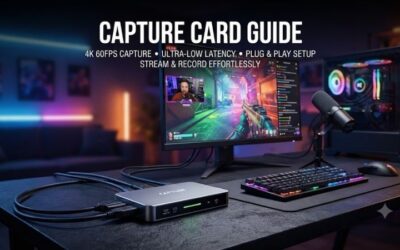
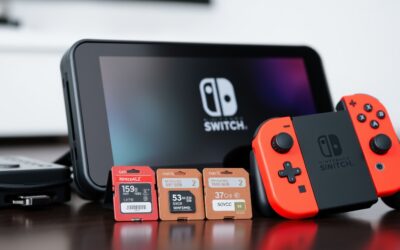
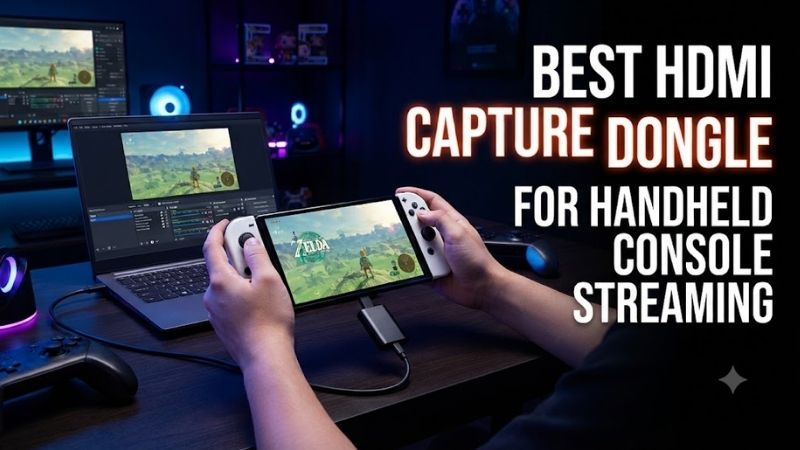
The best HDMI capture dongle for handheld console streaming should capture clear gameplay without making a portable setup unnecessarily complicated. Devices such as Nintendo Switch, Steam Deck, and ASUS ROG Ally can output video through compatible docks or adapters, but the capture device must support the resulting HDMI signal. This guide compares six practical options for recording or streaming handheld gameplay through a laptop or desktop computer.
Quick Verdict
The Elgato Game Capture Neo is our preferred overall choice for handheld console streaming because it offers 1080p60 capture, HDMI passthrough, and straightforward USB connectivity.
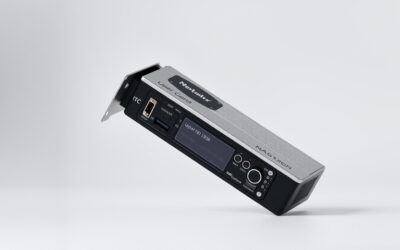
The Genki ShadowCast 2 is particularly attractive for compact handheld setups that prioritize portability.
For streamers who want higher-resolution recording or greater flexibility, the Elgato Game Capture 4K S provides additional capability.
The Elgato HD60 X remains a practical alternative when HDMI passthrough and established streaming software support are more important than the smallest possible dongle.
Quick Comparison Table
| Product | Capture Capability | Passthrough | Best For |
|---|---|---|---|
| Genki ShadowCast 2 | Up to 1080p60 | No conventional HDMI passthrough | Compact dongle |
| Elgato Game Capture Neo | Up to 1080p60 | Up to 4K60 | Best overall |
| Elgato Game Capture 4K S | Up to 4K60 | Up to 4K60 | High-quality recording |
| Elgato HD60 X | Up to 4K30 | Up to 4K60 | Console versatility |
| AVerMedia Live Gamer MINI GC311 | Up to 1080p60 | Up to 1080p60 | Basic 1080p streaming |
| Elgato Game Capture 4K X | Up to 4K144, mode-dependent | Up to 4K144 | Premium versatility |
Maximum resolutions represent supported configurations, not identical capability on every laptop or operating system.
How We Selected These Devices
We prioritized capture devices that can receive an unencrypted HDMI signal and deliver video to a computer.
For handheld console streaming, the most important considerations are installation complexity, USB compatibility, capture resolution, latency, and whether the player can use a separate monitor.
A compact dongle is useful when traveling, but a device with HDMI passthrough may provide a better experience for competitive games.
We also considered the difference between capture resolution and passthrough resolution. A device might display gameplay at 4K60 while recording only at 1080p60.
Detailed Product Recommendations
1. Genki ShadowCast 2 — Best Compact Capture Dongle
Best For: Portable handheld gameplay capture with minimal desk clutter.
Why We Picked It: The ShadowCast 2 is designed around a compact HDMI capture format that connects directly to a gaming device’s HDMI output.
Key Specifications
-
Product: Genki ShadowCast 2
-
Input: HDMI
-
Computer connection: USB-C
-
Capture capability: Up to 1080p60
-
Intended use: Portable game capture and video input
Features and Performance
The primary advantage of the ShadowCast 2 is its physical simplicity.
Unlike larger external capture boxes, it uses a compact design suitable for carrying alongside a handheld gaming system and laptop.
For a Nintendo Switch, the console must be placed in its dock or connected through a compatible video-output arrangement.
For Steam Deck and ROG Ally systems, the handheld must support video output through the selected dock or adapter.
The capture dongle then converts the HDMI signal into video that can be used by compatible computer software.
Its limitation is the lack of a conventional HDMI passthrough output.
If gameplay is viewed only through the capture preview, latency becomes an important consideration, particularly for fast-paced games.
Pros
-
Compact physical design.
-
Convenient for portable setups.
-
Supports 1080p60 capture.
Cons
-
No conventional HDMI passthrough.
-
Preview latency may affect gameplay comfort.
Buy If: You want a compact capture accessory for portable handheld streaming.
Skip If: You need a separate low-latency gameplay display through the capture device.
2. Elgato Game Capture Neo — Best Overall
Best For: Beginner handheld console streamers using OBS or similar software.
Why We Picked It: The Game Capture Neo combines straightforward 1080p60 capture with a dedicated HDMI passthrough output.
Key Specifications
-
Input: HDMI 2.0
-
Output: HDMI 2.0 passthrough
-
Computer connection: USB 3.0 Type-C
-
Maximum capture: 1080p60
-
Maximum passthrough: 4K60
-
Supported software: OBS Studio and compatible streaming applications
Features and Performance
The Game Capture Neo works well for handheld console streaming because it separates gameplay display from recording.
The HDMI passthrough connection sends the console’s video signal to a monitor.
Meanwhile, the USB connection transfers captured video to the computer.
This arrangement allows the user to play on a low-latency display instead of depending entirely on the preview window.
For Nintendo Switch gameplay, 1080p60 capture is sufficient to cover the console’s standard maximum docked video output.
The Neo also works with other compatible unencrypted HDMI sources, making it useful beyond handheld gaming.
Pros
-
1080p60 capture.
-
Dedicated HDMI passthrough.
-
Straightforward USB connection.
-
Supports common streaming software.
Cons
-
No 4K recording.
-
Larger than a compact HDMI dongle.
Buy If: You want dependable Full HD handheld capture with a separate gameplay display.
Skip If: You specifically require 4K recording.
3. Elgato Game Capture 4K S — Best for High-Quality Recording
Best For: Creators who want portable external capture with higher recording resolution.
Why We Picked It: The 4K S supports up to 4K60 capture while retaining a relatively simple USB-C connection.
Key Specifications
-
HDMI input: HDMI 2.0
-
HDMI output: Passthrough
-
Computer interface: USB-C 3.0
-
Maximum capture: 4K60
-
Maximum passthrough: 4K60
-
Additional support: Selected high-frame-rate configurations
Features and Performance
For a Nintendo Switch or another handheld outputting 1080p60, the 4K S does not automatically improve source image quality.
Its advantage is flexibility.
A creator who also records higher-resolution console or PC gameplay can use the same capture device across multiple systems.
It also supports gameplay passthrough, making it suitable for streaming while using a dedicated display.
The drawback is that users focused exclusively on 1080p handheld output may not benefit significantly from its higher capture ceiling.
Pros
-
Up to 4K60 recording.
-
HDMI passthrough.
-
USB-C connection.
-
Suitable for multiple gaming systems.
Cons
-
Additional capability may be unnecessary for basic handheld streaming.
-
Requires an appropriate host computer.
Buy If: You want one external capture card for both handheld and higher-resolution gaming systems.
Skip If: You only need inexpensive 1080p60 capture.
4. Elgato HD60 X — Best Established Console Alternative
Best For: Users who stream handheld consoles alongside Xbox, PlayStation, or PC gameplay.
Why We Picked It: The HD60 X offers 1080p60 capture, higher-resolution recording modes, and HDMI passthrough.
Key Specifications
-
HDMI input and output: HDMI 2.0
-
USB interface: USB 3.0 Type-C
-
Capture: Up to 4K30
-
Passthrough: Up to 4K60
-
Additional support: VRR passthrough in supported configurations
Features and Performance
The HD60 X is a versatile option for creators who use several gaming platforms.
Its 1080p60 capture is appropriate for standard handheld-console output.
The HDMI passthrough connection also avoids the need to play through software preview.
However, buyers should not confuse its 4K60 passthrough support with 4K60 recording.
The maximum 4K capture mode is 30 frames per second.
Pros
-
Versatile console compatibility.
-
HDMI passthrough.
-
Established streaming software support.
Cons
-
More hardware than compact dongles.
-
4K recording is limited to 30fps.
Buy If: You want a multi-console capture device with Full HD streaming support.
Skip If: Portability is your primary requirement.
5. AVerMedia Live Gamer MINI GC311 — Best Basic Streaming Box
Best For: Handheld gamers who want a straightforward Full HD capture device.
Why We Picked It: The GC311 is designed for 1080p60 capture and HDMI passthrough without the complexity of higher-end capture hardware.
Key Specifications
-
Model: GC311
-
Maximum capture: 1080p60
-
Maximum passthrough: 1080p60
-
Interface: USB 2.0
-
Intended application: External game capture
Features and Performance
For a handheld outputting 1080p60, a compatible capture device does not need 4K recording functionality.
The Live Gamer MINI is built around that simpler requirement.
Its dedicated HDMI passthrough lets the console connect to a monitor while the capture device sends video to the recording computer.
USB 2.0 support is also useful where a laptop lacks a high-bandwidth USB-C port, although users should still verify software and operating-system compatibility.
Pros
-
Focused 1080p60 functionality.
-
HDMI passthrough.
-
Suitable for basic console capture.
Cons
-
No 4K recording.
-
Older connectivity approach.
Buy If: You want simple Full HD console streaming.
Skip If: You need modern high-resolution recording features.
6. Elgato Game Capture 4K X — Best Premium Multi-Platform Choice
Best For: Advanced creators using handheld systems, gaming PCs, and high-refresh-rate consoles.
Why We Picked It: The 4K X offers HDMI 2.1 connectivity and a high-bandwidth USB interface.
Key Specifications
-
HDMI input and output: HDMI 2.1
-
USB connection: USB 3.2 Gen 2 Type-C
-
Maximum supported capture: Up to 4K144 in supported modes
-
Maximum passthrough: Up to 4K144
-
Support: VRR and selected HDR configurations
Features and Performance
The 4K X provides substantially more capability than ordinary handheld gameplay requires.
Its main advantage is supporting a wider range of modern sources without requiring a second capture device.
A creator might use it for a Nintendo Switch at 1080p60 and later connect a powerful gaming PC or higher-resolution console.
However, high capture modes require the correct USB bandwidth, operating system, and software configuration.
A laptop with only a slower USB-C port may not support the device’s highest recording modes.
Pros
-
HDMI 2.1 connectivity.
-
High-resolution and high-frame-rate support.
-
Broad console compatibility.
Cons
-
Excessive for basic handheld capture.
-
Higher host-bandwidth requirements.
Buy If: You want a premium capture device for several gaming platforms.
Skip If: Your only source is a 1080p handheld console.
Buying Guide: Choosing an HDMI Capture Device
Confirm That the Handheld Can Output HDMI
A capture device cannot record HDMI video unless the source produces a compatible HDMI signal.
Nintendo Switch typically uses docked HDMI output.
Steam Deck and ROG Ally systems require compatible USB-C video-output docks or adapters.
Not every USB-C accessory supports video output, so the dock’s specifications matter.
Understand Passthrough Versus Capture
Capture resolution describes what the computer records.
Passthrough describes the signal sent to a monitor.
These may differ.
For example, a capture device may pass through 4K60 while recording 1080p60.
This is normal and does not indicate a defect.
Consider Preview Latency
USB capture preview introduces processing delay.
The amount varies by hardware and software.
For reaction-sensitive gameplay, a dedicated HDMI passthrough display is generally preferable to playing solely through a preview window.
Check USB Bandwidth
A USB-C connector does not guarantee USB 3.2 Gen 2 bandwidth.
Some ports provide only USB 2.0 speeds.
Match the capture device’s interface requirements to your laptop.
Verify HDCP Compatibility
Many capture devices cannot record HDCP-protected HDMI content.
Normal gameplay capture may work while protected video applications do not.
Do not assume that every image displayed through HDMI can be captured.
Configure OBS Correctly
In OBS, add the capture device as a video-capture source.
Select a supported resolution and frame rate.
Check audio input routing, video format, and synchronization.
Perform a short local recording before starting a public livestream.
Frequently Asked Questions
Can I capture Nintendo Switch gameplay without a dock?
For a standard Switch or Switch OLED, normal HDMI capture requires docked video output. Switch Lite does not support conventional external video output.
Can I stream Steam Deck gameplay using an HDMI dongle?
Yes, if the Steam Deck is connected through a compatible video-output adapter or dock.
Is 1080p60 enough for handheld streaming?
Yes, for many handheld console sources, 1080p60 provides appropriate recording quality.
Do I need HDMI passthrough?
Not always, but passthrough is useful when you want to play on a separate low-latency monitor.
Can I connect an HDMI capture dongle directly to a phone?
Only if the phone, operating system, application, and capture device support that arrangement.
Conclusion
The Elgato Game Capture Neo is the best overall choice for handheld streamers who want 1080p60 capture and HDMI passthrough. Choose the Genki ShadowCast 2 for compact portability, the Elgato 4K S for higher-resolution recording, or the 4K X for advanced multi-platform setups. The most important considerations are handheld HDMI output, capture resolution, USB compatibility, and whether you need a separate game