🛒 Best Price Today on Amazon
Prime members get fast, free shipping on everything above, plus member-only deals. New members get a 30-day free trial — cancel anytime.
- Quick Verdict
- Quick Comparison Table
- How We Selected These Mounting Kits
- Detailed Product Recommendations
- Buying Guide: Choosing a CPU Cooler Replacement Mount
- Frequently Asked Questions
- Conclusion
- Quick Verdict
- Quick Comparison Table
- How We Selected These Mounting Kits
- Detailed Product Recommendations
- Buying Guide: Choosing a CPU Cooler Replacement Mount
- Frequently Asked Questions
- Conclusion
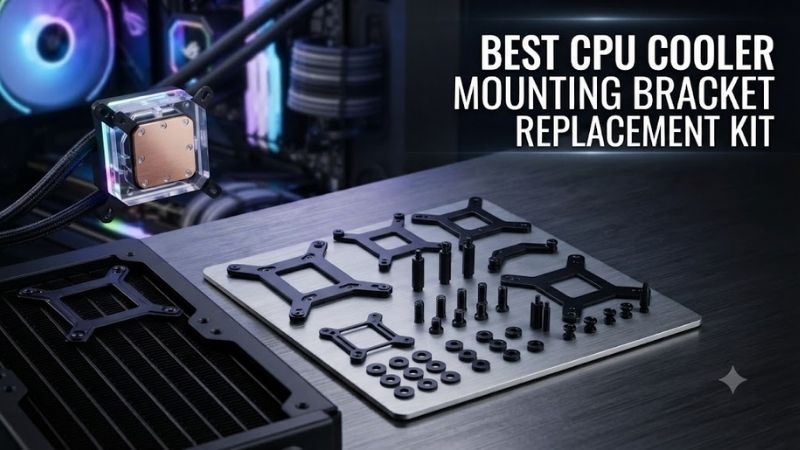
Finding the best CPU cooler mounting bracket replacement kit starts with identifying your cooler model and motherboard socket. Replacement brackets can restore missing hardware or make an older heatsink compatible with a newer processor. However, even kits from the same manufacturer are not interchangeable. This guide compares six mounting solutions for compatible Intel and AMD systems.
Quick Verdict
The Noctua NM-M1-MP83 is a strong upgrade option for supported Noctua heatsinks using an 83mm mounting pitch.
For older Noctua coolers moving to Intel LGA1700 or LGA1851, the NM-i17xx-MP78 and NM-i17xx-MP83 provide socket-specific alternatives.
AMD users should consider the NM-AM5/4-MP78 or NM-AM5/4-MP83 depending on the heatsink’s mounting pitch.
The most important rule is to choose the kit specified for your exact cooler, not simply the kit advertised for your CPU socket.
Quick Comparison Table
| Product | Platform | Mounting Pitch | Best For |
|---|---|---|---|
| Noctua NM-M1-MP83 | Supported Intel/AMD | 83mm | Modern multi-platform upgrade |
| Noctua NM-M1-MP78 | Supported Intel/AMD | 78mm | Alternative heatsink geometry |
| Noctua NM-i17xx-MP83 | Intel LGA1700/1851 | 83mm | Intel upgrades |
| Noctua NM-i17xx-MP78 | Intel LGA1700/1851 | 78mm | Intel upgrades |
| Noctua NM-AM5/4-MP83 | AMD AM4/AM5 | 83mm | AMD upgrades |
| Noctua NM-AM5/4-MP78 | AMD AM4/AM5 | 78mm | AMD upgrades |
How We Selected These Mounting Kits
We focused on manufacturer-identified replacement and upgrade kits with clearly defined mounting pitches and supported platforms.
A cooler mounting bracket is a load-bearing component. It must position the heatsink correctly and apply the intended contact pressure to the processor.
Incorrect brackets may cause poor cooling, excessive motherboard bending, or physical damage.
These six Noctua products illustrate different compatibility requirements without assuming that a generic bracket will fit arbitrary coolers.
They are all designed for selected Noctua heatsinks, not every cooler sold by Noctua or other manufacturers.
Detailed Product Recommendations
1. Noctua NM-M1-MP83 — Best Modern 83mm Mounting Upgrade
Best For: Supported Noctua coolers using an 83mm mounting pitch.
Why We Picked It: The NM-M1-MP83 uses Noctua’s SecuFirm2+ mounting approach and is intended to support multiple compatible processor platforms.
Key Specifications
-
Mounting pitch: 83mm
-
System: SecuFirm2+
-
Fastening design: Torx-based
-
Platform support: Selected Intel and AMD sockets
-
Compatibility: Supported Noctua heatsinks with 83mm mounting pitch
Features and Practical Use
The NM-M1-MP83 is useful when older cooler hardware has been lost or when an appropriate upgrade is required for a newer motherboard.
The Torx-based mounting mechanism provides a controlled installation approach using the included or specified fastening tools.
A major advantage is support for compatible products across different CPU platforms.
However, cooler mounting pitch must be checked independently of motherboard socket dimensions.
An 83mm mounting-pitch kit is not interchangeable with a 78mm kit simply because both support the same processor socket.
Pros
-
Modern SecuFirm2+ installation system.
-
Broad compatibility with supported Noctua models.
-
Purpose-designed mounting hardware.
Cons
-
No compatibility with unsupported cooler geometries.
-
Requires correct mounting-pitch identification.
Buy If: Your Noctua cooler is listed as compatible with the 83mm SecuFirm2+ system.
Skip If: Your cooler requires the 78mm version.
2. Noctua NM-M1-MP78 — Best for 78mm Mounting Geometry
Best For: Compatible Noctua heatsinks using a 78mm mounting pitch.
Why We Picked It: This kit offers the corresponding SecuFirm2+ upgrade path for heatsinks that cannot use the MP83 version.
Key Specifications
-
Mounting pitch: 78mm
-
Mounting system: SecuFirm2+
-
Fastening: Torx-based
-
CPU platforms: Supported Intel and AMD sockets
-
Cooler compatibility: Model-specific
Features and Practical Use
The NM-M1-MP78 demonstrates why motherboard socket compatibility alone is insufficient when selecting a replacement kit.
Although the CPU platform may be supported, the kit still needs to attach correctly to the heatsink body.
Using a mismatched mounting bar can prevent the cooler from seating correctly or create unsafe pressure distribution.
For supported coolers, the MP78 provides a dedicated solution without requiring users to modify brackets or drill mounting holes.
Pros: Correct 78mm geometry, dedicated replacement components, modern fastening design.
Cons: Limited to supported heatsinks, not interchangeable with MP83.
Buy If: Your heatsink documentation specifies the MP78 mounting family.
Skip If: Your model requires an 83mm kit.
3. Noctua NM-i17xx-MP83 — Best Intel-Specific 83mm Kit
Best For: Existing Noctua coolers with 83mm mounting pitch being upgraded to Intel LGA1700 or LGA1851.
Why We Picked It: This kit provides a socket-specific upgrade path using Noctua’s SecuFirm2 system.
Key Specifications
-
Mounting pitch: 83mm
-
Supported sockets: Intel LGA1700 and LGA1851
-
Mounting system: SecuFirm2
-
Fastening design: Phillips
-
Intended application: Compatible Noctua cooler upgrades
Features and Practical Use
The kit is particularly useful when carrying an older premium air cooler into a new Intel gaming PC.
Rather than replacing a fully functional heatsink, the user can install the appropriate socket hardware.
This can reduce unnecessary hardware purchases while preserving the cooling capability of a compatible heatsink.
However, an upgraded bracket does not guarantee physical clearance around motherboard VRM heatsinks, RAM, or PCIe components.
Users must verify both socket support and motherboard clearance.
Pros: Supports compatible older coolers, Intel-specific design, established mounting system.
Cons: 83mm coolers only, platform-specific rather than universal.
Buy If: Your Noctua cooler has an 83mm mounting pitch and supports the intended Intel platform.
Skip If: Your heatsink requires the MP78 version.
4. Noctua NM-i17xx-MP78 — Best Intel-Specific 78mm Kit
Best For: Supported 78mm-pitch Noctua heatsinks being reused on LGA1700 or LGA1851.
Why We Picked It: The NM-i17xx-MP78 offers the corresponding Intel upgrade solution for a different heatsink mounting geometry.
Key Specifications
-
Mounting pitch: 78mm
-
Sockets: LGA1700 and LGA1851
-
Mounting system: SecuFirm2
-
Installation hardware: Socket-specific components
Features and Practical Use
This kit solves a common problem: an older cooler remains mechanically and thermally capable, but its original brackets do not fit the newer Intel socket.
The proper replacement bracket restores the ability to install the cooler without modifying the motherboard or heatsink.
The installation should follow Noctua’s instructions for the exact cooler model.
Particular attention should be given to backplate placement and the correct use of spacers.
Incorrectly combining mounting components from different generations can affect cooler height and contact pressure.
Pros: Supports reuse of selected older coolers, dedicated socket compatibility, correct mounting geometry.
Cons: Requires exact model verification, not suitable for 83mm heatsinks.
Buy If: Your compatible Noctua cooler uses the 78mm mounting pitch.
Skip If: You have an unsupported cooler or require an AMD kit.
5. Noctua NM-AM5/4-MP83 — Best for AMD 83mm Coolers
Best For: Supported Noctua heatsinks with 83mm mounting pitch on AMD AM4 or AM5.
Why We Picked It: The kit offers a dedicated AMD upgrade route while retaining Noctua’s SecuFirm2 mounting approach.
Key Specifications
-
Mounting pitch: 83mm
-
Socket support: AMD AM4 and AM5
-
Mounting system: SecuFirm2
-
Fastening: Phillips
-
Cooler compatibility: Specific Noctua models
Features and Practical Use
The NM-AM5/4-MP83 is useful for transferring a compatible heatsink from an older build to a newer AMD Ryzen motherboard.
Unlike Intel’s retention arrangement, AMD installation may require the original motherboard backplate and other platform-specific hardware.
The correct relationship between backplate, spacers, and mounting bars is critical.
Users should not substitute unrelated screws or spacers simply because the threads appear similar.
Pros: AM4/AM5 support, purpose-built installation components, established cooler compatibility approach.
Cons: No Intel support, limited to 83mm-pitch coolers.
Buy If: You are upgrading a supported 83mm Noctua heatsink to AM4 or AM5.
Skip If: Your heatsink requires a different mounting kit.
6. Noctua NM-AM5/4-MP78 — Best AMD 78mm Alternative
Best For: Compatible 78mm-pitch Noctua coolers being installed on AM4 or AM5 motherboards.
Why We Picked It: It provides the correct AMD hardware for the alternate Noctua mounting geometry.
Key Specifications
-
Mounting pitch: 78mm
-
Supported sockets: AM4 and AM5
-
Mounting system: SecuFirm2
-
Fastening method: Phillips
-
Intended coolers: Supported Noctua 78mm models
Features and Practical Use
The MP78 is useful when an otherwise functional cooler cannot be installed using its original mounting components.
Its socket-specific arrangement helps ensure that the heatsink is positioned correctly over the CPU.
Using a proper upgrade kit is generally safer than improvising a mounting bracket from loose hardware.
However, the replacement kit does not expand the heatsink’s cooling capacity.
A cooler originally intended for a low-power processor still needs to be evaluated against the heat output of the new CPU.
Pros: Dedicated AMD compatibility, accurate mounting pitch, supports cooler reuse.
Cons: Cooler-model restrictions, no performance upgrade to the heatsink itself.
Buy If: Your AMD system and 78mm Noctua cooler appear on the relevant compatibility list.
Skip If: Your cooler requires 83mm hardware.
Buying Guide: Choosing a CPU Cooler Replacement Mount
Identify the Exact CPU Cooler Model
The cooler model is more important than the brand alone.
Manufacturers often use different mounting systems across product generations and physical designs.
Before purchasing, check the model printed on the cooler packaging, product documentation, or original order information.
Confirm the Motherboard Socket
Intel and AMD mounting systems differ.
Examples include LGA1700, LGA1851, AM4, and AM5.
A bracket compatible with one socket cannot automatically be used with another.
Understand Mounting Pitch
Mounting pitch describes the spacing of relevant mounting points on the cooler’s hardware.
Noctua uses both 78mm and 83mm configurations across supported heatsinks.
Selecting the wrong pitch can prevent installation or produce incorrect mechanical alignment.
Check Backplate Requirements
Some mounting kits require a specific backplate, while others reuse motherboard hardware.
Do not assume a kit includes every component needed for your cooler if the original hardware has been lost.
Review the complete installation instructions before ordering.
Verify Cooler Clearance
A mounting kit can make a heatsink mechanically compatible with a socket without guaranteeing that it fits the motherboard layout.
Check RAM clearance, VRM heatsinks, case width, and surrounding expansion slots.
Do Not Mix Unrelated Mounting Hardware
Different kits may use screws with similar threads but different lengths or shoulders.
Mixing components can change cooler pressure or create motherboard stress.
Use a complete, compatible mounting system rather than improvising with unrelated parts.
Frequently Asked Questions
Are CPU cooler mounting brackets universal?
No. They depend on the CPU socket, cooler model, mounting geometry, and sometimes the heatsink generation.
Can I reuse an older Noctua cooler on a new motherboard?
Often yes, if an approved upgrade kit exists and the cooler provides sufficient cooling capacity and physical clearance.
What is the difference between MP78 and MP83?
They refer to different mounting pitches used by supported Noctua heatsinks.
Will a replacement bracket improve CPU temperatures?
A correct bracket can restore proper installation pressure, but it does not automatically improve temperatures over an already correctly mounted cooler.
Can I install a CPU cooler without a backplate?
Only if the manufacturer’s design explicitly supports that installation method. Improvised mounting can damage hardware.
Conclusion
The best CPU cooler mounting bracket replacement kit is the one specifically approved for your cooler model and motherboard socket. Noctua’s NM-M1-MP83 and NM-M1-MP78 provide modern mounting options for supported heatsinks, while the NM-i17xx and NM-AM5/4 families offer targeted Intel and AMD upgrade solutions. Confirm the mounting pitch, backplate requirements, and exact cooler compatibility before installation.
Find the best CPU cooler mounting bracket replacement kit for Intel and AMD systems. Compare socket compatibility, Noctua mounting pitches, and installation.
Best CPU Cooler Mounting Bracket Replacement Kit Options
Finding the best CPU cooler mounting bracket replacement kit starts with identifying your cooler model and motherboard socket. Replacement brackets can restore missing hardware or make an older heatsink compatible with a newer processor. However, even kits from the same manufacturer are not interchangeable. This guide compares six mounting solutions for compatible Intel and AMD systems.
Quick Verdict
The Noctua NM-M1-MP83 is a strong upgrade option for supported Noctua heatsinks using an 83mm mounting pitch.
For older Noctua coolers moving to Intel LGA1700 or LGA1851, the NM-i17xx-MP78 and NM-i17xx-MP83 provide socket-specific alternatives.
AMD users should consider the NM-AM5/4-MP78 or NM-AM5/4-MP83 depending on the heatsink’s mounting pitch.
The most important rule is to choose the kit specified for your exact cooler, not simply the kit advertised for your CPU socket.
Quick Comparison Table
| Product | Platform | Mounting Pitch | Best For |
|---|---|---|---|
| Noctua NM-M1-MP83 | Supported Intel/AMD | 83mm | Modern multi-platform upgrade |
| Noctua NM-M1-MP78 | Supported Intel/AMD | 78mm | Alternative heatsink geometry |
| Noctua NM-i17xx-MP83 | Intel LGA1700/1851 | 83mm | Intel upgrades |
| Noctua NM-i17xx-MP78 | Intel LGA1700/1851 | 78mm | Intel upgrades |
| Noctua NM-AM5/4-MP83 | AMD AM4/AM5 | 83mm | AMD upgrades |
| Noctua NM-AM5/4-MP78 | AMD AM4/AM5 | 78mm | AMD upgrades |
How We Selected These Mounting Kits
We focused on manufacturer-identified replacement and upgrade kits with clearly defined mounting pitches and supported platforms.
A cooler mounting bracket is a load-bearing component. It must position the heatsink correctly and apply the intended contact pressure to the processor.
Incorrect brackets may cause poor cooling, excessive motherboard bending, or physical damage.
These six Noctua products illustrate different compatibility requirements without assuming that a generic bracket will fit arbitrary coolers.
They are all designed for selected Noctua heatsinks, not every cooler sold by Noctua or other manufacturers.
Detailed Product Recommendations
1. Noctua NM-M1-MP83 — Best Modern 83mm Mounting Upgrade
Best For: Supported Noctua coolers using an 83mm mounting pitch.
Why We Picked It: The NM-M1-MP83 uses Noctua’s SecuFirm2+ mounting approach and is intended to support multiple compatible processor platforms.
Key Specifications
-
Mounting pitch: 83mm
-
System: SecuFirm2+
-
Fastening design: Torx-based
-
Platform support: Selected Intel and AMD sockets
-
Compatibility: Supported Noctua heatsinks with 83mm mounting pitch
Features and Practical Use
The NM-M1-MP83 is useful when older cooler hardware has been lost or when an appropriate upgrade is required for a newer motherboard.
The Torx-based mounting mechanism provides a controlled installation approach using the included or specified fastening tools.
A major advantage is support for compatible products across different CPU platforms.
However, cooler mounting pitch must be checked independently of motherboard socket dimensions.
An 83mm mounting-pitch kit is not interchangeable with a 78mm kit simply because both support the same processor socket.
Pros
-
Modern SecuFirm2+ installation system.
-
Broad compatibility with supported Noctua models.
-
Purpose-designed mounting hardware.
Cons
-
No compatibility with unsupported cooler geometries.
-
Requires correct mounting-pitch identification.
Buy If: Your Noctua cooler is listed as compatible with the 83mm SecuFirm2+ system.
Skip If: Your cooler requires the 78mm version.
2. Noctua NM-M1-MP78 — Best for 78mm Mounting Geometry
Best For: Compatible Noctua heatsinks using a 78mm mounting pitch.
Why We Picked It: This kit offers the corresponding SecuFirm2+ upgrade path for heatsinks that cannot use the MP83 version.
Key Specifications
-
Mounting pitch: 78mm
-
Mounting system: SecuFirm2+
-
Fastening: Torx-based
-
CPU platforms: Supported Intel and AMD sockets
-
Cooler compatibility: Model-specific
Features and Practical Use
The NM-M1-MP78 demonstrates why motherboard socket compatibility alone is insufficient when selecting a replacement kit.
Although the CPU platform may be supported, the kit still needs to attach correctly to the heatsink body.
Using a mismatched mounting bar can prevent the cooler from seating correctly or create unsafe pressure distribution.
For supported coolers, the MP78 provides a dedicated solution without requiring users to modify brackets or drill mounting holes.
Pros: Correct 78mm geometry, dedicated replacement components, modern fastening design.
Cons: Limited to supported heatsinks, not interchangeable with MP83.
Buy If: Your heatsink documentation specifies the MP78 mounting family.
Skip If: Your model requires an 83mm kit.
3. Noctua NM-i17xx-MP83 — Best Intel-Specific 83mm Kit
Best For: Existing Noctua coolers with 83mm mounting pitch being upgraded to Intel LGA1700 or LGA1851.
Why We Picked It: This kit provides a socket-specific upgrade path using Noctua’s SecuFirm2 system.
Key Specifications
-
Mounting pitch: 83mm
-
Supported sockets: Intel LGA1700 and LGA1851
-
Mounting system: SecuFirm2
-
Fastening design: Phillips
-
Intended application: Compatible Noctua cooler upgrades
Features and Practical Use
The kit is particularly useful when carrying an older premium air cooler into a new Intel gaming PC.
Rather than replacing a fully functional heatsink, the user can install the appropriate socket hardware.
This can reduce unnecessary hardware purchases while preserving the cooling capability of a compatible heatsink.
However, an upgraded bracket does not guarantee physical clearance around motherboard VRM heatsinks, RAM, or PCIe components.
Users must verify both socket support and motherboard clearance.
Pros: Supports compatible older coolers, Intel-specific design, established mounting system.
Cons: 83mm coolers only, platform-specific rather than universal.
Buy If: Your Noctua cooler has an 83mm mounting pitch and supports the intended Intel platform.
Skip If: Your heatsink requires the MP78 version.
4. Noctua NM-i17xx-MP78 — Best Intel-Specific 78mm Kit
Best For: Supported 78mm-pitch Noctua heatsinks being reused on LGA1700 or LGA1851.
Why We Picked It: The NM-i17xx-MP78 offers the corresponding Intel upgrade solution for a different heatsink mounting geometry.
Key Specifications
-
Mounting pitch: 78mm
-
Sockets: LGA1700 and LGA1851
-
Mounting system: SecuFirm2
-
Installation hardware: Socket-specific components
Features and Practical Use
This kit solves a common problem: an older cooler remains mechanically and thermally capable, but its original brackets do not fit the newer Intel socket.
The proper replacement bracket restores the ability to install the cooler without modifying the motherboard or heatsink.
The installation should follow Noctua’s instructions for the exact cooler model.
Particular attention should be given to backplate placement and the correct use of spacers.
Incorrectly combining mounting components from different generations can affect cooler height and contact pressure.
Pros: Supports reuse of selected older coolers, dedicated socket compatibility, correct mounting geometry.
Cons: Requires exact model verification, not suitable for 83mm heatsinks.
Buy If: Your compatible Noctua cooler uses the 78mm mounting pitch.
Skip If: You have an unsupported cooler or require an AMD kit.
5. Noctua NM-AM5/4-MP83 — Best for AMD 83mm Coolers
Best For: Supported Noctua heatsinks with 83mm mounting pitch on AMD AM4 or AM5.
Why We Picked It: The kit offers a dedicated AMD upgrade route while retaining Noctua’s SecuFirm2 mounting approach.
Key Specifications
-
Mounting pitch: 83mm
-
Socket support: AMD AM4 and AM5
-
Mounting system: SecuFirm2
-
Fastening: Phillips
-
Cooler compatibility: Specific Noctua models
Features and Practical Use
The NM-AM5/4-MP83 is useful for transferring a compatible heatsink from an older build to a newer AMD Ryzen motherboard.
Unlike Intel’s retention arrangement, AMD installation may require the original motherboard backplate and other platform-specific hardware.
The correct relationship between backplate, spacers, and mounting bars is critical.
Users should not substitute unrelated screws or spacers simply because the threads appear similar.
Pros: AM4/AM5 support, purpose-built installation components, established cooler compatibility approach.
Cons: No Intel support, limited to 83mm-pitch coolers.
Buy If: You are upgrading a supported 83mm Noctua heatsink to AM4 or AM5.
Skip If: Your heatsink requires a different mounting kit.
6. Noctua NM-AM5/4-MP78 — Best AMD 78mm Alternative
Best For: Compatible 78mm-pitch Noctua coolers being installed on AM4 or AM5 motherboards.
Why We Picked It: It provides the correct AMD hardware for the alternate Noctua mounting geometry.
Key Specifications
-
Mounting pitch: 78mm
-
Supported sockets: AM4 and AM5
-
Mounting system: SecuFirm2
-
Fastening method: Phillips
-
Intended coolers: Supported Noctua 78mm models
Features and Practical Use
The MP78 is useful when an otherwise functional cooler cannot be installed using its original mounting components.
Its socket-specific arrangement helps ensure that the heatsink is positioned correctly over the CPU.
Using a proper upgrade kit is generally safer than improvising a mounting bracket from loose hardware.
However, the replacement kit does not expand the heatsink’s cooling capacity.
A cooler originally intended for a low-power processor still needs to be evaluated against the heat output of the new CPU.
Pros: Dedicated AMD compatibility, accurate mounting pitch, supports cooler reuse.
Cons: Cooler-model restrictions, no performance upgrade to the heatsink itself.
Buy If: Your AMD system and 78mm Noctua cooler appear on the relevant compatibility list.
Skip If: Your cooler requires 83mm hardware.
Buying Guide: Choosing a CPU Cooler Replacement Mount
Identify the Exact CPU Cooler Model
The cooler model is more important than the brand alone.
Manufacturers often use different mounting systems across product generations and physical designs.
Before purchasing, check the model printed on the cooler packaging, product documentation, or original order information.
Confirm the Motherboard Socket
Intel and AMD mounting systems differ.
Examples include LGA1700, LGA1851, AM4, and AM5.
A bracket compatible with one socket cannot automatically be used with another.
Understand Mounting Pitch
Mounting pitch describes the spacing of relevant mounting points on the cooler’s hardware.
Noctua uses both 78mm and 83mm configurations across supported heatsinks.
Selecting the wrong pitch can prevent installation or produce incorrect mechanical alignment.
Check Backplate Requirements
Some mounting kits require a specific backplate, while others reuse motherboard hardware.
Do not assume a kit includes every component needed for your cooler if the original hardware has been lost.
Review the complete installation instructions before ordering.
Verify Cooler Clearance
A mounting kit can make a heatsink mechanically compatible with a socket without guaranteeing that it fits the motherboard layout.
Check RAM clearance, VRM heatsinks, case width, and surrounding expansion slots.
Do Not Mix Unrelated Mounting Hardware
Different kits may use screws with similar threads but different lengths or shoulders.
Mixing components can change cooler pressure or create motherboard stress.
Use a complete, compatible mounting system rather than improvising with unrelated parts.
Frequently Asked Questions
Are CPU cooler mounting brackets universal?
No. They depend on the CPU socket, cooler model, mounting geometry, and sometimes the heatsink generation.
Can I reuse an older Noctua cooler on a new motherboard?
Often yes, if an approved upgrade kit exists and the cooler provides sufficient cooling capacity and physical clearance.
What is the difference between MP78 and MP83?
They refer to different mounting pitches used by supported Noctua heatsinks.
Will a replacement bracket improve CPU temperatures?
A correct bracket can restore proper installation pressure, but it does not automatically improve temperatures over an already correctly mounted cooler.
Can I install a CPU cooler without a backplate?
Only if the manufacturer’s design explicitly supports that installation method. Improvised mounting can damage hardware.
Conclusion
The best CPU cooler mounting bracket replacement kit is the one specifically approved for your cooler model and motherboard socket. Noctua’s NM-M1-MP83 and NM-M1-MP78 provide modern mounting options for supported heatsinks, while the NM-i17xx and NM-AM5/4 families offer targeted Intel and AMD upgrade solutions. Confirm the mounting pitch, backplate requirements, and exact cooler compatibility before installation.