🛒 Best Price Today on Amazon
Prime members get fast, free shipping on everything above, plus member-only deals. New members get a 30-day free trial — cancel anytime.
- Best RTX Gaming GPU Comparison Table
- 1. GIGABYTE RTX 5070 Ti Gaming OC: Best Overall
- 2. ASUS Prime RTX 5070 OC: Best for 1440p Value
- 3. PNY RTX 5060 Ti 16GB: Best Budget Pick
- 4. GIGABYTE RTX 5060 WINDFORCE OC: Best for 1080p on a Budget
- 5. MSI RTX 5080 Ventus 3X OC: Best for 4K Gaming
- 6. MSI RTX 5090 SUPRIM SOC: Best No-Compromise Card
- 7. ASUS Dual RTX 5050 OC: Best Entry-Level RTX
- Also Consider
- How We Chose
- Buying Guide: How to Choose the Best RTX Graphics Card
- Upgrading From an Older Card: Is It Worth It?
- Which One Should You Buy?
- Frequently Asked Questions
- Sources
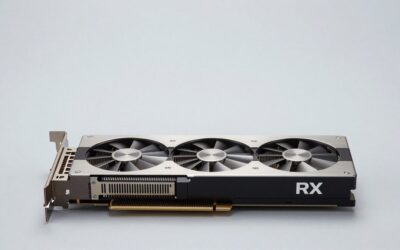
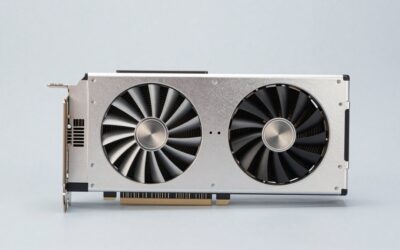
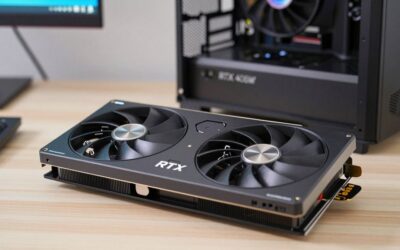
The best RTX gaming GPU for most players in late 2026 is a GeForce RTX 5070 Ti, such as the GIGABYTE GeForce RTX 5070 Ti Gaming OC 16G, because its 16GB of GDDR7 and strong 1440p and entry-level 4K performance hit the sweet spot. If your budget is tighter, an RTX 5070 or RTX 5060 Ti 16GB covers 1440p and 1080p well, while the RTX 5080 and RTX 5090 are for players aiming at high-refresh 4K.
Below we break down seven picks across the RTX 50 lineup, explain which resolution each one suits, and lay out the VRAM, power and size thresholds that matter more than brand names. One market note first: as of October 2026, NVIDIA has not launched the long-rumored RTX 50 Super refresh, and multiple industry reports point to early 2027 at the earliest because of memory supply costs. The cards below are what you can actually buy now.
Key takeaways
- Best overall: RTX 5070 Ti 16GB for 1440p high refresh and DLSS-assisted 4K.
- Best 1440p value: RTX 5070 12GB if you play mostly at 1440p and want a smaller, lower-power card.
- Best budget pick: RTX 5060 Ti 16GB; avoid 8GB cards if you plan to keep the GPU for years.
- 4K players should look at the RTX 5080; the RTX 5090 is for no-compromise 4K and creative work.
- Check power supply wattage, the 16-pin power connector and case clearance before you buy.
Quick answer: For most people in 2026, the best rtx gaming gpu picks for every budget is the GIGABYTE RTX 5070 Ti Gaming OC 16G — our #1 rated choice. See the full ranked comparison, alternatives and buying advice below.
Best RTX Gaming GPU Comparison Table
Reference specifications below are NVIDIA’s published figures for each GPU; partner cards vary in clock speed, cooler size and length.
| Pick | Best for | VRAM / bus | CUDA cores | Board power (reference) | NVIDIA recommended PSU | Price tier |
|---|---|---|---|---|---|---|
| GIGABYTE RTX 5070 Ti Gaming OC 16G | Best overall, 1440p high refresh | 16GB GDDR7 / 256-bit | 8,960 | 300W | 750W | Upper mid-range |
| ASUS Prime RTX 5070 12GB OC Edition | 1440p value, compact builds | 12GB GDDR7 / 192-bit | 6,144 | 250W | 650W | Mid-range |
| PNY RTX 5060 Ti 16GB OC Dual-Fan | Budget 1440p, long-term 1080p | 16GB GDDR7 / 128-bit | 4,608 | 180W | 600W | Lower mid-range |
| GIGABYTE RTX 5060 WINDFORCE OC 8G | 1080p on a budget | 8GB GDDR7 / 128-bit | 3,840 | 145W | 550W | Budget |
| msi RTX 5080 16G Ventus 3X OC Black | 4K gaming | 16GB GDDR7 / 256-bit | 10,752 | 360W | 850W | High-end |
| MSI RTX 5090 32G SUPRIM SOC | No-compromise 4K, creators | 32GB GDDR7 / 512-bit | 21,760 | 575W | 1000W | Flagship |
| ASUS Dual RTX 5050 8GB OC Edition | Entry RTX, small or older PCs | 8GB GDDR6 / 128-bit | 2,560 | 130W | 550W | Entry |
1. GIGABYTE RTX 5070 Ti Gaming OC: Best Overall
- GPU: GeForce RTX 5070 Ti, 8,960 CUDA cores
- Memory: 16GB GDDR7 on a 256-bit bus
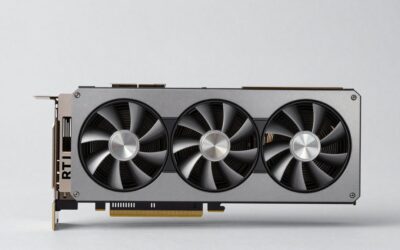
- Cooling: GIGABYTE WINDFORCE triple-fan cooler
- Interface: PCIe 5.0 x16
- Features: DLSS 4 with Multi Frame Generation, Reflex, NVENC for streaming and recording
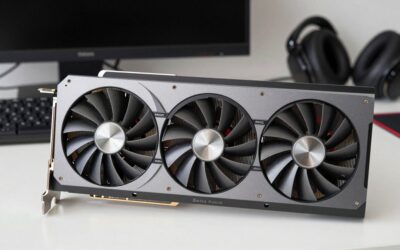
The RTX 5070 Ti is the card where the RTX 50 lineup feels balanced. It shares the 16GB, 256-bit memory setup of the more expensive RTX 5080, which matters for high-resolution textures and path-traced games, while drawing noticeably less power. At 1440p it handles high refresh rates in most current releases, and with DLSS upscaling it is a capable 4K card for single-player games. GIGABYTE’s Gaming OC version uses a large triple-fan cooler that keeps noise reasonable under long sessions.
Best for: 1440p high-refresh monitors, 4K with DLSS, players who want a card that stays relevant for several years.
Skip if: you only play esports titles at 1080p, or your case cannot fit a long triple-fan card.
Pros
- 16GB VRAM gives headroom for future games and high texture settings
- Strong 1440p performance with room for 4K via DLSS
- Large cooler suits quiet builds
- Same memory bus width as the RTX 5080
Cons
- Needs a 750W-class power supply
- Long card; check case clearance
2. ASUS Prime RTX 5070 OC: Best for 1440p Value
- GPU: GeForce RTX 5070, 6,144 CUDA cores
- Memory: 12GB GDDR7 on a 192-bit bus
- Size: 2.5-slot design, marked SFF-Ready by ASUS
- Cooling: three Axial-tech fans
- Outputs: HDMI 2.1 and DisplayPort 2.1
If you game mainly at 1440p and want a sensible step up from older cards like the RTX 3060 or RTX 2070, the RTX 5070 is the value choice. Its 12GB of memory is enough for 1440p in nearly all current games at high settings, though the heaviest titles at maximum texture quality can push past it. The ASUS Prime version is a slimmer 2.5-slot card that fits many compact mid-tower and small form factor cases that cannot take a thick flagship cooler.
Best for: 1440p gaming, small form factor builds, upgrades on 650W power supplies.
Skip if: you plan to move to a 4K monitor soon or like maxing texture settings in the newest games.
Pros
- Compact 2.5-slot design for smaller cases
- Modest 250W reference board power
- Good 1440p performance with DLSS 4 support
Cons
- 12GB VRAM is tighter than the 16GB on the 5070 Ti and 5060 Ti 16GB
- Less headroom for 4K
3. PNY RTX 5060 Ti 16GB: Best Budget Pick
- GPU: GeForce RTX 5060 Ti, 4,608 CUDA cores
- Memory: 16GB GDDR7 on a 128-bit bus
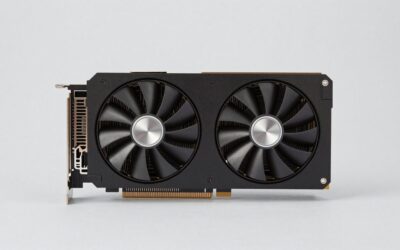
- Cooling: dual-fan, SFF-Ready per PNY
- Interface: PCIe 5.0 x8
- Boost clock: 2692 MHz on the OC model, per PNY’s listing
The RTX 5060 Ti comes in 8GB and 16GB versions with the same GPU. The 16GB version is the one to buy. Newer games increasingly use more than 8GB at 1440p and even at 1080p with high textures, and when a card runs out of memory, frame times become uneven. With 16GB, this card is a solid long-term 1080p option and a capable 1440p card with DLSS. PNY’s dual-fan design keeps it short enough for most cases.
Best for: 1080p high settings, 1440p with DLSS, first gaming PCs with a mid-sized budget.
Skip if: your motherboard only supports PCIe 3.0 and you are considering the 8GB variant; the x8 link and smaller memory are a poor mix there.
Pros
- 16GB VRAM at a lower price tier than the 5070 family
- Low 180W reference power draw
- Compact dual-fan cooler
Cons
- 128-bit bus limits high-resolution performance
- PCIe 5.0 x8 link loses some bandwidth on older PCIe 3.0 boards
4. GIGABYTE RTX 5060 WINDFORCE OC: Best for 1080p on a Budget
- GPU: GeForce RTX 5060, 3,840 CUDA cores
- Memory: 8GB GDDR7 on a 128-bit bus
- Cooling: GIGABYTE WINDFORCE dual-fan
- Board power: about 145W reference
- Interface: PCIe 5.0 x8
The RTX 5060 is the lowest-cost way into the full RTX 50 feature set with GDDR7 memory, including DLSS 4 Multi Frame Generation. It is a 1080p card first. In esports titles such as Valorant, Counter-Strike 2 and Fortnite, it drives high refresh rates easily. In demanding single-player releases you will often lower texture quality to stay inside 8GB. If that compromise sounds annoying, the RTX 5060 Ti 16GB is the better long-term buy.
Best for: 1080p esports and mainstream gaming, budget builds, upgrades on 550W power supplies.
Skip if: you play at 1440p or want maximum textures in new AAA games.
Pros
- Low power draw, easy to cool
- Full DLSS 4 support at a budget tier
- Fits most cases
Cons
- 8GB VRAM is already a constraint in some new games
- Not a 1440p card for demanding titles
5. MSI RTX 5080 Ventus 3X OC: Best for 4K Gaming
- GPU: GeForce RTX 5080, 10,752 CUDA cores
- Memory: 16GB GDDR7 on a 256-bit bus
- Clock: up to 2640 MHz extreme clock, per MSI’s listing
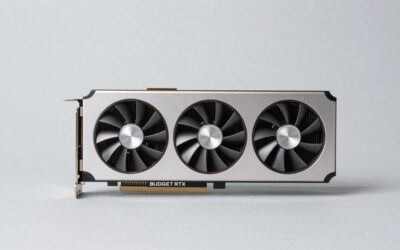
- Cooling: triple-fan Ventus 3X
- Outputs: three DisplayPort 2.1 plus HDMI
The RTX 5080 is the most sensible 4K RTX card for people who do not want to step into flagship territory. It is meaningfully faster than the RTX 5070 Ti, especially in ray-traced and path-traced games, and pairs well with 4K 144Hz or 240Hz OLED monitors using DLSS. MSI’s Ventus line is its more straightforward design, focused on cooling rather than RGB lighting, which typically places it at the lower end of RTX 5080 pricing.
Best for: 4K gaming with ray tracing, high-refresh 1440p ultrawide.
Skip if: you game at 1080p or 1440p 144Hz, where the 5070 Ti gets you most of the experience for less.
Pros
- Strong 4K performance with DLSS
- Understated design without RGB extras
- Efficient for its performance class
Cons
- Same 16GB VRAM as the cheaper 5070 Ti
- Needs an 850W-class PSU
6. MSI RTX 5090 SUPRIM SOC: Best No-Compromise Card
- GPU: GeForce RTX 5090, 21,760 CUDA cores
- Memory: 32GB GDDR7 at 28Gbps on a 512-bit bus
- Board power: 575W reference
- Cooling: large SUPRIM triple-fan cooler
- Interface: PCIe 5.0 x16
The RTX 5090 is the fastest consumer GeForce card available. It is the only RTX 50 GPU that runs path-traced games at 4K high refresh without leaning hard on upscaling, and its 32GB of memory is valuable for 3D rendering, video work and running local AI models. The cost is everything else: the flagship price tier, a 1000W-class PSU recommendation and a very large card. MSI’s SUPRIM SOC is one of the better-cooled versions.
Best for: 4K 240Hz gaming, path tracing, creators and AI hobbyists.
Skip if: gaming is your only goal and you play below 4K; the RTX 5080 or 5070 Ti is far better value.
Pros
- Fastest gaming performance in the RTX 50 lineup
- 32GB VRAM for creative and AI workloads
- Premium cooler design
Cons
- Very high power draw and heat
- Flagship price tier and large physical size
7. ASUS Dual RTX 5050 OC: Best Entry-Level RTX
- GPU: GeForce RTX 5050, 2,560 CUDA cores
- Memory: 8GB GDDR6 on a 128-bit bus
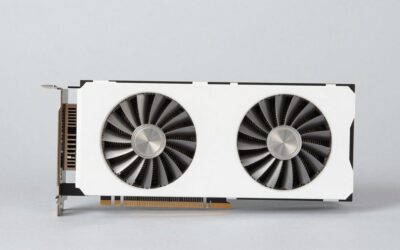
- Size: 2-slot dual-fan design
- Board power: about 130W reference
- Outputs: HDMI 2.1b and DisplayPort 2.1b
The RTX 5050 is for people upgrading an older office or prebuilt PC, or building on a strict budget. It brings DLSS 4 and the current NVENC encoder to a 2-slot card that fits more cases than larger models, and it needs only modest power. Expect solid 1080p performance in esports titles and medium settings in newer games. It uses GDDR6 rather than GDDR7, which is one reason the RTX 5060 is noticeably faster.
Best for: esports at 1080p, older prebuilt upgrades, small cases.
Skip if: you can stretch to an RTX 5060, which is a clear step up for a small difference in tier.
Pros
- Compact 2-slot design
- Low power needs
- Current RTX features at the lowest tier
Cons
- Slower GDDR6 memory
- Limited headroom for demanding new games
Also Consider
PNY RTX 5070 Ti Slim OC Dual-Fan
16GB GDDR7 · dual-slot · dual-fan. A rare dual-slot RTX 5070 Ti for small form factor builders who want 5070 Ti performance in a tight case. Expect more fan noise under load than triple-fan versions.
NVIDIA GeForce RTX 5070 (Graphite Grey)
12GB GDDR7 · compact two-slot design · NVIDIA’s own board. A good-looking, compact alternative to partner RTX 5070 cards when you can find it in stock.
ZOTAC Gaming GeForce RTX 5090 AMP Extreme Infinity
32GB GDDR7 · large triple-fan cooler · RGB lighting. Another top-end RTX 5090 option if the MSI is unavailable; check case length and PSU capacity carefully.
How We Chose
We did not personally use these graphics cards. Our picks are based on research: NVIDIA’s published specifications for each GPU, board partners’ spec sheets for cooler size, slot width and clocks, performance trends reported across independent hardware outlets, and the practical constraints buyers face, such as power supply wattage and case clearance. We covered every current RTX 50 tier so each budget has an answer, kept to a maximum of two cards per brand, and favored versions with sensible cooling over the most heavily marketed models. We excluded older RTX 40 and RTX 30 cards from the main list because supply is limited and new RTX 50 cards offer DLSS 4 Multi Frame Generation.
Buying Guide: How to Choose the Best RTX Graphics Card
1. Match the GPU to your monitor
Your monitor’s resolution and refresh rate decide what you need far more than any benchmark chart:
- 1080p at 60-144Hz: RTX 5050 or RTX 5060.
- 1080p at 240Hz+ esports, or 1440p at 60-100Hz: RTX 5060 Ti 16GB.
- Best RTX GPU for 1440p at 144-180Hz: RTX 5070.
- 1440p at 240Hz or 4K with DLSS: RTX 5070 Ti.
- 4K at 144Hz+ with ray tracing: RTX 5080.
- 4K at 240Hz, path tracing, or creative workloads: RTX 5090.
2. Treat 8GB as the minimum, 12-16GB as the target
Video memory holds textures and other game data. When a game needs more than the card has, it pulls data across the PCIe bus, which causes stutter rather than just lower average frame rates. In 2026, 8GB is workable at 1080p with sensible texture settings, 12GB is comfortable at 1440p, and 16GB is the safer choice for 4K and for keeping a card four or more years. If two versions of the same GPU exist, as with the RTX 5060 Ti, the larger memory version is usually worth the step up.
3. Check your power supply
Use NVIDIA’s recommended system power as a floor: 550W for the RTX 5050 and 5060, 600W for the 5060 Ti, 650W for the 5070, 750W for the 5070 Ti, 850W for the 5080 and 1000W for the 5090. Factory-overclocked partner cards can draw more. A quality ATX 3.0 or 3.1 power supply with a native 12V-2×6 (16-pin) cable is the cleanest option for higher-end cards. If you use an adapter, make sure it is fully seated and avoid sharp bends near the connector.
4. Measure your case
Partner RTX 5070 Ti, 5080 and 5090 cards are often longer than 300mm and 3 to 3.8 slots thick. Check your case’s maximum GPU length in its manual and leave at least 20 to 30mm for cables. If you have a compact case, look for cards labeled SFF-Ready, which NVIDIA uses for designs that meet its small form factor size guideline.
5. Consider your motherboard’s PCIe version
The RTX 5050, 5060 and 5060 Ti use eight PCIe lanes. On a PCIe 4.0 or 5.0 board this rarely matters. On an older PCIe 3.0 board, the reduced bandwidth can cost performance, especially on 8GB cards when they run out of memory. If you are upgrading an older system, favor 16GB cards or the x16 RTX 5070 and above.
6. Think about features beyond frames
All RTX 50 cards support DLSS 4 with Multi Frame Generation, NVIDIA Reflex for lower latency and the latest NVENC encoder for streaming and recording, including AV1. If you stream or edit video, a stronger encoder and more memory help; the RTX 5070 Ti and above handle demanding encoding workloads comfortably.
7. Timing and RTX GPU deals
Graphics card prices in 2026 have been pushed up by a memory supply squeeze, and reports suggest the RTX 50 Super refresh has been delayed into 2027. Waiting for a refresh may not bring lower prices soon. Watch for genuine discounts on the specific model you want, compare a few partner versions of the same GPU, and avoid paying flagship-style premiums for RGB or cosmetic extras.
Upgrading From an Older Card: Is It Worth It?
Many buyers are not building from scratch; they are replacing a card from two or three generations ago. Use this table as a rough guide to which RTX 50 tier makes a meaningful upgrade, assuming you keep the same monitor.
| Your current card | Minimum worthwhile upgrade | Comfortable upgrade | Notes |
|---|---|---|---|
| GTX 1060 / GTX 1660 class | RTX 5050 | RTX 5060 | Check PSU has a PCIe 8-pin connector |
| RTX 2060 / RTX 3050 | RTX 5060 | RTX 5060 Ti 16GB | Big jump in DLSS and ray tracing support |
| RTX 3060 / RTX 2070 class | RTX 5060 Ti 16GB | RTX 5070 | The 5070 is the clear step for 1440p |
| RTX 3070 / RTX 4060 Ti class | RTX 5070 | RTX 5070 Ti | Prioritize 16GB if textures already limit you |
| RTX 3080 / RTX 4070 class | RTX 5070 Ti | RTX 5080 | Worth it mostly for 4K or high-refresh 1440p |
| RTX 4080 / RTX 4090 | RTX 5090 | Wait for the next generation | Gains from a 5080 are small over a 4080 |
Do not forget the CPU
A fast GPU can be held back by an old processor, especially at 1080p where the CPU sets the frame-rate ceiling. As a rough rule, pair an RTX 5070 Ti or faster with a recent six- to eight-core CPU such as a Ryzen 7 7800X3D, Ryzen 7 9800X3D or Intel Core Ultra 7 265K class chip. A four-core or early six-core processor from 2017 to 2019 will limit high-refresh gaming on any of the top three cards on this list. If your CPU is older, an RTX 5060 Ti 16GB or RTX 5070 plus a later platform upgrade is often the smarter way to spend.
Common upgrade mistakes
- Reusing a ten-year-old power supply with a new high-wattage card.
- Leaving the monitor cable plugged into the motherboard instead of the graphics card.
- Skipping a clean driver install when moving from an AMD card to NVIDIA.
- Ignoring Resizable BAR; enable it in the BIOS on supported boards for best performance.
Which One Should You Buy?
- You want one card that does almost everything well: GIGABYTE RTX 5070 Ti Gaming OC.
- You play at 1440p and want value or a smaller card: ASUS Prime RTX 5070 OC.
- You have a tighter budget but want to keep the card for years: PNY RTX 5060 Ti 16GB.
- You play esports at 1080p on a budget: GIGABYTE RTX 5060 WINDFORCE OC.
- You own a 4K high-refresh monitor: MSI RTX 5080 Ventus 3X OC.
- You want the absolute best and also create or run AI models: MSI RTX 5090 SUPRIM SOC.
- You are upgrading an older or compact PC: ASUS Dual RTX 5050 OC.
Frequently Asked Questions
What is the best RTX gaming GPU right now?
For most gamers, the RTX 5070 Ti is the best RTX gaming GPU because it combines 16GB of GDDR7 with strong 1440p and DLSS-assisted 4K performance. The RTX 5090 is faster, but its price, power draw and size make it a niche choice.
What is the best RTX GPU for 1440p?
The RTX 5070 is the value pick for 1440p at 144Hz to 180Hz. If you have a 240Hz 1440p monitor or want more VRAM headroom, the RTX 5070 Ti is the better match.
Is 8GB of VRAM enough in 2026?
For 1080p and esports titles, 8GB still works with sensible texture settings. For 1440p, new AAA games and keeping a card several years, 12GB to 16GB is a safer target.
Should I wait for the RTX 50 Super series?
As of October 2026, NVIDIA has not announced RTX 50 Super cards, and reports point to early 2027 at the earliest. If you need a GPU now, buying a current RTX 50 card is reasonable; there is no confirmed date to wait for.
Is the RTX 5090 worth it for gaming only?
Only if you play at 4K with very high refresh rates or heavy path tracing. For 1440p or 4K at 60 to 120Hz, the RTX 5080 or 5070 Ti delivers most of the experience for much less money and power.
What power supply do I need for an RTX 5070 Ti?
NVIDIA recommends a 750W power supply for the RTX 5070 Ti. A quality ATX 3.0 or 3.1 unit with a native 16-pin cable is ideal, especially for factory-overclocked versions.
Does the brand of an RTX card matter?
The GPU is the same across brands; differences come from the cooler, clock speeds, size, noise and warranty. Choose a version that fits your case and has a cooler suited to the card’s power draw.
Sources
- NVIDIA GeForce RTX 50 series product specifications
- GIGABYTE, ASUS, MSI and PNY graphics card spec sheets
- TechPowerUp GPU database
- Industry reporting on RTX 50 Super timing (TechPowerUp, PC Gamer)
Last updated: October 2026
Ready to decide? Our #1 pick for 2026 is the GIGABYTE RTX 5070 Ti Gaming OC 16G.
Live price & availability on Amazon.