🛒 Best Price Today on Amazon
Prime members get fast, free shipping on everything above, plus member-only deals. New members get a 30-day free trial — cancel anytime.
A Lenovo CPU search usually means comparing Lenovo desktop computers by processor class rather than buying a processor manufactured by Lenovo. Lenovo systems use CPUs from Intel and AMD, so the best choice depends on the complete configuration, including memory, storage, graphics, cooling, case size, upgradeability, and the workload you actually run.
Quick answer: For most people in 2026, the best lenovo cpu is the Lenovo IdeaCentre Tower 5i — our #1 rated choice. See the full ranked comparison, alternatives and buying advice below.
Quick Verdict
Lenovo IdeaCentre Tower 5i is the easiest starting point for home users who want a conventional desktop for browsing, school, productivity, and light creative work. It provides more upgrade flexibility than an all-in-one while avoiding the cost and graphics hardware associated with Lenovo’s gaming lines.
ThinkCentre Neo 50t is the stronger choice for business environments. Its focus is office productivity, professional deployment, and a conventional tower format rather than gaming aesthetics. Buyers who need reliable everyday computing should usually prioritize enough memory and SSD capacity before paying for the highest available CPU tier.
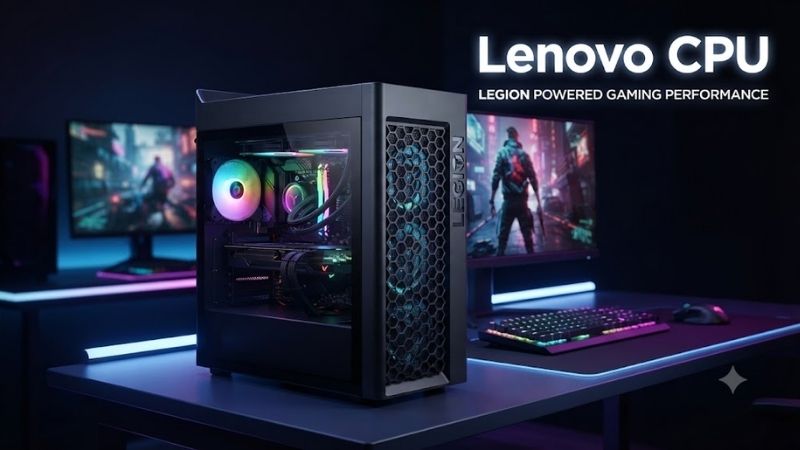
For gaming, Lenovo Legion Tower 5i is the most balanced option in the lineup. Legion Tower 7i moves into a higher performance class for buyers using stronger graphics cards, high-refresh displays, streaming, or demanding creator workloads.
ThinkStation P3 Tower and ThinkStation P5 serve professional users rather than ordinary gamers. They make sense when workloads involve CAD, engineering, 3D content, scientific applications, professional graphics, or other software that benefits from workstation-oriented hardware and expansion.
Quick Comparison Table
| Product | Best For | CPU Position | Main Advantage | Trade-Off |
|---|---|---|---|---|
| Lenovo IdeaCentre Tower 5i | Home computing | Entry to mainstream | Balanced everyday desktop | Limited gaming focus |
| Lenovo ThinkCentre Neo 50t | Business use | Mainstream | Professional tower platform | Less gaming-oriented |
| Lenovo Legion Tower 5i | Mainstream gaming | Performance | Good gaming balance | Costs more than office desktops |
| Lenovo Legion Tower 7i | High-end gaming | Upper performance | More GPU and cooling headroom | Larger and more expensive |
| Lenovo ThinkStation P3 Tower | Entry workstation | Performance workstation | Professional expansion | Overkill for basic home use |
| Lenovo ThinkStation P5 | Heavy professional work | High-end workstation | Greater workstation capability | Premium total system cost |
How We Selected These Lenovo Desktop Options
These six systems represent different Lenovo desktop categories instead of six nearly identical processor configurations. The goal is to help readers understand what additional CPU capability becomes useful as they move from home computing to business productivity, gaming, and professional workstation workloads.
Processor branding was not treated as the only measure of performance or value. A desktop with a mainstream CPU, 32GB of memory, fast NVMe storage, and a capable graphics card can be more useful than a higher-tier processor paired with inadequate RAM or weak graphics.
Exact configurations vary significantly within Lenovo product families. A Legion Tower 5i, for example, may be offered with different processors, GPUs, memory capacities, and storage configurations depending on the SKU and sales channel.
For that reason, this roundup focuses on each desktop family’s intended role and the specifications buyers should evaluate before purchasing rather than presenting one configuration as universal.
Best Lenovo CPU Desktop Options
Lenovo IdeaCentre Tower 5i — Best for Home Computing
Best For: Families, students, home offices, browsing, and everyday productivity.
Why We Picked It: Lenovo IdeaCentre Tower 5i is a conventional consumer desktop intended for buyers who want more flexibility than a laptop or all-in-one without paying for a gaming system. It fits workloads such as web browsing, Microsoft Office, online classes, media consumption, and light photo editing.
Key Specifications to Evaluate
- Intel processor depending on configuration
- Integrated or discrete graphics depending on SKU
- DDR memory appropriate to the platform
- NVMe SSD storage
- Conventional tower chassis
- USB connectivity
- Wired networking
- Wireless networking on supported configurations
- Video outputs depending on graphics configuration
Features & Benefits: A mainstream desktop benefits greatly from a solid-state drive and sufficient memory. For everyday use, those components can influence responsiveness more noticeably than moving from one adjacent CPU tier to another.
The tower format can also provide more serviceability than compact mini PCs or all-in-one systems. Storage or memory upgrades may therefore be easier when the system needs additional capacity later.
Performance & Practical Use: Entry-level processor configurations are enough for documents, web applications, streaming, and school work. A Core i5-class configuration provides more headroom for larger spreadsheets, multitasking, programming, and light creative software.
Gaming capability depends heavily on graphics hardware. Integrated graphics are suitable for everyday display output and lighter games, but modern AAA gaming requires a more appropriate dedicated GPU.
What Makes It Different: IdeaCentre focuses on affordable consumer computing rather than business management features or high-performance gaming.
Pros
- Sensible home-computing platform
- Conventional tower form factor
- Suitable for everyday productivity
Cons
- Gaming capability depends on configuration
- Entry SKUs may include modest RAM or storage
Buy If: You need a general-purpose Lenovo desktop for home, school, or office tasks.
Skip If: Gaming or professional rendering is the primary workload.
Lenovo ThinkCentre Neo 50t — Best for Business Use
Best For: Office productivity, administration, accounting, and professional workstations.
Why We Picked It: ThinkCentre Neo 50t belongs to Lenovo’s business-oriented desktop family. It is better suited to offices than a gaming system because its design priorities center on productivity, deployment, serviceability, and professional workspace requirements.
Key Specifications to Evaluate
- Intel processor options depending on generation
- Business-focused tower chassis
- Integrated graphics on many configurations
- Dedicated graphics on selected configurations
- DDR memory
- NVMe SSD
- Multiple display connectivity depending on SKU
- Ethernet
- USB connectivity
- Wireless networking options
Features & Benefits: Business users often benefit more from a balanced Core i5-class system with 16GB or 32GB of memory than from paying for a premium CPU while keeping memory capacity low. Browsers, spreadsheets, video meetings, accounting software, and office applications commonly run together throughout the day.
A conventional tower also provides more expansion room than a tiny desktop. That can be useful when a business later needs additional storage, memory, network hardware, or display capability.
Performance & Practical Use: Higher processor tiers make sense when employees work with large datasets, software development, virtualization, heavy spreadsheets, or specialized business software. Routine document and web workloads generally do not justify the highest CPU configuration.
What Makes It Different: ThinkCentre is designed around professional use rather than entertainment features, RGB lighting, or gaming-oriented graphics.
Pros
- Business-focused design
- Good office multitasking potential
- Practical tower expansion
Cons
- Not optimized for gaming
- Higher CPU tiers may be unnecessary for normal office work
Buy If: You need a Lenovo desktop for professional or business use.
Skip If: Your main priority is gaming performance or high-end creator graphics.
Lenovo Legion Tower 5i — Best Overall Lenovo Gaming Desktop
Best For: Mainstream gaming, high-refresh 1080p, and 1440p systems.
Why We Picked It: Legion Tower 5i provides the most logical transition from Lenovo’s productivity desktops into dedicated gaming hardware. It combines performance-oriented processors with discrete graphics and a chassis designed around the thermal demands of sustained gaming.
Key Specifications to Evaluate
- Intel performance processor depending on configuration
- Dedicated NVIDIA GeForce graphics depending on SKU
- DDR memory
- NVMe SSD
- Gaming-focused cooling
- Ethernet
- Wi-Fi on supported versions
- Multiple display outputs through the graphics card
- Upgradeable tower format
Features & Benefits: Gaming performance depends heavily on the graphics card, which is why the Tower 5i should be evaluated as a complete CPU-and-GPU combination. A mainstream processor paired with a strong graphics card can be more useful than a premium CPU paired with substantially weaker graphics.
The tower format also gives the system more cooling room than gaming laptops or compact desktops. Better airflow helps the processor and GPU maintain their intended performance during long sessions.
Performance & Practical Use: The system fits users playing competitive titles, AAA games, and general PC games at mainstream resolutions. The exact achievable settings and frame rates depend on the installed GPU, processor, memory, game, and resolution, so the Legion branding alone does not define performance.
What Makes It Different: Tower 5i delivers gaming-oriented hardware without moving immediately into Lenovo’s largest premium gaming platform.
Pros
- Good gaming-focused balance
- Dedicated GPU options
- Better cooling than compact PCs
- Suitable for upgrades
Cons
- More expensive than productivity towers
- Performance varies significantly between SKUs
Buy If: You want a Lenovo gaming desktop and prefer a balanced system rather than a flagship build.
Skip If: Your workload is basic office productivity and integrated graphics are sufficient.
Lenovo Legion Tower 7i — Best for High-End Gaming
Best For: Powerful GPUs, high-refresh gaming, streaming, and demanding multitasking.
Why We Picked It: Legion Tower 7i moves above the Tower 5i by targeting more demanding processor and graphics configurations. It makes more sense for buyers who need greater cooling capacity and power headroom to support higher-end gaming hardware.
Key Specifications to Evaluate
- Higher-tier Intel processor options
- High-performance NVIDIA graphics depending on configuration
- DDR memory
- NVMe SSD storage
- Larger gaming chassis
- Performance-focused cooling
- High-speed networking
- Wireless connectivity on supported models
- Multiple expansion options
Features & Benefits: A stronger CPU becomes more useful when the PC uses a graphics card capable of producing very high frame rates. Competitive gaming, simulation, strategy titles, and streaming workloads can place additional pressure on the processor compared with GPU-limited 4K gaming.
The larger chassis also provides additional physical room for airflow and future hardware. That can matter when high-power graphics cards and processors operate under sustained load.
Performance & Practical Use: Tower 7i should not be purchased solely because it sits higher in Lenovo’s gaming range. If the Tower 5i configuration already matches your monitor resolution and gaming target, spending more on the Tower 7i may provide limited practical value.
What Makes It Different: It provides more performance and thermal headroom for enthusiast gaming builds.
Pros
- Supports high-end gaming configurations
- Larger cooling potential
- Better fit for streaming and multitasking
- Greater expansion headroom
Cons
- Higher price tier
- Larger footprint
- Unnecessary for many mainstream gamers
Buy If: You use a powerful graphics card, high-refresh monitor, or combine gaming with streaming and creator workloads.
Skip If: A mainstream Legion configuration already meets your gaming target.
Lenovo ThinkStation P3 Tower — Best Entry Professional Workstation
Best For: CAD, development, professional creation, engineering, and technical applications.
Why We Picked It: ThinkStation P3 Tower occupies a different category from Lenovo’s consumer and gaming desktops. It is intended for professional workloads where CPU capability, memory capacity, expansion, and support for professional graphics matter more than gaming aesthetics.
Key Specifications to Evaluate
- Intel professional desktop processor options depending on SKU
- Professional graphics options depending on configuration
- DDR memory
- NVMe storage
- Tower workstation format
- Expansion slots
- Multiple display capability
- Business networking
- Professional software-oriented configuration options
Features & Benefits: Professional applications can have very different hardware requirements from games. CAD, 3D modeling, engineering, software development, and visualization may benefit from additional CPU resources or professional graphics drivers rather than the highest consumer gaming GPU.
The tower format provides room for memory, storage, and graphics expansion, which can make the workstation easier to adapt as project requirements grow.
Performance & Practical Use: The P3 Tower is not automatically faster than a Legion desktop in games. Its value comes from professional configuration flexibility and suitability for workstation tasks rather than maximum gaming performance per dollar.
What Makes It Different: It is Lenovo’s more accessible path into tower workstation hardware rather than a consumer desktop with professional branding added.
Pros
- Designed for professional workloads
- Good expansion potential
- Supports professional graphics configurations
- Appropriate for technical applications
Cons
- Poor value for basic home computing
- Gaming buyers may get more suitable hardware from Legion
Buy If: You run professional software that benefits from workstation-oriented hardware.
Skip If: The PC is mainly for gaming, browsing, or ordinary office use.
Lenovo ThinkStation P5 — Best for Heavy Professional Workloads
Best For: Advanced professional applications, rendering, simulation, and compute-heavy work.
Why We Picked It: ThinkStation P5 sits higher in Lenovo’s workstation lineup and targets users who need substantially more processing, graphics, memory, and expansion capability than a mainstream office desktop can provide.
Key Specifications to Evaluate
- High-end workstation processor configurations
- Professional graphics options
- Large memory capacity potential
- Multiple storage configurations
- Workstation-class tower chassis
- Significant PCIe expansion
- High-performance cooling
- Professional connectivity
- Multi-display capability
Features & Benefits: Workstation platforms become valuable when the application can use their additional resources. Rendering, simulation, engineering workloads, scientific computing, and complex content production may benefit from more processor cores, larger memory capacities, and professional graphics support.
The greater expansion capability can also extend the useful life of the system. Additional storage, graphics, networking, or specialized PCIe cards can be added as professional requirements change.
Performance & Practical Use: A P5 configuration can cost significantly more than a consumer desktop because the platform is designed for a different market. Buying one for ordinary gaming would usually allocate money toward capabilities that provide little benefit in typical games.
What Makes It Different: The P5 is a workstation platform first, with an emphasis on professional compute and expansion rather than consumer gaming.
Pros
- Strong workstation capability
- High expansion potential
- Suitable for heavy professional software
- Supports large system configurations
Cons
- Premium total cost
- Excessive for normal home users
- Not optimized for gaming value
Buy If: Your income or workflow depends on demanding professional applications that justify workstation hardware.
Skip If: You mainly play games or run standard office software.
Lenovo CPU Buying Guide
Understand What “Lenovo CPU” Means
Lenovo does not manufacture the processors used in its mainstream desktop systems. Lenovo designs and sells complete computers using CPUs from semiconductor companies such as Intel and AMD.
Therefore, a Lenovo CPU purchase usually means choosing a Lenovo desktop configured around a particular processor.
The CPU is only one component of the final system price and performance.
Compare CPU Generation, Not Just Tier
Core i3, Core i5, Core i7, Ryzen 5, and similar branding describes broad product positioning but does not tell the entire performance story.
A newer mainstream CPU can outperform an older higher-tier model in certain workloads.
Always compare the exact processor model and generation when evaluating two Lenovo desktops.
Entry-Level CPUs for Basic Computing
An entry-level processor is suitable for:
- Web browsing
- Word processing
- Streaming
- Online classes
- Basic business software
The system should still have adequate memory and an SSD.
A faster processor cannot compensate completely for insufficient RAM or slow storage.
Mainstream CPUs for Most Users
Core i5- and Ryzen 5-class processors are often the most sensible options for general desktops.
They provide more headroom for:
- Multitasking
- Programming
- Larger spreadsheets
- Light photo editing
- Gaming with a discrete GPU
- General productivity
For many users, this category provides better value than jumping immediately to premium CPU tiers.
Higher-Tier CPUs for Demanding Work
Core i7-, Ryzen 7-, and similar performance tiers become more useful when applications can consistently use the additional CPU resources.
Suitable workloads include:
- Video editing
- Software development
- Heavy multitasking
- Streaming
- Simulation
- CPU-intensive games
Gaming alone does not automatically require a high-end processor because GPU performance often becomes the main limit.
Workstation CPUs for Professional Software
ThinkStation systems may offer workstation-class processor configurations beyond ordinary consumer desktop needs.
These systems make sense when workloads include:
- CAD
- Engineering
- Scientific software
- Rendering
- Simulation
- Professional visualization
- Large datasets
A workstation processor should be justified by application requirements, not simply by a larger specification number.
Memory Capacity Matters
RAM affects how comfortably the system handles multiple applications.
A basic PC can function with modest memory, but larger capacities improve flexibility for modern multitasking.
Gaming, creation, development, and professional users should also check whether memory can be expanded later.
A slightly cheaper CPU paired with enough memory can provide a better experience than a premium processor in a memory-constrained system.
SSD Storage Matters
An NVMe SSD improves boot times, application launches, file access, and general responsiveness.
Capacity should match the workload.
A basic office desktop can function with moderate storage, while gaming systems need more room because individual titles can consume substantial capacity.
Creators working with video or large project files may require multiple SSDs or additional mass storage.
Gaming Buyers Should Prioritize the GPU
When comparing Legion systems, do not choose based only on CPU tier.
The graphics card has a major influence on:
- Resolution
- Frame rate
- Ray tracing
- Visual quality
- GPU-accelerated applications
A Core i5-class processor paired with a stronger GPU can outperform a Core i7-class system with weaker graphics in many gaming scenarios.
Check Cooling
Higher-performance CPUs can draw more power and produce more heat during demanding workloads.
Gaming and workstation desktops therefore require more cooling than basic office systems.
Larger Legion and ThinkStation towers provide more room for:
- CPU coolers
- Graphics cards
- Case fans
- Radiators
- Airflow channels
Cooling should be evaluated as part of the complete configuration.
Consider Upgradeability
A desktop becomes more useful over time when common components can be replaced.
Before buying, check potential upgrade paths for:
- RAM
- NVMe SSDs
- SATA storage
- Graphics card
- Networking
- Power supply
- Cooling
- PCIe cards
The exact options vary by model and configuration, so buyers should verify the service documentation for the specific system.
IdeaCentre vs ThinkCentre
IdeaCentre targets general consumer use.
It is best suited to home computing, students, family use, and ordinary productivity.
ThinkCentre focuses more heavily on business environments where professional deployment, manageability, workplace design, and long-term office use matter.
Performance can overlap between them, so the product family should be chosen according to environment rather than CPU branding alone.
Legion vs ThinkStation
Legion is designed around gaming.
Its priorities include gaming GPUs, high-performance CPUs, airflow, and hardware suited to consumer gaming workloads.
ThinkStation is designed for professional applications.
It focuses on workstation expansion, professional graphics options, large memory configurations, and technical workloads.
A ThinkStation is not automatically a better gaming machine simply because it costs more.
Frequently Asked Questions
Does Lenovo Manufacture CPUs?
No. Lenovo builds complete computers using processors produced by semiconductor companies such as Intel and AMD. When shoppers search for Lenovo CPU options, they are usually comparing Lenovo computers based on their installed processor. The CPU model, generation, memory, graphics, storage, and cooling should all be evaluated together.
Which Lenovo CPU Is Best for Home Use?
A mainstream Core i5- or Ryzen 5-class processor is a sensible choice for many home users because it provides enough headroom for multitasking, browsing, Office applications, programming, and light creative work. Users with basic needs can save money with an entry-level CPU, while demanding creators may benefit from a higher tier.
Which Lenovo Desktop Is Best for Gaming?
Legion Tower 5i is the most balanced choice for mainstream gaming, while Legion Tower 7i is better suited to higher-end graphics cards, high-refresh gaming, and heavier multitasking. Always compare the exact GPU as well as the CPU because graphics performance has a major influence on modern game performance.
Is Lenovo ThinkCentre Good for Gaming?
ThinkCentre desktops are designed primarily for business use rather than gaming. Some configurations can handle lighter gaming, especially if they include suitable graphics hardware, but Legion is the more appropriate Lenovo family for serious gaming because its cases, cooling, power systems, and configurations are designed around gaming components.
Is ThinkStation Better Than Legion?
Neither is universally better. ThinkStation is better for professional workstation applications such as CAD, engineering, rendering, and specialized compute workloads. Legion is better suited to gaming because its component selection and cooling focus on consumer gaming hardware. Choose according to software requirements rather than price alone.
Should I Choose Core i5 or Core i7 in a Lenovo Desktop?
Core i5 is the better value for most home, business, and mainstream gaming users. Core i7 becomes more useful for heavy multitasking, streaming, video editing, development, and CPU-intensive software. If gaming is the main workload, compare the graphics card first because a stronger GPU can matter more than moving one CPU tier higher.
Final Verdict
The best Lenovo CPU option depends on the complete system and workload rather than the processor badge alone. IdeaCentre Tower 5i is the practical choice for home users, ThinkCentre Neo 50t suits business environments, and Legion Tower 5i offers the strongest balance for mainstream gaming.
Legion Tower 7i is better for demanding gaming and streaming, while ThinkStation P3 Tower and ThinkStation P5 belong in professional workflows that can actually use workstation hardware. Compare the exact CPU generation, GPU, memory, SSD, cooling, and upgrade path before paying more for a higher processor tier.
Ready to decide? Our #1 pick for 2026 is the Lenovo IdeaCentre Tower 5i.
Live price & availability on Amazon.