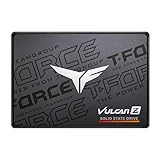
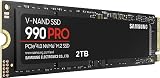
🛒 Best Price Today on Amazon
Prime members get fast, free shipping on everything above, plus member-only deals. New members get a 30-day free trial — cancel anytime.
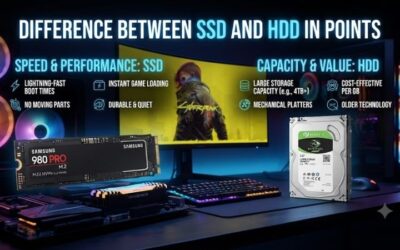
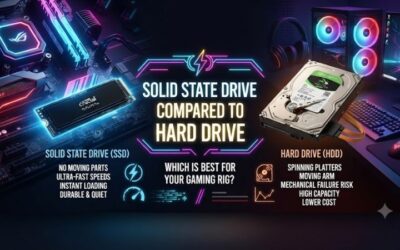
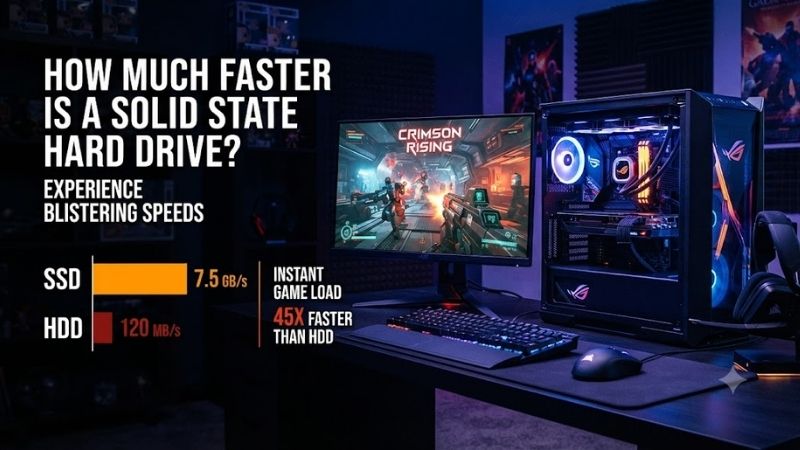
A solid state drive can be several times faster than a traditional hard drive in sequential transfers and dramatically quicker in random access. SATA SSDs already make Windows and games feel more responsive, while modern NVMe drives push speeds far higher for large file transfers, installs, and demanding workloads.
Quick answer: Our top pick in 2026 is the Storage Type — our #1 rated choice. See the full ranked comparison, alternatives and buying advice below.
SSD Speed Levels Compared
| Storage Type | Typical Sequential Read | Relative to 200 MB/s HDD |
|---|---|---|
| 7200 RPM HDD | 150–220 MB/s | Baseline |
| SATA SSD | 500–560 MB/s | About 2.5–3x |
| PCIe 3.0 NVMe SSD | Around 3,000–3,500 MB/s | About 15–17x |
| PCIe 4.0 NVMe SSD | Around 7,000–7,500 MB/s | About 35–37x |
| PCIe 5.0 NVMe SSD | Up to around 14,500 MB/s | More than 70x |
Samsung 870 EVO
Best For: Older gaming PCs and SATA-only systems
Samsung 870 EVO represents the upper end of what a mature SATA SSD can deliver. It is rated for sequential reads up to 560 MB/s and sequential writes up to 530 MB/s, which places it close to the bandwidth limit of SATA 6 Gb/s. Against a typical desktop HDD, the improvement in file transfers is immediately measurable.
For gaming, the benefit comes from access latency rather than raw sequential throughput. Game launchers, shader caches, save files, Windows services, and many small assets can be accessed without waiting for a mechanical head to seek across a platter. This makes the system feel faster even when the benchmark gap looks only three times larger.
The 870 EVO is also useful as an upgrade for older gaming PCs that lack an M.2 NVMe slot. Because it uses a conventional 2.5-inch SATA interface, it can replace many existing SATA hard drives directly. Users gain SSD responsiveness without replacing the motherboard or changing the entire storage layout.
Key Features
- 2.5-inch SATA form factor
- Up to 560 MB/s sequential read
- Up to 530 MB/s sequential write
- SATA 6 Gb/s interface
- Suitable for desktop and laptop upgrades
What Makes It Different
It demonstrates how much performance can improve without changing platform generations. A SATA SSD cannot compete with modern NVMe bandwidth, but its low latency makes an HDD-based system feel substantially quicker. That makes the 870 EVO especially useful when the motherboard offers only SATA connectivity.
Pros
- Easy upgrade for older systems
- Much lower latency than HDD
- Silent operation
- Mature SATA compatibility
Cons
- Limited by SATA bandwidth
- Much slower than modern NVMe drives
Use Case and Who It’s For
Choose it when your gaming PC has SATA but lacks a suitable NVMe slot. It is especially useful as a Windows and game drive in an older desktop that currently relies on a mechanical hard disk. The upgrade improves booting, application launches, game loading, and general responsiveness without requiring a new platform.
WD_BLACK SN850X
Best For: High-performance PCIe 4.0 gaming PCs
WD_BLACK SN850X moves into PCIe 4.0 NVMe territory, where sequential speed increases dramatically. Depending on capacity, the drive is rated for reads up to about 7,300 MB/s, more than ten times the transfer rate of a fast SATA SSD and dozens of times higher than a mechanical HDD in favorable sequential workloads.
That huge benchmark gap does not mean every game loads ten or thirty times faster. CPU decompression, game-engine design, file structure, shader compilation, and other bottlenecks can limit real loading gains. However, large installs, file copies, content creation, and storage-heavy workflows can use much more of the available NVMe bandwidth.
The SN850X is particularly appropriate for modern gaming PCs with PCIe 4.0 M.2 slots. It eliminates SATA cables, installs directly on the motherboard, and provides enough throughput for demanding game libraries and large files. A suitable motherboard heatsink can also help maintain consistent performance during sustained transfers.
Key Features
- PCIe 4.0 NVMe interface
- Up to about 7,300 MB/s sequential read
- M.2 form factor
- Designed for high-performance systems
- Suitable for large modern game libraries
What Makes It Different
Its speed is far beyond SATA while remaining compatible with a large number of modern gaming motherboards. The SN850X shows why PCIe 4.0 has become a practical high-performance target: it offers multi-gigabyte throughput without requiring the newest PCIe 5.0 platform or the additional thermal demands of flagship Gen5 drives.
Pros
- Very high sequential throughput
- Excellent fit for modern gaming PCs
- Compact M.2 installation
- No SATA data or power cables
Cons
- Requires an M.2 PCIe slot
- Real game loading does not scale directly with benchmark speed
Use Case and Who It’s For
Choose it for a modern gaming system where fast installs, file transfers, large games, and general responsiveness matter. It is especially sensible when PCIe 4.0 support is already available on the motherboard and you want a fast primary drive without paying for PCIe 5.0 hardware that many games cannot fully exploit.
Samsung 990 PRO
Best For: Premium PCIe 4.0 systems
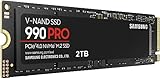
Samsung 990 PRO is another flagship-class PCIe 4.0 NVMe SSD, rated for sequential reads up to 7,450 MB/s and writes up to 6,900 MB/s on supported capacities. Compared with a 200 MB/s hard drive, the theoretical sequential read difference can exceed thirty times before other system limits are considered.
The 990 PRO also highlights why random performance matters to a responsive PC. NVMe drives can process far more input and output operations than mechanical storage because there is no seek mechanism. Windows updates, application loading, game patching, and multitasking can therefore feel smoother even when sequential speed is not fully used.
For a gaming-only build, the practical difference between two premium PCIe 4.0 SSDs is often smaller than their benchmark differences suggest. Both are already fast enough that CPU and software behavior may become the limiting factor. The dramatic upgrade is moving away from an HDD, not necessarily moving between two high-end NVMe models.
Key Features
- PCIe 4.0 NVMe
- Up to 7,450 MB/s sequential read
- Up to 6,900 MB/s sequential write
- M.2 2280 format
- High-end consumer performance
What Makes It Different
The 990 PRO demonstrates how mature PCIe 4.0 storage can deliver extremely high throughput while fitting mainstream enthusiast motherboards. It is fast enough that many normal applications become limited elsewhere in the system, so its value is strongest when gaming is combined with large file transfers or demanding productivity work.
Pros
- Excellent PCIe 4.0 throughput
- Strong random performance
- Compact installation
- Suitable for gaming and workstation use
Cons
- More performance than many games can exploit
- Costs more than basic SATA storage
Use Case and Who It’s For
It is best for users who want premium PCIe 4.0 storage for gaming, creative work, large file movement, and demanding multitasking rather than simply replacing an old HDD at minimum cost. The drive is particularly attractive when a fast motherboard M.2 slot is available and both game storage and workstation tasks share one PC.
Crucial T705
Best For: Enthusiast PCIe 5.0 builds
Crucial T705 demonstrates how far consumer SSD performance has moved beyond mechanical storage. This PCIe 5.0 NVMe drive is rated for sequential reads up to 14,500 MB/s and writes up to 12,700 MB/s on supported capacities, placing its peak read speed more than sixty times above a 200 MB/s hard drive.
Those numbers require a PCIe 5.0 M.2 slot, a compatible platform, suitable cooling, and a workload that can actually use the bandwidth. Ordinary game loading rarely scales in direct proportion to sequential throughput, so a T705 should be viewed as an enthusiast storage product rather than a requirement for smooth gaming.
PCIe 5.0 drives can make more sense when the same gaming PC also handles large video files, virtual machines, high-resolution content creation, or other storage-heavy work. In those situations, the extra bandwidth becomes easier to exploit than in a game that loads many compressed assets while waiting on CPU processing.
Key Features
- PCIe 5.0 NVMe
- Up to 14,500 MB/s sequential read
- Up to 12,700 MB/s sequential write
- M.2 form factor
- Extreme consumer storage bandwidth
What Makes It Different
The T705 shows the upper end of consumer SSD throughput. Its benchmark advantage over HDD is enormous, but extracting that speed requires a modern PCIe 5.0 platform, appropriate cooling, and workloads capable of moving very large amounts of data. For ordinary game loading, much of that bandwidth can remain unused.
Pros
- Exceptional sequential throughput
- Suitable for demanding workstation tasks
- Compact M.2 installation
- Major headroom for storage-heavy workloads
Cons
- Requires PCIe 5.0 for full performance
- Higher thermal demands
- Excessive for many gaming-only PCs
Use Case and Who It’s For
It is best for enthusiasts combining gaming with professional storage-heavy work such as high-resolution video, large project files, or virtual machines. Buyers focused only on game loading can often obtain better value from a strong PCIe 4.0 drive, while the T705 makes more sense when its extreme bandwidth serves several workloads.
What SSD Speed Actually Changes
Sequential speed describes how quickly a drive can read or write large continuous blocks of data. This is where NVMe SSDs produce the most spectacular benchmark numbers. Large game installs, video files, disk images, and backups can benefit, but sequential speed alone does not predict how quickly every application or game will feel.
Random access is where the SSD-versus-HDD difference becomes transformative. A hard drive must wait for platter rotation and head movement before reaching scattered files, while an SSD can access flash locations electronically. Operating systems and games frequently request many small files, making low latency especially important.
Game loading also improves, although the amount depends heavily on the title. Games that stream many assets or open large archives can benefit substantially, while titles limited by CPU decompression or online synchronization may show smaller gains. An SSD improves storage delivery, but it cannot remove bottlenecks elsewhere in the engine.
Frame rate normally changes very little when replacing an HDD with an SSD because the GPU and CPU determine most rendering performance. The storage upgrade instead affects how quickly assets become available. In poorly optimized or streaming-heavy games, faster storage may reduce hitching, but it should not be purchased as an FPS upgrade.
How to Choose the Right SSD
Compatibility should determine which SSD category you buy. Older desktops may support only 2.5-inch SATA drives, while newer motherboards often include PCIe M.2 slots. A PCIe 4.0 or 5.0 SSD installed in a slower compatible slot may work, but it will operate within the bandwidth limits of that platform.
Capacity matters as much as speed for gaming. A very fast 500GB drive may become frustrating once several large games are installed, while a slightly slower 2TB SSD can provide a better everyday experience. For most gaming systems, enough capacity to hold Windows, applications, and frequently played games should come before extreme benchmarks.
An HDD still makes sense when cost per terabyte is the main priority. Large media libraries, backups, archived recordings, disk images, and games that are rarely played do not always need SSD performance. Many gaming PCs therefore combine a fast NVMe SSD for active software with a large hard drive for inexpensive bulk storage.
For a first SSD upgrade, moving from an HDD to any reputable SATA or NVMe SSD usually produces the biggest perceived improvement. Moving from SATA SSD to PCIe 4.0 can improve transfers and demanding workflows, but normal desktop responsiveness changes less dramatically because SATA SSD latency is already far lower than an HDD.
FAQ
Is an SSD noticeably faster than an HDD?
Yes. Replacing a hard drive with even a SATA SSD usually makes Windows boot, applications open, updates install, and games load noticeably faster. The biggest improvement comes from dramatically lower access latency, so the computer feels more responsive even when the sequential benchmark difference is only a few times higher.
Does an SSD increase gaming FPS?
No. A faster SSD rarely increases average gaming frame rate because rendering performance depends mainly on the CPU and GPU. Storage affects loading, asset streaming, updates, and responsiveness instead. Some games may show fewer storage-related hitches, but an SSD should not be treated as a direct FPS upgrade.
What type of SSD is best for gaming?
For most gaming PCs, a good PCIe 4.0 NVMe SSD provides an excellent balance of speed, capacity, heat, and platform support. SATA SSDs remain worthwhile for older systems, while PCIe 5.0 models are better suited to enthusiasts and storage-heavy workloads that can exploit their much higher sequential bandwidth.
Is an HDD still worth using?
An HDD is still useful when you need several terabytes of inexpensive storage for backups, recordings, media, archives, or rarely played games. SSDs are better for Windows and active games, while a large HDD can handle data that does not benefit enough from low latency to justify the higher cost per terabyte.
Conclusion
The simplest answer is that a SATA SSD can be a few times faster than an HDD in large transfers and vastly quicker in access latency, while modern NVMe drives can post sequential speeds tens of times higher. The improvement you actually feel depends on whether the workload is waiting on storage, the CPU, the GPU, or the network.
Ready to decide? Our #1 pick for 2026 is the Storage Type.
Live price & availability on Amazon.