🛒 Best Price Today on Amazon
Prime members get fast, free shipping on everything above, plus member-only deals. New members get a 30-day free trial — cancel anytime.
- Herman Miller Aeron Review: Quick Verdict
- Design and Sizing
- PostureFit SL and Back Support
- 8Z Pellicle Mesh Comfort
- Harmonic 2 Tilt and Movement
- Armrests and Upper-Body Posture
- Seat Height and Desk Ergonomics
- Long-Session Comfort
- Build Quality and Durability
- What Could Be Better?
- Can the Aeron Actually Help With Back Pain?
- Who Should Buy the Herman Miller Aeron?
- Who Should Skip It?
- Buying New vs Used
- FAQ
- Conclusion
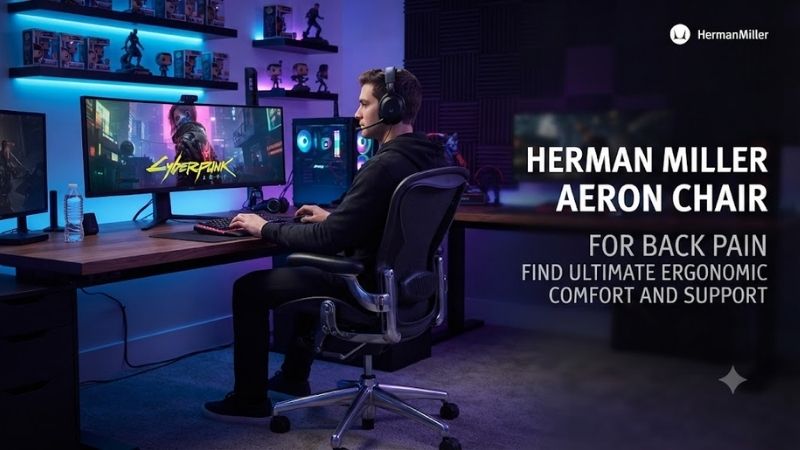
The Herman Miller Aeron Chair for back pain is designed around posture, pressure distribution, and movement rather than thick cushioning. Its mesh suspension, three size options, adjustable lumbar systems, and balanced recline can suit long desk sessions, but the fit and configuration must match your body.
Herman Miller Aeron Review: Quick Verdict
Best For: Long desk sessions, gaming, office work, users wanting firm lumbar and sacral support
Key Features:
- Three sizes: A, B, and C
- 8Z Pellicle suspension
- Optional Adjustable PostureFit SL
- Harmonic 2 Tilt
- Adjustable arm options
- Optional tilt limiter and forward seat angle
- 12-year warranty under applicable terms
Pros:
- Excellent sacral and lumbar support
- Breathable mesh seat and back
- Three sizes improve fit
- Smooth reclining mechanism
- Strong pressure distribution
- Highly adjustable arm options
- Long warranty coverage
Cons:
- Premium price
- No adjustable seat depth within each size
- No integrated headrest
- Seat frame can restrict unconventional sitting
- Correct size is critical
Design and Sizing
Herman Miller offers the Aeron in sizes A, B, and C, which is important because back support only works properly when seat depth, width, and lumbar placement fit the user. Size A targets smaller bodies, B covers much of the middle range, and C gives taller or larger users more room and support overall.
The Aeron does not provide a traditional adjustable seat-depth slider. Instead, Herman Miller uses three chair sizes with different seat dimensions. This makes choosing the correct size especially important because a seat that is too deep can press behind the knees, while one that is too short may provide insufficient thigh support.
Size A has the smallest seat and lowest height range, while Size B is the common middle option and Size C offers the largest seat. Herman Miller lists different weight capacities and dimensions for each size. Buyers should use the official sizing guidance instead of assuming Size B fits everyone by default.
The Size B model is often the easiest starting point for average-size users, but the sizing chart matters more than popularity. Size A can provide better thigh clearance and lower seat height for shorter users, while Size C increases width and depth. Choosing the wrong size can undermine the lumbar system and overall comfort.
PostureFit SL and Back Support
The strongest back-support option is Adjustable PostureFit SL. It uses two independent pads that support the sacral and lumbar regions, with the goal of encouraging the spine’s natural S-shape. You can increase or decrease support depth, but the pads do not slide vertically like some competing lumbar systems.
For back pain, the sacral support is the feature that separates Aeron from chairs relying on a loose lumbar pillow. PostureFit SL stabilizes the pelvis while adding pressure higher in the lumbar area. That can help users maintain a more upright posture instead of collapsing backward during long work or gaming sessions.
For lower-back discomfort, PostureFit SL should be considered before cosmetic upgrades. The adjustable support can be dialed inward until it contacts the sacral and lumbar areas without creating a hard pressure point. Too much support can feel intrusive, so the correct setting is usually firm enough to guide posture but not force it.
PostureFit SL is preferable when back support is the main reason for buying the chair. Herman Miller also offers simpler lumbar configurations and versions without additional support, but they do not provide the same sacral-plus-lumbar approach. For a back-pain-focused purchase, reducing lumbar functionality rarely makes sense.
8Z Pellicle Mesh Comfort
The 8Z Pellicle seat and back use eight zones of varying tension rather than foam. The material flexes under the body, spreads pressure across the sitting surface, and allows airflow through the chair. For users who dislike heat buildup or compressed seat foam, this design can feel supportive for long sessions.
Mesh is not automatically better for every person with back pain. Aeron’s suspended seat has a firm perimeter frame, and users who sit cross-legged, tuck one leg underneath, or frequently shift sideways may feel restricted. It works best for people who sit in a relatively conventional forward-facing posture.
The Aeron’s breathable construction is especially useful for long gaming or office sessions in warm rooms. Unlike thick foam chairs that can trap heat against the back and thighs, the suspended mesh allows continuous airflow. That comfort advantage can make it easier to maintain a consistent sitting position during long sessions.
Comfort is firm and supportive rather than plush. If you expect a gaming chair with deep foam, a head pillow, and soft side bolsters, the Aeron feels very different. The seat does not try to cushion every movement. Instead, it distributes weight while keeping the user centered within a defined ergonomic seating position.
Harmonic 2 Tilt and Movement
Harmonic 2 Tilt is another important part of the chair’s back-support design. Instead of forcing the torso into one fixed angle, the mechanism lets the seat and back move together as you recline. Changing posture during the day can reduce the strain that comes from remaining completely static for several hours.
The tilt limiter can restrict the recline range, while the optional seat-angle function supports a more forward position. That forward tilt can be useful when typing, editing, or gaming because it lets you move closer to the desk without rounding the lower back as aggressively as you might in a deeply reclined chair.
The Aeron is particularly good for people who alternate between upright work and relaxed recline. The tilt mechanism feels designed to support movement instead of locking the user into one position. For back comfort, that matters because even an ergonomically sound posture can become uncomfortable when held without change for too long.
Armrests and Upper-Body Posture
Fully adjustable arms can move in height, depth, and angle, depending on configuration. Correct arm support matters for back discomfort because unsupported forearms can pull the shoulders forward and encourage upper-body tension. The goal is to support the elbows without forcing the shoulders upward.
The fully adjustable arm option is also worth prioritizing for long computer sessions. Being able to move the pads forward, backward, and inward or outward through pivot helps align the arms with different keyboard and mouse positions. Poor arm placement can lead to shoulder tension that affects the upper back during extended use.
Seat Height and Desk Ergonomics
Users should also avoid treating lumbar adjustment as a substitute for seat height. Your feet should rest securely, your knees should remain comfortable, and your hips should not be forced far below or above the knees. A chair can have excellent lumbar hardware and still feel wrong if the basic seating geometry is incorrect.
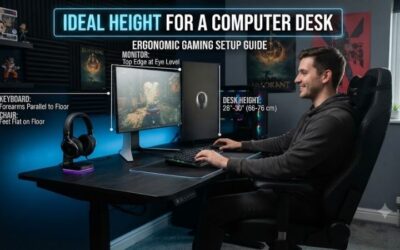
For gaming, the chair works best at a properly adjusted desk. Set the seat high enough that your forearms approach the keyboard and mouse without raised shoulders, then use a footrest if the desk forces the chair higher than your feet can comfortably support. Armrests should assist the forearms without restricting mouse movement.
Long-Session Comfort
The Aeron’s combination of mesh support and controlled movement makes it particularly well suited to people who spend many hours at a computer. Instead of encouraging one rigid posture, the chair makes it easy to move between working and reclining positions while maintaining contact with the backrest throughout the movement.
That does not mean sitting for extremely long periods becomes harmless. Even a highly adjustable chair cannot replace standing, walking, stretching, or changing tasks regularly. Aeron’s ergonomic features are best used to improve sitting conditions while still allowing frequent movement away from the chair during extended work or gaming days.
Build Quality and Durability
Build quality is one of the reasons the Aeron remains expensive. Herman Miller uses a structured chassis, elastomeric suspension, a sophisticated tilt mechanism, and replaceable components rather than building the chair around thick foam and cosmetic panels. The chair is intended for repeated daily use rather than occasional seating.
Herman Miller provides a 12-year warranty on Aeron under its stated warranty terms, with parts and labor coverage subject to regional conditions. That matters for value because the chair costs far more than mainstream gaming chairs. A long warranty reduces some ownership risk, although it does not make the initial price easier to ignore.
The Aeron is also easy to keep visually neutral in a gaming or office setup. Its mesh back, restrained frame, and lack of aggressive racing-style bolsters make it suitable for professional workspaces as well as gaming rooms. Buyers who dislike RGB-heavy or bucket-seat styling may find the design easier to live with long term.
What Could Be Better?
It is less ideal for users who frequently lounge sideways, sit cross-legged, or want a wide flat cushion. The rigid outer seat frame defines the usable seating area more clearly than a padded task chair. Buyers with unusual sitting habits should try the chair in person because body position changes how the frame feels.
Another limitation is the lack of an integrated headrest. Aeron focuses on task-chair ergonomics rather than full-body reclining support. Third-party headrests exist, but they are not part of the standard chair. Users who want neck support during long reclined gaming sessions may prefer a chair designed with a headrest from the start.
Compared with padded ergonomic chairs, Aeron’s biggest advantages are ventilation, pressure distribution, sizing, and movement. Its main drawbacks are the rigid seat perimeter, fixed seat depth within each size, no built-in headrest, and premium pricing, so fit matters greatly for comfort each day.
Can the Aeron Actually Help With Back Pain?
The Aeron does not improve back pain simply because it is expensive. It can provide a strong ergonomic platform, but pain can have many causes and some require medical assessment rather than furniture changes. The chair should be viewed as an adjustable seating tool, not as a treatment or guarantee that symptoms will disappear.
People with existing pain should pay particular attention to the first days of use. A more upright, supported posture can feel unfamiliar after years in a soft chair. Mild adaptation is different from sharp pain, numbness, or worsening symptoms. If the chair consistently aggravates discomfort, its fit or configuration may be wrong.
Who Should Buy the Herman Miller Aeron?
For someone who sits upright for work or gaming and wants breathable support, the Aeron can be an excellent long-term chair. Its strongest qualities are not softness or dramatic styling but controlled posture, balanced movement, and pressure distribution. Those traits are most valuable when the chair is correctly sized and adjusted.
The chair is particularly compelling for users who become hot in padded chairs, prefer firm support, or regularly move between upright and reclined positions. It also makes sense for people who want an office-style chair that can remain visually appropriate in a professional workspace instead of looking like dedicated gaming furniture.
Who Should Skip It?
Users who sit cross-legged frequently, want thick cushioning, need a built-in headrest, or strongly prefer a wide flat seat may not enjoy Aeron’s structured design. The rigid perimeter and fitted sizing reward conventional posture, but they can feel restrictive if your preferred sitting style involves constantly changing leg positions.
It may also be difficult to justify if your budget is limited and you only spend a few hours per week at a computer. Aeron’s strongest value appears when its adjustability, mesh suspension, durability, and warranty are used daily. Occasional users can find competent ergonomic chairs without paying for the same premium construction.
Buying New vs Used
Buying used or refurbished can reduce cost, but configuration details matter. Older Aeron generations, lumbar systems, arm mechanisms, cylinders, casters, and mesh condition can differ from current models. Verify the exact chair generation and features rather than assuming every product labeled Aeron offers the same ergonomic hardware.
The best way to test an Aeron is to sit in the exact size and configuration you plan to buy. Spend enough time to judge the front seat frame, lumbar pressure, recline balance, and arm position rather than deciding after a few seconds. This is particularly important when back discomfort is the primary reason for replacing your chair.
FAQ
Is the Herman Miller Aeron Good for Lower Back Pain?
Aeron can provide useful lower-back support when properly sized and configured with PostureFit SL. Its two support pads target the sacral and lumbar regions rather than relying on a loose pillow. However, whether that reduces discomfort depends on the cause of your symptoms, sitting habits, desk height, and individual anatomy.
Which Aeron Size Is Best?
There is no universally best Aeron size. Herman Miller offers A, B, and C because seat depth, width, height, and overall chassis dimensions need to accommodate different bodies. Shorter users may fit Size A better, many average users fall within Size B, and larger users may need Size C. Always check the official sizing guide.
Is PostureFit SL Worth It?
PostureFit SL is one of the most relevant Aeron options when lower-back support is the purchasing priority. It supports both the sacral and lumbar areas, and the pressure can be adjusted with a dial. Buyers choosing Aeron mainly for back comfort should generally prioritize this feature over decorative finishes or cosmetic upgrades.
Is Aeron Good for Gaming?
Yes, especially for desk-based PC gaming. Adjustable arms, breathable suspension, recline support, and several size options can work well during long sessions. It is less suited to gamers who expect a headrest, deep foam padding, or a large seat for cross-legged sitting because its design follows task-chair ergonomics instead.
Is the Herman Miller Aeron Worth the Price?
Its value depends on how often you use it and whether its geometry suits your body. The premium buys adjustable ergonomics, mesh suspension, three sizes, durable construction, and long warranty coverage. It becomes harder to justify when you dislike firm mesh seating or do not spend enough time seated to benefit from those features.
Conclusion
The Herman Miller Aeron Chair for back pain is most convincing when correctly sized and equipped with PostureFit SL. Its breathable 8Z Pellicle, sacral support, adjustable arms, and Harmonic Tilt create a strong ergonomic platform, but the rigid seat frame, missing headrest, premium price, and precise fit requirements mean it is not universal.