🛒 Best Price Today on Amazon
Prime members get fast, free shipping on everything above, plus member-only deals. New members get a 30-day free trial — cancel anytime.
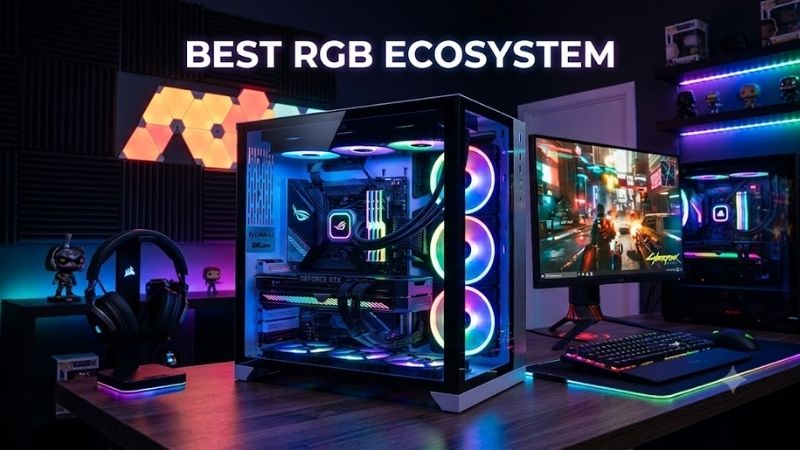
The best RGB ecosystem should synchronize more than a keyboard and mouse. Good platforms can coordinate PC fans, coolers, memory, peripherals, displays, and room lighting while keeping configuration manageable. This roundup compares the strongest RGB ecosystems for unified gaming setups and PC builds in 2026.
Quick answer: For most people in 2026, the best rgb ecosystem is the RGB Ecosystem — our #1 rated choice. See the full ranked comparison, alternatives and buying advice below.
Quick Comparison
| RGB Ecosystem | Best For | Cross-Brand Support | PC Cooling Control | Game Integration | Main Advantage |
|---|---|---|---|---|---|
| Corsair iCUE / iCUE LINK | Complete Corsair builds | Limited outside ecosystem | Yes | Yes | Hardware and cooling integration |
| Razer Chroma RGB | Gaming room lighting | Extensive | Partner dependent | Extensive | Games and smart-light support |
| SignalRGB | Mixed-brand setups | Very extensive | Pro feature | Yes | One app for many brands |
| ASUS Aura Sync | ASUS/ROG PC builds | Good through Aura-compatible hardware | Armoury Crate integration | Limited compared with Chroma | Motherboard-level integration |
| NZXT CAM | Clean NZXT builds | Limited | Yes | Basic | Simple lighting and cooling control |
Corsair iCUE and iCUE LINK
Best For: Complete RGB gaming PCs built around Corsair hardware
Key Features:
- iCUE lighting synchronization
- iCUE LINK single-cable ecosystem
- Up to 24 LINK devices per System Hub
- Fan speed control
- Temperature monitoring
- RGB keyboards, mice, headsets, and components
- AIO and custom-cooling support
- Device auto-detection
Corsair iCUE is one of the most complete choices when both internal PC hardware and gaming peripherals come from the same brand. Compatible fans, liquid coolers, keyboards, mice, headsets, memory, and lighting products can be managed from one application instead of separating cooling controls from desktop RGB effects.
The newer iCUE LINK architecture improves the hardware side of that ecosystem. Compatible components connect in sequence using the same LINK connector, reducing separate PWM, RGB, and controller wiring. Corsair states that one current System Hub can control as many as 24 compatible LINK devices across its two channels.
That design is especially helpful in showcase builds containing six or more RGB fans and an AIO cooler. Instead of routing individual lighting and fan cables to several hubs, LINK components communicate through a shared chain. Devices are automatically detected, while iCUE handles lighting effects, fan curves, and monitoring from Windows.
The main trade-off is ecosystem commitment. iCUE can work extremely well when most visible hardware is Corsair, but a mixed build containing several incompatible brands may still require additional applications. Builders should therefore decide whether they want an integrated branded system before purchasing fans, coolers, memory, and peripherals separately.
What Makes It Different: iCUE LINK combines RGB control with the physical architecture of the PC itself. The software is not only changing LED colors; it can manage compatible fan speeds, cooling devices, temperature data, and peripheral lighting while LINK reduces cable complexity inside the case.
Pros:
- Deep PC component integration
- Excellent fan and cooling controls
- Single-cable LINK architecture
- Up to 24 LINK devices per hub
- Wide Corsair peripheral range
- Automatic LINK device detection
- Strong synchronized lighting options
Cons:
- Works best when buying heavily into Corsair
- Proprietary LINK hardware increases ecosystem lock-in
- Mixed-brand setups may still need other RGB software
Use Case: A gaming PC using Corsair fans, an iCUE LINK AIO, RGB memory, keyboard, mouse, headset, and additional lighting where one software suite should control both cooling and illumination.
Who It’s For: Builders willing to standardize around Corsair components in exchange for tight integration, cleaner wiring, and detailed control over both appearance and thermals.
Razer Chroma RGB
Best For: Gaming immersion and whole-room RGB synchronization
Key Features:
- Standalone Razer Chroma App
- Razer Synapse integration
- Hundreds of supported devices
- More than 50 third-party hardware partners
- Chroma-integrated games
- Chroma Studio
- Audio Visualizer
- Smart-light integrations
- Windows Dynamic Lighting support
Razer Chroma is strongest when RGB extends beyond the PC case. The ecosystem covers Razer keyboards, mice, headsets, speakers, accessories, and supported third-party devices, while integrations with brands such as Govee, Philips Hue, Nanoleaf, Yeelight, and Twinkly can extend effects into the room.
Game integration is another major advantage. Chroma-enabled titles can change lighting in response to gameplay rather than displaying a generic rainbow pattern. Effects can represent events such as health changes or actions, while developers can use Razer’s Chroma SDK to address individual LEDs across supported devices and applications.
Razer has also separated advanced RGB functionality into the Chroma App, while Synapse continues to manage compatible Razer hardware. Chroma Studio allows custom effects, Visualizer reacts to audio, and Chroma Connect communicates with supported partner ecosystems. The current platform also supports compatible Windows Dynamic Lighting hardware.
Cross-brand reach is the reason to choose Chroma rather than simply building an all-Razer desk. Razer says its Connected Devices program works with thousands of devices, and partners including MSI, AMD, Thermaltake, Lian Li, and Ducky can integrate Chroma lighting through the platform’s APIs.
What Makes It Different: Chroma’s greatest strength is extending synchronized RGB from the gaming PC to the entire environment. A game can potentially influence the keyboard, mouse, speakers, desk lighting, wall panels, and other compatible smart lights simultaneously, creating a more immersive room than case-focused ecosystems.
Pros:
- Extensive third-party partnerships
- Strong game integrations
- Smart-home lighting support
- Chroma Studio customization
- Audio-reactive lighting
- Broad Razer peripheral range
- Open developer SDK
Cons:
- Internal PC cooling control is not its main strength
- Partner compatibility varies by device
- Full setups can involve Synapse plus Chroma functionality
Use Case: A gaming room containing Razer peripherals, Nanoleaf or Hue lighting, RGB speakers, and compatible PC components where games and audio should influence lighting across the entire space.
Who It’s For: Gamers who care more about immersive cross-device lighting and room effects than controlling every fan curve from the same RGB application.
SignalRGB
Best For: Mixed-brand RGB gaming setups
Key Features:
- More than 6,000 supported devices
- Multi-brand RGB synchronization
- 100+ free effects
- 45+ Pro game integrations
- 250+ Pro RGB effects
- Audio visualizers
- Fan control with Pro
- System monitoring
- Custom device plugins
SignalRGB is different because it is designed around unifying hardware from competing brands rather than selling one manufacturer’s ecosystem. Its current compatibility list includes devices from Corsair, Razer, Logitech, SteelSeries, ASUS, MSI, NZXT, and many others across keyboards, mice, fans, motherboards, RAM, AIOs, and lighting controllers.
SignalRGB currently states support for more than 6,000 devices. That breadth can solve one of the biggest problems with RGB PCs: every component arriving with a different background application. When supported hardware is detected correctly, one canvas can coordinate lighting across products that were never designed to share a manufacturer’s native ecosystem.
The free tier handles supported devices and offers a library of effects, while SignalRGB Pro expands functionality with game integrations, premium visualizers, fan control, macros, and system monitoring. SignalRGB currently lists more than 45 game integrations and more than 250 effects within its broader Pro content offering.
Developers can also create plugins for RGB hardware controlled through HID or raw USB, while lighting effects can be created with HTML and JavaScript-based Lightscripts. Game integrations can react to information from the screen or receive game events, giving the platform more room for community and manufacturer expansion over time.
What Makes It Different: SignalRGB approaches the problem from the opposite direction to proprietary ecosystems. Instead of asking the user to buy one brand, it attempts to make products from many brands behave like one lighting system. That makes it particularly valuable when upgrading an existing PC assembled from unrelated RGB hardware.
Pros:
- Extremely broad hardware compatibility
- Cross-brand synchronization
- Free lighting functionality
- Game-reactive integrations
- Audio visualizers
- Optional fan control
- Community and developer extensibility
Cons:
- Some advanced functions require Pro
- Device support should be checked before purchase
- Native vendor software may still be required for non-RGB functions
Use Case: A PC containing an ASUS motherboard, Corsair memory, Lian Li lighting, Razer peripherals, Logitech accessories, and other RGB devices that would normally require several independent applications.
Who It’s For: Gamers who already own mixed-brand hardware or want freedom to choose components based on performance instead of staying inside one manufacturer’s ecosystem.
ASUS Aura Sync and Armoury Crate
Best For: ASUS and ROG gaming PC builds
Key Features:
- Aura Sync lighting control
- Armoury Crate device management
- ROG and TUF motherboard support
- ASUS keyboard and mouse integration
- Compatible lighting headers
- System profiles
- Device settings
- Broad Aura-compatible component market
ASUS Aura Sync is a logical foundation when an RGB build already uses an ASUS motherboard. Armoury Crate can manage lighting alongside system and device settings for compatible ROG, TUF Gaming, and ASUS hardware. ASUS currently lists support across recent motherboard generations plus a large catalog of ROG and TUF peripherals.
Motherboard integration is important because the board often becomes the connection point for case lighting, LED strips, fans, GPU supports, and other addressable accessories. Components connected to supported RGB headers can be coordinated through Aura without requiring a separate USB lighting controller for every conventional ARGB component.
The wider Aura ecosystem also benefits from widespread manufacturer adoption. Memory, cases, coolers, fans, and other products are frequently marketed as Aura Sync compatible, allowing builders to combine several brands while keeping the motherboard as the lighting controller. Compatibility should still be confirmed for the exact product rather than assumed from generic ARGB support.
Armoury Crate goes beyond lighting because it also handles supported device configurations, system profiles, and peripheral settings. This can reduce software duplication when a build already uses an ROG motherboard, keyboard, mouse, or laptop. The trade-off is that cross-brand lighting depth can vary compared with dedicated universal software.
What Makes It Different: Aura Sync starts from the motherboard rather than an external RGB hub. That makes it particularly practical for traditional ARGB builds using standard headers and Aura-compatible components, especially when the user already needs Armoury Crate for other ASUS hardware configuration.
Pros:
- Strong motherboard integration
- Large ROG and TUF hardware range
- Standard ARGB component support
- Many third-party Aura-compatible products
- Lighting and system settings together
- Useful for complete ASUS builds
Cons:
- Best experience depends on ASUS hardware
- Cross-brand control varies by component
- Game integration is less central than Razer Chroma
Use Case: An ROG gaming PC with an ASUS motherboard, graphics hardware, peripherals, addressable case fans, and Aura-compatible RAM where motherboard-driven synchronization is more important than smart-room lighting.
Who It’s For: Builders already invested in ASUS or ROG products who want their motherboard to serve as the central lighting platform for the PC.
NZXT CAM
Best For: Clean, straightforward NZXT gaming builds
Key Features:
- NZXT CAM software
- RGB device control
- Fan speed control
- Pump control on supported devices
- NZXT RGB & Fan Controller support
- Kraken integration
- N-Series motherboard integration
- Audio-reactive lighting effects
- Optional standard 5V ARGB support on newer fans
NZXT CAM focuses on simplicity rather than trying to control every RGB product on the market. When compatible fans, controllers, motherboards, or Kraken coolers are connected, CAM provides lighting and cooling settings from the same interface. This suits builders who want a coherent NZXT PC without a complicated multi-brand lighting system.
Within the RGB & Fan Controller, lighting devices appear individually in CAM and can use effects ranging from static colors to spectrum waves and audio-reactive patterns. Fan control operates by channel, allowing curves to be configured for compatible connected fans while monitoring their reported speeds through the application.
NZXT’s 2026 RGB fan range also offers more flexibility than older proprietary-only implementations. Current F120 RGB fans include both an NZXT RGB connection and 5V ARGB support, allowing basic motherboard control when a CAM-compatible hub is not used. CAM synchronization still requires an NZXT controller or motherboard.
The limitation is third-party coverage. NZXT states that CAM does not directly control RGB built into third-party RAM or graphics cards. Standard 5V or 12V lighting can be controlled in some situations through compatible NZXT motherboards, but CAM is not intended to replace a universal cross-brand RGB application such as SignalRGB.
What Makes It Different: CAM keeps lighting, fan curves, pump settings, and NZXT hardware management relatively focused. Rather than attempting to become a universal gaming-room ecosystem, it works best when the visible PC components already belong to NZXT and the builder values a simple, cohesive interface.
Pros:
- Straightforward lighting controls
- Integrated fan and pump management
- Kraken cooler support
- NZXT motherboard integration
- Audio-reactive effects
- Newer fans offer standard ARGB flexibility
- Clean ecosystem for themed builds
Cons:
- Limited third-party RGB control
- RAM and GPU lighting generally remain outside CAM
- Full control depends on compatible NZXT hardware
Use Case: An NZXT case containing Kraken cooling, NZXT fans, an RGB & Fan Controller, and an N-Series motherboard where the objective is a clean synchronized PC rather than an entire RGB gaming room.
Who It’s For: Builders who like NZXT’s visual design and want simple lighting and cooling management without configuring a large number of third-party integrations.
How to Choose the Best RGB Ecosystem
Decide Whether You Want One Brand or Many
A single-brand ecosystem can reduce compatibility problems because the manufacturer designs its components and software together. Corsair and NZXT work particularly well this way. Mixed-brand PCs gain more freedom to choose components, but software such as SignalRGB may become necessary to prevent several competing RGB applications from running simultaneously.
Separate PC Lighting From Room Lighting
Case fans and RAM have different integration needs from wall panels and smart bulbs. Razer Chroma is particularly strong when lighting extends around the room, while iCUE focuses more deeply on PC components and peripherals. Decide whether the RGB experience should stop at the desk or continue into the surrounding gaming environment.
Consider Cooling Control
Some RGB platforms also control fan speeds, pumps, and temperature-based profiles. That creates practical value beyond appearance because one application can coordinate thermals with lighting. Corsair iCUE and NZXT CAM are especially relevant here, while SignalRGB places advanced cooling functionality within its Pro feature set.
Check Every Device Before Buying
A brand name alone does not guarantee compatibility. Different generations of fans, controllers, motherboards, and peripherals may use different connectors or software. Check the exact device against the ecosystem’s current compatibility list, especially when mixing proprietary controllers with standard 5V addressable RGB hardware.
Think About Background Software
A mixed RGB build can easily end up running applications for the motherboard, mouse, keyboard, memory, cooler, and smart lights simultaneously. Besides being inconvenient, overlapping control applications can conflict over the same device. Universal platforms become attractive when reducing software duplication is more important than native vendor features.
Consider Hardware Connectors
Standard 5V ARGB provides broad motherboard compatibility, while proprietary ecosystems can offer deeper device-level control or easier daisy chaining. iCUE LINK demonstrates the advantage of a dedicated connection system, but standard headers offer more freedom to change brands. Decide whether integration or long-term flexibility matters more.
Look at Game Integration
Game-reactive lighting can make an RGB system more functional by representing health, abilities, alerts, or environmental effects. Razer Chroma and SignalRGB place substantial emphasis on game-driven effects. If you mainly use static colors or a single animated profile, broad game integration should not influence the purchase as heavily.
Plan the Ecosystem Before the Build
RGB compatibility is easier to solve before buying the hardware. Select the software platform first, then confirm the motherboard, fans, cooler, RAM, case lighting, peripherals, and smart lights. Building in the opposite order often results in several controllers and applications that cannot create one synchronized effect without additional software.
FAQ
What Is the Best RGB Ecosystem for a Full PC Build?
Corsair iCUE and iCUE LINK are particularly comprehensive when the build uses compatible Corsair cooling, fans, memory, and peripherals. LINK can connect up to 24 compatible devices to one System Hub, while iCUE synchronizes lighting and controls supported cooling hardware from one application.
What RGB Software Works With Multiple Brands?
SignalRGB is designed specifically for multi-brand setups and currently states support for more than 6,000 devices. Its compatibility database covers hardware from numerous manufacturers, including keyboards, mice, motherboards, RAM, fans, AIOs, cases, controllers, and several types of smart lighting.
Which RGB Ecosystem Is Best for Gaming Room Lighting?
Razer Chroma is particularly strong for room-scale synchronization because it supports compatible accessories from more than 50 third-party hardware partners, including smart-lighting brands such as Govee, Philips Hue, Nanoleaf, Yeelight, and Twinkly alongside Razer gaming peripherals.
Can RGB Software Control Fan Speed Too?
Some platforms can. Corsair iCUE can synchronize lighting while controlling compatible cooling hardware, and NZXT CAM manages supported fans and pumps through compatible controllers. SignalRGB Pro also includes custom fan curves and cooling profiles for supported hardware. RGB support alone does not guarantee fan-speed control.
Can I Mix Corsair, Razer, ASUS, and NZXT RGB?
Yes, but native applications may not synchronize everything directly. A universal platform such as SignalRGB can control many supported products from these brands, provided each exact model appears in its compatibility database. Some vendor applications may still be needed for firmware updates or features unrelated to lighting.
Is Proprietary RGB Better Than Standard ARGB?
Neither is universally better. Proprietary systems can provide automatic detection, per-device communication, integrated cooling control, and simplified cabling. Standard 5V ARGB offers wider hardware choice and easier brand switching. Builders should choose based on whether deep integration or component flexibility matters more to the planned PC.
Conclusion
The best RGB ecosystem depends on whether you prioritize PC integration, game effects, room lighting, or cross-brand freedom. Corsair iCUE excels in coordinated PC hardware, Razer Chroma extends lighting into games and rooms, SignalRGB unifies mixed brands, ASUS Aura suits ROG builds, and NZXT CAM keeps NZXT systems simple.
Ready to decide? Our #1 pick for 2026 is the RGB Ecosystem.
Live price & availability on Amazon.