🛒 Best Price Today on Amazon
Prime members get fast, free shipping on everything above, plus member-only deals. New members get a 30-day free trial — cancel anytime.
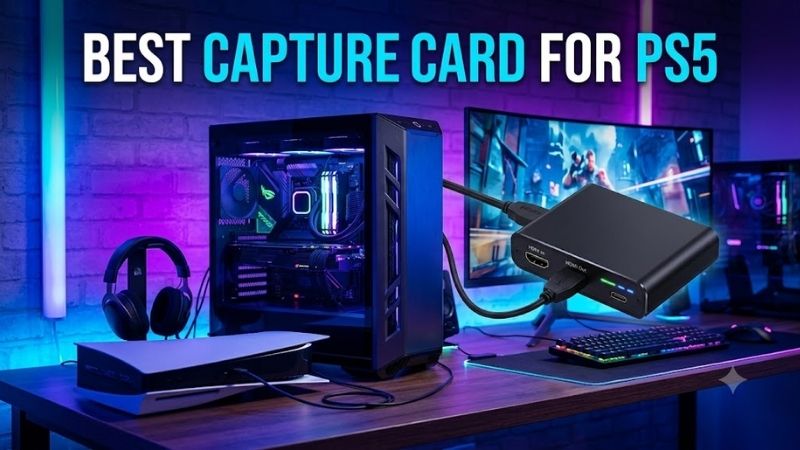
Choosing the best capture card for PS5 means balancing recording resolution, high-refresh passthrough, HDR, VRR, USB bandwidth, and streaming-PC compatibility. A good card should let you enjoy PS5 gameplay at the display settings you want while sending a clean video signal to OBS, recording software, or a streaming platform.
Quick answer: For most people in 2026, the best capture card for ps5 is the Capture Card — our #1 rated choice. See the full ranked comparison, alternatives and buying advice below.
Best Capture Cards for PS5 Compared
PS5 can output high-resolution and high-refresh video, so passthrough capability matters as much as capture resolution. HDMI 2.1 cards preserve more of the console’s 4K120 experience, while HDMI 2.0 models remain practical for 4K60 or 1440p setups. Your monitor, USB port, and recording PC must also support the selected mode.
| Capture Card | Best For | HDMI | Maximum Passthrough | Maximum Capture | VRR |
|---|---|---|---|---|---|
| Elgato 4K X | Overall PS5 capture | HDMI 2.1 | Up to 4K144 | Up to 4K144 | Yes |
| AVerMedia Live Gamer ULTRA 2.1 | High-refresh PS5 setups | HDMI 2.1 | Up to 4K144 | Up to 4K144 on Windows | Yes |
| Elgato HD60 X | Mainstream PS5 streaming | HDMI 2.0 | Up to 4K60 | Up to 4K30 or high-FPS lower resolutions | Yes |
| ASUS TUF Gaming Capture Box CU4K30 | Flexible audio setups | HDMI 2.0 | 4K60 HDR | 4K30 | Yes |
| AVerMedia Live Gamer EXTREME 3 | Value 4K capture | HDMI 2.0 | 4K60 HDR | 4K30 | Yes |
Elgato 4K X
Best For: Overall PS5 capture
The Elgato 4K X is an external HDMI 2.1 capture card designed for modern consoles and high-refresh gaming displays. It supports PlayStation 5 and PS5 Pro while offering passthrough up to 4K144 on compatible screens, giving creators enough bandwidth to preserve high-resolution gameplay instead of dropping immediately to 60 Hz.
Its HDMI 2.1 connection is the key advantage for PS5 users with 4K120 televisions or monitors. The card can pass 4K120, HDR10, and variable refresh rate signals through to the display while capturing gameplay separately. That means creators do not necessarily have to sacrifice their preferred high-refresh experience just to record content.
Elgato uses a USB 3.2 Gen 2 connection for maximum capture performance. USB 3.2 Gen 1 can also operate the device, but available recording modes become more limited. This requirement matters because a laptop may have a USB-C connector without actually supporting the full 10 Gbps bandwidth needed for the highest capture settings.
The card supports HDR10, VRR, and Auto Low Latency Mode passthrough on compatible displays. These features are particularly relevant to PS5 because many players use VRR and low-latency television modes to improve gameplay smoothness. Preserving those functions prevents the capture device from becoming an unnecessary display limitation.
What makes the 4K X different is its ability to handle both high-resolution passthrough and high-end capture through an external USB connection. The trade-off is that the streaming PC needs sufficient USB bandwidth and processing capability. Users targeting standard 1080p60 streams may not need everything the card can provide.
Key Features:
- HDMI 2.1 input and output
- Up to 4K144 passthrough
- Support for 4K120
- HDR10 passthrough
- VRR support
- ALLM support
- USB 3.2 Gen 2 connection
- Compatible with PS5 and PS5 Pro
Pros:
- Excellent for 4K120 PS5 gaming
- HDMI 2.1 bandwidth
- Strong HDR and VRR support
- High capture ceiling
Cons:
- Requires a fast USB connection for maximum modes
- More capability than basic 1080p streaming requires
Use Case: PS5 streaming and recording with a 4K120 monitor or television while preserving high-refresh gameplay.
Who It’s For: Creators who want an external capture card without giving up the main display features of a high-end PS5 setup.
AVerMedia Live Gamer ULTRA 2.1
Best For: High-refresh PS5 setups
The AVerMedia Live Gamer ULTRA 2.1 is another HDMI 2.1 external capture device aimed at current-generation consoles. It supports PS5, PS4 Pro, Xbox systems, and other HDMI sources while providing enough video bandwidth for 4K high-refresh passthrough and capture through a USB 3.2 Gen 2 Type-C interface.
Maximum passthrough reaches 2160p144 with HDR and VRR support, while 1440p240 and 1080p360 modes are also supported for compatible sources and displays. PS5 itself does not use every one of those combinations, but the additional bandwidth makes the device useful in mixed console and PC setups.
On Windows, AVerMedia lists capture capability up to 2160p144 under supported configurations, while macOS capture reaches up to 2160p60. The exact available mode depends on hardware, software, USB bandwidth, and video format, so buyers should verify that the recording computer can handle their intended resolution and frame rate.
The ULTRA 2.1 also includes 3.5 mm headset and gamepad audio connections. These ports can simplify console audio routing when creators need to combine gameplay, party communication, or external audio devices. Audio configuration can otherwise become one of the more confusing parts of setting up a PS5 streaming workflow.
What makes the ULTRA 2.1 different is its wide high-refresh compatibility. It is particularly attractive when the same card will capture PS5 and PC gameplay because its HDMI 2.1 bandwidth extends well beyond standard console modes. The main limitation is the requirement for USB 3.2 Gen 2 to use its higher-performance capabilities.
Key Features:
- HDMI 2.1 input and output
- Up to 2160p144 HDR/VRR passthrough
- Up to 1440p240 passthrough
- Up to 1080p360 passthrough
- USB 3.2 Gen 2 Type-C
- 3.5 mm headset connection
- 3.5 mm gamepad audio connection
- 5.1 audio support
Pros:
- Excellent high-refresh passthrough
- Strong PS5 and PC versatility
- Useful console audio connections
- High capture capability on Windows
Cons:
- Requires USB 3.2 Gen 2 for intended performance
- Advanced modes depend on computer hardware
Use Case: High-refresh PS5 streaming combined with PC capture, competitive gaming, or a creator workstation using several resolutions.
Who It’s For: Streamers who want HDMI 2.1 performance and expect to capture more than one gaming platform.
Elgato HD60 X
Best For: Mainstream PS5 streaming
The Elgato HD60 X is a more conventional external capture card built around HDMI 2.0. It supports 4K60 passthrough alongside HDR10, VRR, and Auto Low Latency Mode, making it a practical fit for creators who play PS5 primarily at 4K60 or use 1440p high-refresh modes instead of requiring full HDMI 2.1 bandwidth.
Its passthrough support includes 1080p high-refresh modes, 1440p up to 120 Hz, and 4K60. This gives PS5 users enough flexibility for many performance-mode games. The important limitation is that 4K120 passthrough is outside HDMI 2.0 bandwidth, so users with a 4K120 display should choose an HDMI 2.1 capture card instead.
Capture support includes 1080p60 HDR and 1440p60, with additional higher-frame-rate options at lower resolutions depending on configuration. This fits common Twitch and YouTube streaming workflows because livestreams are frequently delivered at 1080p60 even when the player sees a higher-resolution signal on the passthrough display.
The HD60 X is especially useful for creators who want a simpler setup without paying for HDMI 2.1 capability they will not use. If your PS5 normally runs through a 4K60 television or 1440p120 monitor, the card can preserve those practical modes while feeding a separate capture signal to the streaming computer.
What makes HD60 X different is balance. It provides modern PS5 features such as VRR and HDR passthrough without moving into the higher bandwidth and system requirements of 4K X. The trade-off is future headroom because a later move to 4K120 capture or passthrough would require a different HDMI 2.1 device.
Key Features:
- HDMI 2.0 input and output
- Up to 4K60 passthrough
- Up to 1440p120 passthrough
- High-refresh 1080p support
- HDR10 passthrough
- VRR support
- ALLM support
- USB external design
Pros:
- Strong fit for 4K60 PS5 gaming
- Supports VRR
- Simple external setup
- Suitable for 1080p60 streaming
Cons:
- No 4K120 passthrough
- Less future headroom than HDMI 2.1 cards
Use Case: Twitch or YouTube streams captured at 1080p60 while gaming on a 4K60 or 1440p display.
Who It’s For: PS5 streamers who do not need the additional bandwidth of HDMI 2.1.
ASUS TUF Gaming Capture Box CU4K30
Best For: Flexible console audio setups
The ASUS TUF Gaming Capture Box CU4K30 is an HDMI 2.0 external capture card compatible with PlayStation, Xbox, and Nintendo consoles. It accepts and passes through 4K60 HDR while recording up to 4K30 through USB 3.2 Gen 1, making it useful for creators who want detailed recordings while continuing to play at 60 Hz.
Passthrough also supports 1440p144 HDR and 1080p240 HDR, although the actual PS5 output modes depend on the console and display. HDMI VRR passthrough is supported within compatible resolution ranges, helping preserve smoother gameplay when the console and monitor are using variable refresh technology.
Capture modes include uncompressed 2160p30, 1440p60, and 1080p120 when connected through USB 3.2 Gen 1. This allows creators to choose between higher-resolution recording and higher frame rates at lower resolutions. USB 2.0 operation is much more limited, so a proper USB 3 connection should be treated as mandatory.
ASUS includes separate 3.5 mm headset and gamepad audio inputs. These can simplify mixing microphone, game, and controller audio in console workflows. The capture box also uses RGB lighting as a visual status element, although this feature has no impact on capture quality and mainly complements gaming-oriented desktop setups.
What makes the CU4K30 different is its mixture of flexible recording modes and dedicated console audio connections. It lacks HDMI 2.1, so 4K120 users should look elsewhere. For 4K60 gaming and 4K30 recording, however, it provides a practical combination without requiring the newest display interface.
Key Features:
- HDMI 2.0 input and output
- 4K60 HDR passthrough
- 1440p144 HDR passthrough
- 1080p240 HDR passthrough
- HDMI VRR support
- Up to 4K30 recording
- Up to 1440p60 recording
- Up to 1080p120 recording
- Headset and gamepad audio inputs
Pros:
- Flexible capture resolutions
- Useful console audio ports
- VRR passthrough
- Compact external design
Cons:
- No HDMI 2.1
- 4K recording limited to 30 fps
Use Case: PS5 streaming and recording at 1080p or 1440p while preserving 4K60 HDR gameplay on the main display.
Who It’s For: Creators who value easy console audio routing and do not require 4K120 passthrough.
AVerMedia Live Gamer EXTREME 3
Best For: Value 4K capture
The AVerMedia Live Gamer EXTREME 3 is a compact HDMI 2.0 capture card with USB 3.2 Gen 1 connectivity. It passes through up to 2160p60 HDR while capturing up to 2160p30, 1440p60, or 1080p60, making it suitable for PS5 creators who want 4K recording capability without moving into HDMI 2.1 hardware.
Its VRR passthrough reaches up to 1440p120 or 1080p120, while HDR passthrough extends to 4K60. This distinction matters because not every passthrough feature is available at every resolution. Users planning a specific PS5 performance mode should therefore match the game’s display mode with the capture card’s supported VRR combination.
The card includes 3.5 mm line-in and line-out connections alongside HDMI audio. These ports allow external audio to be introduced into a streaming workflow or routed toward other equipment. This can be useful when creators use a mixer, headset setup, or other analog device alongside their PS5 and capture computer.
Its compact body measures roughly 112.5 x 66.1 x 20.9 mm and weighs about 85 grams, making it easy to move between setups. USB Video Class support also helps simplify compatibility with software because the device behaves like a standard video source rather than requiring an unusually complicated capture workflow.
What makes the EXTREME 3 attractive is its straightforward feature set. It provides 4K60 HDR passthrough, 4K30 recording, and high-refresh lower-resolution options without the price and bandwidth demands of HDMI 2.1. The trade-off is that 4K120 PS5 users cannot preserve their maximum display mode through this card.
Key Features:
- HDMI 2.0 input and output
- 4K60 HDR passthrough
- 1440p120 HDR passthrough
- VRR up to 1440p120
- Up to 4K30 capture
- Up to 1440p60 capture
- Up to 1080p60 capture
- USB 3.2 Gen 1 Type-C
- 3.5 mm line input and output
Pros:
- Compact design
- 4K30 recording
- 4K60 HDR passthrough
- Useful analog audio connections
Cons:
- No HDMI 2.1
- VRR support is limited at 4K
Use Case: PS5 content creation at 1080p60 or 4K30 with a 4K60 gaming display.
Who It’s For: Streamers who want practical PS5 capture features without paying for premium 4K120 hardware.
Which Capture Card Fits Different PS5 Setups?
For a 4K120 PS5 setup, HDMI 2.1 should be the priority. Elgato 4K X and AVerMedia Live Gamer ULTRA 2.1 both provide enough passthrough bandwidth to keep high-refresh 4K gameplay available. This matters more than maximum recording resolution if you do not want content creation to reduce the quality of your own gaming experience.
For a 4K60 television, HDMI 2.0 models remain completely practical. Elgato HD60 X, ASUS CU4K30, and AVerMedia EXTREME 3 can all pass a 4K60 signal while recording at resolutions suitable for streaming. Buying HDMI 2.1 provides upgrade headroom, but it does not automatically improve a 1080p60 livestream.
For competitive 120 Hz play at 1080p or 1440p, verify both passthrough refresh rate and VRR support. A card may advertise high refresh while restricting variable refresh at certain resolutions. PS5 gamers using performance modes should therefore choose based on the exact signal they send to their monitor rather than only the largest number on the box.
How to Choose the Best Capture Card for PS5
Decide Whether You Need HDMI 2.1
HDMI 2.1 matters primarily if you want to preserve 4K120 gameplay through the capture card. A 4K60 television does not require this bandwidth, so HDMI 2.0 remains adequate. Buying HDMI 2.1 makes more sense when your current display supports 120 Hz or you expect to upgrade your monitor without replacing the capture hardware.
Separate Passthrough From Capture Resolution
Passthrough is the signal you see on your gaming display, while capture resolution is what the streaming PC receives. These do not have to match. You can play at 4K120 while recording or streaming at a lower resolution if the capture card supports the required passthrough mode and conversion workflow.
Check VRR Support
Variable Refresh Rate helps smooth gameplay when frame rate changes, but capture cards can limit which VRR signals pass through. If VRR is important to your PS5 setup, confirm support for the exact resolution and refresh rate you use. HDMI 2.1 models generally offer more flexibility for high-resolution VRR modes.
Verify Your USB Port
USB-C describes the connector shape, not its speed. High-end capture cards may require USB 3.2 Gen 2 to deliver their maximum recording modes. Plugging the card into a slower USB port can reduce available resolution or frame rate. Check the motherboard or laptop specification instead of judging capability by the connector alone.
Consider Your Streaming Resolution
Most livestream workflows do not require 4K capture. A creator streaming at 1080p60 may gain more from reliable drivers, low capture latency, good audio routing, and stable USB operation than from recording at 4K144. High-resolution capture becomes more useful when creating edited YouTube videos or archiving gameplay locally.
Plan Your Audio Setup
PS5 audio routing can become complicated when party chat, headsets, microphones, and capture software are involved. Cards with analog headset or gamepad connections may simplify some workflows. USB microphones connected directly to the streaming PC are another common approach because they keep commentary independent from console game audio.
Remember HDCP
PS5 uses HDCP for protected video services, and capture cards cannot record protected HDMI content. For gameplay capture, PS5 users generally need to configure the console appropriately so gameplay output can be captured. Re-enable protected-content settings when using streaming video applications that require them.
FAQ
Do I Need a Capture Card to Stream PS5?
PS5 includes built-in streaming features, so a capture card is not mandatory. A capture card becomes useful when you want OBS scenes, overlays, webcam layouts, advanced audio mixing, local recording, alerts, or more control through a separate computer. It also makes the PS5 part of a broader creator workflow.
Can a Capture Card Record PS5 at 4K120?
Some HDMI 2.1 capture cards support very high-resolution and high-frame-rate capture modes, but the exact result depends on the capture card, computer, USB bandwidth, software, and video format. For many creators, 4K120 passthrough is more important than actually recording every stream at 4K120.
Can I Play at 120 Hz While Streaming at 60 FPS?
Yes, provided the capture card supports the input and passthrough resolution at 120 Hz. The recording or streaming output can use a different frame rate. This is a common arrangement because the player keeps a smoother high-refresh display while the audience receives a more conventional 60 fps video stream.
Is HDMI 2.1 Necessary for PS5 Capture?
HDMI 2.1 is necessary if preserving modes such as 4K120 through the capture card is a priority. For 4K60, 1440p, or 1080p streaming, an HDMI 2.0 capture card may be completely adequate. Choose the interface based on your display mode rather than buying HDMI 2.1 solely because PS5 supports it.
Does a Capture Card Add Input Lag?
You should normally play from the HDMI passthrough display rather than the preview window in capture software. Quality capture cards are designed to keep passthrough latency extremely low. The preview shown inside OBS or recording software may have more delay because the video must travel through USB and software processing.
What Resolution Should I Stream PS5 Gameplay At?
1080p60 remains practical for many PS5 livestreams because it balances image quality, encoding load, and internet upload requirements. Higher resolutions can be useful on platforms and connections that support them. Your streaming resolution does not need to match the resolution displayed on your television or monitor.
Conclusion
The best capture card for PS5 depends on your display and recording goals. Elgato 4K X and AVerMedia ULTRA 2.1 suit 4K120 setups, HD60 X handles mainstream PS5 streaming, ASUS CU4K30 offers flexible audio and capture modes, while EXTREME 3 provides practical 4K30 recording. Match passthrough first, then capture resolution.
Ready to decide? Our #1 pick for 2026 is the Capture Card.
Live price & availability on Amazon.