🛒 Best Price Today on Amazon
Prime members get fast, free shipping on everything above, plus member-only deals. New members get a 30-day free trial — cancel anytime.
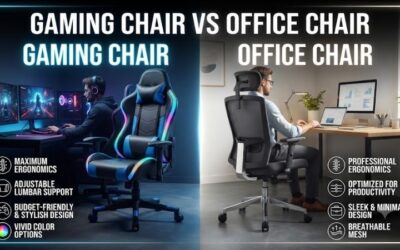
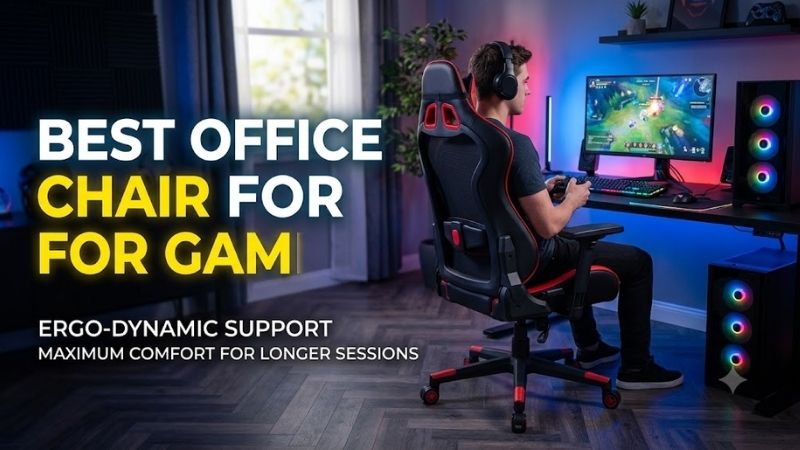
Choosing the best office chair for gaming means focusing on body support rather than racing-style looks. Seat depth, lumbar control, arm adjustment, recline behavior, breathable materials, and desk alignment matter more during long sessions. These five office chairs suit gamers who also work, study, stream, or create at the same desk.
Quick answer: For most people in 2026, the best office chair for gaming is the Office Chair — our #1 rated choice. See the full ranked comparison, alternatives and buying advice below.
Best Office Chairs for Gaming Compared
Office chairs can work especially well for gaming because they are designed around sustained desk use and repeated posture changes. The strongest options let you adjust the seat, back, arms, and recline independently. That flexibility helps when switching between mouse-and-keyboard play, controller sessions, work, and relaxed browsing.
| Office Chair | Best For | Back Support | Armrests | Seat Depth | Key Advantage |
|---|---|---|---|---|---|
| Herman Miller Embody | Long gaming and work sessions | BackFit adaptive support | Adjustable height and width | Adjustable | Flexible seat and back |
| Steelcase Gesture | Keyboard, mouse, and controller gaming | 3D LiveBack | 360-degree adjustable | Adjustable | Exceptional arm positioning |
| Haworth Fern | Flexible back movement | Wave Suspension | Optional 4D | Adjustable | Responsive backrest |
| Herman Miller Aeron | Hot gaming rooms | PostureFit SL | Multiple adjustable options | Size dependent | Breathable mesh |
| Branch Ergonomic Chair Pro | Adjustable value-focused setup | Two-way lumbar | 5D | Adjustable | 14 adjustment points |
Herman Miller Embody
Best For: Long gaming and work sessions
The Herman Miller Embody uses a flexible seat and back structure designed to respond to small body movements instead of holding the user against a rigid shell. Adjustable seat depth, BackFit support, tilt control, and repositionable arms make it especially suitable for gamers who spend many hours at the same workstation.
BackFit adjustment changes how the backrest follows the curve of your spine, while the narrow upper-back design leaves room for shoulder movement. That can be useful for mouse-heavy games because the chair supports the torso without surrounding the shoulders with thick side bolsters that may restrict natural arm motion.
The seat depth adjusts to accommodate different leg lengths, which is important when setting up an office chair for gaming. Too much depth can pressure the backs of the knees, while too little support leaves more of the thighs unsupported. Embody gives users room to tune the seat around their own proportions.
The adjustable arms move vertically and laterally, letting players bring support closer during keyboard use or move the pads outward when more mouse space is needed. The limitation is that the chair lacks a traditional padded headrest, so gamers who regularly recline far back may prefer a design with dedicated head and neck support.
Key Features:
- BackFit back adjustment
- Adjustable seat depth from 15 to 18 inches
- Adjustable arm height and width
- Tilt limiter
- Multi-layer flexible seat
- Narrow upper-back design
- 300-pound maximum user weight
What Makes It Different: Embody uses flexible support across the seat and back rather than thick bolsters or separate lumbar cushions.
Pros:
- Excellent freedom of upper-body movement
- Adjustable seat depth
- Adaptive back support
- Strong fit for gaming and productivity
Cons:
- No integrated headrest
- Armrests offer fewer directions than Gesture
Use Case: Gaming, work, editing, coding, and other long desktop sessions where frequent posture changes are important.
Who It’s For: Gamers who want a premium office-chair design rather than a padded racing-style seat.
Steelcase Gesture
Best For: Keyboard, mouse, and controller gaming
Steelcase Gesture is built around movement and changing device positions, which translates well to gaming setups that mix keyboards, mice, controllers, tablets, and phones. Its 3D LiveBack backrest, adjustable seat depth, recline settings, and highly mobile armrests give users a broad range of positions without leaving the chair.
The 360-degree arms are Gesture’s standout feature for gaming. They can move inward, outward, forward, and through wide positional changes, helping players support their elbows while using different input devices. This is especially useful with compact keyboards, wide mouse movements, handheld controllers, or desks with unusual heights.
Gesture also allows the seat depth and recline resistance to be adjusted from controls beside the seat. Its backrest is designed to follow spinal movement while maintaining lower-back support through different recline positions. That combination suits gamers who dislike being locked into a fixed upright posture for an entire evening.
An optional headrest adds support for users who spend time reclined, while the flexible seat edges reduce hard pressure around the thighs. The main trade-off is the chair’s office-focused appearance and premium positioning. Gamers seeking thick cushions or a deep bucket-seat feel will find Gesture much more restrained.
Key Features:
- 3D LiveBack back support
- 360-degree adjustable arms
- Adjustable seat depth
- Adjustable recline tension
- Variable back-stop positions
- Optional lumbar support
- Optional adjustable headrest
What Makes It Different: Gesture gives the arms an unusually broad range of movement, which is useful when switching between gaming inputs.
Pros:
- Exceptional armrest positioning
- Adjustable seat depth
- Flexible back support
- Works with many gaming postures
Cons:
- Premium office-chair design
- Headrest is configuration dependent
Use Case: PC setups where users alternate between mouse and keyboard, controllers, work, browsing, and other devices.
Who It’s For: Gamers who place arm and elbow positioning near the top of their ergonomic priorities.
Haworth Fern
Best For: Flexible back movement
Haworth Fern uses a flexible Wave Suspension back system that is designed to move with the user from the upper back through the lumbar and pelvic areas. Its edgeless backrest feels less restrictive than a rigid gaming chair, making it a strong option for players who frequently shift, lean, or rotate during long sessions.
Optional height-adjustable lumbar support lets users change where the lower-back pressure sits instead of accepting a fixed curve. The chair also offers seat-depth adjustment, tilt tension, multiple back-stop positions, and forward tilt. Those controls can be useful when moving between upright competitive play and more relaxed tasks.
Fern can be configured with 4D arms, allowing the pads to move in several directions to match desk height and input position. That matters when using a low-profile keyboard, a large mouse area, or a controller close to the body. Arm support that follows the user helps reduce unnecessary shoulder elevation during play.
The chair is available with different upholstery choices, including breathable options that suit warm rooms and extended sessions. Its main limitation is configuration complexity because some ergonomic features are optional. Buyers should check the exact build rather than assume every Fern includes all adjustments.
Key Features:
- Wave Suspension back system
- Adjustable seat depth
- Optional height-adjustable lumbar
- Optional 4D arms
- Five-position back stop
- Adjustable tilt tension
- Optional forward tilt
What Makes It Different: Fern uses a flexible, edgeless back structure that supports movement instead of surrounding the torso with a rigid frame.
Pros:
- Flexible back support
- Strong movement freedom
- Adjustable seat depth
- Multiple upholstery choices
Cons:
- Important features can be optional
- Configuration requires careful selection
Use Case: Gaming and productivity setups where users move frequently rather than sitting in one fixed position.
Who It’s For: Gamers who prefer a responsive backrest and less restrictive chair geometry.
Herman Miller Aeron
Best For: Hot gaming rooms
Herman Miller Aeron takes a different approach by using a suspended mesh seat and back rather than a conventional foam cushion. Its 8Z Pellicle material distributes support across multiple zones while allowing airflow. For gamers who run warm or dislike heat buildup during long sessions, that construction is a major practical advantage.
PostureFit SL supports the sacral and lumbar areas, while Harmonic 2 Tilt is designed to allow balanced movement during recline. Aeron also comes in three chair sizes, which is unusually useful for fit. Choosing the correct size can improve seat width, back support, and arm placement compared with a one-size chair.
The mesh seat has a defined frame, so correct sizing matters more than it does with a broad foam cushion. Users who like sitting cross-legged or shifting far to one side may find that frame more restrictive. In return, the chair provides strong ventilation and a structured seating position for keyboard-and-mouse gaming.
Fully adjustable arm options can help align the elbows with the desk, although the exact configuration should be checked before buying. Aeron works best for gamers who prefer an upright, task-oriented seating position rather than a soft lounge chair. Its support is designed around active desk work more than deep reclining.
Key Features:
- 8Z Pellicle suspension
- PostureFit SL support
- Harmonic 2 Tilt
- Sizes A, B, and C
- Adjustable arm options
- Breathable seat and back
- Multiple tilt configurations
What Makes It Different: Aeron combines breathable suspension with three physical chair sizes instead of relying only on adjustment controls.
Pros:
- Excellent ventilation
- Three chair sizes
- Supportive task posture
- Responsive recline
Cons:
- Seat frame can restrict alternative positions
- Correct size selection is important
Use Case: Warm gaming rooms, long workdays, and upright keyboard-and-mouse sessions where airflow matters.
Who It’s For: Gamers who dislike heat buildup and prefer mesh over padded foam seats.
Branch Ergonomic Chair Pro
Best For: Broad adjustability without a racing-seat design
Branch Ergonomic Chair Pro offers a more accessible route into a highly adjustable office-chair setup. It combines seat-height and seat-depth adjustment, forward tilt, recline tension, two-way lumbar control, and 5D armrests. That feature mix makes it well suited to users who want one chair for gaming and daily productivity.
The 5D armrests are especially useful at a gaming desk because they can be repositioned for mouse-and-keyboard play, controller use, or typing. The chair also provides adjustable lumbar support for both position and depth, helping users avoid the fixed lower-back pressure found on many simpler office and gaming chairs.
Forward tilt is a notable feature for players who naturally lean toward the screen during competitive games. Rather than forcing the pelvis to remain in a reclined seat position, the mechanism allows a more active posture. It should still be used as one posture among several rather than as a position to hold continuously.
An optional headrest and tall cylinder let buyers adapt the chair further, while the standard frame remains more compact than many oversized gaming seats. The trade-off is that some premium chairs provide more refined back movement or materials. Branch instead focuses on delivering many practical adjustments in a simpler package.
Key Features:
- 14 adjustment points
- 5D armrests
- Adjustable lumbar height and depth
- Adjustable seat depth
- Forward tilt
- Recline and tilt-tension adjustment
- Optional two-axis headrest
What Makes It Different: Branch combines a large number of practical adjustments in a relatively straightforward office-chair platform.
Pros:
- Highly adjustable armrests
- Two-way lumbar control
- Forward tilt
- Optional headrest
Cons:
- Less sophisticated back movement than some premium models
- Headrest is optional
Use Case: Combined gaming and home-office setups where adjustability is more important than gaming styling.
Who It’s For: Gamers who want an ergonomic office-chair layout with extensive adjustment options.
Which Office Chair Works Best for Different Gaming Styles?
For competitive mouse-and-keyboard gaming, armrest range should be one of the first features you evaluate. Steelcase Gesture offers unusually flexible arm positioning, while Branch provides 5D adjustment and Fern can be configured with 4D arms. Better elbow support can reduce shoulder tension without limiting large mouse movements.
For hot rooms, mesh construction deserves serious consideration. Aeron’s suspended seat and back allow more airflow than thick foam and upholstery, while breathable Fern configurations can also reduce heat buildup. Foam-based chairs may feel more cushioned, but temperature comfort can become equally important during multi-hour gaming sessions.
If you alternate gaming and full-day work, seat-depth adjustment is particularly valuable. Embody, Gesture, Fern, and Branch all allow the seat to be tuned for different leg lengths. Proper depth helps support the thighs while leaving clearance behind the knees, making it easier to stay comfortable through long desk sessions.
How to Choose the Best Office Chair for Gaming
Match the Chair Height to Your Desk
Start by checking seat height against your desk. Your feet should remain supported while your elbows can reach the keyboard and mouse without lifting the shoulders. If the desk is too tall, even an excellent chair may force poor positioning. A footrest can help when raising the chair is necessary to match the desktop.
Check Seat Depth
Seat depth should support most of the thighs without pressing into the backs of the knees. Adjustable depth is especially valuable for shorter or taller users because fixed seats often fit only a narrow range of body proportions. When testing a chair, sit fully against the backrest before judging whether the seat depth feels correct.
Prioritize Useful Lumbar Adjustment
Lumbar support should meet the natural inward curve of the lower back without creating a hard pressure point. Height adjustment changes where that support lands, while depth or firmness adjustment changes how strongly it pushes forward. More adjustment is useful, but the correct setting is usually moderate rather than aggressive.
Pay Attention to Armrests
Armrests matter more in gaming than many buyers expect because the mouse and keyboard keep the forearms active for hours. Pads should support the elbows without pushing the shoulders upward. Width, depth, pivot, and height adjustments help the chair work with different desk sizes, input devices, and mouse sensitivities.
Look for Controlled Recline
Recline should allow movement instead of encouraging one fixed posture all day. A small recline can reduce continuous loading on the same muscles, while deeper positions work better for breaks or controller gaming. Tilt tension is useful because it lets lighter and heavier users control how easily the chair moves backward.
Consider Breathability
Breathability depends on both material and room temperature. Mesh allows direct airflow, while woven fabrics generally breathe better than thick synthetic leather. If your gaming room stays warm from a powerful PC and multiple monitors, choosing a cooler chair surface may improve comfort more than adding another layer of padding.
FAQ
Are Office Chairs Good for Gaming?
Office chairs usually work very well for gaming because keyboard-and-mouse play resembles other desk tasks. They often provide more seat, armrest, tilt, and lumbar adjustment than racing-style chairs. However, gamers who want deep recline, large head pillows, or heavily padded side support may still prefer a traditional gaming design.
Do I Need a Headrest for Gaming?
A headrest is optional for many PC gamers because the head often stays unsupported while sitting upright. It becomes more useful when reclining for controller games, videos, or breaks. A poorly positioned headrest can push the head forward, so adjustability matters more than simply having a cushion attached to the chair.
Is Mesh or Foam Better for Gaming?
Mesh and foam seats solve different problems. Mesh improves ventilation and can distribute support without thick padding, while foam offers a more conventional cushioned feel. Neither is automatically better for gaming. Body shape, temperature, preferred posture, and how long you remain seated should determine the choice.
How Should I Adjust an Office Chair for Gaming?
An office chair should let you position the elbows close to keyboard height without raising the shoulders. The monitor should sit high enough that you do not constantly bend the neck downward. Seat depth and lumbar support should then be adjusted so you can use the backrest instead of leaning forward without support.
Is a Premium Office Chair Worth It for Gaming?
A premium office chair can make sense for gamers who use the same chair for work, study, and entertainment every day. The value comes from fit, adjustability, durability, and movement rather than higher frame rates or gaming-specific features. A less expensive chair that fits correctly can still be the smarter purchase for some users.
Conclusion
Choose the best office chair for gaming by matching the chair to your body, desk, and preferred posture. Embody emphasizes adaptive support, Gesture excels at arm positioning, Fern favors flexible back movement, Aeron provides breathable mesh, and Branch delivers broad adjustment at a simpler level. Fit matters more than branding.
Ready to decide? Our #1 pick for 2026 is the Office Chair.
Live price & availability on Amazon.