🛒 Best Price Today on Amazon
Prime members get fast, free shipping on everything above, plus member-only deals. New members get a 30-day free trial — cancel anytime.
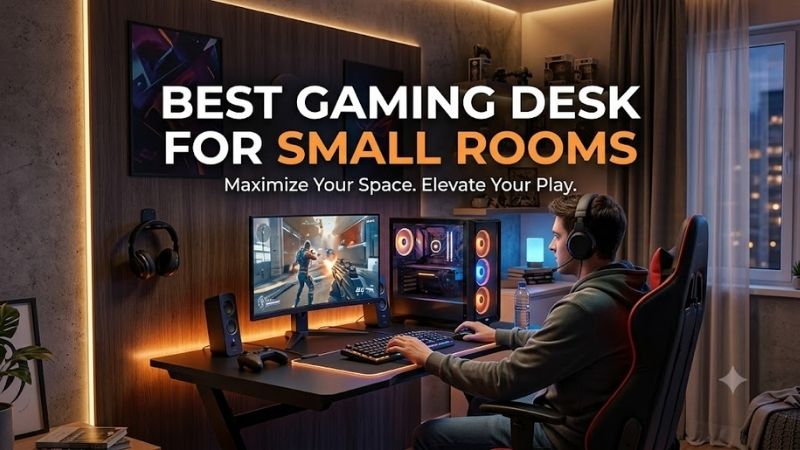
Finding the best gaming desk for small rooms means getting enough depth for a monitor, keyboard, and mouse without wasting valuable floor space. A compact desk should also manage cables, support monitor arms, remain stable during fast gameplay, and leave enough room for your gaming chair to move comfortably.
Quick answer: For most people in 2026, the best gaming desk for small rooms is the Gaming Desk — our #1 rated choice. See the full ranked comparison, alternatives and buying advice below.
Best Gaming Desks for Small Rooms Compared
For a tight bedroom, apartment, dorm, or gaming corner, width matters more than flashy extras. Desks around 44 to 48 inches wide are easier to place along short walls while still accommodating a single-monitor gaming setup. Deeper surfaces are useful, but excessive depth can make an already small room feel cramped.
| Gaming Desk | Best For | Approximate Size | Height Type | Key Advantage |
|---|---|---|---|---|
| Arozzi Arena Small | Overall compact gaming setup | 44.9 x 28 in | Fixed | Full-surface mousepad |
| Eureka Ergonomic Z1-S | Budget gaming setup | 44 x 24 in | Fixed | Compact Z-frame design |
| FlexiSpot E7 Pro 48 x 24 | Sit-stand gaming | 48 x 24 in | Electric | Height adjustment |
| Secretlab MAGNUS Pro | Premium cable management | 59.1 x 27.6 in | Electric | Integrated cable system |
| IKEA UTESPELARE | Larger small-room setup | 63 x 31.5 in | Manual adjustment | Deep gaming surface |
Arozzi Arena Small
Best For: Overall compact gaming setups
The Arozzi Arena Small is specifically designed for users who want the Arena gaming-desk concept without the footprint of the larger models. Its roughly 45-inch width provides enough space for a monitor, keyboard, mouse, and several accessories while remaining practical against a short bedroom or apartment wall.
At approximately 28 inches deep, the desktop provides more monitor distance than many compact 24-inch-deep desks. That extra depth matters if you use a 27-inch or larger display because it keeps the screen farther from your eyes while preserving enough front-edge space for comfortable keyboard and mouse positioning.
A full-surface microfiber mousepad covers the desktop instead of requiring a separate gaming mat. The surface is water-resistant and removable for cleaning, which helps maintain a consistent mouse area across almost the entire desk. This arrangement also removes the uneven edge created by an oversized standalone desk mat.
Three desktop cutouts provide routes for cables and can help accommodate monitor mounting hardware. A cable-management net underneath the desk gives power, display, USB, and peripheral cables somewhere to sit instead of hanging behind the setup, which is particularly useful when the desk is placed close to a bedroom wall.
What makes the Arena Small especially practical is that it remains genuinely compact without becoming shallow. Many narrow desks sacrifice depth to save space, which can make monitor placement uncomfortable. This model instead reduces overall width while retaining enough depth for a conventional gaming monitor and peripherals.
Key Features:
- Approximately 44.9 inches wide
- Approximately 28 inches deep
- Fixed-height design
- Full-surface microfiber mousepad
- Three cable-management cutouts
- Under-desk cable-management net
- Steel frame and legs
Pros:
- Compact width
- Useful desktop depth
- Integrated full-desk mousepad
- Good cable-routing options
Cons:
- No height adjustment
- Limited space for wide dual-monitor layouts
Use Case: A single-monitor gaming PC in a bedroom, apartment, dorm room, or compact gaming corner.
Who It’s For: Gamers who need a dedicated gaming desk under 45 inches wide but do not want to sacrifice useful monitor depth.
Eureka Ergonomic Z1-S
Best For: Compact budget gaming setups
The Eureka Ergonomic Z1-S uses a roughly 44 x 24-inch desktop, making it one of the easiest dedicated gaming desks to fit into a restricted room. Its narrower depth is particularly useful where a deeper desk would interfere with a bed, cabinet, doorway, or gaming chair positioned in the same limited floor area.
The Z-shaped frame gives the desk a gaming-focused appearance while keeping the area underneath relatively open. That matters in small rooms because bulky drawer cabinets and wide support panels can reduce legroom. The simple frame leaves more space for your knees, chair movement, and potentially a small PC placed beneath the desktop.
A 24-inch depth works well with a monitor arm because raising the screen off its stock stand recovers valuable desk surface. Without an arm, larger monitor stands can consume a significant portion of the available depth. Pairing a compact desk like the Z1-S with a clamped arm can therefore make the setup feel substantially larger.
The desk also suits gamers who mainly use a keyboard, mouse, headset, and one display rather than several streaming accessories. Limited surface area encourages a simpler setup, so microphones, speakers, controllers, and charging docks may need wall shelves or other storage if you want to avoid crowding the work surface.
What makes the Z1-S useful for small rooms is its straightforward footprint. It does not attempt to provide an oversized work surface or complex storage system. Instead, it provides enough space for the essential gaming equipment while leaving more of the room available for a chair, bed, drawers, or other furniture.
Key Features:
- Approximately 44 inches wide
- Approximately 24 inches deep
- Fixed-height design
- Z-shaped support frame
- Compact rectangular footprint
- Gaming-oriented desktop layout
Pros:
- Small floor-space requirement
- Easy to position against short walls
- Open leg area
- Works well with monitor arms
Cons:
- Less monitor distance than deeper desks
- Limited room for several large accessories
Use Case: Compact bedroom gaming setups using one monitor and a minimal group of peripherals.
Who It’s For: Gamers who prioritize a smaller footprint and straightforward setup over large-surface accessories or electric height adjustment.
FlexiSpot E7 Pro 48 x 24
Best For: Compact sit-stand gaming setups
The FlexiSpot E7 Pro can be configured with a 48 x 24-inch desktop, creating a relatively compact sit-stand workstation for gaming and everyday work. The smaller top is especially useful when one desk must handle gaming, studying, remote work, and general computer use without consuming an entire bedroom wall.
Electric height adjustment is the main reason to choose this desk over a fixed-height gaming model. The frame can move between seated and standing positions, allowing you to change posture throughout the day. That feature is useful if the same small room doubles as a bedroom, home office, and gaming space.
A 48-inch desktop is wide enough for a typical monitor, keyboard, mouse, controller, and a small speaker setup, but space becomes tighter with multiple monitors. A monitor arm can reduce that problem by removing large display stands and freeing the rear portion of the surface for speakers, chargers, or other accessories.
The dual-motor frame is designed to support significantly more equipment than a basic lightweight desk. That extra capacity becomes useful when mounting a heavy monitor arm, desktop PC, microphone boom, or several peripherals. Even so, careful equipment placement remains important because a 24-inch-deep top offers limited front-to-back room.
What makes the E7 Pro different is adaptability. A fixed gaming desk occupies the same volume regardless of what you are doing, while a standing frame can change height for different activities. In a small multipurpose room, that flexibility may provide more practical value than RGB lighting or gaming-themed decorative features.
Key Features:
- 48 x 24-inch desktop option
- Electric height adjustment
- Dual-motor frame
- Programmable height control
- Wide frame adjustment range
- Compatible with monitor-arm setups
Pros:
- Sit-stand functionality
- Compact desktop option
- Strong frame
- Suitable for gaming and work
Cons:
- Less desktop depth than some gaming desks
- Accessories may be needed for advanced cable management
Use Case: Small bedrooms and apartments where one desk needs to support gaming, office work, studying, and standing use.
Who It’s For: Gamers who want ergonomic height adjustment while keeping desk width near 48 inches.
Secretlab MAGNUS Pro
Best For: Premium cable management
The Secretlab MAGNUS Pro is larger than the truly compact desks in this roundup, measuring roughly 59 inches wide and 28 inches deep. It therefore works best in a small room that has one clear wall available for a dedicated setup, rather than an extremely tight corner where every inch of width matters.
Its main advantage is integrated cable management. A rear tray provides a dedicated place for power and peripheral wiring, helping prevent adapters and cable bundles from spreading across the floor. Keeping cables contained is particularly valuable in a small bedroom because visual clutter makes a limited area feel even more crowded.
The electric standing frame adds another layer of flexibility. Users can move between sitting and standing positions without replacing the desk or adding a tabletop converter. An integrated control panel keeps the adjustment system from occupying additional desktop area, preserving more usable space for the monitor and gaming peripherals.
Its metal construction also supports magnetic cable-management accessories that can keep individual wires positioned against the desk. This approach is useful when the PC, monitor, speakers, lighting, and USB devices create many separate cables. A well-routed setup reduces the amount of loose wiring visible behind or beneath the desk.
What makes the MAGNUS Pro different is not its footprint but its ability to use that footprint efficiently. It is too wide for some tiny rooms, yet the integrated cable tray, monitor-arm compatibility, height adjustment, and accessory ecosystem can create a very organized workstation when roughly five feet of wall space is available.
Key Features:
- Approximately 59.1 inches wide
- Approximately 27.6 inches deep
- Electric height adjustment
- Integrated rear cable tray
- Magnetic accessory ecosystem
- Monitor-arm compatibility
- Metal desk construction
Pros:
- Excellent cable management
- Sit-stand adjustment
- Clean premium appearance
- Strong accessory ecosystem
Cons:
- Wider than true compact desks
- Heavy compared with basic gaming desks
Use Case: Premium bedroom setups where approximately five feet of wall width is available but organization remains essential.
Who It’s For: Gamers willing to use more floor space in exchange for advanced cable management and electric height adjustment.
IKEA UTESPELARE
Best For: Small rooms that can accommodate a deeper desk
The IKEA UTESPELARE is the largest option here at roughly 63 inches wide and 31.5 inches deep, so it is not designed for extremely tight rooms. It makes sense when a small bedroom has one long empty wall and the user wants a deeper gaming surface rather than trying to minimize every dimension of the desk.
The deeper surface gives the monitor more distance from the seating position, which can be useful with large displays. It also leaves additional room for a full-size keyboard, mouse, speakers, controllers, or other equipment. The trade-off is that the extra depth projects farther into the room than most compact gaming desks.
A rear metal-mesh section provides a practical area for cable routing and monitor-arm attachment. Air can move through this section instead of being blocked by a solid rear desktop. The desk also includes an under-table cable-management net, helping keep power strips, adapters, and excess cable length away from the floor.
The height can be manually adjusted between several positions during assembly. This is not the same as an electric sit-stand system because changing the height is not intended as a constant daily adjustment. However, it allows users to choose a suitable seated height instead of being locked into one fixed measurement.
The UTESPELARE belongs in this roundup for rooms that are small overall but have enough wall width for a larger desk. It uses more space than the Arozzi or Eureka models, yet the deeper top can reduce the need for separate side tables, shelves, or accessory stands by keeping more equipment on one surface.
Key Features:
- Approximately 63 inches wide
- Approximately 31.5 inches deep
- Manually adjustable installation height
- Rear metal-mesh section
- Under-desk cable net
- Deep monitor placement area
Pros:
- Deep desktop
- Useful cable-management net
- Monitor-arm friendly rear section
- Plenty of peripheral space
Cons:
- Too large for very tight rooms
- No electric height adjustment
Use Case: Small bedrooms with one long wall where a deep single-desk setup can replace several pieces of smaller furniture.
Who It’s For: Gamers who have limited overall room size but still have enough wall space for a wider, deeper gaming workstation.
Which Gaming Desk Is Best for Different Small Rooms?
For genuinely restricted bedrooms and dorms, the Arozzi Arena Small offers one of the most balanced footprints because its width stays below 45 inches while maintaining useful depth. That allows a monitor to sit farther back without forcing the desk to occupy an excessive amount of wall space in the room.
The Eureka Z1-S makes more sense when front-to-back floor space is the biggest limitation. Its 24-inch depth leaves more clearance between the desk and nearby furniture. Pairing it with a monitor arm can compensate for the shallower top and create additional usable surface for a keyboard, mouse, headset, and controller.
The FlexiSpot E7 Pro is better suited to a multipurpose room. With a compact 48 x 24-inch top, it remains relatively easy to position while adding sit-stand capability. This makes it particularly useful when the same workstation needs to support gaming in the evening and office or study tasks during the day.
Secretlab’s MAGNUS Pro requires more width, but its cable-management system can help a small room look much cleaner. It makes sense when you have enough physical wall space yet struggle with cables, power strips, chargers, and accessories. Its value comes from organization rather than having the smallest possible footprint.
UTESPELARE is appropriate only when the room itself is small but the chosen wall has plenty of open space. Its wide and deep desktop gives large monitors and peripherals more breathing room. It should not be the first choice for a cramped corner, but it can replace several smaller surfaces in a well-planned bedroom.
How to Choose a Gaming Desk for a Small Room
Measure the Room Before Choosing a Desk
Measure the available wall width, usable depth, door swing, chair space, and nearby furniture before comparing desks. A 48-inch table can technically fit a 50-inch opening yet still be impractical if a drawer cannot open or the gaming chair hits the bed. Leave some extra clearance instead of designing the room around exact measurements.
Choose Width Based on Your Monitor Setup
A single-monitor gaming setup rarely needs a huge desk. Around 44 to 48 inches is enough for many configurations, particularly when the monitor uses an arm. Dual monitors need more horizontal room unless they are stacked vertically. Planning the screen layout first prevents buying a desk that wastes space you cannot effectively use.
Do Not Ignore Desktop Depth
Depth determines how far your eyes can sit from the display and how much room remains for the keyboard and mouse. A 24-inch desk saves floor area but works best with a monitor arm. A 28-inch surface gives more flexibility, while a 30-inch or deeper desk may feel noticeably larger inside a narrow bedroom or dorm.
Use a Monitor Arm to Save Space
A monitor arm can be one of the most effective upgrades for a compact gaming desk. Removing a bulky factory stand frees the rear and center of the desktop while allowing better screen positioning. Before buying an arm, confirm that the desktop edge and cable-management structure provide enough room for a secure clamp.
Keep the PC Off the Desktop When Possible
A desktop tower can consume 8 to 12 inches of valuable surface width before cables are considered. In a small setup, placing the PC on a ventilated stand beside or beneath the desk can free enough room for speakers or another monitor. Keep the case above carpet and leave enough clearance for intake and exhaust airflow.
Prioritize Cable Management
Loose wires use little physical space but create visual clutter that makes a small room appear more crowded. An under-desk tray, cable net, power-strip mount, and reusable ties can keep most wiring away from the floor. Routing one bundle toward the PC is usually cleaner than letting every device cable travel independently.
Consider a Sit-Stand Desk
A compact standing desk can make a multipurpose room more flexible because the same workstation adapts to different activities. Standing also allows the chair to be pushed completely underneath when the desk is not being used. The trade-off is additional cost, motor hardware, and a heavier frame compared with simple fixed-height desks.
FAQ
What Is a Good Gaming Desk Size for a Small Room?
For many small bedrooms and apartments, a desk around 44 to 48 inches wide and 24 to 28 inches deep provides a useful balance. That footprint can support one monitor, a keyboard, and a mouse without taking over the room. Large dual-monitor setups may require additional width or vertically stacked screens.
Is a 40-Inch Desk Too Small for Gaming?
A 40-inch desk can work for gaming if the setup is simple and carefully organized. A monitor arm, tenkeyless keyboard, compact speakers, and PC positioned off the desktop can preserve valuable surface area. Large monitor stands, full-size speakers, multiple screens, and streaming equipment make this size much harder to manage.
Is a 24-Inch-Deep Desk Enough for Gaming?
A 24-inch depth is usable, especially with a flat monitor mounted on an arm. The main limitation is viewing distance because large stock monitor stands can push the screen toward the user. If you prefer a 32-inch display or an ultrawide positioned farther away, a desk around 28 inches deep may provide better flexibility.
Should the Gaming PC Go on or Under a Small Desk?
Placing the PC beneath or beside the desk saves valuable desktop width, provided airflow remains unrestricted. Use a stand if the floor is carpeted and avoid enclosing the case against walls or drawers. Desktop placement is useful for showcase systems, but it can significantly reduce peripheral space on desks below 48 inches wide.
Are L-Shaped Desks Good for Small Rooms?
An L-shaped desk can use an empty corner effectively, but it is not automatically more space-efficient. The return section may interfere with beds, drawers, or walking paths. In narrow bedrooms, a compact rectangular desk combined with wall shelves often creates more usable floor space while still providing storage for gaming accessories.
What Should I Put on a Small Gaming Desk?
Keep only frequently used equipment on the desktop: monitor, keyboard, mouse, and perhaps compact speakers or a controller dock. Mount the headset below the desk, move the PC to a ventilated floor stand, attach the monitor to an arm, and place infrequently used accessories on wall shelves to maintain usable mouse space.
Conclusion
The best gaming desk for small rooms should maximize usable surface without dominating the room. Arozzi Arena Small balances width and depth, Eureka Z1-S minimizes footprint, FlexiSpot E7 Pro adds sit-stand flexibility, Secretlab improves cable organization, and UTESPELARE works when a small room still offers a long open wall.
Ready to decide? Our #1 pick for 2026 is the Gaming Desk.
Live price & availability on Amazon.