🛒 Best Price Today on Amazon
Prime members get fast, free shipping on everything above, plus member-only deals. New members get a 30-day free trial — cancel anytime.
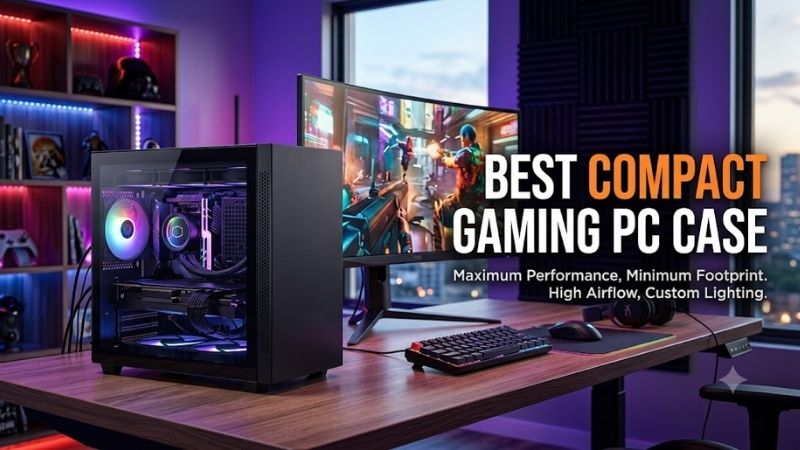
Finding the best compact gaming PC case means balancing a small footprint with enough room for a powerful GPU, effective cooling, and practical cable management. The right Mini-ITX case should save desk space without forcing major hardware compromises, making component compatibility, airflow, and build access the key factors to compare.
Quick answer: For most people in 2026, the best compact gaming pc case for powerful mini is the Fractal Design Terra — our #1 rated choice. See the full ranked comparison, alternatives and buying advice below.
Best Compact Gaming PC Cases Compared
| Case | Best For | Volume | Max GPU Length | Cooling Focus |
|---|---|---|---|---|
| Fractal Design Terra | Premium ultra-compact builds | 10.4 L | 322 mm | Low-profile air cooling |
| Lian Li A4-H2O | Dense liquid-cooled builds | 11 L | 322 mm | 240 mm AIO |
| Cooler Master NR200P V2 | Easier high-end ITX builds | 18.25 L | Up to 356 mm | 240/280 mm AIO |
| SSUPD Meshroom S V2 | Flexible enthusiast layouts | 15.04 L | Up to 332 mm | 240/280 mm radiators |
| Corsair 2000D Airflow | Narrow footprint, strong cooling | Vertical ITX design | 365 mm | Up to 360 mm radiator |
Fractal Design Terra
Best For: Premium ultra-compact gaming setups
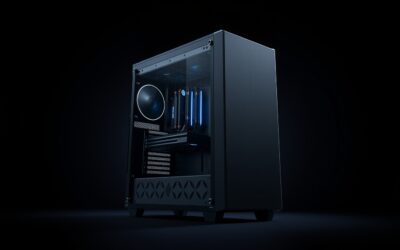
Fractal Design Terra is the most style-focused option here, pairing a 10.4-liter chassis with an adjustable internal spine. That movable layout lets builders trade CPU cooler space against GPU thickness, making Terra unusually flexible for such a small enclosure while keeping its exterior clean and furniture-friendly.
Terra supports Mini-ITX motherboards, SFX or SFX-L power supplies, and graphics cards up to 322 mm long. Its seven-position spine changes CPU cooler and GPU thickness limits, so component selection must be planned as a system. That flexibility is valuable, but careless part matching can still create conflicts.
Key Features
- 10.4-liter chassis
- Mini-ITX motherboard support
- SFX and SFX-L PSU support
- GPU length up to 322 mm
- Adjustable seven-position internal spine
- Up to 77 mm CPU cooler clearance in selected configurations
- Two dedicated 2.5-inch drive mounts
What Makes It Different
What makes Terra different is its ability to tune internal volume around the exact CPU cooler and graphics card combination. A thinner GPU allows more cooler height, while a thicker graphics card reduces CPU clearance. That makes it ideal for experienced builders who enjoy optimizing parts rather than following a fixed layout.
Pros
- Extremely compact 10.4-liter format
- Adjustable CPU and GPU chamber spacing
- Premium aluminum exterior
- Supports long gaming GPUs
- Small enough for desks and entertainment centers
Cons
- CPU cooling depends heavily on GPU thickness
- Limited room for cable mistakes
- Less cooling flexibility than larger ITX cases
Use Case and Who It’s For
Terra works best for a premium gaming build that will sit in plain view on a desk, shelf, or media unit. Its compact footprint and aluminum panels make it visually refined, but cooling choices are more constrained than in larger ITX towers. Builders using hot CPUs should pay close attention to cooler efficiency and fan behavior.
Lian Li A4-H2O
Best For: High-performance 11-liter liquid-cooled builds
Lian Li A4-H2O is one of the strongest choices for gamers who want near-console dimensions without giving up a serious graphics card or a 240 mm liquid cooler. Its 11-liter sandwich layout places the GPU behind the motherboard and reserves the top section for cooling, creating a dense but purposeful internal arrangement.
The case supports Mini-ITX motherboards, SFX and SFX-L power supplies, triple-slot graphics cards up to 322 mm long, and a top 240 mm radiator with a combined radiator-and-fan thickness limit. CPU air cooler height is limited to 55 mm, so the design is clearly optimized around low-profile coolers or an AIO.
Key Features
- 11-liter internal volume
- 326 x 140 x 244 mm dimensions
- Mini-ITX motherboard support
- Triple-slot GPU support
- Maximum 322 mm GPU length
- Top 240 mm radiator support
- SFX and SFX-L PSU compatibility
What Makes It Different
What separates the A4-H2O from many small cases is how efficiently it allocates volume. It offers full-length GPU support and liquid cooling in only 11 liters, making it compelling for high-performance builds that need to travel or fit into very tight spaces. The trade-off is a more demanding installation process.
Pros
- Exceptional hardware density
- Full-length triple-slot GPU compatibility
- Dedicated 240 mm AIO space
- Compact 11-liter enclosure
- Ventilation across multiple panels
Cons
- Only 55 mm CPU air cooler clearance
- Tight cable and tubing management
- Component selection requires careful measurement
Use Case and Who It’s For
The A4-H2O suits builders who already know their exact GPU, power supply, radiator, and cable dimensions. It rewards careful planning with impressive hardware density, but there is less room to correct mistakes during assembly. For experienced Mini-ITX users, that precision can be a strength rather than a drawback.
Cooler Master MasterBox NR200P V2
Best For: First-time high-performance Mini-ITX builders
Cooler Master MasterBox NR200P V2 is larger than the smallest cases in this roundup, yet its 18.25-liter volume makes building and cooling easier. It supports Mini-ITX motherboards, long triple-slot GPUs, and top-mounted liquid cooling, giving gamers more breathing room without moving into conventional mid-tower territory.
GPU support is a major strength. Cooler Master lists support for cards up to 356 mm long in the intended vertical configuration, with a PCIe 4.0 riser cable and GPU support bracket included. The case also supports 240 mm and 280 mm top radiators, making it easier to cool higher-power processors than many smaller designs.
Key Features
- 18.25-liter volume
- Mini-ITX motherboard support
- Triple-slot GPU compatibility
- Up to 356 mm GPU length
- 240 mm and 280 mm top radiator support
- Included PCIe 4.0 riser
- SFX and SFX-L PSU support
- USB Type-C front connectivity
What Makes It Different
What makes the NR200P V2 different is accessibility. Its panels are designed for quick removal, the internal space is less cramped, and cooling options are broader than in ultra-small sandwich cases. That makes component installation, cable routing, and future maintenance more manageable for builders who do not want every step to feel surgical.
Pros
- Easier to assemble than ultra-small SFF cases
- Strong GPU clearance
- 280 mm radiator support
- Removable panels improve access
- Useful choice for powerful gaming CPUs
Cons
- Noticeably larger than 10- to 15-liter alternatives
- Vertical GPU layout depends on a riser
- Less appealing for users chasing minimum volume
Use Case and Who It’s For
This case is best for gamers who want compact dimensions but still prioritize straightforward building, large graphics card support, and strong liquid-cooling compatibility. It is not the smallest choice on a desk, yet the extra volume reduces many of the compromises that make very small form factor systems difficult to assemble.
SSUPD Meshroom S V2
Best For: Flexible enthusiast hardware configurations
SSUPD Meshroom S V2 is the most flexible case in this group for builders who want unusual hardware combinations. Its roughly 15-liter chassis uses mesh extensively and supports several GPU positions, different power supply formats, and multiple motherboard configurations, giving enthusiasts far more layout freedom than typical ITX cases.
In standard small-form-factor use, the Meshroom S V2 supports Mini-ITX or Mini-DTX boards, SFX, SFX-L, or ATX power supplies, and large graphics cards. Rear GPU positioning allows cards up to 332 mm long, with either three-slot or four-slot thickness support depending on the selected internal arrangement.
Key Features
- 15.04-liter chassis
- Mini-ITX and Mini-DTX support
- Multiple GPU mounting positions
- Up to four-slot GPU support
- Up to 332 mm GPU length in rear position
- SFX, SFX-L, and ATX PSU support
- 240 mm and 280 mm radiator compatibility
- Fine mesh exterior panels
What Makes It Different
Cooling flexibility is another advantage. The case can support 240 mm or 280 mm radiators in several configurations, although available space changes with GPU placement and other components. This means the Meshroom S V2 can handle ambitious builds, but users should study its layout diagrams before ordering parts.
Pros
- Highly configurable internal layout
- Broad PSU compatibility
- Extensive mesh ventilation
- Support for thick graphics cards
- Multiple radiator configurations
Cons
- More compatibility variables to check
- Layout can become complex
- Maximum clearances change by configuration
Use Case and Who It’s For
Meshroom S V2 is best for experienced builders who want flexible layouts or want to reuse existing hardware. Its versatility creates more compatibility variables than a fixed-layout case, so planning matters. It especially suits users who value mesh airflow, hardware freedom, and room to experiment.
Corsair 2000D Airflow
Best For: Powerful builds with limited desk width
Corsair 2000D Airflow takes a different approach by using a tall vertical format instead of minimizing total height. Its 271 x 200 mm desk footprint is small, while the 458 mm height creates room for a long graphics card and extensive cooling. It is useful when desk surface area matters more than total case volume.
Corsair lists Mini-ITX motherboard support, graphics cards up to 365 mm long, and SFX power supplies. The chassis can accommodate multiple 120 mm fans and side radiators up to 360 mm, giving it far more cooling capacity than most compact cases. That makes it attractive for hotter gaming hardware and sustained workloads.
Key Features
- 271 x 200 mm footprint
- 458 mm height
- Mini-ITX motherboard support
- Up to 365 mm GPU length
- SFX PSU support
- Up to 360 mm side radiator support
- Multiple 120 mm fan positions
- Front USB Type-A and Type-C ports
What Makes It Different
What makes the 2000D Airflow different is its chimney-like shape. Instead of squeezing hardware into a short sandwich enclosure, it uses vertical space to preserve a narrow footprint. That can simplify GPU compatibility and cooling, but the case is visually taller and may not fit beneath shelves or in short entertainment cabinets.
Pros
- Very narrow desk footprint
- Excellent GPU length allowance
- Extensive radiator support
- Strong airflow potential
- Less restrictive cooling than ultra-small cases
Cons
- Tall profile will not suit every desk
- Larger overall enclosure than true 10-liter SFF cases
- Requires SFX power supply
Use Case and Who It’s For
The 2000D Airflow is best for gamers who want a compact footprint with fewer thermal compromises. It suits powerful GPUs, larger liquid-cooling setups, and users who prefer easier airflow planning. It is less appealing if your definition of compact means minimum overall volume, but it works well for space-limited desks.
How to Choose the Best Compact Gaming PC Case
GPU Clearance
Choosing among these cases starts with the graphics card, because GPU length, thickness, height, and power-cable clearance often define the entire build. A card that technically fits by length may still conflict with a side panel or connector. Always compare the exact dimensions of your GPU against the case layout.
GPU power connectors need clearance beyond the card itself. Modern high-power cards can require stiff cables and a gentle bend radius near the side panel, so advertised GPU width alone does not tell the whole story. Leave room for the connector and cable path rather than assuming a card is safe because its heatsink fits.
CPU Cooling
CPU cooling is the second major constraint in a small-form-factor build. Fractal Terra favors low-profile air cooling, while the A4-H2O is designed around a 240 mm AIO. The NR200P V2, Meshroom S V2, and 2000D Airflow provide broader radiator options for pairing with higher-power processors. This can reduce cooling compromises.
Power Supply Size
Power supply choice also affects cable space. SFX units are usually easier to manage in compact cases because the shorter housing leaves more room for GPU cables and radiator tubing. SFX-L can improve fan size or power options, but the extra length may tighten routing. ATX support is rare and should never be assumed.
Airflow
Airflow matters more in a compact gaming PC because the GPU, motherboard, power supply, and CPU cooler sit close together. Mesh panels can provide direct access to cool air, but fan placement and cable obstruction still matter. A smaller enclosure is not automatically hotter if the ventilation path is simple and unobstructed.
Build Difficulty
Build difficulty should influence the purchase as much as raw size. Ultra-compact sandwich cases can require removing panels, brackets, risers, and the power supply several times during assembly. Larger ITX cases like the NR200P V2 give your hands more room and are generally easier for first-time small-form-factor builders.
Riser cables deserve attention in sandwich and vertical GPU layouts. The cable generation should match the intended platform whenever possible, and sharp bends should be avoided during assembly. A riser adds another component to troubleshoot, so builders who value simplicity may prefer layouts with more direct motherboard access.
Front I/O
Front I/O can become surprisingly important on a compact desktop. If the system sits close to the keyboard, easy access to USB Type-A, USB Type-C, and audio can reduce cable clutter. Check the exact ports on the variant you plan to buy, because manufacturers sometimes change front I/O between revisions or regional models.
Storage
Storage support is another trade-off. Small gaming builds increasingly rely on M.2 drives because they mount directly on the motherboard and require no data or power cables. If you need multiple 2.5-inch SSDs or a 3.5-inch hard drive, verify dedicated mounts before choosing a very small case, especially in sandwich layouts.
Noise
Noise depends on more than case size. A compact system with efficient components and well-tuned fans can be quiet, while a poorly matched build may force small fans to spin aggressively. Give the CPU cooler and GPU enough breathing room, avoid blocking vents with cables, and use sensible power limits when acoustics matter.
Physical Footprint
Think about where the case will physically sit before choosing its shape. A short case may work under a monitor shelf, while a vertical tower can save more desk width. Measure the available height, depth, and side ventilation around the intended location, because compact cases still need clear intake and exhaust space.
Upgrade Flexibility
Future upgrades are easier when the case has a little spare clearance. Buying to the exact maximum GPU length or radiator thickness can make the next upgrade unnecessarily difficult. If you replace hardware often, accepting a few extra liters today can save time, compatibility checks, and cable-routing frustration later.
Which Compact Gaming PC Case Fits Each Build?
For the smallest premium desktop, Fractal Terra stands out because its 10.4-liter body and adjustable spine offer exceptional packaging flexibility. For a dense liquid-cooled build, the Lian Li A4-H2O is more purpose-built. Both demand careful component selection, but they deliver true small-form-factor proportions.
For easier assembly and broader cooling support, the Cooler Master NR200P V2 is the safer choice. It uses more desk volume than Terra or the A4-H2O, but the extra space simplifies installation and supports larger cooling hardware. It is especially practical for users entering Mini-ITX without wanting an extreme packaging challenge.
Meshroom S V2 makes the most sense for enthusiasts who prioritize layout flexibility, mesh airflow, and unusual hardware combinations. Corsair 2000D Airflow is the better fit when a narrow desk footprint and strong radiator support matter more than minimizing liters. Their shapes solve different space problems.
FAQ
Does a compact gaming PC case reduce gaming performance?
A compact gaming case does not reduce gaming performance by itself. Performance changes only when limited cooling, restricted airflow, or component compatibility forces lower-power hardware or higher temperatures. With properly matched parts, a small Mini-ITX system can use the same class of CPU and GPU as a larger desktop.
Is Mini-ITX worth it for gaming?
Mini-ITX is not automatically the right choice for every gamer. The motherboards can cost more, expansion options are limited, and assembly is less forgiving. However, the format is ideal when portability, desk space, or a clean living-room setup matters enough to justify stricter component planning.
What should I check before buying a compact PC case?
Before buying any case, create a full compatibility list with motherboard size, GPU dimensions, CPU cooler height, radiator thickness, power supply type, storage devices, and front I/O needs. Checking these measurements together prevents the common mistake of buying parts that each fit individually but conflict when installed together.
Is a 10-liter PC case better than an 18-liter case?
Not automatically. A 10-liter case saves more physical space but generally requires stricter GPU, cooler, and cable planning. An 18-liter Mini-ITX case gives components more breathing room and usually makes upgrades easier. The better size depends on whether minimum volume or build convenience matters more to you.
Are compact gaming PCs harder to cool?
They can be, because heat-producing components are packed closer together and cooler clearance is limited. However, mesh panels, direct GPU ventilation, efficient CPUs, and appropriately sized radiators can keep temperatures manageable. Cooling problems usually come from poor component matching rather than small size alone.
Conclusion
The best compact gaming PC case depends on how much size you are willing to trade for cooling and build convenience. Terra and A4-H2O maximize density, NR200P V2 favors easier assembly, Meshroom S V2 emphasizes flexibility, and 2000D Airflow uses vertical space to support powerful hardware with fewer thermal restrictions.
Ready to decide? Our #1 pick for 2026 is the Fractal Design Terra.
Live price & availability on Amazon.