🛒 Best Price Today on Amazon
Prime members get fast, free shipping on everything above, plus member-only deals. New members get a 30-day free trial — cancel anytime.
- Quick Comparison
- Noctua NH-D15 G2
- Thermalright Phantom Spirit 120 EVO
- be quiet! Dark Rock Elite
- DeepCool ASSASSIN IV
- Scythe Fuma 3
- Gaming Performance and Cooling Behavior
- Which Gaming Air Cooler Should You Choose?
- Air Cooler Size and Clearance Comparison
- Buying Guide: What to Look for in a Gaming Air Cooler
- FAQ
- Conclusion
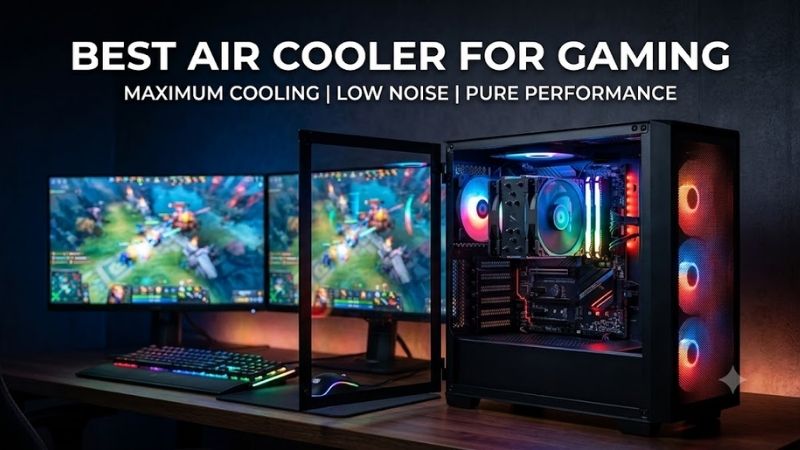
Finding the best air cooler for gaming means balancing CPU temperatures, fan noise, case clearance, RAM compatibility, and long-term reliability. The right cooler can maintain stable boost clocks during demanding games while avoiding the pump noise, radiator space, and extra complexity often associated with liquid cooling.
Quick answer: For most people in 2026, the best air cooler for gaming is the Cooler — our #1 rated choice. See the full ranked comparison, alternatives and buying advice below.
Quick Comparison
| Cooler | Height | Heatpipes | Fan Setup | Best For |
|---|---|---|---|---|
| Noctua NH-D15 G2 | 168 mm | 8 | Dual 140 mm-class | Premium high-end gaming builds |
| Thermalright Phantom Spirit 120 EVO | 157 mm | 7 | Dual 120 mm | Compact dual-tower performance |
| be quiet! Dark Rock Elite | 168 mm | 7 | Dual 135 mm | Quiet premium RGB builds |
| DeepCool ASSASSIN IV | 164 mm | 7 | 140 mm + 120 mm | Performance and quiet-mode flexibility |
| Scythe Fuma 3 | 154 mm | 6 | 120 mm slim + 120 mm | Tight clearance and tall RAM |
Noctua NH-D15 G2
Best For: Premium gaming PCs with generous case clearance
The Noctua NH-D15 G2 is the premium option here for builders who want a large dual-tower design with broad current-platform support. It uses eight heatpipes, two 140 mm-class fans, and a 168 mm total height, so it targets roomy mid-towers and full towers rather than compact gaming cases with strict clearance limits.
What makes the NH-D15 G2 different is its platform-aware mounting approach and mature accessory package. Noctua supports AM5, AM4, LGA1851, LGA1700, and several older Intel sockets, while the standard version is designed as the most versatile choice across those platforms rather than being tuned for only one CPU shape.
For gaming, the advantage is headroom without requiring an AIO pump or radiator. The large fin area and dual fans suit high-end CPUs that may boost aggressively during CPU-heavy games, streaming, or mixed workloads. The trade-off is physical size: case clearance, DIMM height, and motherboard layout need careful checking.
Key Features:
- Eight 6 mm heatpipes
- Dual NF-A14x25r G2 PWM fans
- 168 mm installed height
- AM5, AM4, LGA1851, and LGA1700 support
- SecuFirm2+ mounting system
What Makes It Different: A premium dual-tower design with platform-specific mounting options and a comprehensive installation package.
Pros:
- Large thermal surface area
- Broad modern socket compatibility
- Premium mounting hardware
- Strong fit for high-end CPUs
Cons:
- Requires substantial case clearance
- Large footprint around the CPU socket
- More cooler than many midrange gaming CPUs require
Use Case: High-end gaming, streaming, compiling, and mixed gaming-productivity systems.
Who It’s For: Builders who prioritize premium air cooling and have enough room for a 168 mm tower.
Thermalright Phantom Spirit 120 EVO
Best For: High-performance gaming builds with limited cooler height
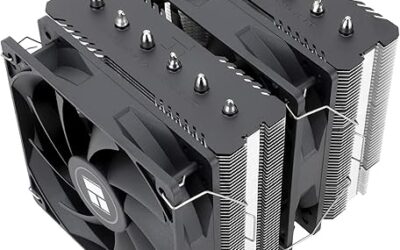
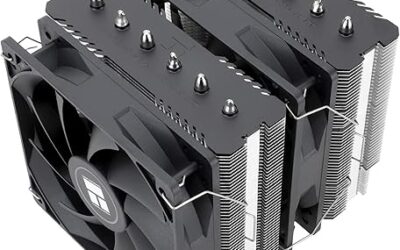
The Thermalright Phantom Spirit 120 EVO targets builders who want dual-tower cooling in a smaller 157 mm-height package. Its heatsink uses seven 6 mm heatpipes and ships with two 120 mm PWM fans, making it easier to fit into many mainstream gaming cases that cannot accommodate the tallest 140 mm-class coolers.
Its main appeal is packaging efficiency. The cooler is narrower and shorter than the largest flagship towers, yet it still uses a dual-stack heatsink and two fans. That combination makes it especially relevant for gaming builds where GPU size, side-panel clearance, and memory access matter almost as much as raw CPU cooling capacity.
The EVO version also uses higher-speed 120 mm fans with a listed maximum of 2,150 RPM. That gives the cooler more airflow and static-pressure potential when temperatures rise, but users who prioritize a very quiet desktop may want a gentler custom fan curve. It fits AM4, AM5, LGA1700, LGA1851, and several older Intel sockets.
Key Features:
- Seven 6 mm heatpipes
- Dual 120 mm PWM fans
- 157 mm heatsink height
- Nickel-plated copper base
- AM5 and LGA1851 support
What Makes It Different: A dense dual-tower layout that delivers substantial cooling hardware without requiring 164–168 mm of vertical clearance.
Pros:
- Relatively compact height
- Seven-heatpipe design
- Broad socket support
- Strong option for mainstream ATX gaming cases
Cons:
- High maximum fan speed may require curve tuning
- Still occupies significant space around the socket
- Tall DIMMs require clearance checks
Use Case: Performance gaming systems where full-size flagship towers are too tall.
Who It’s For: Builders who want dual-tower cooling while keeping total cooler height below 160 mm.
be quiet! Dark Rock Elite
Best For: Quiet premium gaming PCs with RGB styling
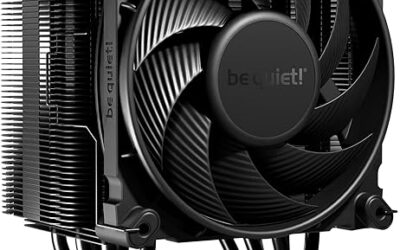
The be quiet! Dark Rock Elite is built for high-end systems that place equal emphasis on cooling, acoustics, and appearance. It combines seven 6 mm heatpipes with two 135 mm Silent Wings fans and a 168 mm overall height. A hardware switch lets the cooler operate in Quiet or Performance mode without relying only on software fan tuning.
Its adjustable front-fan rail is particularly useful in gaming systems with taller memory modules. Raising the front fan can improve DIMM clearance, although doing so may increase the effective cooler height inside the case. That flexibility matters when a build uses RGB memory or larger heat spreaders that conflict with fixed fan positions.
For gamers who care about a dark, coordinated build, the black ceramic-coated heatsink and integrated ARGB lighting make the Dark Rock Elite visually distinct from most performance towers. The practical compromise is mass and clearance: at 168 mm tall and 1.34 kg, it needs a sturdy board, adequate chassis room, and deliberate installation.
Key Features:
- Seven 6 mm heatpipes
- Dual 135 mm Silent Wings fans
- Quiet and Performance modes
- Adjustable front-fan rail
- Integrated ARGB lighting
What Makes It Different: It combines high-end air cooling with adjustable RAM clearance, onboard performance modes, and integrated lighting.
Pros:
- Flexible front-fan positioning
- Quiet and Performance profiles
- Premium black design
- Modern AM5 and LGA1851 compatibility
Cons:
- 168 mm height limits smaller cases
- Heavy compared with compact towers
- Front-fan adjustment can increase required clearance
Use Case: Premium gaming PCs where acoustic control and appearance matter alongside cooling.
Who It’s For: Gamers building a large black or RGB-focused system who want direct control over cooler behavior.
DeepCool ASSASSIN IV
Best For: Large gaming systems with selectable acoustic profiles
The DeepCool ASSASSIN IV is another large dual-fan tower aimed at performance-focused gaming rigs. It measures 164 mm high and uses seven 6 mm heatpipes, with one 140 mm and one 120 mm fan. Its selectable Quiet and Performance modes let users favor lower acoustics or stronger airflow depending on the game and room conditions.
The mixed fan layout helps the cooler balance heatsink coverage with space around the memory area. In Performance mode, the fans can run faster and the complete cooler is specified for higher overall noise, while Quiet mode reduces fan speed substantially. That makes it easy to choose a behavior profile before fine-tuning BIOS fan curves.
The ASSASSIN IV fits AM4, AM5, LGA1700, LGA1200, and several older Intel HEDT and mainstream sockets. Its 1,575 g net weight makes it one of the heavier options in this group, so it suits a conventional tower case better than a frequently transported system or a compact build with limited motherboard support.
Key Features:
- Seven 6 mm heatpipes
- 140 mm and 120 mm fans
- 164 mm total height
- Quiet and Performance modes
- Fluid dynamic fan bearings
What Makes It Different: A distinctive enclosed tower design with two selectable operating profiles and mixed-size fans.
Pros:
- Flexible acoustic modes
- Seven-heatpipe heatsink
- Broad Intel and AMD support
- Designed for high-performance systems
Cons:
- Very heavy
- Large footprint
- Requires careful chassis clearance checking
Use Case: Gaming and productivity systems where users want easy switching between quieter and more aggressive cooling behavior.
Who It’s For: Builders with large cases who prefer a substantial air cooler with selectable operating modes.
Scythe Fuma 3
Best For: Gaming PCs with restrictive height or tall RAM
The Scythe Fuma 3 is the most space-conscious dual-tower option in this roundup. At 154 mm high, it can fit cases that exclude 160 mm-plus coolers, and it combines six 6 mm heatpipes with one slim 120 mm fan and one standard 120 mm fan. The offset layout is designed to improve clearance around memory and motherboard components.
Its two Kaze Flex II fans rotate in opposite directions, a layout Scythe uses to stabilize airflow through the heatsink. The slim front fan also reduces intrusion over the DIMM area compared with a full-thickness front fan. That makes the Fuma 3 especially useful for gaming PCs with tall memory or tighter side-panel clearance.
The Fuma 3 supports AM5, AM4, LGA1851, LGA1700, and several older Intel platforms. Its lower height is the clearest reason to choose it over a bigger flagship tower. The trade-off is that compactness, not maximum heatsink mass, is the design priority, so it is best matched to builders who value fit and access.
Key Features:
- Six 6 mm heatpipes
- 154 mm total height
- One slim and one standard 120 mm fan
- Offset heatsink design
- AM5 and LGA1851 compatibility
What Makes It Different: It prioritizes RAM clearance and reduced height without abandoning a dual-tower layout.
Pros:
- Shorter than the other coolers here
- Memory-friendly front fan
- Broad platform compatibility
- Useful for tighter ATX and mATX builds
Cons:
- Less heatsink mass than larger flagships
- Not designed around maximum cooler size
- Fit still depends on motherboard layout
Use Case: Gaming PCs where RAM access and chassis height are primary constraints.
Who It’s For: Builders who want a dual-tower cooler but cannot comfortably fit a 164–168 mm model.
Gaming Performance and Cooling Behavior
In CPU-limited esports titles, cooling matters most when the processor is already pushing high boost clocks and frame-time consistency depends on sustained CPU frequency. A better cooler cannot turn a slow CPU into a fast one, but it can reduce thermal throttling risk and keep fan noise from surging every time a short burst of load hits.
For GPU-bound games at 1440p or 4K, the cooler often affects acoustics more than average frame rate because the graphics card does most of the work. In that situation, oversized air cooling can still be useful if you value a quieter system, run background applications, or want the same PC to handle rendering and encoding after gaming sessions.
Case airflow can erase the advantage of an expensive cooler if hot GPU exhaust remains trapped around the CPU socket. Front or bottom intake should supply fresh air, while rear and top exhaust remove heat without fighting the CPU fan direction. A balanced airflow path lets the heatsink work with cooler inlet air instead of recirculated GPU heat.
Which Gaming Air Cooler Should You Choose?
Choose the NH-D15 G2 when chassis space is generous and you want a premium air-cooling platform with broad socket support and a substantial accessory kit. Choose the Phantom Spirit 120 EVO when you want a shorter dual-tower design with seven heatpipes and do not mind tuning its faster 120 mm fans for your preferred noise level.
Choose the Dark Rock Elite when visual integration, adjustable front-fan height, and an onboard Quiet or Performance switch are important. Choose the ASSASSIN IV when you want a large, distinctive tower with selectable acoustic profiles. Both are physically substantial, so they make the most sense in conventional mid-tower or larger gaming builds.
Choose the Fuma 3 when cooler height and memory access are tighter constraints than maximum heatsink size. Its 154 mm height, slim front fan, and offset design make it easier to integrate into cases where 164–168 mm towers are risky. It is also appealing for builders who want dual-tower architecture without dominating the entire socket area.
Air Cooler Size and Clearance Comparison
For pure installation flexibility, cooler height separates these models quickly. The Fuma 3 is 154 mm, the Phantom Spirit 120 EVO is 157 mm, the ASSASSIN IV is 164 mm, and both the NH-D15 G2 and Dark Rock Elite reach 168 mm. If your case limit is close, leave extra margin rather than assuming the side panel will clear.
Fan size also changes the character of each cooler. Larger 135 mm and 140 mm-class fans can move substantial air at moderate speed, while 120 mm fans allow a more compact package and can use higher RPM when extra pressure is needed. Neither approach is automatically quieter; the final result depends on fan curve, case airflow, and CPU heat.
RAM clearance deserves equal attention because dual-tower coolers often overlap the DIMM area. The Dark Rock Elite provides an adjustable front-fan rail, the Fuma 3 uses a slim front fan and offset shape, and the Phantom Spirit 120 EVO warns users to leave room for tall memory. Always check installed fan height, not just bare heatsink dimensions.
Buying Guide: What to Look for in a Gaming Air Cooler
Start with case clearance because it can eliminate unsuitable models immediately. Compare the chassis CPU-cooler limit with the cooler’s installed height, then account for front-fan adjustment required by tall memory. A cooler that fits at stock fan position may become too tall once the fan is raised above oversized DIMM heat spreaders.
Next, match the cooler to the processor and expected workload. A high-end gaming CPU paired with streaming, compiling, or productivity tasks benefits from more thermal headroom than a midrange chip used only for games. Avoid choosing by a single advertised TDP number because manufacturers do not use one universal method for those ratings.
Noise control is more useful than chasing maximum fan speed. A well-tuned BIOS curve can keep fans slow during browsing and lighter games, then ramp them only when CPU temperature rises. Coolers with extra thermal mass may need less aggressive fan behavior, but case intake and exhaust airflow still determine how much warm air remains nearby.
Check motherboard and memory compatibility before checkout. Large towers can crowd the top PCIe area, VRM heatsinks, or the first memory slot, while front fans may need repositioning. Manufacturer compatibility tools and dimension diagrams are more reliable than assuming that every AM5 or LGA1851 board will fit every large dual-tower cooler.
Installation matters if you upgrade hardware frequently. Heavy towers are easiest to mount with the motherboard flat, and some builds require temporary fan removal to reach the mounting screws. If you swap memory, CPUs, or drives often, a slightly smaller cooler with better socket access can be more practical than the physically largest heatsink.
FAQ
Is air cooling enough for a gaming PC?
For gaming alone, an AIO is not automatically necessary. A capable air cooler can keep many gaming CPUs within their normal boost and thermal limits while avoiding a pump, radiator, and extra tubing. Liquid cooling becomes more attractive when case layout, sustained high CPU power, aesthetics, or radiator placement better suit the overall build.
Is a dual-tower CPU cooler worth it for gaming?
A dual-tower cooler can be worthwhile for a gaming CPU when you want lower fan speeds, more thermal headroom, or quieter mixed workloads. It is less useful when the processor is easy to cool or the case has restricted airflow. The best choice is the cooler that fits the chassis and keeps temperatures controlled without excessive noise.
Does RAM height affect CPU cooler compatibility?
Cooler height is usually measured from the CPU contact area to the highest installed point, but front-fan positioning can change the real clearance requirement. If tall RAM forces the fan upward, the installed cooler may exceed the published nominal height. Measure the case limit and verify the manufacturer’s clearance diagrams before buying.
Do air coolers require maintenance?
Air coolers do not need routine liquid maintenance, but dust buildup can reduce airflow over time. Cleaning the heatsink fins, fan blades, filters, and case vents periodically helps maintain stable temperatures. Fan bearings can eventually wear, yet replacing a standard fan is usually simpler than servicing a failed pump in a liquid-cooling system.
Does RGB matter when choosing a CPU cooler?
For most gaming builds, two factors matter more than RGB: sufficient cooling capacity and physical compatibility. Lighting can improve the visual theme, but it does not solve poor airflow, blocked memory slots, or inadequate clearance. Choose around CPU heat, case dimensions, fan noise, and upgrade plans first, then consider appearance.
Conclusion
The best air cooler for gaming is the model that fits your case, matches CPU heat output, and stays acceptably quiet in real workloads. The NH-D15 G2 favors premium headroom, the Phantom Spirit 120 EVO packs dual-tower cooling into less height, while the Fuma 3, Dark Rock Elite, and ASSASSIN IV serve different clearance and style needs.
Ready to decide? Our #1 pick for 2026 is the Cooler.
Live price & availability on Amazon.