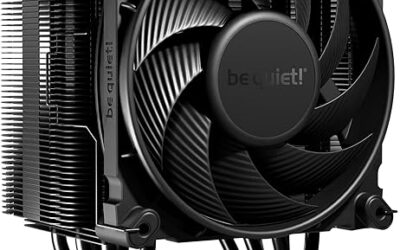
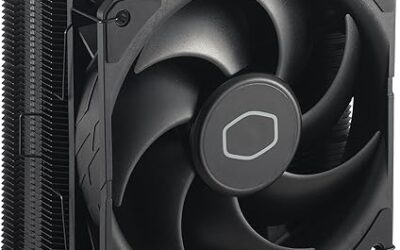
🛒 Best Price Today on Amazon
Prime members get fast, free shipping on everything above, plus member-only deals. New members get a 30-day free trial — cancel anytime.
The best low profile CPU cooler should fit a compact case without forcing you to sacrifice sensible gaming thermals, RAM clearance, or motherboard access. This roundup compares six proven SFF-friendly air coolers across height, socket support, fan size, heatsink design, compatibility, and the type of compact build each suits best.
Quick answer: For most people in 2026, the best low profile cpu cooler is the Cooler — our #1 rated choice. See the full ranked comparison, alternatives and buying advice below.
Best Low Profile CPU Coolers at a Glance
Low-profile cooling is mainly a space-management problem. A cooler can perform well in an open test bench yet struggle inside a dense Mini-ITX chassis if the fan sits close to a side panel or recycles GPU exhaust. For that reason, cooler height, fan position, case ventilation, and CPU power behavior matter as much as heatsink size.
We prioritized models designed for small-form-factor systems rather than merely shorter tower coolers. Published dimensions and socket support were checked against manufacturer specifications, while each recommendation is framed around physical fit, layout flexibility, cooling headroom, and likely noise behavior in a compact gaming PC.
| Cooler | Height / Configuration | Fan | Heatpipes | Socket Support | Best For |
|---|---|---|---|---|---|
| Thermalright AXP120-X67 | 52mm heatsink + 15mm fan | 120mm PWM | 6 | Intel and AMD | Performance-focused SFF |
| Noctua NH-L12S | 70mm low-profile configuration | 120mm PWM | 4 | Intel and AMD | Flexible premium builds |
| ID-COOLING IS-55 ARGB | 55mm | 120mm PWM | 5 | Intel and AMD | Balanced 55mm builds |
| Thermalright AXP90-X47 FULL | Approx. 47mm installed | 92mm PWM | 4 | Intel and AMD | Very tight cases |
| Noctua NH-L9a-AM5 | 37mm | 92mm PWM | 2 | AMD AM5 | Ultra-compact Ryzen PCs |
| be quiet! Pure Rock LP | 45mm | 92mm PWM | 3 | Intel and AMD | Quiet compact builds |
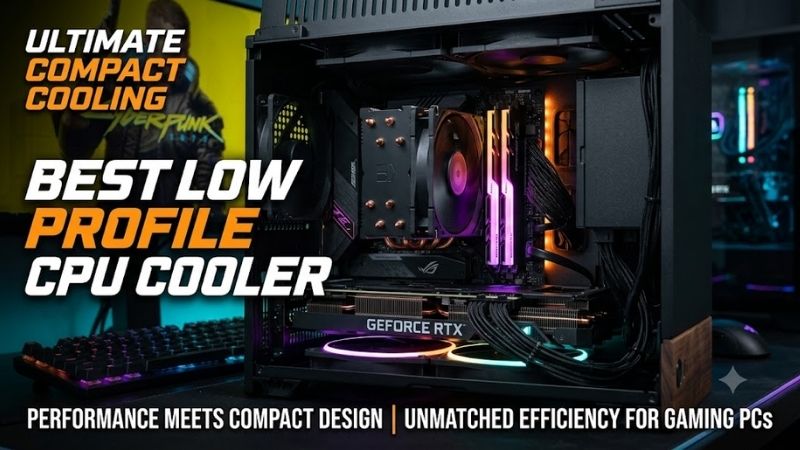
Thermalright AXP120-X67
Best For: Performance-Focused Mini-ITX Builds
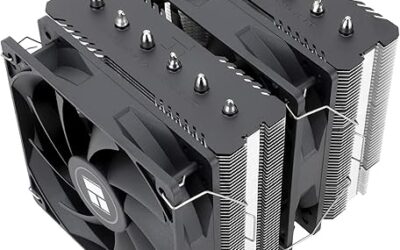
The Thermalright AXP120-X67 uses a broad 120mm-class footprint, six 6mm heatpipes, and a slim 120mm PWM fan. That combination gives it more fin area and airflow potential than tiny 92mm designs, making it a strong fit for builders who can spare roughly 67mm of vertical clearance and want more thermal headroom from a compact air cooler.
Its wider heatsink is the advantage and the compromise. More surface area can help with sustained gaming loads, but the overhanging design demands closer attention to RAM height, motherboard heatsinks, and case geometry. This cooler makes the most sense in roomier Mini-ITX cases where performance matters more than absolute minimum height.
Key Features:
- Six 6mm heatpipes
- 120x15mm TL-C12015 PWM fan
- 59 CFM rated maximum airflow
- Nickel-plated C1100 copper base
- Intel LGA1851/1700/1200 support
- AMD AM5 and AM4 support
What Makes It Different: A much larger 120mm cooling footprint than ultra-compact 92mm designs.
Pros:
- Larger fin area than many sub-60mm coolers
- Six heatpipes
- Broad Intel and AMD compatibility
- Slim 120mm PWM fan
Cons:
- Requires more vertical clearance
- Wider footprint demands careful RAM and motherboard checks
Use Case: Compact gaming PCs where cooler clearance is generous enough for a larger top-flow design.
Who It’s For: Builders who want stronger low-profile cooling without moving to a tower cooler or liquid cooling.
Noctua NH-L12S
Best For: Flexible Premium SFF Builds
The Noctua NH-L12S is built around a slim 120mm PWM fan and a top-flow heatsink that can be configured for low-profile use. Its flexible fan placement makes it unusually adaptable: builders can favor a lower total profile or move the fan above the fins when memory clearance is the more important constraint inside the chassis.
That flexibility is why the NH-L12S remains relevant for premium SFF systems with awkward layouts. It is not intended for processors that create very high heat loads, so CPU compatibility should be checked before purchase. Its strength is balanced fit, acoustic control, and component clearance rather than chasing maximum wattage.
Key Features:
- Slim NF-A12x15 120mm PWM fan
- Four 6mm heatpipes
- Copper base and heatpipes
- Aluminum cooling fins
- Multiple fan-placement configurations
- AMD AM5/AM4 support
- Intel LGA1851/1700/1200 support
What Makes It Different: The fan can be positioned to prioritize either lower cooler height or additional memory clearance.
Pros:
- Flexible installation layout
- 120mm fan
- Broad socket compatibility
- Strong RAM-clearance options
- Premium mounting system
Cons:
- Requires more space than ultra-low-profile models
- Not intended for very high CPU heat loads
Use Case: Premium Mini-ITX systems where the builder needs flexibility around RAM, case height, and motherboard layout.
Who It’s For: Users who value compatibility options and controlled acoustics more than the smallest possible dimensions.
ID-COOLING IS-55 ARGB
Best For: Balanced 55mm Gaming Builds
ID-COOLING’s IS-55 ARGB combines a 55mm overall height with five 6mm heatpipes, a copper base, and a 120x15mm PWM fan. That places it between ultra-thin 37–47mm coolers and taller 60–70mm designs, giving builders a useful middle ground when the case has enough clearance for a larger fan but not for a conventional tower.
The 120mm fan can move air across a broader fin area and nearby motherboard components, while the 55mm height remains friendly to many compact enclosures. The trade-off is footprint: verify memory, VRM heatsink, and motherboard clearance carefully. It suits gaming builds where a moderate CPU is paired with a genuinely compact chassis.
Key Features:
- 55mm overall height
- Five 6mm heatpipes
- Copper base
- 120x15mm PWM fan
- Up to 2,000 RPM rated fan speed
- 54.6 CFM rated maximum airflow
- Intel LGA1851/1700/1200 support
- AMD AM5 and AM4 support
What Makes It Different: It combines a relatively short 55mm profile with the airflow area of a slim 120mm fan.
Pros:
- Useful balance of height and cooling area
- Five heatpipes
- 120mm fan
- Wide current-platform support
- ARGB lighting
Cons:
- Wider footprint can affect RAM clearance
- Not as short as 37–47mm alternatives
Use Case: SFF gaming cases with approximately 55mm or more of CPU cooler clearance.
Who It’s For: Builders who want more cooling surface than a tiny 92mm solution but cannot accommodate a 65–70mm cooler.
Thermalright AXP90-X47 FULL
Best For: Very Tight Small-Form-Factor Cases
The AXP90-X47 FULL targets much tighter systems. It combines a 32mm-high copper heatsink with a 15mm 92mm fan for a roughly 47mm installed profile, while four 6mm heatpipes move heat through the dense copper fin stack. Its compact footprint also reduces the chance of interfering with nearby memory or PCIe hardware.
The full-copper construction adds mass and heat-spreading capacity in a size class where every millimeter counts, but the smaller 92mm fan still has less airflow area than 120mm alternatives. This is a specialist choice for very small cases where a 55–67mm cooler will not fit and the CPU is selected with realistic power limits in mind.
Key Features:
- Full-copper heatsink construction
- Four 6mm heatpipes
- Nickel-plated C1100 copper base
- 92x15mm PWM fan
- 2,700 RPM rated maximum fan speed
- Intel LGA1851/1700/1200 support
- AMD AM5 and AM4 support
What Makes It Different: Full-copper construction in an exceptionally short cooler intended for constrained SFF layouts.
Pros:
- Very low installed profile
- Compact socket footprint
- Full-copper heatsink
- Supports both Intel and AMD platforms
Cons:
- Smaller 92mm fan
- Limited thermal reserve compared with larger 120mm coolers
Use Case: Console-style cases, compact Mini-ITX builds, and systems with less than roughly 50mm of CPU cooler clearance.
Who It’s For: SFF enthusiasts whose case height rules out larger top-flow coolers but who still want a substantial metal heatsink.
Noctua NH-L9a-AM5
Best For: Ultra-Compact AMD AM5 Systems
Noctua’s NH-L9a-AM5 is a platform-specific 37mm cooler for AMD AM5. Its 92x14mm PWM fan sits on a compact heatsink that stays within a small footprint, helping preserve RAM and PCIe clearance on Mini-ITX boards. It is especially useful when the case leaves almost no room above the CPU socket area safely.
The limitation is deliberate: Noctua warns that the NH-L9a-AM5 is not suitable for CPUs that create high heat loads. It works best when ultra-low height is the first requirement and the processor is chosen accordingly. For compact Ryzen systems, that clear design target is often more useful than chasing a larger cooler that simply will not fit.
Key Features:
- 37mm total height
- 92x14mm NF-A9x14 HS-PWM fan
- Two 6mm heatpipes
- Copper base and heatpipes
- AMD AM5-specific mounting
- Small footprint designed to preserve RAM and PCIe clearance
What Makes It Different: Its 37mm total height makes it one of the most practical options when every millimeter above the AM5 socket matters.
Pros:
- Extremely low profile
- Excellent surrounding-component clearance
- PWM fan
- Compact footprint
- Straightforward AM5-specific design
Cons:
- AM5 only
- Not intended for high-heat-load processors
- Less thermal headroom than larger coolers
Use Case: Extremely compact Ryzen gaming systems, HTPCs, and console-style Mini-ITX cases.
Who It’s For: AMD AM5 builders who must stay near the 37mm height class and are prepared to choose CPU power levels accordingly.
be quiet! Pure Rock LP
Best For: Quiet Compact Gaming Systems
be quiet!’s Pure Rock LP stands 45mm tall and uses a slim 92mm PWM fan with three 6mm heatpipes. It supports current AMD AM5 and AM4 platforms plus several Intel sockets, so it is a practical cross-platform option for builders who need something shorter than a 55mm cooler without dropping all the way to a 37mm platform-specific design.
Its appeal is straightforward: compact dimensions, broad mainstream socket support, and a layout intended for Mini-ITX and HTPC systems. The smaller fan can require higher speed under heavier loads than a broad 120mm cooler, so it is better matched to sensible gaming CPUs than to aggressively tuned high-power processors in restricted cases.
Key Features:
- 45mm total height
- Three 6mm heatpipes
- 92x15mm PWM fan
- 2,500 RPM rated maximum fan speed
- 30.6 dB(A) published maximum noise level
- AMD AM5 and AM4 support
- Intel LGA1700/1200/115x support
What Makes It Different: It occupies a useful 45mm middle ground while maintaining support for both mainstream Intel and AMD systems.
Pros:
- Only 45mm tall
- Compact footprint
- Broad socket support
- PWM fan
- Designed specifically for SFF systems
Cons:
- Three-heatpipe design
- Smaller fan than 120mm alternatives
- Less headroom for high-power CPUs
Use Case: Mini-ITX gaming builds that require a cooler below 50mm but do not need the extreme 37mm height of the smallest Noctua models.
Who It’s For: Builders prioritizing compact dimensions and restrained acoustics with mainstream gaming processors.
How to Choose the Best Low Profile CPU Cooler
Check Maximum Cooler Height First
Cooler height is the first filter because a physically incompatible cooler has zero value. Measure the case limit, then leave room for manufacturing tolerances, side-panel structure, dust filters, and possible turbulence when the fan sits very close to a vent. A few spare millimeters can improve both installation ease and real-world acoustics.
A case rated for a 55mm CPU cooler should not automatically be paired with a cooler that measures exactly 55mm without checking the chassis layout. Side-panel ribs, fan ducts, filters, or manufacturing variation may affect usable clearance. Extra breathing room above the fan can also reduce the turbulence generated when blades sit immediately beneath a vent.
Decide Between 92mm and 120mm Fans
Fan diameter changes how a low-profile cooler behaves. A slim 120mm fan can move air over a wider fin area at a lower rotational speed for a given airflow target, while 92mm designs fit tighter socket zones and shorter coolers. Neither size is automatically superior because case clearance and heatsink area determine which approach works best.
Large-fan coolers such as the AXP120-X67 and IS-55 are appealing when the case provides enough room, while the NH-L9a-AM5, AXP90-X47 FULL, and Pure Rock LP prioritize compact dimensions. The correct choice depends on whether your limiting measurement is total CPU cooler height, socket-area clearance, RAM height, or all three at once.
Verify Exact Socket Compatibility
Socket compatibility must be checked at the exact model level. Noctua’s NH-L9a-AM5 is AMD-specific, while the NH-L9i-17xx family targets recent Intel sockets. Other coolers support both brands but may use different brackets. Always match the product revision to the motherboard rather than assuming every version in a cooler family fits.
This matters especially when similar names cover multiple mounting versions. Buying the correct heatsink but the wrong socket revision can leave you searching for a separate mounting kit. Check the motherboard socket, the manufacturer’s current compatibility information, and the exact product name before ordering rather than relying on a marketplace title alone.
Check RAM and Motherboard Clearance
RAM and VRM clearance matter most with wide top-flow coolers. A compact 92mm heatsink usually stays closer to the CPU socket, while 120mm designs can extend over memory or motherboard heatsinks. Before buying, compare the cooler drawing with DIMM height, socket position, GPU space, and allowed mounting orientations.
Motherboard layout varies significantly between Mini-ITX models. One board may place tall VRM heatsinks beside the socket, while another moves the M.2 stack or PCIe slot closer to the CPU area. A cooler that fits one Mini-ITX motherboard therefore may not clear another even when both boards use exactly the same processor socket.
Match the Cooler to CPU Power
CPU choice should reflect the cooler’s physical limits. Low-profile air cooling suits efficient gaming processors and power-managed builds, but sustained all-core workloads or unrestricted boost behavior can overwhelm tiny heatsinks. Matching the processor, BIOS power settings, and case airflow is more effective than judging the cooler alone.
A compact gaming PC does not necessarily need maximum motherboard power limits. Modern processors can often deliver strong gaming performance without operating at their highest possible package power. Choosing an efficient CPU or applying sensible limits can reduce heat, fan speed, and case temperature while making a low-profile air cooler considerably easier to live with.
Consider Case Airflow and Fan Turbulence
Noise depends on both the fan and the surrounding case. A fan pressed close to a perforated panel can create turbulence even when its published noise specification looks modest. If your case supports a fan duct or leaves a clean intake path, the cooler can pull cooler outside air directly instead of repeatedly ingesting warm air from the GPU area.
Top-flow coolers can also help move air around the socket, VRM area, and nearby memory, but that advantage disappears when hot air has nowhere to escape. A well-planned intake and exhaust path is therefore important even in very small cases. CPU cooler performance should always be considered as part of the complete case airflow system.
Install and Tune the Cooler Correctly
Thermal paste quality matters less than correct mounting pressure, clean contact surfaces, and a sensible airflow path. Install the cooler according to its manual, connect the fan to the CPU PWM header, and check temperatures under your normal gaming workload. If noise rises sharply, tune the fan curve before blaming the heatsink.
Undervolting or sensible power limits can help in compact builds because reducing heat output lowers the workload on a small heatsink. Exact settings depend on the CPU and motherboard, so stability testing is essential. The goal is a stable efficiency improvement without sacrificing the gaming performance you actually need.
FAQ
Are Low Profile CPU Coolers Good for Gaming?
Low-profile coolers can handle gaming when the CPU, case, and power settings are appropriate. Gaming is often less demanding than sustained rendering or heavy all-core work, but compact cases have less thermal reserve. Choose by clearance first, then confirm that the processor’s expected heat output matches the cooler’s intended use.
Is a 120mm Low Profile Cooler Better Than a 92mm Cooler?
For most SFF builds, a 120mm low-profile fan offers useful acoustic and airflow advantages when the case can accommodate the wider heatsink. A 92mm design is preferable when socket-area clearance or total height is extremely limited. The best choice depends on the case layout, not simply on fan diameter or maximum RPM.
Is a Low Profile CPU Cooler Worse Than a Tower Cooler?
A low-profile cooler is not automatically worse than a tower cooler, but it has less fin volume and usually less thermal headroom. Its advantage is packaging: it fits cases where a tower is impossible and can direct airflow across nearby motherboard parts. In larger cases, a tower generally offers easier cooling at lower fan speeds.
How Do I Know Whether a Low Profile Cooler Will Fit?
Before buying, confirm CPU socket support, maximum cooler height, motherboard keep-out zones, RAM height, GPU proximity, and fan orientation. For top-flow designs, also verify whether the heatpipes or fins overhang the DIMM slots. Manufacturer compatibility tools and dimension drawings are more reliable than judging fit from product photos.
Does Undervolting Help With a Low Profile CPU Cooler?
Undervolting or sensible power limits can help in compact builds because reducing heat output lowers the workload on a small heatsink. Exact settings depend on the CPU and motherboard, so stability testing is essential. The goal is a stable efficiency improvement without sacrificing the gaming performance you actually need.
Conclusion
The best low profile CPU cooler depends on the space your case actually provides. Choose the AXP120-X67 or NH-L12S when you have more room for cooling area, the IS-55 for balanced 55mm builds, and the AXP90-X47 FULL, NH-L9a-AM5, or Pure Rock LP when height is tighter. Fit and CPU pairing matter more than brand alone.
Ready to decide? Our #1 pick for 2026 is the Cooler.
Live price & availability on Amazon.