🛒 Best Price Today on Amazon
Prime members get fast, free shipping on everything above, plus member-only deals. New members get a 30-day free trial — cancel anytime.
- What Matters in a Gaming Laptop for Twitch Streaming?
- Best Gaming Laptops for Twitch Streaming Compared
- ROG Zephyrus G16 (2026) — Best for Mobile Streamers
- ROG Strix SCAR 18 (2026) — Best for Maximum Performance
- MSI Raider 18 HX AI A2XW — Best for Expansion
- Alienware 16 Area-51 — Best Premium 16-Inch Setup
- Acer Predator Helios 16 AI — Best for Wired Streaming
- Which Gaming Laptop Is Best for Your Twitch Setup?
- Buying Guide for a Twitch Streaming Gaming Laptop
- FAQ
- Conclusion
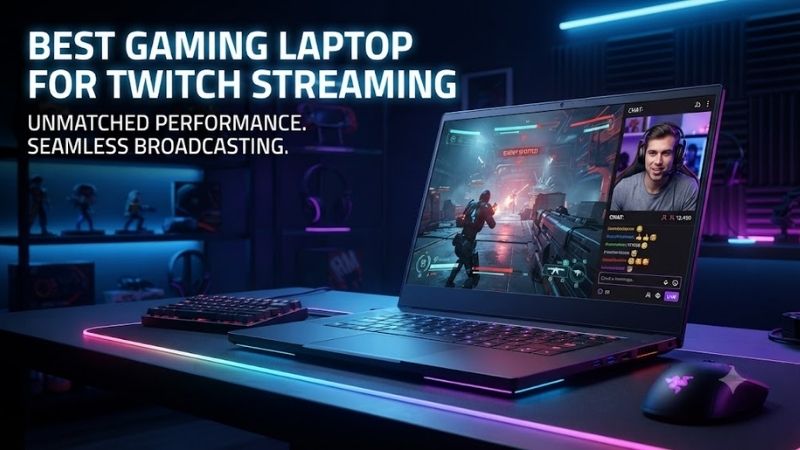
The best gaming laptop for Twitch streaming should keep gameplay smooth while OBS, alerts, browser sources, chat, and capture tools run beside it. This roundup focuses on current RTX 50-series systems with hardware encoding, strong CPUs, practical ports, and cooling designed for sustained gaming and streaming loads.
Quick answer: For most people in 2026, the best gaming laptop for twitch streaming is the ROG Zephyrus G16 (2026) — our #1 rated choice. See the full ranked comparison, alternatives and buying advice below.
What Matters in a Gaming Laptop for Twitch Streaming?
For Twitch, the key is not simply buying the fastest GPU. A strong streaming laptop needs enough graphics headroom for the game, a modern hardware encoder for OBS, CPU capacity for background tools, and ports for microphones, cameras, capture cards, storage, and Ethernet. Cooling also matters during long live sessions.
NVIDIA GeForce RTX 50-series laptop GPUs use the ninth-generation NVIDIA Encoder, giving OBS users dedicated hardware video encoding instead of relying primarily on the CPU for the broadcast workload.
Best Gaming Laptops for Twitch Streaming Compared
| Laptop | Streaming Strength | GPU Options | Display | Wired Networking |
|---|---|---|---|---|
| ROG Zephyrus G16 (2026) | Portable streaming | RTX 5060 to RTX 5090 | 16-inch 2560 × 1600 OLED, 240Hz | No built-in RJ45 |
| ROG Strix SCAR 18 (2026) | Maximum desk performance | RTX 5090, 175W | 18-inch 4K Mini LED, up to 240Hz | 2.5G LAN |
| MSI Raider 18 HX AI A2XW | Expansion and sustained power | Up to RTX 5090, 175W | 18-inch QHD+ or UHD+ options | Up to 2.5GbE |
| Alienware 16 Area-51 | Premium 16-inch setup | RTX 5060 to RTX 5090 | 16-inch WQXGA OLED, 240Hz | No built-in Ethernet |
| Predator Helios 16 AI | Cooling and wired streaming | Up to RTX 5090 | 16-inch 2560 × 1600 OLED, 240Hz | 5 Gigabit Ethernet |
Configuration note: CPU, GPU, memory, storage, display, and port options can vary by region and SKU. Check the exact configuration before buying.
ROG Zephyrus G16 (2026) — Best for Mobile Streamers
The ROG Zephyrus G16 is the portability-first option here. It pairs a 16-inch format with current RTX 50-series graphics, so it can handle modern games and hardware-accelerated encoding without forcing streamers into an 18-inch desktop replacement. The trade-off is less upgrade flexibility than bulkier systems.
Best For: Streamers who travel, attend events, or move between gaming and production locations.
Key Features
- Intel Core Ultra 9 386H processor.
- GeForce RTX 5060, RTX 5070, RTX 5070 Ti, RTX 5080, and RTX 5090 Laptop GPU configurations.
- 16-inch 2560 × 1600 OLED display with a 240Hz refresh rate.
- 32GB or 64GB LPDDR5X depending on configuration.
- Two M.2 PCIe storage positions.
- HDMI 2.1, two USB-A ports, USB-C, Thunderbolt 4, and UHS-II SD reader.
- Wi-Fi 7 and a 90Wh battery.
What Makes It Different: It combines high-end RTX graphics with a thinner, easier-to-carry chassis than the 18-inch systems in this roundup.
Pros
- Wide RTX 50-series GPU selection.
- OLED 240Hz panel.
- Useful creator-oriented SD card reader.
- Two M.2 positions.
- Strong port selection for a relatively portable system.
Cons
- No built-in RJ45 Ethernet port.
- Memory is onboard rather than SO-DIMM upgradeable.
- High-end GPU configurations sacrifice some sustained power versus larger desktop replacements.
Use Case: Gaming and OBS streaming at home, followed by editing, travel, LAN events, conventions, or streaming from another location.
Who It’s For: Twitch creators who want one laptop for gaming, streaming, editing, and travel instead of maintaining separate mobile and desktop systems.
ROG Strix SCAR 18 (2026) — Best for Maximum Performance
The ROG Strix SCAR 18 targets streamers who want a large-screen desktop-replacement setup without building a tower. Its 18-inch panel, high-power RTX 5090 option, wired networking, and Thunderbolt 5 support make it easier to connect fast storage, docks, capture hardware, and external displays for a fixed streaming desk.
Best For: High-end Twitch setups running demanding games, OBS scenes, local recording, and multiple peripherals.
Key Features
- Intel Core Ultra 9 290HX Plus processor.
- GeForce RTX 5090 Laptop GPU with 24GB GDDR7 and up to 175W ROG Boost.
- 18-inch 3840 × 2400 Mini LED panel with up to 240Hz operation.
- 64GB DDR5 in the cited configuration, with support up to 128GB.
- Two DDR5 SO-DIMM slots and two M.2 PCIe positions.
- Three USB-A ports and dual Thunderbolt 5.
- HDMI 2.1 and 2.5G LAN.
- 90Wh battery.
What Makes It Different: The combination of a 175W RTX 5090, upgradeable RAM, dual Thunderbolt 5, 2.5G Ethernet, and an 18-inch display is aimed squarely at desktop-replacement use.
Pros
- High GPU power ceiling.
- Built-in 2.5G Ethernet.
- Upgradeable DDR5 memory.
- Two M.2 positions.
- Dual Thunderbolt 5.
- Large, high-resolution Mini LED display.
Cons
- Weighs about 3.73 kg before including its power adapter.
- Large footprint for small desks.
- More performance than many Twitch workflows actually require.
Use Case: A permanent streaming station running demanding AAA games, OBS, multiple displays, capture hardware, local recording, and creator applications simultaneously.
Who It’s For: Streamers replacing a desktop tower with one powerful laptop and who prioritize sustained performance and connectivity over portability.
MSI Raider 18 HX AI A2XW — Best for Expansion
The MSI Raider 18 HX AI is built for streamers who value sustained power and expansion over portability. Its large chassis, high GPU power ceiling, dual Thunderbolt 5 ports, 2.5GbE-class wired networking, and two M.2 storage slots suit complex OBS scenes, local recordings, large game libraries, and multi-device creator setups.
Best For: Streamers combining live broadcasting with recording, editing, large game libraries, and numerous external devices.
Key Features
- Available with Intel Core Ultra 200HX-series processors.
- GeForce RTX 5090 Laptop GPU option with 24GB GDDR7 and up to 175W Maximum Graphics Power.
- 18-inch QHD+ 240Hz and UHD+ Mini LED display configurations.
- DDR5 memory support up to 96GB with two slots.
- One PCIe Gen 5 M.2 position plus one PCIe Gen 4 M.2 position on documented configurations.
- Two Thunderbolt 5 ports and three USB-A ports.
- HDMI 2.1 and up to 2.5GbE wired networking.
- 99.9Wh battery.
What Makes It Different: Its mix of high GPU power, upgradeable memory, two SSD positions, wired networking, and extensive I/O makes it especially practical for a complicated creator desk.
Pros
- 175W RTX 5090 option.
- Up to 96GB DDR5.
- Dual Thunderbolt 5.
- Dual M.2 storage positions.
- Built-in wired networking.
- Large display options for OBS monitoring.
Cons
- Large 18-inch chassis.
- Far less convenient for frequent travel.
- High-end configurations are unnecessary for basic 1080p Twitch streaming.
Use Case: Streaming demanding games while simultaneously recording high-quality local footage, monitoring multiple scenes, storing large game libraries, and attaching capture or production hardware.
Who It’s For: Streamers who want a laptop to function as the center of a substantial gaming and content-production workstation.
Alienware 16 Area-51 — Best Premium 16-Inch Setup
Alienware’s 16 Area-51 is a strong fit for streamers who want a premium 16-inch machine without moving to an 18-inch chassis. The RTX 5090 configuration, 240Hz OLED display, and large 96Wh battery create a capable gaming platform, while the compact size is easier to place on a streaming desk or transport between setups.
Best For: Streamers who want high-end GPU choices and an OLED gaming display in a smaller footprint than an 18-inch desktop replacement.
Key Features
- Intel Core Ultra 9 290HX Plus processor on documented configurations.
- RTX 5060, RTX 5070, RTX 5070 Ti, RTX 5080, and RTX 5090 GPU options.
- 16-inch WQXGA OLED 240Hz display with NVIDIA G-SYNC.
- Memory configurations up to 64GB.
- Storage configurations ranging from single-drive options to multi-drive RAID setups.
- Three USB-A ports, HDMI 2.1, and an SD card reader.
- Thunderbolt 5 on RTX 5070 Ti and higher configurations.
- Wi-Fi 7 and a 96Wh battery.
What Makes It Different: It offers unusually broad GPU and storage configuration choices inside a 16-inch chassis, including Thunderbolt 5 on higher GPU tiers.
Pros
- GPU choices from RTX 5060 through RTX 5090.
- 240Hz OLED display.
- Multiple USB-A ports.
- Thunderbolt 5 on higher configurations.
- SD card reader.
- Large battery.
Cons
- No built-in Ethernet port.
- Maximum listed weight reaches about 3.40 kg.
- Wired Twitch setups require a USB or Thunderbolt Ethernet adapter.
Use Case: A premium gaming and streaming station that occasionally needs to move between rooms, studios, offices, or events without using an 18-inch machine.
Who It’s For: Streamers who value display quality and configurable high-end hardware but can accept using an adapter for wired networking.
Acer Predator Helios 16 AI — Best for Wired Streaming
The Predator Helios 16 AI is the cooling-focused alternative for streamers who expect long gaming sessions with OBS running continuously. Acer offers high-power RTX graphics, a 16-inch OLED panel, fast wired networking, and expandable memory. It is less travel-oriented than thin models, but the design favors sustained performance.
Best For: Streamers who want high GPU power and built-in fast Ethernet without moving to an 18-inch system.
Key Features
- Intel Core Ultra 9 275HX on documented configurations.
- GeForce RTX 5090 Laptop GPU option with 24GB GDDR7.
- Up to 175W Maximum Graphics Power for the RTX 5090 configuration.
- 16-inch 2560 × 1600 OLED display at 240Hz.
- Up to 64GB DDR5 system memory.
- PCIe NVMe storage.
- Wi-Fi 7.
- 5 Gigabit Ethernet on the documented U.S. RTX 5090 model.
What Makes It Different: Built-in 5GbE is especially useful for creators moving large local files while also wanting a direct wired connection for Twitch broadcasting.
Pros
- High-power RTX 5090 option.
- Built-in 5GbE.
- 240Hz OLED display.
- Expandable DDR5 memory.
- Strong fit for fixed streaming desks.
Cons
- Bulkier than portability-focused gaming laptops.
- Configuration availability varies by region.
- RTX 5090 power is unnecessary for lighter esports streaming workloads.
Use Case: Long Twitch sessions from a permanent desk where Ethernet, sustained GPU load, OBS, local recording, and background production applications run together.
Who It’s For: Streamers who prioritize wired networking and sustained performance but still want a 16-inch laptop rather than an 18-inch desktop replacement.
Which Gaming Laptop Is Best for Your Twitch Setup?
All five laptops can serve a Twitch workflow, but their strengths differ. The Zephyrus G16 prioritizes mobility, the SCAR 18 and Raider 18 favor maximum desk-bound performance, Alienware balances premium hardware with a 16-inch footprint, and the Helios 16 AI emphasizes cooling, wired connectivity, and memory expansion.
Buying Guide for a Twitch Streaming Gaming Laptop
Choose the GPU for Gaming Headroom, Not Just Encoding
For Twitch streaming, prioritize an NVIDIA RTX GPU if you want straightforward OBS hardware encoding. RTX 50-series laptop GPUs include ninth-generation NVENC, which can handle video encoding separately from the main game-rendering workload. That makes GPU choice about gaming headroom and multitasking, not only stream encoding.
An RTX 5090 is therefore not automatically the smartest Twitch purchase. Competitive games at moderate settings may leave ample streaming headroom on a lower GPU tier, while demanding AAA gaming, high-resolution displays, ray tracing, local recording, or simultaneous creative workloads can justify moving toward an RTX 5080 or RTX 5090.
Leave CPU Headroom for OBS and Background Tools
A modern high-end CPU matters when OBS is only one part of the workload. Browser sources, Discord, moderation tools, music apps, scene automation, virtual cameras, and background recording can all add CPU pressure. Streamers playing simulation, strategy, or competitive titles should leave extra processor headroom for these tasks.
Start With 32GB of RAM
Memory capacity becomes important once a stream grows beyond a simple game-and-camera scene. For gaming plus OBS, chat, browsers, alerts, and creator utilities, 32GB is a practical target. Heavy multitaskers, editors, virtual-machine users, or streamers who keep large creative apps open may benefit from 64GB or an upgradeable platform.
Check Ports Before Buying
Ports can matter more than a small performance difference. A serious Twitch desk may use a USB microphone, webcam, capture card, Stream Deck, external SSD, Ethernet, and one or two monitors at once. Thunderbolt, multiple USB-A ports, HDMI, and fast wired networking reduce reliance on hubs and simplify troubleshooting.
A laptop without RJ45 can still work well, but plan for a dependable USB-C or Thunderbolt Ethernet adapter. If you regularly use several USB devices, choosing a laptop with three USB-A ports or adding a powered dock can also prevent your capture card, camera, microphone, and controller from competing for limited connections.
Prioritize Cooling for Long Broadcasts
Streaming creates a sustained workload, so cooling should be judged differently from short gaming bursts. A thin laptop can be convenient, but larger systems usually have more room for fans, heat pipes, and higher sustained power. If you stream for several hours, stable clocks and manageable fan behavior matter more than peak benchmark numbers.
Consider Twitch Enhanced Broadcasting
Twitch Enhanced Broadcasting can generate multiple quality variants through supported broadcasting software, with automatic settings based on the computer and available bandwidth. Twitch currently says Enhanced Broadcasting is available to all streamers, while 2K streaming through the system is limited to Affiliates and Partners.
FAQ
Can One Gaming Laptop Run a Game and OBS at the Same Time?
Yes. A single modern gaming laptop can run the game and OBS at the same time, especially when hardware encoding is used. The main limits are GPU headroom, CPU load from background software, cooling, and network stability. A second PC is mainly useful for specialized production workflows or strict separation of gaming and broadcast tasks.
Is 32GB of RAM Enough for Twitch Streaming?
For most Twitch streamers, 32GB of RAM is the sensible starting point because it leaves room for OBS, a game, browser sources, Discord, chat tools, and background utilities. More memory helps if you edit video, run virtual machines, keep many browser tabs open, or use demanding creative apps while streaming.
Do I Need an RTX 5090 Laptop for Twitch?
An RTX 5090 laptop is not required for Twitch. Hardware encoding is available across current RTX 50-series laptop GPUs, so a lower-tier GPU can stream effectively if it also meets the performance needs of your games. Spend extra on the GPU when you need higher in-game settings, higher resolution, or more graphics headroom.
Should I Use Ethernet or Wi-Fi for Twitch Streaming?
Ethernet is strongly preferred for a fixed Twitch setup because it avoids the variability of wireless interference, roaming, and signal strength. Wi-Fi 7 can be useful when cabling is impossible, but a direct wired connection is easier to diagnose and usually more consistent for long broadcasts with steady upstream traffic.
Does Twitch Enhanced Broadcasting Require More GPU Power?
Twitch Enhanced Broadcasting can send multiple quality variants from supported broadcast software and can also enable features such as 2K streaming for eligible accounts. That increases the importance of GPU encoding capacity and upstream bandwidth, so streamers should test their exact OBS configuration before relying on it for a live event.
Conclusion
The best gaming laptop for Twitch streaming depends on whether you value mobility, maximum sustained power, or desk-friendly connectivity. The Zephyrus G16 suits travel, while the SCAR 18 and Raider 18 favor heavy setups. Alienware and Helios 16 AI split the difference with strong 16-inch hardware and creator-ready features.
Ready to decide? Our #1 pick for 2026 is the ROG Zephyrus G16 (2026).
Live price & availability on Amazon.