🛒 Best Price Today on Amazon
Prime members get fast, free shipping on everything above, plus member-only deals. New members get a 30-day free trial — cancel anytime.
- Quick Answer: Which Gaming Laptop Fits Deployment Best?
- How We Chose These Deployment Gaming Laptops
- 1. ASUS TUF Gaming A14 (2026) — Best Overall
- 2. ROG Zephyrus G14 (2026) — Best Premium Portable Pick
- 3. Alienware 16 Aurora — Best for Wired Room Setups
- 4. Lenovo Legion Pro 7i Gen 10 — Best for Maximum Performance
- Buying Guide for a Military Deployment Gaming Laptop
- Prepare Your Gaming Laptop Before Deployment
- FAQ
- Conclusion
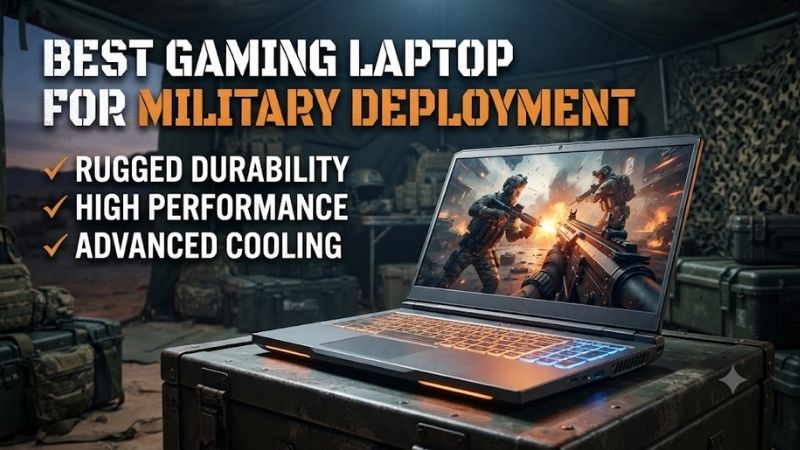
The best gaming laptop for military deployment needs more than raw FPS. It should be compact enough for limited baggage, efficient on power, easy to protect in transit, and capable of handling modern games during downtime. This guide compares practical options for portability, storage, battery, ports, and long-term use.
Quick Answer: Which Gaming Laptop Fits Deployment Best?
For most buyers, the TUF Gaming A14 is the best starting point because it minimizes carry burden without dropping discrete RTX graphics or expandable SSD storage. The Zephyrus G14 is lighter-feeling and more premium, while the larger Alienware and Legion models trade portability for screen size, ports, cooling headroom, or higher-end GPU options.
| Laptop | Best Deployment Role | Weight | Display | Battery | Key Advantage |
|---|---|---|---|---|---|
| ASUS TUF Gaming A14 (2026) | Best overall / frequent movement | 3.22 lb | 14-inch 2.5K 165Hz | 73Wh | MIL-STD-810H testing, dual M.2, USB-C charging |
| ROG Zephyrus G14 (2026) | Premium ultraportable | 3.31 lb | 14-inch 3K OLED 120Hz | 73Wh | OLED screen and compact 100W USB-C charging |
| Alienware 16 Aurora | Fixed-room gaming | From 5.49 lb | 16-inch WQXGA 120Hz | Up to 96Wh | RJ45 Ethernet and broad port selection |
| Lenovo Legion Pro 7i Gen 10 | Maximum desk-bound performance | About 6 lb | 16-inch WQXGA OLED 240Hz | 99Wh | RTX 5080/5090 options and high-end display |
How We Chose These Deployment Gaming Laptops
These picks were selected around deployment-specific trade-offs rather than raw benchmark rankings: weight, charger size, battery capacity, storage expansion, wired connectivity, display size, and documented durability claims. Exact CPU, GPU, memory, and SSD configurations vary by region, so match the model number before ordering.
1. ASUS TUF Gaming A14 (2026) — Best Overall
The ASUS TUF Gaming A14 is the strongest all-around fit because it combines a 14-inch chassis, low weight, modern gaming hardware, USB-C charging support, and MIL-STD-810H testing. ASUS lists the 2026 FA401GM at 1.46 kg with a 73Wh battery, making it far easier to pack than most high-performance 16-inch gaming notebooks.
Its 2.5K 165Hz display, GeForce RTX 5060 Laptop GPU, and dual M.2 storage layout give it enough capability for current games without turning the machine into a transport burden. The key limitation is onboard LPDDR5X memory, so buyers should choose the RAM capacity they expect to need before deployment.
Best For: Frequent movement, tight baggage limits, and mixed gaming/work use.
Key Features:
- AMD Ryzen AI 9 465 processor
- NVIDIA GeForce RTX 5060 Laptop GPU
- Up to 115W GPU TGP in Manual Mode
- 14-inch 2560 x 1600 165Hz display
- 73Wh battery
- 1.46 kg / 3.22 lb chassis
- Dual M.2 NVMe SSD slots
- 100W USB-C Power Delivery support
- MIL-STD-810H testing
What Makes It Different: It combines explicit MIL-STD-810H testing, a 3.22 lb chassis, dual-SSD expansion, and an RTX 5060 in one compact platform.
Pros:
- Very low carry weight for a gaming laptop
- Two M.2 slots simplify offline game-library expansion
- USB-C charging is useful when full gaming power is unnecessary
- 165Hz G-SYNC display suits fast competitive games
- Documented vibration, drop, humidity, and temperature testing
Cons:
- System memory is onboard rather than user-upgradable
- A 14-inch display offers less workspace than 16-inch alternatives
- Full gaming performance still requires the primary power adapter
Use Case: A strong choice when the laptop must regularly move between rooms, temporary accommodation, travel bags, or different duty locations.
Who It’s For: Service members who want one system for gaming, everyday computing, media, and travel without carrying a six-pound desktop replacement.
2. ROG Zephyrus G14 (2026) — Best Premium Portable Pick
The ROG Zephyrus G14 is the premium portability pick for users who want a lighter machine without giving up a high-resolution gaming display. The 2026 GA403 weighs 1.50 kg and pairs a 14-inch 3K 120Hz OLED panel with a GeForce RTX 5060 Laptop GPU, 73Wh battery, Wi-Fi 7, and a compact 14-inch footprint.
ASUS also lists both a 200W primary adapter and 100W USB-C power support, which matters when you want to carry a smaller charger for light-duty days. The trade-off is limited upgrade flexibility: the listed 32GB memory is onboard and the model has one M.2 slot, so it rewards buyers who configure storage carefully before leaving.
Best For: Premium portability, gaming, media consumption, and creative workloads.
Key Features:
- AMD Ryzen AI 9 465
- GeForce RTX 5060 Laptop GPU
- Up to 100W GPU power in Manual Mode
- 14-inch 2880 x 1800 OLED display
- 120Hz refresh rate with G-SYNC
- 32GB onboard LPDDR5X on listed GA403 configuration
- 73Wh battery
- 1.50 kg / 3.31 lb weight
- Wi-Fi 7
- 100W USB-C adapter support
What Makes It Different: The 3K OLED display provides the most premium visual experience among the compact deployment-oriented choices here.
Pros:
- Easy to pack at only 3.31 lb
- OLED panel provides high contrast for games and movies
- USB-C charging reduces charger bulk during light-use travel
- HDMI, USB4, USB-C, USB-A, and microSD are integrated
Cons:
- Only one M.2 storage slot is listed
- Memory is onboard with no expansion slot
- 14-inch OLED prioritizes image quality over maximum screen area
Use Case: Ideal for someone moving regularly who also values display quality for gaming, movies, photo work, or content creation during downtime.
Who It’s For: Buyers who prioritize a premium screen and low weight more than maximum storage expansion or desktop-class GPU power.
3. Alienware 16 Aurora — Best for Wired Room Setups
The Alienware 16 Aurora works best for deployment setups where a larger screen and wired networking matter more than minimum pack weight. Dell lists a 16-inch WQXGA 120Hz display, RJ45 Ethernet, HDMI 2.1, two USB-C ports, and GPU choices up to GeForce RTX 5070, giving it practical connectivity for a fixed desk or shared room.
Its available 96Wh battery is useful for mobility between outlets, but the chassis starts at 5.49 lb and the power adapter adds more weight. That makes the Aurora less attractive for frequent movement than the 14-inch ASUS models, yet more comfortable for gamers who expect to stay in one location for longer stretches.
Best For: Barracks, dorm-style rooms, or other locations where the laptop normally remains on a desk.
Key Features:
- 16-inch WQXGA 120Hz display
- GeForce RTX 4050, 5050, 5060, and 5070 options
- 60Wh or 96Wh battery options
- Starting weight of 5.49 lb
- RJ45 Gigabit Ethernet
- HDMI 2.1
- Two USB-C ports
- Two USB-A ports
What Makes It Different: Built-in Ethernet, a larger 16-inch display, and an available 96Wh battery make it better suited to a semi-permanent gaming station.
Pros:
- RJ45 avoids needing an Ethernet dongle
- Wide range of GPU configurations
- Larger screen than either 14-inch ASUS option
- 96Wh battery option offers substantial capacity
- Useful rear and side connectivity
Cons:
- Considerably heavier than the TUF A14 or Zephyrus G14
- Dell lists an additional 1.15 to 1.25 lb for the power adapter
- 120Hz refresh rate is below the faster panels on the other picks
Use Case: Best when you expect reliable desk space, wired networking, and only occasional transport between locations.
Who It’s For: Gamers who would rather have a larger display and integrated Ethernet than minimize every pound of deployment baggage.
4. Lenovo Legion Pro 7i Gen 10 — Best for Maximum Performance
The Lenovo Legion Pro 7i Gen 10 is the performance-focused option for a stable room, reliable AC power, and minimal daily carrying. Lenovo offers configurations with GeForce RTX 5080 or RTX 5090 Laptop GPUs, a 16-inch 2560 x 1600 240Hz OLED display, up to 64GB DDR5 memory, and a very large 99Wh battery.
That performance comes with a deployment penalty: Lenovo lists the laptop at about 6 lb and ships it with a 400W AC adapter. It is a poor match for users who must move frequently or keep baggage light, but it can make sense for long assignments where the laptop mostly stays on a desk and doubles as a desktop replacement.
Best For: High-end gaming from a fixed location with dependable AC power.
Key Features:
- GeForce RTX 5080 or RTX 5090 Laptop GPU configurations
- Up to 64GB DDR5 memory
- 99Wh battery
- 16-inch 2560 x 1600 OLED display
- 240Hz refresh rate
- Thunderbolt 4
- USB-C Power Delivery support
- HDMI 2.1
- RJ45 Ethernet
- 400W AC adapter
What Makes It Different: Its high-power RTX GPU options and 240Hz OLED display push much closer to desktop-replacement territory than the lighter laptops in this roundup.
Pros:
- Highest-end GPU options in this comparison
- Large 99Wh battery
- Fast 240Hz OLED panel
- RJ45 and extensive USB connectivity
- Up to 64GB DDR5 memory
Cons:
- Approximately six-pound starting weight
- Large 400W charger increases total travel weight
- Poor fit for frequent relocation
- High-end hardware is unnecessary for lighter esports or indie gaming
Use Case: A long deployment where the laptop stays in one room and serves as the primary gaming, entertainment, and personal computer.
Who It’s For: Users willing to accept extra weight and charger bulk to get stronger GPU options and a larger, faster display.
Buying Guide for a Military Deployment Gaming Laptop
Prioritize Total Carry Weight
Start with carry weight before chasing maximum GPU power. A 14-inch gaming laptop around 3.2 to 3.3 lb leaves more room for protective sleeves, adapters, headphones, and work gear, while a 6 lb notebook plus a large power brick can become noticeable quickly. Frequent movers benefit most from smaller chassis and lighter charging options.
Plan Around Available Power
Power strategy matters because gaming performance drops sharply when a laptop is unplugged, and high-end GPUs are designed around AC power. A machine that supports USB-C charging can simplify travel for email, streaming, and light work, but bring the manufacturer’s full-power adapter when you expect to game at sustained performance.
Check Ports Before You Deploy
Ports can matter more on deployment than at home. RJ45 Ethernet is useful where wired access is available, HDMI simplifies connection to a TV or external monitor, and multiple USB-A ports reduce dependence on hubs. If you choose a compact laptop without Ethernet, pack a known-good USB-C network adapter before you leave.
Buy Enough Storage for Offline Gaming
Storage deserves extra attention when internet access may be slow, metered, or unavailable. Large game libraries, offline media, maps, documents, and update files can consume space quickly. A second M.2 slot is valuable because it lets you expand storage without replacing the original SSD, while single-slot systems require more planning.
Understand What MIL-STD-810H Actually Means
Durability claims need careful interpretation. The TUF Gaming A14 is tested to MIL-STD-810H procedures, but ASUS notes that this does not mean the laptop is certified for military-purpose use. Treat that testing as added confidence for ordinary transport stress, not permission to expose the notebook to rain, sand, impact, or field conditions.
Prepare Your Gaming Laptop Before Deployment
Before departure, update Windows, GPU drivers, launchers, and every game you plan to play, then test offline mode where supported. Save installers for network, chipset, and graphics drivers, create a recovery drive, and keep critical files backed up. These steps reduce dependence on fast internet when connectivity is limited or inconsistent.
FAQ
Is a 14-Inch Gaming Laptop Better for Military Deployment?
A 14-inch gaming laptop is usually the easiest size to deploy with because it reduces both chassis weight and backpack volume. Models such as the TUF Gaming A14 and Zephyrus G14 still offer discrete RTX graphics, but the smaller display and tighter cooling system can be less comfortable than a 16-inch machine for long gaming sessions.
Can You Play Games on a Gaming Laptop Without Wall Power?
You can game on battery, but it is rarely the best way to use a gaming laptop. Manufacturers tune peak CPU and GPU performance around wall power, while battery mode typically limits power to control heat and runtime. For deployment, think of the battery as mobility and backup time, then use the full-power adapter for serious gaming.
Does MIL-STD-810H Make a Laptop Military-Rugged?
MIL-STD-810H testing does not automatically make a gaming laptop a rugged military computer. On the TUF Gaming A14, ASUS says the testing is performed under laboratory conditions and does not indicate suitability for specific military use. A padded sleeve, careful vent protection, and dry storage still matter during transport.
How Much SSD Storage Should a Deployment Gaming Laptop Have?
For deployment, 1TB is a sensible starting point if you play several large games or keep offline media, but storage needs vary by library size. If internet access may be unreliable, prioritize a laptop with a second M.2 slot or plan an external SSD. Download major games, updates, drivers, and recovery tools before departure.
Conclusion
The ASUS TUF Gaming A14 is the most deployment-friendly balance of weight, gaming capability, storage flexibility, and tested durability, while the Zephyrus G14 favors premium portability. Alienware’s 16 Aurora suits wired room setups, and the Legion Pro 7i fits users who want maximum desk-bound performance with reliable AC power.
Ready to decide? Our #1 pick for 2026 is the ASUS TUF Gaming A14 (2026).
Live price & availability on Amazon.