Table of Contents
- 0.1 🛒 Best Price Today on Amazon
- 1 Portable gaming laptops at a glance
- 2 ASUS ROG Zephyrus G14 (2025): Best overall for travel
- 3 Razer Blade 14 (2025): Best slim laptop with travel ports
- 4 ASUS ROG Flow Z13 (2025): Best compact tablet format
- 5 How to choose a gaming laptop for travel
- 5.1 Compare your complete bag, not laptop weight alone
- 5.2 Plan around outlets
- 5.3 Match the screen and controls to the journey
- 5.4 Check the exact configuration
- 6 FAQ
- 6.1 What is the best gaming laptop for frequent travel?
- 6.2 Can I game on a laptop during a flight?
- 6.3 Is a 13-inch gaming tablet better than a 14-inch laptop for travel?
- 6.4 Should I rely on a small USB-C charger for gaming?
- 7 Conclusion
🛒 Best Price Today on Amazon
Prime members get fast, free shipping on everything above, plus member-only deals. New members get a 30-day free trial — cancel anytime.
The best gaming laptop for travel balances the machine you carry with the games you want to play after arrival. The ASUS ROG Zephyrus G14 is the strongest all-around laptop pick here; the Razer Blade 14 favors a slim chassis and broad connectivity. The ASUS ROG Flow Z13 packs smaller, but its tablet design changes where it is comfortable to use.
Quick answer: For most people in 2026, the best gaming laptop for travel is the ASUS ROG Zephyrus G14 (2025) — our #1 rated choice. See the full ranked comparison, alternatives and buying advice below.
Portable gaming laptops at a glance
| Model | Travel advantage | Gaming hardware | Main trade-off |
|---|---|---|---|
| ASUS ROG Zephyrus G14 (2025) | Compact, conventional laptop | Dedicated GeForce RTX GPU; configuration varies | Small screen for long desk sessions |
| Razer Blade 14 (2025) | Thin 14-inch chassis and useful ports | Up to GeForce RTX 5070 Laptop GPU | Fixed system memory |
| ASUS ROG Flow Z13 (2025) | Small tablet format | AMD Ryzen AI Max integrated graphics | Kickstand needs a suitable surface |
Choose by how you travel. The G14 makes sense if you want one familiar laptop for transit, work, and gaming. The Blade 14 suits a slim bag and frequent monitor connections. The Flow Z13 is the smallest format, but its detachable keyboard and kickstand require more thought if you often use your computer on your lap.
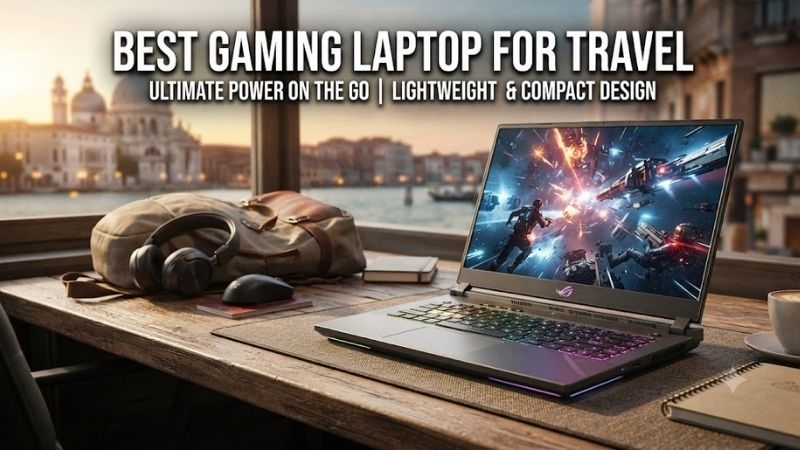
ASUS ROG Zephyrus G14 (2025): Best overall for travel
Best For: Travelers who want a conventional gaming laptop that is easy to pack.
Key Features: The 2025 G14 has a 14-inch display and dedicated NVIDIA GeForce RTX graphics. ASUS lists weights of approximately 3.31 or 3.46 lb across its configurations. Those figures describe the laptop itself; remember to account for its charger and any controller or mouse when planning your bag.
What Makes It Different: The G14 keeps the built-in keyboard and stable laptop shape that work on a train tray, café table, or hotel desk. Its dedicated GPU also makes it the more straightforward choice for travelers who play demanding PC games. ASUS sells several GPU configurations, so gaming capability depends on the exact model selected.
Pros
- Compact 14-inch laptop design
- Dedicated GeForce RTX graphics
- Suitable shape for desk or lap use
Cons
- Smaller display than a desktop setup
- Specifications vary substantially by model number
Use Case: Pack the G14 for a work trip, use it as a regular laptop during the day, and play games at the hotel after plugging it in. Its compact screen keeps the bag manageable, although an external monitor may be more comfortable for extended gaming or work during a longer stay.
Who It’s For: Pick the G14 if you move between locations frequently and want the fewest compromises in everyday laptop use. Check the full ASUS model number before ordering: processor, GPU, memory, weight, and other specifications differ within the 2025 G14 range.
Razer Blade 14 (2025): Best slim laptop with travel ports
Best For: Travelers who want a thin 14-inch gaming laptop and connect to external displays.
Key Features: Razer lists the 2025 Blade 14 at approximately 1.63 kg, with a 72Wh battery, two USB4 Type-C ports, and full-size HDMI 2.1. Its 14-inch OLED display has a 120Hz refresh rate, while graphics configurations reach up to an RTX 5070 Laptop GPU. Confirm the GPU in the listing you choose.
What Makes It Different: Built-in HDMI makes a hotel monitor or TV connection simpler when the display supports it, while two USB-C ports leave options for other accessories. Razer describes the chassis as 15.7 mm at its thinnest point. That slim profile is appealing in a crowded bag, though the 14-inch screen remains compact for games with small text.
Pros
- Slim, approximately 1.63 kg chassis
- Full-size HDMI and two USB4 Type-C ports
- OLED display with a 120Hz refresh rate
Cons
- Fixed system memory
- A thin chassis does not remove the need for a charger during demanding games
Use Case: Carry the Blade 14 between flights and hotels, then connect it to a room display for a larger gaming screen. The 72Wh battery is useful for travel-day tasks, but Razer’s quoted endurance is an on-screen-use claim, not a promise of equivalent playtime under a heavy gaming load.
Who It’s For: Choose the Blade 14 if chassis thickness and built-in connections matter as much as gaming capability. Decide how much system memory you need at purchase, since Razer describes its LPDDR5X memory as fixed. Also verify the exact GPU rather than relying on the product family’s “up to” specification.
ASUS ROG Flow Z13 (2025): Best compact tablet format
Best For: Travelers who value a small device and like touch or controller input.
Key Features: The Flow Z13 uses a 13-inch tablet design with a detachable keyboard and kickstand. ASUS lists the tablet at 2.65 lb and equips the range with a 70Wh battery. Its AMD Ryzen AI Max graphics differ from the dedicated GeForce RTX GPUs in the G14 and Blade 14.
What Makes It Different: The screen can be used apart from the keyboard, which may suit controller gaming or touch interaction in a tight space. The quoted 2.65 lb is the tablet weight, so compare the weight of your complete travel setup, including the keyboard and charger, before treating it as automatically the lightest bag.
Pros
- Compact 13-inch tablet format
- Touch, controller, and keyboard input options
- Kickstand for use on a desk or table
Cons
- Kickstand is less convenient on a lap
- Integrated graphics make game requirements especially important to check
Use Case: Use the Flow Z13 on a hotel table with its keyboard for everyday tasks, then switch to a controller when a game suits the smaller display. Its format can save space, but the kickstand needs room behind the screen; a cramped seat or narrow tray may be less comfortable than a conventional laptop.
Who It’s For: Pick the Flow Z13 if compact packing and flexible input matter more than having a traditional laptop shape. Check the requirements of the games you intend to play and the exact Flow configuration before purchasing. Do not assume it will perform like the RTX-equipped laptops solely because all three are gaming devices.
How to choose a gaming laptop for travel
Compare your complete bag, not laptop weight alone
Laptop weight is a useful starting point, but the charger, protective sleeve, controller, mouse, and cables also travel with you. If you move every few days, a compact setup can matter more than a larger display. If you stay in one hotel for weeks, extra screen space or an external monitor may be worth carrying.
Plan around outlets
A large battery helps with browsing, video, and work between stops, but demanding games draw more power. Expect to plug in for longer gaming sessions and check which charger supports the performance mode you intend to use. USB-C charging support, where offered, does not mean every USB-C adapter can supply full gaming power.
Match the screen and controls to the journey
A 14-inch laptop fits more comfortably in a travel bag than a larger gaming machine, but game menus and small text may be harder to read. A controller helps with games designed for one; a mouse may still be preferable for strategy or competitive titles. The Flow Z13 adds touch input, while its kickstand favors a firm surface.
Check the exact configuration
Manufacturers sell the same laptop name with different GPUs, memory capacities, and sometimes different weights. Read the full model number on the retailer’s page and compare it with the manufacturer’s specifications. For travel, also check the ports you need so that a missing adapter does not complicate a hotel setup.
FAQ
What is the best gaming laptop for frequent travel?
The Zephyrus G14 is the best all-around pick here for someone who wants a compact, conventional laptop with dedicated gaming graphics. The Blade 14 is compelling if its slim chassis and built-in HDMI suit your trips better. Your preferred games and the exact GPU configuration should decide between them.
Can I game on a laptop during a flight?
That depends on the flight’s rules, available space, and the game’s power demands. Plan around the laptop’s battery rather than assuming an in-seat outlet can support gaming power. Download games and required files before departure, and check whether the title needs an internet connection to start or continue playing.
Is a 13-inch gaming tablet better than a 14-inch laptop for travel?
A tablet can pack more compactly and offers different ways to play, but it is not automatically easier to use everywhere. The Flow Z13’s kickstand works best on a stable surface. A 14-inch laptop may be more comfortable on a lap or narrow table because its screen and keyboard form one unit.
Should I rely on a small USB-C charger for gaming?
No. Check the manufacturer’s charging specifications for the exact laptop and adapter. A compact USB-C charger may be convenient for lighter travel-day tasks where supported, while sustained gaming may require the supplied higher-power adapter. Carry the charger needed for your planned use.
Conclusion
The Zephyrus G14 is the best gaming laptop for travel if you want a compact machine that works like a normal laptop everywhere. Choose the Blade 14 for its slim build and convenient ports, or the Flow Z13 when a small tablet format suits your games and work. Verify the exact GPU, packed accessories, and charging needs before committing to a travel setup.
Ready to decide? Our #1 pick for 2026 is the ASUS ROG Zephyrus G14 (2025).
Live price & availability on Amazon.