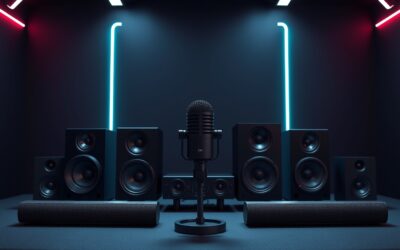
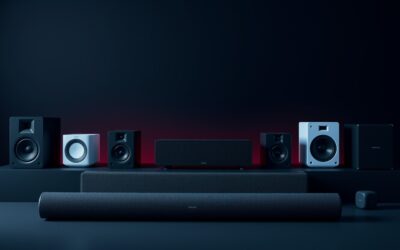
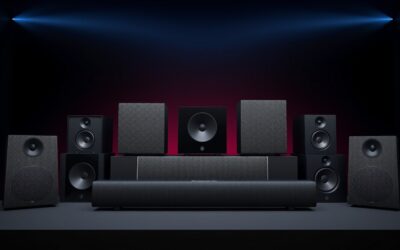
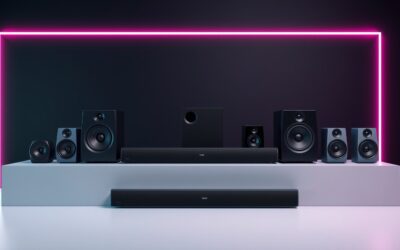
Gaming Speaker Guide resolves the persistent frustration of flat desktop audio, muddy directional sound cues, and muffled game dialogue. Navigating technical acoustic specifications often feels overwhelming, but our comprehensive walkthrough helps you select the perfect sound system to elevate your gaming battle station with ease.
How to Choose the Best Gaming Speakers
Navigating modern PC sound requires a practical Gaming Speaker Guide that cuts through confusing specifications and marketing hype. Competitive players and multimedia enthusiasts require dynamic audio reproduction, low latency connectivity, and compact chassis engineering that complements their desktop battle station layout seamlessly.
Audio Channel Configurations
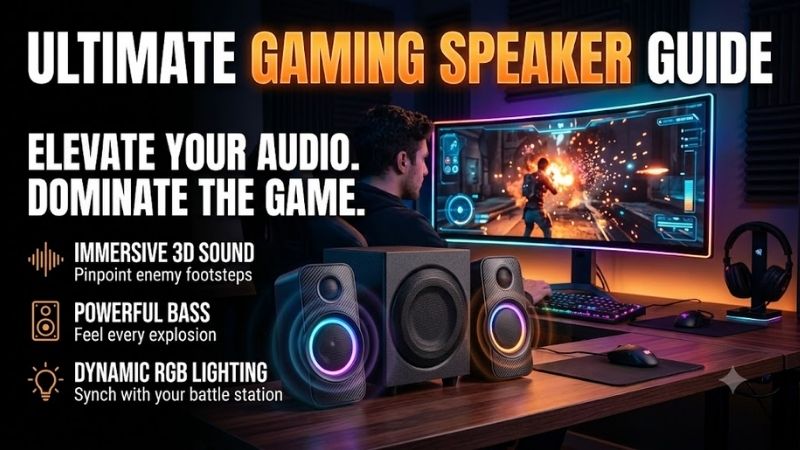
Selecting the right channel configuration forms the foundation of spatial sound imaging. Traditional two-channel stereo systems provide clean left and right separation for casual gaming, whereas dedicated two-point-one configurations incorporate an external subwoofer to deliver visceral low-frequency impact during explosive combat sequences.
Advanced five-point-one surround packages immerse players by dispersing dedicated satellite enclosures around your desk setup. If your physical workspace features restricted surface space, premium soundbars equipped with virtual surround processing algorithms project realistic positional sound without cluttering your desktop perimeter.
Versatile Connectivity Options
Modern desktop audio gear provides diverse physical and wireless input formats to support varied gaming platforms. Digital USB connections ensure pristine signal conversion by bypassing noisy internal computer motherboards, whereas traditional optical audio cables preserve high-fidelity digital streams from consoles and discrete soundcards.
Consulting an objective Gaming Speaker Guide helps you decide whether low-latency wireless Bluetooth or direct analog three-point-five millimeter inputs suit your daily gaming habits. Quick auxiliary switching allows competitive players to swap between smartphones, consoles, and desktop rigs without unplugging cables during intense sessions.
Frequency Response and Driver Design
A well-engineered speaker enclosure relies on balanced acoustic drivers to deliver articulate dialogue alongside deep bass. High-frequency tweeters render sparkling treble notes like approaching footsteps and ricocheting shell casings, while dedicated midrange woofers preserve the authentic weight of character speech and orchestral soundtracks.
Expansive frequency response curves prevent acoustic distortion when running demanding action titles at higher volumes. Investing in hardware with broad dynamic range guarantees that subtle ambient details remain legible beneath intense explosions, keeping competitive players fully alert to tactical auditory cues during critical matches.
Form Factor and Desk Clearance
Spatial ergonomics play a critical role when arranging audio peripherals alongside ultrawide monitor displays. Compact satellite speakers fit neatly beneath side monitors without obstructing mouse movement, whereas bulky studio monitors demand dedicated isolation stands or wall mounts to preserve precious desk real estate for competitive mouse sweeps.
Subwoofer placement also impacts acoustic resonance and room acoustics within compact gaming bedrooms. Down-firing subwoofers generate expansive floor vibrations, while front-firing bass ports deliver punchy low-end impact when placed against walls. Matching physical dimensions to your room guarantees powerful output without cluttering cables.
Top Picks for Every Gaming Setup
Our curated selections in this Gaming Speaker Guide highlight industry-leading units that excel across acoustic fidelity, build quality, and companion software. Whether you need cinematic bass punch or sleek desk integration, these field-tested models deliver exceptional sound performance across varied budgets and spatial configurations.
| Model Name | Configuration | Connectivity | Best For | | Logitech G560 | 2.1 System | USB, 3.5mm, Bluetooth | RGB Enthusiasts | | Razer Nommo V2 Pro | 2.1 Wireless Sub | USB, Bluetooth | Premium Gamers | | Creative Pebble Pro | 2.0 Desktop | USB-C, Bluetooth, Aux | Budget Minimalists | | SteelSeries Arena 7 | 2.1 System | USB, Optical, Aux, BT | Immersive Streaming |
Logitech G560
This dynamic two-point-one setup represents an outstanding choice for gamers who crave vivid RGB lighting alongside thunderous bass. The system features reactive lighting zones that synchronize with on-screen gameplay action, creating an engaging visual atmosphere that extends beyond your computer display during nocturnal broadcast sessions.
This thorough Gaming Speaker Guide identifies the dedicated subwoofer as a powerful asset for explosive explosions and orchestral scores. However, the companion software occasionally resets personalized equalizer profiles after firmware updates, and the high-output bass requires manual calibration to prevent muddying team voice calls.
Razer Nommo V2 Pro
Competitive enthusiasts seeking broadcast-grade positional accuracy and wireless convenience should consider this premium speaker package. Equipped with aluminum phase plugs and a wireless down-firing subwoofer, it delivers crisp acoustic clarity that exposes rival footsteps while eliminating unsightly interconnect cables across your floor.
The included wireless control pod provides seamless desktop volume adjustment, and integrated spatial audio drivers heighten atmospheric immersion during solo campaigns. On the downside, this high-end audio hardware commands a premium investment, and the cylindrical satellite enclosures demand substantial desktop depth behind wide displays.
Creative Pebble Pro
Budget-conscious buyers reading this Gaming Speaker Guide will appreciate these ultra-compact desktop units engineered for small workstations. Featuring elevated forty-five-degree acoustic drivers, they direct sound energy straight toward your ears to enhance speech clarity and minimize distracting desk surface reflections during daily play.
Modern USB-C power delivery keeps cable management clean, while customizable underside RGB rings add subtle desktop flair without breaking your budget. Nevertheless, the lack of a standalone subwoofer means low bass rumbles feel modest during cinematic movie scenes, making them ideal strictly for casual titles and space-constrained desks.
SteelSeries Arena 7
Aspiring content creators and immersive role-playing fans seeking true multi-channel fidelity should evaluate this robust two-point-one speaker system. It combines a two-way satellite design featuring silk dome tweeters with a powerful six-point-five-inch subwoofer to produce exceptionally balanced acoustics across the entire auditory spectrum.
Comprehensive connectivity including optical, USB, and simultaneous Bluetooth audio lets creators mix background mobile podcasts with active PC gameplay sound. However, the bulky subwoofer requires considerable under-desk storage clearance, and the proprietary desktop configuration utility consumes moderate system memory during background runs.
Frequently Asked Questions About Gaming Speakers
Addressing recurring questions within this Gaming Speaker Guide helps you optimize acoustic hardware performance and resolve common desktop setup confusion. Understanding basic acoustic principles and driver engineering ensures you extract crystal-clear sound fidelity and accurate positional cues from your selected desktop audio gear.
Are Speakers or Headsets Better for Competitive Gaming?
Headsets deliver superior isolation from ambient domestic noise and offer hyper-precise stereo panning for pinpointing distant footsteps in tactical shooters. They prevent audio spillover into live microphones, making them the standard choice for professional esports athletes competing in noisy tournament arenas or late-night team matches.
Conversely, desktop speakers eliminate painful ear pressure and sweaty earcups during prolonged marathon sessions while creating a expansive physical soundstage. Modern stereo pairs with advanced acoustic imaging replicate cinematic room presence, allowing players to enjoy comfortable gaming without feeling physically tethered to cords.
Do You Need a Dedicated Subwoofer for Gaming?
A standalone subwoofer significantly enriches gaming immersion by reproducing ultra-low frequencies that compact satellite woofers simply cannot push. Cinematic explosions, crumbling architecture, and powerful vehicle engines gain physical punch, producing an exhilarating sensory experience that flat stereo speakers fail to match entirely.
However, dedicated bass enclosures may prove unnecessary if you reside in shared dormitories or apartments with thin walls where low hums disturb neighbors. Quality two-channel stereo monitors with passive bass radiators provide articulate punch and sufficient warmth for casual gaming without generating excessive structural vibration.
How Should You Position Desktop Gaming Speakers?
As outlined across our Gaming Speaker Guide, placing satellites in an equilateral triangle relative to your primary seating position optimizes stereo imaging. Angling the speaker grilles directly toward ear level prevents sound wave reflections off flat desktop surfaces from muddying critical high-frequency dialogue and tactical footsteps.
Subwoofers perform best when placed on solid flooring rather than elevated shelves, ideally offset slightly from room corners to prevent boomy standing waves. Keeping satellite speakers at least two feet apart preserves distinct left-to-right panning channels, ensuring accurate positional sound cues across competitive game environments.
Can Gaming Speakers Cause Audio Feedback With Microphones?
High-volume speaker playback can bleed directly into sensitive studio condenser microphones, creating distracting echo loops during Discord voice calls. Because open-air transducers broadcast sound energy across the entire room, poorly isolated microphones naturally pick up weapon fire and explosions, frustrating squadmates during match calls.
You can easily eliminate microphone feedback by utilizing cardioid pickup patterns and enabling software-based background noise suppression inside your chat app. Lowering master speaker levels or activating push-to-talk voice activation keeps vocal communication articulate while allowing you to enjoy rich open-air acoustics without issues.
View more products:
Final Thoughts on Upgrading Your Audio Setup
Investing in premium desktop sound transforms your play, and this Gaming Speaker Guide provides clear direction for every budget level. Prioritize your available desk dimensions and preferred bass depth before finalizing your purchase to ensure exceptional audio performance that enriches every immersive virtual world you explore today.