Headset Latency Guide research prevents the frustration of delayed game audio and ruined immersion during matches. Many buyers suffer from annoying lag spikes and desynchronized dialogue when picking wireless models without technical insight. This comprehensive walkthrough reveals ideal audio gear for flawless sound.
How to Choose a Low Delay Gaming Headset
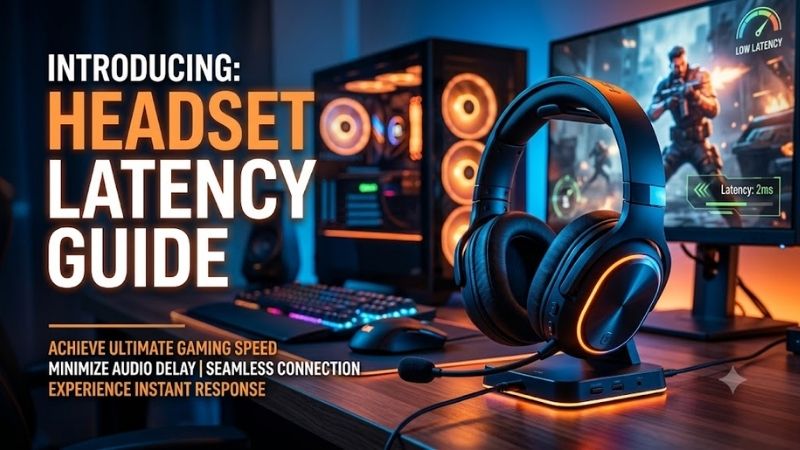
Understanding core transmission standards helps buyers avoid severe acoustic delays that undermine reaction speeds during gaming. This headset latency guide examines critical wireless protocols, wired connections, driver construction, and software features so you can invest wisely in gear engineered for responsive audio output.
Wireless Transmission Protocols and Frequencies
Dedicated two point four gigahertz wireless dongles deliver vastly superior response times compared to traditional Bluetooth connections. Standard Bluetooth protocols create noticeable sound lag exceeding one hundred milliseconds, which ruins tactical competitive play. Proprietary USB adapters compress packet loss and preserve speed.
Modern radio frequency protocols manage interference across busy household channels to maintain audio synchronization consistently. Investing in headsets equipped with rapid channel hopping shields your audio stream from disruptive wireless router signals. This consistent bandwidth maintains pristine spatial sound.
Analog Wired Connections and Zero Lag Signals
Analog three point five millimeter connections completely bypass digital signal conversion, delivering instantaneous acoustic playback without lag. Gamers seeking pure zero millisecond latency often prefer direct copper cables over wireless convenience. This physical pathway feeds raw electrical impulses straight to your drivers.
Wired configurations eliminate battery weight, resulting in lighter frames and zero mid-match charging disruptions. As detailed throughout this headset latency guide, robust braided cabling prevents hardware wear while safeguarding signal integrity over time. Direct cables guarantee authentic competitive consistency.
Audio Codecs and Digital Signal Processing
Advanced wireless codecs like aptX Low Latency and modern proprietary algorithms dramatically shrink digital encoding delays across platforms. Standard SBC codecs frequently stumble with high latency, whereas specialized gaming codecs slice transmission lag down below forty milliseconds for immediate feedback.
Digital signal processing software can sometimes introduce unexpected latency if surround sound algorithms overburden the headset processor. Turning off redundant spatial enhancements when playing fast esports titles keeps sound pipelines clean and responsive. Minimal internal signal handling ensures real-time accuracy.
Hardware Driver Architecture and Acoustic Tuning
Neodymium dynamic drivers spanning forty to fifty millimeters deliver rapid acoustic transients that convey critical in-game positional cues. Stiff driver diaphragms recover instantly between loud explosions and quiet enemy footfalls, preserving crisp sound separation without sluggish decay that masks tactical cues.
Acoustic chamber engineering also dictates how quickly air pressure equalizes inside each earcup during rapid gaming audio events. Dual chamber earcups prevent muddy resonance from lingering, letting players perceive instantaneous audio updates cleanly. Balanced internal acoustics heighten overall player alertness.
Top Low Latency Headset Picks for Gamers
Choosing verified low delay hardware eliminates guesswork when you want responsive audio across popular gaming platforms. Our headset latency guide highlights four top-rated options that master wireless and wired fidelity. The detailed summary table below outlines connection modes, latency metrics, and primary use cases.
| Model | Connection Type | Latency Rating | Best For |
|---|---|---|---|
| HyperX Cloud Alpha Wireless | 2.4GHz Wireless | Ultra Low (24ms) | Endurance Gamers |
| Razer BlackShark V2 Pro | 2.4GHz and Bluetooth | Low (30ms) | Esports Enthusiasts |
| SteelSeries Arctis Nova 7 | 2.4GHz Simultaneous | Low (35ms) | Multiplatform Players |
| Audio-Technica ATH-GDL3 | 3.5mm Wired | Near Zero (0ms) | Audiophile Purists |
HyperX Cloud Alpha Wireless
Competitive gamers who prioritize massive battery reserves alongside ultra-low latency should select this standout wireless headset. The dedicated two point four gigahertz USB dongle keeps audio delays virtually undetectable during frenetic multiplayer combat. It suits marathon players who dislike frequent recharging.
Its astonishing three hundred hour battery lifespan and plush memory foam ear cushions deliver unrivaled convenience and comfort. However, the microphone sounds somewhat compressed, and proprietary companion software can occasionally suffer from clunky firmware updates. Overall build quality and responsiveness remain fantastic.
Razer BlackShark V2 Pro
Esports competitors demanding broadcast quality voice chat and rapid audio response should invest in this high-performance headset. Its high-speed wireless connection ensures crisp directional footsteps arrive without distracting audio delay during tournament play. Tactical shooter enthusiasts will love the acoustic precision.
The wideband boom microphone captures rich vocal depth, while breathable memory foam keeps your head cool through hot matches. On the downside, the delicate wire headband sliders require delicate handling, and maximum passive noise cancellation feels moderate. It delivers superb tournament performance on desktop systems.
SteelSeries Arctis Nova 7
Console and computer gamers who switch between multiple platforms will find exceptional utility in this versatile wireless headset. Simultaneous two point four gigahertz and Bluetooth connectivity lets you game with negligible delay while chatting on your mobile phone. It is ideal for connected players handling busy voice parties.
The stretchy ski goggle headband eliminates painful skull hotspots, and the compact USB-C dongle fits Nintendo Switch and handhelds neatly. However, low-end bass extension lacks cinematic sub-rumble, and stock earcups feel somewhat shallow for larger ears. Rapid charging and low latency make it a reliable daily companion.
Audio-Technica ATH-GDL3
Audiophile purists who demand instant acoustic response and wide staging should select this wired model. Highlighted across our headset latency guide, bypassing digital encoding guarantees zero transmission latency for competitive matches. It best suits dedicated desktop players gaming in quiet personal spaces.
Weighing merely two hundred and twenty grams, the featherweight open frame produces an airy and natural acoustic presentation. However, the open earcups leak sound into adjacent rooms, and external environmental noise enters easily. If you play in a silent space, this wired headset offers unmatched speed and musicality.
Frequently Asked Questions About Audio Lag
Shoppers frequently encounter confusing terminology and contradictory advice when resolving audio synchronization issues across modern hardware. Consulting an authentic headset latency guide clears up common misconceptions regarding wireless signals, codecs, and console compatibility before you spend your hard-earned money.
How Many Milliseconds of Audio Delay Can Gamers Notice?
Most casual players begin perceiving acoustic disconnection once latency exceeds eighty to one hundred milliseconds between visuals and sound. In fast competitive shooters, however, professional competitors detect tiny delays as low as thirty milliseconds during gunfights. Instantaneous feedback preserves tight hand-eye coordination.
When sound trails screen activity, your brain suffers cognitive strain while attempting to reconcile discordant sensory inputs. Selecting gear optimized through our headset latency guide keeps transmission delays safely below the perception threshold. Sub-forty millisecond speeds guarantee a completely seamless combat environment.
Can Bluetooth Headsets Deliver True Low Lag Gaming?
Standard Bluetooth connections struggle with gaming because traditional audio profiles prioritize power conservation over instant packet delivery. Latency often stretches between one hundred and two hundred milliseconds on typical mobile devices and computers. Dialogue desynchronizes noticeably during dialogue-heavy cutscenes.
However, devices integrating aptX Low Latency or proprietary ultra-low gaming modes can suppress delay down toward fifty milliseconds. For serious competitive esports matches, dedicated radio frequency dongles remain far superior to standard Bluetooth. Hardware with custom USB adapters provides dependable acoustic timing.
Does Surround Sound Software Increase In-Game Audio Lag?
Virtual surround sound software applies complex digital spatialization filters to stereo signals before pumping audio to your headset speakers. These mathematical calculations can introduce a minor delay of five to fifteen milliseconds depending on your computer processor. The slight delay is often imperceptible during gameplay.
Competitive esports players usually disable artificial surround virtualization to extract the quickest possible raw stereo response. Referencing recommendations in this headset latency guide helps you strike an ideal balance between spatial precision and minimal latency. Clean stereo channels offer predictable directional cues.
Why Do Wireless Headsets Lag More on Consoles Than PC?
Gaming consoles utilize restricted operating software that limits how third-party USB peripherals handle direct audio streaming protocols. Unlike personal computers that support customizable driver buffers, consoles apply conservative data buffers to ensure wireless stability. These protective buffers can subtly inflate delay.
Furthermore, wireless interference from nearby television panels, wireless controllers, and home routers can degrade transmission speed. Utilizing front-facing console ports and keeping line-of-sight clear minimizes packet retransmissions significantly. Strategic setup choices keep console audio responsive and fully synchronized.
Final Thoughts on Minimizing Audio Lag
Applying the strategies in this headset latency guide ensures your gaming audio stays perfectly synchronized with every visual cue on screen. Choosing a premium two point four gigahertz wireless or analog wired headset guarantees rapid responsiveness. Upgrade your personal audio setup today and enjoy competitive gaming immersion at its best.
As an Amazon Associate we earn from qualifying purchases at no extra cost to you. Product prices and availability are accurate as of the date shown and are subject to change.