🛒 Best Price Today on Amazon
Prime members get fast, free shipping on everything above, plus member-only deals. New members get a 30-day free trial — cancel anytime.
- How to Choose the Right Xbox Display
- Top Picks for Console Gamers
- Best Monitor for Xbox: Xbox Feature Comparison
- How We Chose These Xbox Monitors
- Xbox Series X vs Series S: What Each Console Actually Outputs
- 4K vs 1440p Monitor for Xbox Series X: Which Should You Buy?
- Best Xbox Settings for Your New Monitor
- Monitor or TV for Xbox?
- Getting Good Sound from a Monitor
- Best Monitor for Xbox by Budget
- What Your Budget Buys
- Common Xbox Monitor Problems and How to Fix Them
- Frequently Asked Questions
- Final Thoughts
- Product links and buying checks
Best monitor for Xbox buyers often struggle with deceptive HDMI standards, confusing refresh limits, and sluggish panel responses that cause terrible motion ghosting. Pinpointing a display that fully unleashes native 4K visuals at 120Hz without overspending feels daunting. This guide compares the main options.
Updated October 2026 — picks and specs checked against current 2026 models.
Quick answer: The best monitor for Xbox Series X is a 27- to 32-inch 4K screen with HDMI 2.1, so the console can run 4K at 120Hz with VRR. Our top pick is the MSI MPG 321URX QD-OLED; the ASUS ROG Swift OLED PG27UCDM is the premium 27-inch choice, and the LG UltraGear 27G810A-B is the best value 4K option. For the Xbox Series S, a 1440p 120Hz-plus monitor such as the ASUS TUF Gaming VG27AQ3A is all you need.
Top Picks at a Glance
- Best overall for Series X: MSI MPG 321URX QD-OLED — 32″ 4K QD-OLED · 240Hz · HDMI 2.1
- Best premium 27-inch: ASUS ROG Swift OLED PG27UCDM — 26.5″ 4K QD-OLED · 240Hz · 2x HDMI 2.1 · Dolby Vision
- Best value 4K: LG UltraGear 27G810A-B — 27″ 4K IPS · 180Hz · HDMI 2.1
- Best budget 4K: KOORUI G2741L — 27″ 4K Fast IPS · 160Hz · HDMI 2.1
- Best 1440p OLED: LG UltraGear 27GX704A-B — 26.5″ 1440p WOLED · 240Hz · 2x HDMI 2.1
- Best big screen: Samsung Odyssey Neo G7 43″ — 43″ 4K Mini-LED · 144Hz · DisplayHDR 600
- Best for Series S: ASUS TUF Gaming VG27AQ3A — 27″ 1440p Fast IPS · 180Hz
How to Choose the Right Xbox Display
Selecting the best monitor for Xbox requires balancing core video capabilities against practical console hardware features. Players frequently chase inflated refresh metrics while overlooking actual bandwidth compatibility, ending up disappointed. Reviewing resolution, interface limits, sync modes, and panel builds ensures a stellar setup.
Screen Resolution and Visual Clarity
Screen resolution establishes visual sharpness, asset definition, and environmental realism throughout console adventures. While standard full high definition remains functional for budget setups, upgrading to quad high definition or ultra high definition unlocks immense graphical fidelity, letting console renderers display breathtaking detail.
Pixel density plays an equally vital role because an oversized screen paired with mediocre resolution results in noticeable grain across menus and textures. A twenty-seven-inch panel at fourteen-forty-pixel resolution or a thirty-two-inch 4K screen produces remarkably crisp gameplay imagery while preventing severe eye strain during long raids.
Refresh Rates and Variable Sync
Fluid motion during intense multiplayer matches depends on fast panel refreshes and snappy pixel transitions. When gamers engage agile opponents across shooter titles, sluggish refresh cycles produce annoying ghosting smears and delayed aiming feedback. Modern console displays with high refresh rates provide seamless tracking everywhere.
Locating the best monitor for Xbox means seeking screens offering at least one hundred twenty hertz alongside true millisecond response times. Variable refresh rate protocols eliminate frustrating screen tearing and stutter, ensuring that rapid camera pans remain completely stable across every fast-paced cooperative or competitive match.
HDMI 2.1 Bandwidth and Port Speeds
Video interface standards determine whether your display can transmit full resolution and peak frame rates concurrently. Older HDMI standards cap high-resolution video at sixty hertz, restricting high-tier console capabilities. Ensuring your screen houses authentic high-bandwidth ports prevents bottlenecks and eliminates signal degradation.
Modern consoles harness forty-eight gigabits per second throughput to deliver uncompressed four-thousand-pixel video at full frame rates. Choosing a monitor equipped with dual modern ports guarantees seamless switching between streaming units, desktop rigs, and gaming consoles without needing costly external splitter boxes on your desk.
Panel Technology and HDR Color Depth
Panel architecture dictates baseline contrast, color reproduction, and viewing angles across your entertainment room. In-plane switching screens dominate contemporary console spaces thanks to vibrant color reproduction and broad viewing angles, making them exceptionally reliable for shared gaming with friends on a living room sofa.
Vertical alignment screens provide much deeper black tones and richer atmosphere for story-focused fantasy titles set in gloomy dungeons. Evaluating your personal library helps you choose a panel structure that maximizes dynamic immersion without creating distracting smear trails behind swift in-game objects during tense encounters.
Top Picks for Console Gamers
Uncovering the best monitor for Xbox is straightforward when you examine proven options that excel in authentic console environments. We compared manufacturer specifications and published owner feedback to shortlist displays with strong motion clarity, solid build quality and accurate color. The comparison below outlines exceptional contenders in this class.
| Monitor | Screen Size | Resolution | Refresh Rate | Panel Type | Best For |
|---|---|---|---|---|---|
| LG 27GP950-B UltraGear | 27 Inches | 3840 x 2160 | 144Hz | Nano IPS | 4K Esports |
| Gigabyte M32U | 32 Inches | 3840 x 2160 | 144Hz | Super Speed IPS | Value 4K Gaming |
| ASUS ROG Swift PG32UQ | 32 Inches | 3840 x 2160 | 144Hz | Fast IPS | Premium Visuals |
| Dell G3223Q 4K UHD | 32 Inches | 3840 x 2160 | 144Hz | Fast IPS | All-Day Immersion |
LG 27GP950-B UltraGear
This display is aimed at competitive shooter players, with fast Nano IPS pixel response and vivid imagery. Notable perks include HDMI 2.1 bandwidth and rapid Nano IPS pixel response, though moderate dark-room contrast represents its only real drawback during late-night horror sessions in the dark.
The screen supports 4K output at one hundred twenty hertz over its HDMI 2.1 ports when you use a certified Ultra High Speed cable. Responsive on-screen menus allow rapid profile shifts between racing titles and first-person shooters, while the sleek borderless design looks stunning across any dedicated entertainment station.
Gigabyte M32U Gaming Monitor
This expansive display caters to console gamers seeking expansive screen real estate alongside crisp ultra-high-definition fidelity. Core strengths include generous port connectivity, strong color calibration, and a functional integrated KVM switch, while HDR highlight brightness remains somewhat modest across open-world titles.
Fast-paced competitive arenas look remarkably crisp thanks to rapid pixel transition times that virtually eliminate trailing blur behind moving targets. The sturdy stand permits versatile height adjustments for optimal ergonomic posture, while rear stereo speakers provide convenient audio output for relaxed casual sessions. Gigabyte lists two HDMI 2.1 ports on the M32U, and its spec footnote says they support the Xbox Series X at 4K 120Hz with 4:2:0 chroma. Some retailer pages show HDMI 2.0 by mistake, so confirm the listing says HDMI 2.1 before buying: an HDMI 2.0 port limits the console to 4K at 60Hz.
ASUS ROG Swift PG32UQ
This premium screen suits dedicated console players and creative professionals who want accurate, wide-gamut color. Key benefits include wide cinematic color coverage and superb factory tuning, although the higher price tag demands a substantial upfront investment compared to rival offerings.
Its HDMI 2.1 ports carry 4K at 120Hz with variable refresh rate from the console, which removes tearing in supported games.
Dell G3223Q 4K UHD Screen
This versatile screen serves console players seeking dependable performance, rich visual immersion, and sturdy commercial-grade engineering. Noteworthy perks include HDMI 2.1 support and a joystick menu control, though its edge-lit backlight cannot match the contrast of an OLED display.
Expansive viewing angles keep visuals punchy during cooperative couch play, while multiple high-speed ports ensure smooth switching between consoles and desktop computers. Sophisticated cable routing channels keep desktop cords tidy, making this reliable display a fantastic long-term centerpiece for everyday entertainment.
The four monitors above are established 4K IPS models from the last few years, so stock and pricing vary and they have no shopping card here. The additional picks below, which all have shopping cards, extend the list into OLED, big-screen Mini-LED and budget 1440p territory, so there is a sensible option for every Xbox console and price range.
| Monitor | Size | Resolution | Refresh rate | Panel | Best for |
|---|---|---|---|---|---|
| MSI MPG 321URX QD-OLED | 32 inches | 3840 x 2160 | 240Hz | QD-OLED | Best OLED for Series X |
| LG 27G810A-B UltraGear | 27 inches | 3840 x 2160 | 180Hz (dual mode) | IPS | Best value 4K 120Hz |
| Samsung Odyssey Neo G7 43″ | 43 inches | 3840 x 2160 | 144Hz | Mini-LED VA | Big-screen HDR |
| AOC Q27G3XMN | 27 inches | 2560 x 1440 | 180Hz | Mini-LED VA | Budget HDR |
| ASUS TUF Gaming VG27AQ3A | 27 inches | 2560 x 1440 | 180Hz | Fast IPS | Best for Series S |
MSI MPG 321URX QD-OLED — Best OLED for Xbox Series X

msi MPG 321URX QD-OLED, 32" 4K UHD Quantum Dot OLED Gaming Monitor, 3840 x 2160, 0.03ms, 240Hz, True Black HDR 400, 90W USB Type C, HDMI, DP Port
Included for 'Best Monitor for Xbox: Ultimate Picks for Epic Victories' because the listing specifies 32" 4K UHD Quantum Dot OLED Gaming Monitor and 3840 x 2160, details this guide uses to compare options.
View on AmazonFor Series X owners who want the best possible picture at a desk, a 32-inch 4K QD-OLED is the current sweet spot, and the MSI MPG 321URX is one of the most affordable ways in. Each pixel produces its own light, so dark scenes in games like Starfield or Alan Wake 2 show true black next to bright highlights with no backlight glow, and pixel response is effectively instant, which keeps fast motion clear. The panel runs up to 240Hz for PC use, while its HDMI 2.1 inputs handle the console’s full 4K at 120Hz with variable refresh rate. MSI also includes a USB-C port with 90W charging and a built-in KVM, handy if a laptop shares the desk.
Like every OLED, it benefits from sensible habits such as letting the built-in panel-care routines run, since static HUD elements are the main burn-in risk.
- Pro: Per-pixel contrast and vivid QD-OLED color for HDR games
- Pro: Full 4K 120Hz with VRR from the Series X over HDMI 2.1
- Pro: USB-C with 90W charging and a KVM switch for mixed console and laptop setups
- Con: Full-screen brightness is lower than Mini-LED monitors in bright rooms
- Con: Burn-in care is needed with long sessions of static HUDs
LG 27G810A-B UltraGear — Best Value 4K for 120Hz Console Gaming

LG 27G810A-B 27-inch Ultragear 4K UHD (3840 x 2160) IPS Gaming Monitor, Dual Mode UHD 180Hz or FHD 360Hz, 1ms, NVIDIA G-Sync, AMD FreeSync Premium, VESA DisplayHDR 400, HDMI 2.1, Black
Included for 'Best Monitor for Xbox: Ultimate Picks for Epic Victories' because the listing specifies Dual Mode UHD 180Hz or FHD 360Hz and 1ms, details this guide uses to compare options.
View on AmazonThe LG 27G810A-B is a newer 27-inch 4K IPS monitor that brings the core Series X features into a mid-range price. It runs 4K at up to 180Hz and also offers a dual mode that switches to 1080p at 360Hz for PC esports, so the console only uses part of its capability, but that headroom pays off if a gaming PC shares the screen. At 27 inches, 4K delivers very high pixel density, so text, HUDs and distant detail in open-world games look exceptionally sharp from a normal desk distance. Its HDMI 2.1 inputs support the console’s 4K 120Hz mode, and IPS keeps colors consistent for anyone sitting slightly off-center.
- Pro: Sharp 4K at 27 inches with fast IPS response
- Pro: Dual mode adds a very high refresh option for PC gaming
- Pro: Reasonable price for a major-brand 4K gaming monitor
- Con: IPS contrast makes dark scenes look grayer than VA or OLED
- Con: HDR is basic compared with Mini-LED or OLED models
Samsung Odyssey Neo G7 43″ — Best Big-Screen Monitor for Xbox

SAMSUNG 43" Odyssey Neo G7 Series 4K UHD Smart Gaming Monitor, 144Hz, 1ms, VESA Display HDR600, Quantum Matrix Technology, AMD FreeSync Premium Pro, LS43CG702NNXZA, Black
Included for 'Best Monitor for Xbox: Ultimate Picks for Epic Victories' because the listing specifies 144Hz and 1ms, details this guide uses to compare options.
View on AmazonIf you want a TV-sized experience on a desk, or a monitor that doubles as a bedroom screen, the 43-inch Odyssey Neo G7 sits between a monitor and a television. It combines a 4K panel at 144Hz with Samsung’s Quantum Matrix Mini-LED backlight and VESA DisplayHDR 600 certification, so HDR highlights in games and movies have real punch. HDMI 2.1 support covers 4K at 120Hz from the Series X, and Samsung’s smart platform runs streaming apps without a separate device, which suits anyone who also watches shows on the same screen.
At 43 inches it needs a deep desk or a wall mount; sitting about three feet or more away is more comfortable.
- Pro: Huge 4K screen with strong Mini-LED HDR
- Pro: Built-in streaming apps make it a full entertainment display
- Pro: HDMI 2.1 for 4K 120Hz with VRR
- Con: Too large for shallow desks
- Con: Local dimming can show slight blooming around bright objects on dark backgrounds
AOC Q27G3XMN — Best Budget HDR Monitor for Xbox
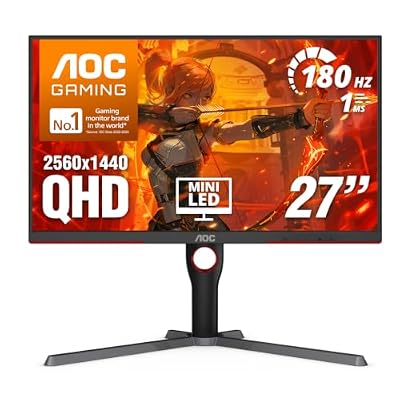
AOC 27 Inch Gaming Monitor QHD 180Hz Mini-LED HDR1000, Q27G3XMN | 3440×1440 Computer Monitor, 0.3ms, HDR400, USB 3.2, DP 1.4, HDMI 2.1, Height Adjustable Stand, Audio Out, VESA Mount
Included for 'Best Monitor for Xbox: Ultimate Picks for Epic Victories' because the listing specifies Q27G3XMN and 3440×1440 Computer Monitor, details this guide uses to compare options.
View on AmazonThe AOC Q27G3XMN is a rare budget monitor with genuinely useful HDR. Its 27-inch 1440p VA panel uses a Mini-LED backlight with 336 local dimming zones and VESA DisplayHDR 1000 certification, so bright explosions and sunlit skies stand out against deep blacks in a way most monitors at this price cannot manage. It runs up to 180Hz for PC use and accepts 1440p at 120Hz from the console, which is the natural target for the Series S and a sharp, fluid mode for the Series X.
Because it is a 1440p monitor with HDMI 2.0 ports, the Series X will not output 4K to it, so choose it if HDR impact and price matter more to you than native 4K.
- Pro: Real Mini-LED HDR at a budget price
- Pro: VA contrast suits dark, atmospheric games
- Pro: 1440p 120Hz is a perfect match for the Series S
- Con: No 4K input, so the Series X runs at 1440p
- Con: VA panels can show some dark-scene smearing in fast motion
ASUS TUF Gaming VG27AQ3A — Best Monitor for Xbox Series S

ASUS TUF Gaming VG27AQ3A 27 Inch 1440p 180Hz G-SYNC Gaming Monitor | Fast IPS, ELMB Sync, 1ms, 130% sRGB, Built-In Speakers, FreeSync Premium, HDR10, for PS5 and Xbox, 3yr warranty
Included for 'Best Monitor for Xbox: Ultimate Picks for Epic Victories' because the listing specifies Fast IPS and ELMB Sync, details this guide uses to compare options.
View on AmazonThe Series S targets 1080p to 1440p, so spending extra on a 4K panel brings little benefit. The ASUS TUF Gaming VG27AQ3A is a straightforward 27-inch 1440p Fast IPS monitor at up to 180Hz with adaptive sync, which matches the resolutions the Series S actually renders most games at, including 120Hz modes in supported titles. IPS gives wide viewing angles and consistent color, and the TUF line is known for solid, no-nonsense builds.
Series X owners on a tight budget can also use it at 1440p 120Hz and upgrade to 4K later.
- Pro: Ideal resolution and refresh rate for the Series S
- Pro: Fast IPS panel with wide viewing angles
- Pro: Very affordable for a major-brand gaming monitor
- Con: No 4K support for Series X owners who want maximum detail
- Con: Basic HDR and modest contrast
ASUS ROG Swift OLED PG27UCDM — Best Premium 27-Inch Monitor for Xbox Series X

ASUS ROG PG27UCDM 27 Inch 4K 240Hz OLED Gaming Monitor QD-OLED | OLED Care Pro, Neo Proximity Sensor, Custom Heatsink, DisplayPort 2.1, G-SYNC Compatible, True 10-bit, for PS5 and Xbox
Included for 'Best Monitor for Xbox: Ultimate Picks for Epic Victories' because the listing specifies OLED Care Pro and Neo Proximity Sensor, details this guide uses to compare options.
View on AmazonThe ASUS ROG Swift OLED PG27UCDM packs a 4K QD-OLED panel into a 26.5-inch screen, which gives very high pixel density at desk distance. For Xbox owners, its standout features are two HDMI 2.1 ports and Dolby Vision support, which is rare on monitors and lets the Series X use its Dolby Vision gaming mode in supported titles.
- 26.5″ 4K (3840 x 2160) QD-OLED, about 166 PPI
- 240Hz, 0.03ms GtG; FreeSync Premium Pro and G-Sync Compatible
- VESA DisplayHDR True Black 400, HDR10 and Dolby Vision
- 2x HDMI 2.1, 1x DisplayPort 2.1, USB-C with 90W charging, KVM
- Height, tilt, swivel and pivot stand; 3-year warranty that includes burn-in
Pros: Dolby Vision for Xbox HDR games; two HDMI 2.1 inputs for a console plus a second device; proximity sensor blanks the screen when you walk away to reduce burn-in risk; burn-in covered by warranty.
Cons: premium price; no built-in speakers; 240Hz headroom only matters with a PC, since the Xbox tops out at 120Hz.
Skip it if… you only game on Xbox and want the most screen for the money; a 32-inch OLED or a big Mini-LED gives more size at a similar or lower price.
Samsung Odyssey OLED G8 G80SH 27″ — Best Glare-Free OLED for Bright Rooms

Samsung 27" Odyssey OLED G8 (G80SH) Gaming Monitor - QD-OLED, 4K Resolution, 240Hz, USB-C 96W, DP 2.1, 0.03ms, Glare Free, HAS/Tilt/Swivel/Pivot, OLED Safeguard+, 3 Year Warranty, LS27HG802SNXZA
Included for 'Best Monitor for Xbox: Ultimate Picks for Epic Victories' because the listing specifies QD-OLED and 4K Resolution, details this guide uses to compare options.
View on AmazonThe 2026 Samsung Odyssey OLED G8 G80SH is a 27-inch 4K QD-OLED with Samsung’s Glare Free matte coating, which keeps reflections down in rooms with windows or overhead lights. The Series X needs an HDMI 2.1 input for 4K 120Hz with VRR. Samsung’s product summary does not spell out the HDMI version or port count, so confirm HDMI 2.1 on the full spec sheet before you order.
- 27″ 4K QD-OLED, Glare Free matte finish
- 240Hz, 0.03ms GtG; adaptive sync
- OLED HDR support; confirm the exact HDR certification on the spec sheet
- HDMI 2.1 (confirm the port count), DisplayPort 2.1, USB-C charging of roughly 96 to 98W depending on the listing
- Height, tilt, swivel and pivot stand; 3-year warranty covering burn-in
Pros: matte coating handles bright rooms better than glossy OLEDs; laptop charging over USB-C; strong burn-in warranty.
Cons: premium price; no Dolby Vision.
Skip it if… you game in a dark room and prefer the deeper look of a glossy OLED, or you want the most affordable 4K OLED.
LG UltraGear 27GX704A-B — Best 1440p OLED Monitor for Xbox

LG 27GX704A-B 27-inch Ultragear QHD (2650x1440) OLED Gaming Monitor 240Hz, 0.03ms, NVIDIA G-Sync Compatible, AMD FreeSync Premium Pro, VESA Display HDR TrueBlack400, HDMI 2.1, DisplayPort, Black
Included for 'Best Monitor for Xbox: Ultimate Picks for Epic Victories' because the listing specifies 0.03ms and NVIDIA G-Sync Compatible, details this guide uses to compare options.
View on AmazonThe LG UltraGear 27GX704A-B is one of the most affordable ways to get OLED contrast and response on an Xbox. It is a 1440p panel, so the Series X and Series S both run at 1440p 120Hz, which is sharp at this size and lets the Series S use its natural target resolution.
- 26.5″ 2560 x 1440 glossy WOLED
- 240Hz, 0.03ms GtG; FreeSync Premium Pro and G-Sync Compatible
- VESA DisplayHDR True Black 400, 98.5% DCI-P3
- 2x HDMI 2.1, 1x DisplayPort 1.4
- Height, tilt, swivel and pivot stand; 100 x 100 mm VESA
Pros: OLED blacks and motion clarity at a mid-range price; ideal match for the Series S; HDMI 2.1 bandwidth for full PC refresh rate too.
Cons: no 4K for Series X owners who want maximum detail; glossy finish reflects lamps and windows; typical OLED burn-in care needed.
Skip it if… you own a Series X and want native 4K; the LG 27G810A-B or KOORUI G2741L gives you 4K for similar money.
KOORUI G2741L — Best Budget 4K Monitor for Xbox Series X

KOORUI 27" 4K Gaming Monitor - Dual Mode UHD 160Hz or FHD 320Hz, Fast IPS 1ms, FreeSync Premium & G-SYNC Compatible, HDMI 2.1/DP 1.4, HDR400, Height/Pivot/Tilt Adjustable, PC & Console Ready, G2741L
Included for 'Best Monitor for Xbox: Ultimate Picks for Epic Victories' because the listing specifies Dual Mode UHD 160Hz or FHD 320Hz and Fast IPS 1ms, details this guide uses to compare options.
View on AmazonThe KOORUI G2741L is a 2025-launched 27-inch 4K Fast IPS monitor that brings HDMI 2.1 and 4K 120Hz console support down to a budget price. Its dual mode switches to 1080p at 320Hz for PC esports, and the stand adjusts for height and pivot, which is unusual at this price.
- 27″ 4K Fast IPS; dual mode 4K 160Hz or 1080p 320Hz
- VESA DisplayHDR 400, about 95% DCI-P3
- HDMI 2.1 and DisplayPort 1.4
- FreeSync Premium and G-Sync Compatible
- Stand with 100 mm height adjustment, tilt and 90° pivot; 75 x 75 mm VESA
Pros: one of the cheapest ways to get 4K 120Hz on a Series X; adjustable stand; dual mode adds headroom for a gaming PC.
Cons: IPS contrast (1000:1) makes dark scenes grayer than VA or OLED; HDR400 is entry-level; smaller brand with less established support.
Skip it if… you play mostly dark, atmospheric games or want a major-brand warranty; the LG 27G810A-B or an OLED suits you better.
Also Consider
ASUS TUF Gaming VG27UQ1A — best for a major-brand budget 4K. 27″ 4K Fast IPS · 160Hz on DisplayPort, 4K 120Hz with VRR and ALLM over its two HDMI 2.1 ports. Trade-off: no HDMI cable in the box and basic HDR10.

ASUS TUF Gaming VG27UQ1A 27 Inch 4K 160Hz G-SYNC Gaming Monitor | ELMB Sync, 1ms, 95% DCI-P3, FreeSync Premium, DisplayWidget Center, for PS5 and Xbox
Included for 'Best Monitor for Xbox: Ultimate Picks for Epic Victories' because the listing specifies ELMB Sync and 1ms, details this guide uses to compare options.
View on AmazonSamsung Odyssey OLED G7 G73SH 32″ — best for a 32-inch 4K OLED at a lower price than flagship models. 32″ 4K OLED · dual mode 4K 165Hz or 1080p 330Hz · DisplayHDR True Black 400. Trade-off: confirm the HDMI 2.1 port count on the spec sheet, since a second console may need a switch.

Samsung 32" Odyssey OLED G7 (G73SH) Series Gaming Monitor, 4K Resolution | 165Hz, Dual Mode FHD 330Hz, 0.03ms, Glossy OLED, HAS/Tilt/Swivel/Pivot, G-Sync Compatible, 3-Yr Warranty (LS32HG732SNXZA)
Included for 'Best Monitor for Xbox: Ultimate Picks for Epic Victories' because the listing specifies 4K Resolution and 165Hz, details this guide uses to compare options.
View on AmazonUGREEN 8K HDMI 2.1 Cable (6.6 ft) — best for a longer console cable. Certified Ultra High Speed, 48Gbps for 4K 120Hz. Trade-off: only needed if the cable that came with your Xbox is too short.

UGREEN 8K HDMI 2.1 Cable 48Gbps 6.6FT, Certified Ultra High Speed HDMI Cord | Aluminum, 4K@240Hz 120Hz 10K 8K@60Hz, HDCP 2.2&2.3, eARC HDR 10 Dolby Compatible with PS5/Blu-ray/Roku TV/Switch 2/Mac mini
Included for 'Best Monitor for Xbox: Ultimate Picks for Epic Victories' because the listing specifies Certified Ultra High Speed HDMI Cord and Aluminum, details this guide uses to compare options.
View on AmazonBest Monitor for Xbox: Xbox Feature Comparison
| Monitor | Panel and size | HDMI 2.1 ports | Xbox output | HDR | Price tier |
|---|---|---|---|---|---|
| ASUS ROG Swift OLED PG27UCDM | 26.5″ 4K QD-OLED | 2 | 4K 120Hz, VRR | True Black 400, Dolby Vision | Premium |
| Samsung Odyssey OLED G8 G80SH 27″ | 27″ 4K QD-OLED, matte | HDMI 2.1 (confirm port count) | 4K 120Hz, VRR | OLED HDR (confirm tier) | Premium |
| MSI MPG 321URX QD-OLED | 32″ 4K QD-OLED | Yes | 4K 120Hz, VRR | True Black 400 | Upper-mid |
| LG UltraGear 27GX704A-B | 26.5″ 1440p WOLED | 2 | 1440p 120Hz, VRR | True Black 400 | Mid-range |
| LG UltraGear 27G810A-B | 27″ 4K IPS | Yes | 4K 120Hz, VRR | Basic HDR | Mid-range |
| KOORUI G2741L | 27″ 4K Fast IPS | Yes | 4K 120Hz | DisplayHDR 400 | Budget |
| AOC Q27G3XMN | 27″ 1440p Mini-LED VA | No (HDMI 2.0) | 1440p 120Hz | DisplayHDR 1000 | Budget |
| ASUS TUF Gaming VG27AQ3A | 27″ 1440p Fast IPS | No (HDMI 2.0) | 1440p 120Hz | HDR10 | Budget |
How We Chose These Xbox Monitors
This guide is research-based. We did not run our own lab measurements. We started from the features the Xbox Series X and Series S actually use, then shortlisted monitors that support them, comparing:
- Console compatibility: HDMI 2.1 for 4K 120Hz on the Series X, 1440p 120Hz support for the Series S, VRR and ALLM.
- Picture quality: panel type, contrast, HDR certification and local dimming, from manufacturer spec sheets.
- Practical details: number of HDMI inputs, stand adjustment, warranty terms such as burn-in coverage on OLEDs.
- Independent reviews and owner feedback from established monitor review sites, used to check real-world issues such as VRR flicker or weak HDR.
- Value and freshness: mostly 2025 and 2026 models plus four established 4K IPS models, with at least one pick in each price tier.
We dropped monitors that limit HDMI to 4K 60Hz or whose specs could not be confirmed from the maker.
Xbox Series X vs Series S: What Each Console Actually Outputs
The right monitor depends heavily on which Xbox you own. Both current consoles support 120Hz, variable refresh rate and auto low-latency mode, but they aim at different resolutions.
| Feature | Xbox Series X | Xbox Series S |
|---|---|---|
| Typical game resolution | Up to 4K | Typically 1080p to 1440p |
| Maximum refresh rate | 120Hz in supported games | 120Hz in supported games |
| Output resolutions | 4K, 1440p, 1080p | 4K (upscaled), 1440p, 1080p |
| VRR and ALLM | Yes | Yes |
| Ideal monitor | 27 to 32 inches, 4K, 120Hz or faster, HDMI 2.1 | 27 inches, 1440p, 120Hz or faster |
Older Xbox One consoles are far less demanding. The Xbox One X tops out at 4K 60Hz, and the One S and One X gained 120Hz support at 1080p and 1440p in a system update, so any decent 1080p or 1440p high-refresh monitor works well with them.
Two compatibility details catch many buyers out. First, Xbox consoles output a standard 16:9 picture, so ultrawide 21:9 monitors show black bars on the sides rather than a wider view. Second, some 4K monitors do not advertise 1440p at 120Hz to the console, so 1440p 120Hz may not appear in the settings; on a 4K 120Hz monitor with HDMI 2.1, simply use 4K at 120Hz instead.
4K vs 1440p Monitor for Xbox Series X: Which Should You Buy?
Choose 4K if you own a Series X and sit at a desk with a 27- to 32-inch screen; choose 1440p if you own a Series S, play mostly fast shooters or want OLED on a mid-range budget.
- Series X, single-player and open-world games: 4K at 120Hz over HDMI 2.1 gives the most detail. At 27 inches, 4K is about 163 PPI versus about 109 PPI for 1440p, a visible jump in text and distant detail.
- Series X, competitive shooters: most 120 fps modes render below 4K anyway, so a 1440p OLED such as the LG 27GX704A-B delivers the motion clarity that matters most.
- Series S: games typically render between 1080p and 1440p, so a 1440p 120Hz monitor is the natural match. A 4K panel only adds upscaling.
- Owning both, or planning to upgrade: a 4K HDMI 2.1 monitor works with both consoles and is the safer long-term buy.
One catch: some 4K monitors do not offer 1440p 120Hz to the console. If you plan to run a Series X at 1440p for higher frame rates on a 4K screen, check that the mode appears in the console’s display settings, or simply use 4K 120Hz.
Best Xbox Settings for Your New Monitor
Plugging in a new monitor does not always unlock its full capability. These settings help the console detect and use every feature the screen supports.
- Open Settings, then General, then TV and display options, and set the resolution to the monitor’s native resolution, either 4K UHD or 1440p.
- Set the refresh rate to 120Hz. If it is missing, use the Ultra High Speed HDMI cable that came with the console and try the monitor’s other HDMI port.
- Under Video modes, allow variable refresh rate, auto low-latency mode, 4K and HDR10, and turn on Auto HDR if you like the effect in older games.
- Under Video fidelity and overscan, leave the color space on Standard, which is the recommended setting for most displays.
- Run the HDR Game Calibration app from the TV and display options menu once so HDR games map their brightness to your monitor.
- Check the 4K TV details page in the same menu to confirm which features, such as 4K at 120Hz and VRR, the console detects.
- On the monitor itself, enable FreeSync or Adaptive Sync in the on-screen menu, and if the HDMI input offers a console or HDMI 2.1 mode, switch it on.
Monitor or TV for Xbox?
Many Xbox owners weigh a gaming monitor against a TV. The right answer depends mostly on where you sit.
| Factor | Gaming monitor | Gaming TV |
|---|---|---|
| Best viewing distance | Desk distance, about 2 to 3 feet | Couch distance, 5 feet or more |
| Typical sizes | 24 to 32 inches, up to 43 inches | 42 inches and larger |
| Input lag | Very low across most modes | Low in game mode |
| HDR formats | Mainly HDR10 | HDR10, often Dolby Vision for gaming |
| Speakers and apps | Basic speakers, few smart features | Better speakers and built-in streaming apps |
| Shared with a PC | Easy, with DisplayPort and high refresh rates | Possible, but less convenient on a desk |
If you game at a desk, share the screen with a PC or play competitive shooters, a monitor is the better choice. If you play from a sofa, watch a lot of streaming content or want Dolby Vision gaming, a TV makes more sense, and a big-screen monitor such as the 43-inch Odyssey Neo G7 is a reasonable middle ground.
Getting Good Sound from a Monitor
Monitor speakers are an afterthought on most models, including several picks in this guide. The simplest fix is to plug a wired headset into the 3.5mm jack on the Xbox Wireless Controller, which carries game and chat audio. A wireless headset made for Xbox frees you from the cable entirely. For speakers, most monitors with HDMI inputs include a 3.5mm headphone output that passes the console’s audio through to powered desktop speakers or a compact soundbar.
Best Monitor for Xbox by Budget
Best Budget Xbox Monitor
- KOORUI G2741L — 27″ 4K Fast IPS · 160Hz · HDMI 2.1 · 4K 120Hz on Series X
- AOC Q27G3XMN — 27″ 1440p Mini-LED VA · 180Hz · DisplayHDR 1000 · 1440p 120Hz
- ASUS TUF Gaming VG27AQ3A — 27″ 1440p Fast IPS · 180Hz · best match for Series S
What to expect at this tier:
- Either 4K with basic HDR or 1440p with stronger HDR, rarely both
- IPS or VA panels; contrast and HDR are the usual compromises
- Smaller brands offer 4K HDMI 2.1 here; major brands mostly offer 1440p
Best Mid-Range Xbox Monitor
- LG UltraGear 27G810A-B — 27″ 4K IPS · 180Hz · HDMI 2.1 · major brand
- LG UltraGear 27GX704A-B — 26.5″ 1440p OLED · 240Hz · 2x HDMI 2.1
What to expect at this tier:
- Major-brand 4K HDMI 2.1 monitors or entry-level 1440p OLED
- Better stands and more consistent quality control
- OLED here usually means 1440p rather than 4K
Best Premium Xbox Monitor
- MSI MPG 321URX QD-OLED — 32″ 4K QD-OLED · 240Hz · HDMI 2.1
- ASUS ROG Swift OLED PG27UCDM — 26.5″ 4K QD-OLED · 240Hz · Dolby Vision
- Samsung Odyssey OLED G8 G80SH 27″ — 27″ 4K QD-OLED · 240Hz · Glare Free
- Samsung Odyssey Neo G7 43″ — 43″ 4K Mini-LED · 144Hz · DisplayHDR 600
What to expect at this tier:
- 4K OLED with per-pixel contrast, or large Mini-LED with bright HDR
- Two HDMI 2.1 inputs, USB-C and full stand adjustment are common
- Burn-in warranties of up to 3 years on leading OLED models
What Your Budget Buys
| Budget | What to expect | Best fit |
|---|---|---|
| Budget | 1080p or 1440p IPS or VA, 144Hz to 180Hz, basic HDR | Series S, casual Series X play |
| Mid-range | 1440p Mini-LED HDR or 27-inch 4K IPS with HDMI 2.1 | Series X at 4K 120Hz on a budget |
| Upper mid-range | 32-inch 4K IPS, 27- or 32-inch 4K OLED, stronger HDR | Series X owners who want premium image quality |
| Premium | Top 32-inch 4K OLED models or 43-inch Mini-LED screens | Enthusiasts and shared PC and console setups |
Common Xbox Monitor Problems and How to Fix Them
Most issues people run into after connecting an Xbox to a new monitor come down to cables, port selection or a setting that did not switch on automatically. These are the problems that come up most often and the quickest fixes to try.
120Hz Is Missing from the Refresh Rate Menu
Start with the cable: the Ultra High Speed HDMI cable that ships with the Series X is the safest choice, and older cables often cap the signal at 60Hz. Next, make sure you are using a port labeled HDMI 2.1 if the monitor has a mix of port types. Some monitors also need an HDMI 2.1 or console mode switched on in their own menu before they advertise 4K at 120Hz to the console. Finally, remember that only games with a 120 fps mode will actually run at 120Hz.
HDR Looks Washed Out or Too Dark
Confirm that HDR is enabled on the monitor as well as on the console, then run the HDR Game Calibration app again with the monitor in the picture mode you actually play in. Edge-lit monitors without local dimming have limited HDR capability, so if HDR looks flat no matter what you adjust, playing in SDR with a slightly higher brightness setting often produces a more pleasing image.
Flickering in Menus or Loading Screens
Brightness flicker with VRR enabled is a known side effect on some VA and OLED panels when the frame rate swings sharply, which happens most during loading screens and menus. It usually disappears during actual gameplay. If it bothers you in a specific game, turning off variable refresh rate in the Xbox video modes menu removes it, at the cost of possible tearing.
Black Screen After Changing Settings
If the screen goes black after you select a resolution or refresh rate the monitor cannot handle, do not press anything for a few seconds; the console asks you to confirm new display settings and reverts automatically when you do not. If it stays black, turn the console off by holding the Xbox button on the front for about 10 seconds. Then press and hold the Xbox button together with the Eject button on a Series X, or the Pair button on a Series S, until you hear a second beep. This starts the console in a low-resolution mode so you can choose different settings.
No Sound from the Monitor or Headset
Check that the console’s audio output is set correctly under the audio settings, and that the monitor’s volume is not muted in its on-screen menu. If you use the monitor’s headphone jack, some models only pass audio when that output is enabled in their settings.
Frequently Asked Questions
Finding the best monitor for Xbox often triggers essential questions about cable bandwidth, resolution tiers, and refresh rate synchronization. Clarifying these technical factors helps shoppers prevent costly buying mistakes and pick ideal gear. Below are straightforward answers addressing common console display questions.
Is 4K Resolution Essential for Xbox Series X?
Investing in 4K resolution allows the console to output its maximum native graphic detail, rendering complex landscapes and player models with staggering sharpness. In expansive open-world titles, the increased pixel count makes distant scenery appear crisp and legible, greatly enhancing your overall visual immersion on desk setups.
However, players who prioritize hyper-competitive shooter performance over graphical fidelity can easily opt for fourteen-forty-pixel monitors instead. These screens deliver superb responsiveness and fluid hundred-twenty-hertz frames while reducing display costs, making them an attractive alternative for budget-conscious gamers.
Can Xbox Consoles Run at 144Hz Refresh Rates?
When shopping for the best monitor for Xbox, remember that modern consoles top out at one hundred twenty hertz over HDMI video connections. While high-end gaming screens routinely support one hundred forty-four hertz or higher, the console firmware automatically synchronizes and caps output at the supported hundred-twenty-hertz limit.
A faster screen only helps if you also connect a PC, because the console itself stays capped at 120Hz. Furthermore, purchasing a high-refresh display ensures outstanding future-proofing should you eventually connect a high-performance desktop gaming computer to the same desktop workstation.
Do You Need HDMI 2.1 for Series S Consoles?
Console players using the compact Series S hardware do not necessarily require expensive high-bandwidth ports to enjoy fluid gaming performance. Because that hardware primarily targets ten-eighty-pixel and fourteen-forty-pixel rendering, standard high-speed HDMI 2.0 connections easily transmit hundred-twenty-hertz output without issue.
Nevertheless, selecting a display with modern port standards guarantees superior longevity across future console generations and hardware upgrades. You also gain instant compatibility with auto low latency mode and variable refresh rate handshakes, ensuring effortless visual synchronization across all of your favorite game titles.
Does the Xbox Series X Support 1440p Monitors?
Yes. Both the Series X and Series S can output 1440p at up to 120Hz, so a 27-inch 1440p high-refresh monitor is a sharp, affordable match. The Series X renders many games at higher resolutions and scales them down to 1440p, which still looks very clean. If 1440p 120Hz does not appear in the settings, the monitor may not advertise that mode over HDMI, so check its specifications before buying.
Can I Use an Ultrawide Monitor with an Xbox?
You can connect one, but Xbox consoles only output a standard 16:9 image, so a 21:9 ultrawide shows black bars on both sides rather than a wider field of view. Ultrawides make sense if you mainly game on a PC and only occasionally connect a console.
Do I Need a Special HDMI Cable for 4K 120Hz?
Use the Ultra High Speed HDMI cable included with the Series X, which is rated for 4K at 120Hz. If you need a longer cable, choose one certified as Ultra High Speed for 48Gbps bandwidth. Older high-speed cables often limit the signal to 4K at 60Hz or cause flickering and blackouts.
Is OLED Burn-In a Concern for Xbox Gaming?
Modern OLED monitors include pixel-refresh and screen-shift features that greatly reduce the risk, and several manufacturers offer warranties that cover burn-in. The main risk comes from playing one game with a bright, static HUD for many hours every day. Varying your games, using a dark theme on the console dashboard and letting the monitor run its care routines keep the risk low for typical use.
Will a 1080p 144Hz Monitor Work with an Xbox Series X?
Yes. The Series X outputs 1080p at up to 120Hz, and many games render at a higher internal resolution before scaling down, so the image is clean and responsive. You give up the sharpness the console can deliver at 4K, but for competitive shooters on a tight budget, a fast 1080p monitor is a valid choice.
What Size Monitor Is Best for Xbox?
At a normal desk distance, 27 inches is the sweet spot for 1440p and a sharp option for 4K, while 32 inches suits 4K and gives a more immersive picture. Screens of 42 inches and larger work best when you sit farther back, closer to a TV setup. Choose the size by viewing distance first, then pick the resolution that keeps the image sharp at that size.
Are Curved Displays Worth It for Xbox Gamers?
Curved screens wrap slightly around your peripheral vision, producing an engaging sense of natural visual depth across simulator and adventure titles. This gentle arc keeps all parts of the panel equidistant from your eyes, effectively reducing peripheral optical strain during prolonged weekend raids or cross-country digital road trips.
Conversely, flat screens remain the gold standard for high-level competitive first-person shooters and multi-user split-screen cooperative play. Flat panels maintain strictly straight geometric lines without peripheral distortion and allow wider viewing angles for friends sitting beside you, making screen shape a personal preference.
View more products:
Does Xbox Dolby Vision gaming work on a monitor?
Only on monitors that support Dolby Vision, which are still rare; most gaming monitors use HDR10 instead. The ASUS ROG Swift OLED PG27UCDM is one monitor that does. On HDR10-only monitors, the Xbox simply outputs HDR10, which still looks good after running the HDR Game Calibration app.
What Is the Best Monitor for Xbox Series S?
The best monitor for Xbox Series S is a 27-inch 1440p, 120Hz-plus screen such as the ASUS TUF Gaming VG27AQ3A, or the LG UltraGear 27GX704A-B for OLED. The Series S renders most games between 1080p and 1440p, so a 4K panel only adds upscaling and cost. Check that the listing supports 1440p at 120Hz over HDMI and that variable refresh rate is available, then enable both in the console’s video settings.
Does the Xbox Series X Support FreeSync and G-SYNC?
Yes, the Xbox Series X and Series S support HDMI variable refresh rate and AMD FreeSync, so a monitor that lists FreeSync or HDMI VRR can remove tearing in supported games. Turn on adaptive sync in the monitor’s on-screen menu, then allow variable refresh rate under Video modes on the console. A G-SYNC Compatible badge by itself does not guarantee VRR over HDMI, so check that the specifications mention HDMI VRR or FreeSync on the HDMI ports.
Can the Xbox Series X Run 4K at 120Hz Over HDMI 2.0?
No, the Xbox Series X needs an HDMI 2.1 input to output 4K at 120Hz, because HDMI 2.0 does not carry enough bandwidth. A monitor with only HDMI 2.0 ports limits the console to 4K at 60Hz, although some of those monitors accept 1440p at 120Hz. Always check the HDMI version of the specific port you plug into, since a few monitors mix HDMI 2.1 and 2.0 inputs.
Do I Need DisplayPort to Use an Xbox on a Gaming Monitor?
No, Xbox consoles output video over HDMI only, so the monitor must have an HDMI input. DisplayPort only matters if a gaming PC shares the screen, in which case a monitor with both HDMI 2.1 and DisplayPort, such as the MSI MPG 321URX QD-OLED or ASUS ROG Swift OLED PG27UCDM, lets you switch between the console and the PC.
Final Thoughts
Securing the best monitor for Xbox unlocks fluid high-frame-rate action, vibrant graphical fidelity, and razor-sharp motion clarity for modern console titles. Choose a fast IPS panel with certified modern video ports to achieve unbeatable longevity. Evaluate your personal genre preferences, select the right screen size, and game on.
Product links and buying checks
As an Amazon Associate, we earn from qualifying purchases.
- GIGABYTE M32U on Amazon — Check the exact model, selected variant and seller before ordering.
Prices, availability and included accessories can change. Review the current listing and the compatibility guidance above before purchasing. The budget 1080p monitors below suit a Series S or a tight budget; confirm the listing advertises at least 120Hz over HDMI, since Xbox 120Hz output depends on it.
- Sceptre 22-inch 1080p: a small 144Hz-class panel with HDMI, DisplayPort and built-in speakers.
- SANSUI 27-inch curved 1080p: a 1500R curve, FreeSync and a 160Hz listing, with HDMI and DisplayPort inputs.
- ArcticPro 22-inch 1080p: a 144Hz frameless panel whose listing shows HDMI 1.4 and VGA, so confirm that it accepts 1080p at 120Hz from a console before ordering.

Sceptre New 22-Inch Gaming Monitor, FHD 1080p, Up to 144Hz, HDMI, DisplayPort, Built-in Speakers, Machine Black (E225W-FW144 Series, 2026)
Included for 'Best Monitor for Xbox: Ultimate Picks for Epic Victories' because the listing specifies FHD 1080p and Up to 144Hz, details this guide uses to compare options.
View on Amazon
SANSUI 27 Inch Curved 160Hz Gaming Monitor 144Hz FHD 1080P Computer Monitor | 27” 1500R Curved PC Monitor, FPS/RTS, MPRT 1Ms, FreeSync, HDR, 4000:1, 110% sRGB, Low Blue Light, HDMI DP Ports for Gaming
Included for 'Best Monitor for Xbox: Ultimate Picks for Epic Victories' because the listing specifies 27” 1500R Curved PC Monitor and FPS/RTS, details this guide uses to compare options.
View on Amazon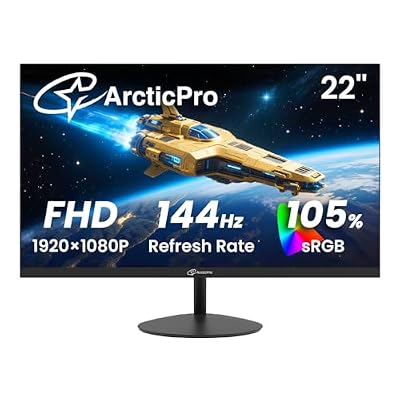
ArcticPro 22 Inch Gaming Monitor 144Hz, FHD Computer Monitor, 105% sRGB | 1080p, 4000:1 Contrast, 3-Sided Frameless, Ultra Slim, VESA Mount, Eye Care, HDMI 1.4, VGA
Included for 'Best Monitor for Xbox: Ultimate Picks for Epic Victories' because the listing specifies FHD Computer Monitor and 105% sRGB, details this guide uses to compare options.
View on Amazon