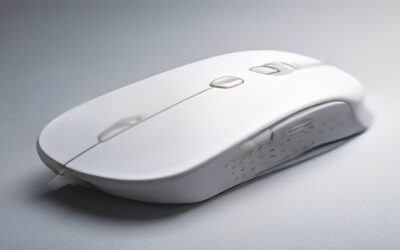
The best budget wireless gaming mouse no longer means compromise—thanks to trickle-down sensor technology and fierce competition, you can now get flagship-grade tracking, low latency, and lightweight designs for a fraction of what they cost two years ago. You do not need to spend $150 to get a genuinely competitive wireless mouse. This guide rounds up the best budget wireless gaming mouse options in 2026, explains which corners are safe to cut, and helps you find low-latency freedom without draining your wallet.
As an Amazon Associate I earn from qualifying purchases.
As an Amazon Associate we earn from qualifying purchases at no extra cost to you.








We focused on affordable wireless mice that deliver reliable 2.4GHz performance, accurate sensors, and comfortable shapes—the features that matter most—while cutting only the extras you can live without. Here are the top value picks.
🛒 Best Price Today on Amazon
Prime members get fast, free shipping on everything above, plus member-only deals. New members get a 30-day free trial — cancel anytime.
Best Budget Wireless Gaming Mouse Picks for 2026
| Product | Key Spec | Best For | Rating |
|---|---|---|---|
| Logitech G305 Lightspeed | HERO sensor, AA battery | Reliable value | 4.7/5 |
| Glorious Model O 2 Wireless | 68g, BAMF 2.0 sensor | Lightweight budget | 4.6/5 |
| Razer Cobra Pro (on sale) | Focus Pro 30K, RGB | Feature-rich value | 4.5/5 |
| Keychron M3 Mini | 4000Hz dongle, 49g | High polling budget | 4.5/5 |
| ATTACK SHARK X3 | PAW3395, 49g, tri-mode | Ultralight bargain | 4.4/5 |
| Logitech G502 X Lightspeed | HERO 25K, extra buttons | Multi-genre value | 4.5/5 |
| Redragon Storm Pro | PAW3335, 68g | Entry-level pick | 4.2/5 |
The best budget wireless gaming mouse overall
The Logitech G305 Lightspeed remains the gold standard for the best budget wireless gaming mouse. Its HERO sensor tracks flawlessly, the Lightspeed wireless is genuinely low-latency, and a single AA battery lasts for months. It skips RGB and a rechargeable cell to hit its price, but the performance rivals mice costing three times as much. For most players, it is the obvious value pick.
Ultralight budget performance
Lightweight designs used to command a premium, but mice like the 49g ATTACK SHARK X3 and Keychron M3 Mini bring sub-50g bodies and even 4000Hz polling to the budget tier. Paired with proven PAW3395-class sensors, they deliver the fast, fatigue-free control that competitive FPS players crave. The best budget wireless gaming mouse market has closed the gap with flagships on weight.
Which corners are safe to cut?
The best budget wireless gaming mouse saves money by skipping RGB lighting, premium packaging, extra polling modes, or software depth—none of which affect in-game performance. What you should never compromise on is sensor accuracy and wireless latency. Prioritize a proven sensor and stable 2.4GHz connection; treat RGB, charging docks, and companion-app polish as bonuses, not requirements.
Battery: AA versus rechargeable
Budget wireless mice use two approaches. AA-powered models like the G305 offer months of life and never need charging cables, at the cost of slightly more weight. Rechargeable models are lighter and more convenient day to day but require periodic charging. Neither is wrong—choose based on whether you prefer set-and-forget longevity or a lighter body for the best budget wireless gaming mouse experience.
Sensor quality on a budget
The biggest win for budget buyers is that flagship-tier sensors have trickled down. The PAW3395 and Logitech HERO now appear in affordable mice, delivering accurate tracking with no smoothing or acceleration. When evaluating the best budget wireless gaming mouse, check which sensor it uses—a good sensor is the single most important spec, and budget models increasingly ship with excellent ones.
Shape and grip on affordable mice
Budget does not mean poorly shaped. The Glorious Model O 2 suits claw and fingertip grips, while the ergonomic Logitech G502 X favors palm grippers who want extra buttons. Match the shape to your hand and grip style just as you would with a premium mouse. The best budget wireless gaming mouse for you is the one that fits comfortably, regardless of price.
Latency: is budget wireless fast enough?
Modern budget 2.4GHz wireless is genuinely competitive. Technologies like Logitech Lightspeed and generic high-quality dongles deliver latency indistinguishable from wired for the vast majority of players. Avoid Bluetooth-only mice for gaming, but a dedicated USB dongle on the best budget wireless gaming mouse gives you the responsiveness you need for ranked play without spending flagship money.
Feature-rich value options
If you want more than the basics, the Razer Cobra Pro on sale and the Logitech G502 X Lightspeed add extra buttons, better software, and RGB while still landing in value territory during promotions. These suit players who play multiple genres and want programmable inputs. The best budget wireless gaming mouse can be feature-rich if you shop the sales patiently.
Continue upgrading your setup: best lightweight gaming mice, wireless vs wired mouse latency, how to choose mouse grip style, best budget gaming keyboards, best gaming mousepads, and our complete budget gaming setup guide.
Frequently Asked Questions
What is the best budget wireless gaming mouse overall?
The Logitech G305 Lightspeed is the best budget wireless gaming mouse for most players. Its flawless HERO sensor, genuinely low-latency Lightspeed wireless, and months-long AA battery life rival mice costing three times as much. It skips RGB and a rechargeable cell to hit its price, but none of those omissions affect in-game performance, making it the definitive value recommendation.
Is a budget wireless gaming mouse fast enough for competitive play?
Yes—modern budget 2.4GHz wireless using a dedicated USB dongle delivers latency indistinguishable from wired for the vast majority of players, thanks to technologies like Logitech Lightspeed. The best budget wireless gaming mouse gives you the responsiveness needed for ranked FPS play. Just avoid Bluetooth-only connections for gaming, since they add noticeable lag compared to a proper wireless dongle.
What corners do budget wireless gaming mice cut?
The best budget wireless gaming mouse saves money by skipping RGB lighting, premium packaging, extra polling modes, charging docks, or deep software—none of which affect in-game performance. What matters is sensor accuracy and wireless latency, and budget models increasingly ship with flagship-tier sensors like the PAW3395 and Logitech HERO, so the performance gap with premium mice has largely closed.
Should I choose an AA or rechargeable budget wireless mouse?
Both work well. AA-powered models like the Logitech G305 offer months of battery life and never need charging cables, at the cost of slightly more weight. Rechargeable models are lighter and more convenient but require periodic charging. Choose based on whether you prefer set-and-forget longevity or a lighter body—both are valid approaches for the best budget wireless gaming mouse.
Can I get a lightweight budget wireless gaming mouse?
Absolutely—ultralight designs have reached the budget tier. Mice like the 49g ATTACK SHARK X3 and Keychron M3 Mini offer sub-50g bodies and even 4000Hz polling with proven PAW3395-class sensors at low prices. These deliver the fast, fatigue-free control competitive players want, proving the best budget wireless gaming mouse no longer forces you to choose between low weight and low cost.
Ready to decide? Our #1 pick for 2026 is the Logitech G305 Lightspeed.
Live price & availability on Amazon.