⚡ Key Takeaways
- Resolution is the number of pixels that make up your image, expressed as width by height.
- 1080p remains the most popular gaming resolution, and for good reason.
- 1440p is widely regarded as the current sweet spot for gaming, and I agree.
- 4K is the resolution for those who prioritize visual fidelity above all else.
Choosing between 1080p vs 1440p vs 4k is one of the most consequential decisions you’ll make for your gaming setup, because resolution affects everything from image sharpness to the hardware you need and the frame rates you can hit. Higher resolution means a crisper, more detailed picture, but it also demands far more from your graphics card. Pick a resolution your hardware can’t drive smoothly and you’ll suffer low frame rates; pick one too low for your monitor and you’ll waste its potential. The right choice balances visual quality, performance, monitor size, and budget. In this guide I’ll explain what each resolution actually delivers, how much more powerful your hardware needs to be at each step, and how to match resolution to your setup and goals.
🛒 Best Price Today on Amazon
Prime members get fast, free shipping on everything above, plus member-only deals. New members get a 30-day free trial — cancel anytime.
What Resolution Actually Means
Resolution is the number of pixels that make up your image, expressed as width by height. More pixels mean a sharper, more detailed picture because fine details are rendered with greater precision. Moving from 1080p to 1440p roughly increases the pixel count by 78 percent, and moving to 4K roughly quadruples it compared to 1080p. Each step up demands proportionally more work from your graphics card.
| Resolution | Pixel Count | Common Name | GPU Demand |
|---|---|---|---|
| 1920 x 1080 | ~2.1 million | 1080p / Full HD | Low to moderate |
| 2560 x 1440 | ~3.7 million | 1440p / QHD | Moderate to high |
| 3840 x 2160 | ~8.3 million | 4K / UHD | Very high |
The jump in pixel count directly explains the jump in hardware requirements. Your graphics card has to render every one of those pixels for every frame, so quadrupling the pixels roughly quadruples the workload at the same settings.
The Case for 1080p
1080p remains the most popular gaming resolution, and for good reason. It’s easy to drive at high frame rates even on modest hardware, making it ideal for competitive gamers who prioritize smooth, high-refresh gameplay over visual fidelity. If you play fast shooters and want to chase 144 frames per second or higher, 1080p lets a midrange graphics card deliver that without breaking a sweat.
The tradeoff is sharpness, especially on larger monitors. On a screen above 27 inches, 1080p starts to look soft because the pixels are spread thin. But on a 24-inch display, it looks crisp and runs beautifully. For budget builds and competitive play, 1080p is still the sensible default, pairing well with a fast gaming mouse and responsive gaming keyboard for competitive edge.
The Case for 1440p
1440p is widely regarded as the current sweet spot for gaming, and I agree. It delivers a noticeably sharper image than 1080p without the brutal hardware demands of 4K. On a 27-inch monitor, the most popular size for this resolution, the image looks crisp and detailed while remaining drivable at high frame rates by a capable midrange to high-end graphics card.
This balance is why 1440p has become the recommendation for most gamers building a new setup. You get a meaningful visual upgrade over 1080p, the ability to run high refresh rates for smooth motion, and reasonable hardware requirements. If you’re buying a new monitor and graphics card together and want the best all-around experience, 1440p is hard to beat.
The Case for 4K
4K is the resolution for those who prioritize visual fidelity above all else. The image is stunningly sharp, with fine details rendered beautifully, and it shines on large monitors and televisions where the extra pixels prevent the picture from looking soft. For immersive single-player adventures and cinematic experiences, nothing looks better.
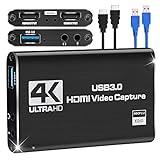
The catch is the hardware cost. Driving 4K at high frame rates requires a top-tier graphics card, and even then some demanding games may force you to choose between high frame rates and maximum settings. Upscaling technologies help by rendering at a lower resolution and intelligently sharpening the result, making 4K more attainable. But 4K remains the most demanding and expensive path, best suited to enthusiasts with powerful hardware. It’s spectacular for recording showcase footage with a capture card too.
Matching Resolution to Monitor Size
Resolution and monitor size go hand in hand because they together determine pixel density, which is how sharp the image looks. A given resolution looks sharper on a smaller screen and softer on a larger one. This is why 1080p looks crisp on a 24-inch monitor but soft on a 32-inch one, and why 4K is wasted on a tiny screen but transformative on a large one.
As a rough guide, 1080p suits 24-inch monitors, 1440p shines on 27-inch displays, and 4K comes into its own at 32 inches and above. Matching resolution to size ensures you get a sharp image without overpaying for pixels you can’t perceive. Consider your desk space and viewing distance when choosing, since a larger monitor also changes how you position your mousepad and peripherals.
Which Should You Choose
Choose 1080p if you’re on a budget, play competitive games, or want maximum frame rates from modest hardware on a 24-inch screen. Choose 1440p if you want the best all-around balance of sharpness, performance, and cost, which suits the majority of gamers building a new setup with a 27-inch monitor. Choose 4K if visual fidelity is your priority, you have a powerful graphics card, and you’ll use a large screen.
Remember that resolution should match both your hardware and your goals. There’s no shame in 1080p if it delivers the smooth, high-refresh experience you want, and there’s no need for 4K if your graphics card can’t drive it comfortably. Pick the resolution your hardware can run well at the frame rate you care about, and you’ll be happy.
The Role of Refresh Rate
Resolution doesn’t tell the whole story, because refresh rate works alongside it to define your experience. Refresh rate is how many times per second your monitor updates the image, and a higher refresh rate makes motion look smoother and feel more responsive. A common decision is whether to prioritize resolution or refresh rate when your hardware can’t max both, and the answer depends on what you play.
Competitive gamers often favor a lower resolution paired with a high refresh rate, because the smooth, responsive motion gives them an edge in fast-paced titles. Players who prefer immersive single-player experiences usually favor higher resolution for the visual fidelity, accepting a more modest refresh rate. There’s no universal right answer; it’s about matching your monitor and hardware to the kind of games you love. When buying a monitor, consider both numbers together rather than fixating on resolution alone, because a sharp image at a sluggish refresh rate or a blurry image at a high one both leave something on the table. The ideal is a balanced pairing your graphics card can actually drive in the games you play most.
Top-Rated Picks
As an Amazon Associate we earn from qualifying purchases at no extra cost to you.



| Product | Brand | Rating | Reviews | Price |
|---|---|---|---|---|
| Redragon K552 Mechanical Gaming Keyboard, 87-Key Comp… | REDRAGON | ★ 4.5 | 51.5k | Check on Amazon |
| Redragon S101-3 PRO Gaming Keyboard and Mouse, RGB Ba… | REDRAGON | ★ 4.5 | 51.3k | Check on Amazon |
| Redragon S101M-KS Gaming Keyboard and Mouse Wireless … | REDRAGON | ★ 4.5 | 51.3k | Check on Amazon |
| HyperX Alloy Origins 60 – Mechanical Gaming Keyboard,… | HyperX | ★ 4.7 | 15.1k | Check on Amazon |
| HyperX Alloy Origins – Mechanical Gaming Keyboard, So… | HyperX | ★ 4.7 | 15.1k | Check on Amazon |
Frequently Asked Questions
Is 1440p worth it over 1080p? For most gamers, yes. 1440p offers a noticeably sharper image than 1080p without the heavy hardware demands of 4K, making it the current sweet spot, especially on a 27-inch monitor.
Do I need a powerful graphics card for 4K gaming? Yes. 4K has roughly four times the pixels of 1080p, so it demands a top-tier graphics card to run at high frame rates. Upscaling technologies help make it more attainable.
Does higher resolution increase frame rate? No, the opposite. Higher resolution makes your graphics card work harder, which lowers frame rates at the same settings. Lower resolutions are easier to run at high frame rates.
What resolution is best for competitive gaming? 1080p is popular for competitive play because it’s easy to run at very high frame rates, which many competitive gamers prioritize over visual fidelity for smoother, more responsive motion.
Does monitor size affect which resolution I should pick? Yes. Smaller screens look sharp at lower resolutions, while larger screens need higher resolutions to stay crisp. Match resolution to size: 1080p for 24-inch, 1440p for 27-inch, 4K for 32-inch and up.
Conclusion
The choice between 1080p, 1440p, and 4K comes down to balancing sharpness, performance, monitor size, and budget. 1080p excels for competitive play and tight budgets, 1440p offers the best all-around balance for most gamers, and 4K delivers stunning fidelity for those with powerful hardware and large screens. Match resolution to your hardware and goals, and you’ll enjoy the best experience your setup can deliver.