🛒 Best Price Today on Amazon
Prime members get fast, free shipping on everything above, plus member-only deals. New members get a 30-day free trial — cancel anytime.
Choosing a USB gaming headset is really a decision about where the sound processing should live. A USB model like the EKSA E1000 carries its own sound chip in the cable, so one plug delivers game audio, surround processing and microphone signal together, with nothing to install. The trade is reach: it only works on devices with a USB audio port, and it will never plug into a game controller the way a 3.5mm headset does.
This review is for PC players who want plug-and-play surround, PlayStation owners with a free console USB port, and laptop users who game and take calls at the same desk. The E1000 is covered first and in the most depth, followed by three alternatives chosen from the names and specifications on their Amazon product pages: the EKSA E900 Pro, the HyperX Cloud II and the Logitech G432.
Quick Picks
As an Amazon Associate we earn from qualifying purchases.
| Product | Best for | Key spec from title |
|---|---|---|
| EKSA E1000 USB Gaming Headset | Plug-and-play PC and PlayStation play | Driver-free 7.1 surround over USB |
| EKSA E900 Pro USB Gaming Headset | Players who also need a 3.5mm jack | USB and 3.5mm cables, detachable mic |
| HyperX Cloud II | PC and console players who want a control box | USB audio control box with 7.1 surround |
| Logitech G432 | PC players who want DTS Headphone:X 2.0 | 50mm drivers, surround via USB DAC |
How to Choose
Check the USB port you actually have
Every headset here connects over USB for its full feature set, so start by counting the ports on the machine you game on. A desktop PC or a PlayStation console offers USB-A ports that sit free, while a thin laptop may give you one port that is already spoken for. Just as important is what USB cannot do: none of these headsets plugs into a DualSense or Xbox controller, because controllers take 3.5mm plugs. If most of your play happens through a controller jack, a dual-connection model such as the E900 Pro or G432 covers both worlds, while the USB-only E1000 does not.
Decide how the surround sound is produced
All four headsets advertise 7.1 surround, but the processing sits in different places. The E1000 builds the sound chip into its own cable, so the effect works the same on a PC or a PlayStation with no software at all. The Cloud II moves the processing into a separate USB control box, and the G432 uses a USB DAC with DTS Headphone:X 2.0 on PC. The E900 Pro ties its surround to the USB cable as well. Where it matters: the plain 3.5mm path on the dual-connection models is a stereo path, so pick based on the connection you will use most.
Match the microphone to your room and routine
Microphone design is the clearest practical difference in this group. The E1000 uses a fixed boom that bends through 120 degrees and stays attached; the maker describes it as noise cancelling and omnidirectional. The E900 Pro and Cloud II use detachable microphones, which suit players who also wear the headset for music or calls away from the desk. The G432 flips its boom up to mute. Think about how often you mute, how noisy your room is, and whether a permanently attached boom would get in your way during long non-gaming hours at the same desk.
Plan for cable length and long-session fit
These are all wired, over-ear headsets, so the cable becomes part of your desk layout. The E1000 runs a 2.2 meter cable and the E900 Pro a 2 meter cord, which decides whether you can lean back or route the wire behind a monitor. Weight and padding decide the rest of the session: the E1000 is listed at 7 ounces with protein foam ear cups, the Cloud II uses memory foam pads on an aluminum frame, and the G432 uses leatherette pads. If you play in long stretches, the fit details on the listing matter more than the lighting.
The 4 Best Options
EKSA E1000 USB Gaming Headset

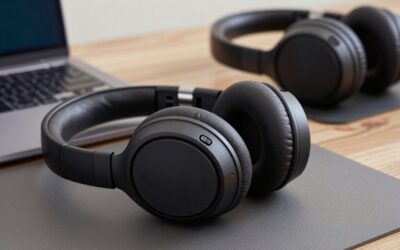
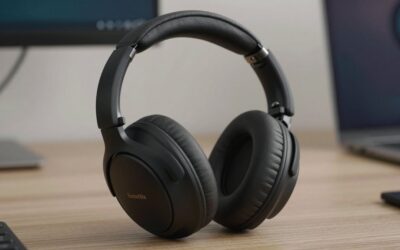
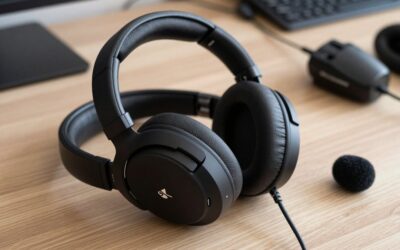
The E1000 is the simplest route into USB surround sound in this group. Its built-in USB sound chip delivers the maker’s driver-free 7.1 surround the moment it is plugged into a PC, laptop or PlayStation console, and the 50mm magnetic neodymium drivers and RGB-lit ear cups give it the standard gaming-headset checklist at an entry-level position in EKSA’s own range. The 120-degree adjustable microphone handles team chat and calls, the 2.2 meter cable reaches across most desks, and at a listed 7 ounces it is light enough for long sessions. It suits players who want one plug and no software.
Specs
- Connection: USB, wired, for devices with a USB audio port
- Driver: 50mm magnetic neodymium dynamic driver
- Surround sound: 7.1 via built-in USB sound chip, no driver download required
- Microphone: 6.0 x 2.7mm omnidirectional, adjustable through 120 degrees, noise cancelling, sensitivity -42±3dB
- Frequency response: 20Hz to 20kHz
- Impedance: 32 ohms
- Cable length: 2.2 meters
- Weight: 7 ounces
- Compatibility: PC running Windows 7, 8 or 10, PS4, PS5 and laptops with a USB audio port
- In the box: headset, carry pouch and user manual
Best for: PC and PlayStation players who want surround sound that works the moment the USB plug goes in.
Watch out for: The listing states plainly that the E1000 is not compatible with game controllers, and there is no 3.5mm fallback, so controller-based play is off the table.
ASIN: B07XHGLSGF
EKSA E900 Pro USB Gaming Headset

The E900 Pro is EKSA’s step-up answer for players whose week crosses platforms. It keeps the 50mm driver and 7.1 surround over USB, then adds a 3.5mm cable so the same headset can move to an Xbox controller, a Switch or a phone, and its microphone detaches when you only want headphones. That flexibility makes it the natural pick for a mixed PC-and-console household that shares one headset between a desk and a couch. The 2 meter cord is slightly shorter than the E1000’s cable, and the surround processing belongs to the USB connection, so the 3.5mm path should be treated as the plain stereo option.
Specs
- Connection: USB and 3.5mm cables
- Driver: 50mm
- Surround sound: 7.1 over the USB connection
- Microphone: detachable, noise cancelling
- Cable length: 2 meter cord
- Compatibility: PC, PS4, PS5, Xbox One, Nintendo Switch and laptops
Best for: Players who split time between a PC or PlayStation at a desk and controller-based play on other consoles.
Watch out for: The surround sound is tied to the USB connection, so check which cable you are using before expecting the full effect on a console controller.
ASIN: B07PRVS98X
HyperX Cloud II

The Cloud II is the established name in this group, built around a USB audio control box that produces its 7.1 virtual surround and puts volume and microphone controls within reach on the desk. Its 53mm drivers are the largest listed here, the frame is aluminum rather than plastic, and the memory foam ear pads and detachable microphone suit players who wear a headset for most of the working day as well as the gaming evening. It covers PC and PlayStation over USB and reaches Xbox consoles through its wired connection, which makes it the most platform-flexible alternative to the E1000 in this roundup.
Specs
- Driver: 53mm
- Surround sound: 7.1 virtual surround via the USB audio control box
- Microphone: detachable
- Ear pads: memory foam
- Frame: aluminum
- Compatibility: PC, PS5, PS4, Xbox Series X|S and Xbox One
Best for: Players who want desk-level controls and a metal frame, and who game across PC and consoles.
Watch out for: The 7.1 surround runs through the USB control box, so on a controller’s 3.5mm jack you are listening to the standard stereo feed instead.
ASIN: B00SAYCVTQ
Logitech G432

The G432 takes the software route to surround: its included USB DAC unlocks DTS Headphone:X 2.0 and 7.1 surround on a PC, while the 3.5mm connection keeps it usable with consoles and other jack-equipped devices. The 50mm drivers match the EKSA models on paper, the boom microphone flips up to mute, which is the quickest mute gesture in this group, and the leatherette ear pads and Black and Blue finish keep it understated next to the RGB-lit designs. It is the pick for a PC-first player who wants branded surround processing and a headset that still works at a console in stereo.
Specs
- Driver: 50mm
- Surround sound: 7.1 with DTS Headphone:X 2.0 via the USB DAC on PC
- Microphone: flip-to-mute boom
- Connections: USB DAC and 3.5mm audio jack
- Included: USB digital-to-analogue converter and Y-splitter cable
- Ear pads: leatherette
Best for: PC players who want DTS Headphone:X 2.0 surround and a flip-to-mute microphone.
Watch out for: The surround processing needs the USB DAC on a PC, so the 3.5mm console connection is a stereo-only arrangement.
ASIN: B07MRMHML9
Which One Fits Your Situation
You game on PC and PlayStation at one desk
Take the E1000. Both machines accept its USB plug directly, the surround chip travels with the headset, and there is no software to reinstall when you swap between the tower and the console. Its long cable and light listed weight suit a single desk where the headset stays plugged in and ready.
Your week also includes Xbox or Switch sessions
Choose the E900 Pro or the G432, because both carry a 3.5mm connection for controller jacks alongside their USB modes. The E900 Pro adds a detachable microphone for handheld Switch play, while the G432’s flip-to-mute boom is faster when you move between group chat and quiet couch sessions.
The same desk handles work calls and evening games
Look at the Cloud II or the E900 Pro. Detachable microphones keep the headset presentable for calls and easy to store, the Cloud II’s control box puts mute and volume at your fingertips during meetings, and both models stay comfortable through a full day of wear.
Your laptop has very few free ports
The E1000 still makes sense if one USB port can be dedicated to it, since it needs no hub-powered extras and no software. If that single port is shared with other accessories, the dual-connection E900 Pro is easier to live with, because its 3.5mm cable frees the USB port whenever surround is not needed.
Common Mistakes
- Plugging a USB headset into a game controller and expecting audio, when controllers only accept 3.5mm plugs.
- Assuming the advertised surround sound works on every cable, when the 3.5mm path on dual-connection models is stereo.
- Buying a USB-only headset for Xbox play without checking the listing’s compatibility line first.
- Choosing by lighting and driver size while ignoring cable length, which decides how the headset fits your desk.
- Leaving a bendable microphone pointing away from your mouth, then blaming the noise cancelling for quiet voice chat.
Frequently Asked Questions
Does the EKSA E1000 work with a PS5?
Yes, through a USB port on the console itself. The listing names PS5 and PS4 among its compatible devices, and the surround chip is built into the cable, so no driver or app is needed on the console. It does not connect through the DualSense controller, which has no USB audio input for headsets like this one.
Does the E1000 need drivers or software on a PC?
No. EKSA describes the E1000 as driver-free: the USB sound chip in the cable produces the 7.1 surround output as soon as the headset is plugged in and selected as the audio device. That also means there is no equalizer software to adjust, so what the listing promises is exactly the processing you get on every machine.
Can I use the E1000 with an Xbox controller?
No. The product listing states that the E1000 is not compatible with game controllers, and it has no 3.5mm plug at all. If Xbox play is part of your routine, the E900 Pro in this roundup is the EKSA model to look at, because its 3.5mm cable connects to a controller while its USB cable covers PC and PlayStation.
Which of these headsets has a detachable microphone?
The EKSA E900 Pro and the HyperX Cloud II both use detachable microphones, which is handy when the headset doubles as plain headphones. The E1000’s microphone bends through 120 degrees but stays fixed to the headset, and the Logitech G432 takes a third approach: its boom flips up against the ear cup to mute.