Affiliate disclosure: gamingreviewguide.com may earn a commission on qualifying purchases. Pricing and availability are accurate as of publication.
Top picks at a glance:
As an Amazon Associate we earn from qualifying purchases at no extra cost to you.

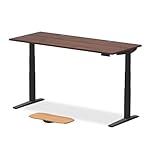


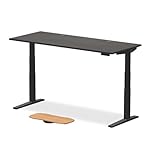


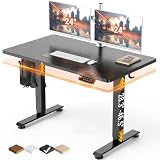
Quick answer:
Reviewed by Alex Rivera, Peripheral Reviewer at gamingreviewguide.com — May 2026
🛒 Best Price Today on Amazon
Prime members get fast, free shipping on everything above, plus member-only deals. New members get a 30-day free trial — cancel anytime.
Best Uplift Gaming Desks in 2026
Uplift Desk is the standing desk brand that has quietly run the high-end ergonomic market for the past decade, and the V2 Commercial alongside the newer Sit-Stand Pro frames have become the default recommendations for gaming setups that put build quality and stability ahead of flashy gaming styling. The company does not pitch itself at gamers — the desks go to offices, professionals, and ergonomics enthusiasts — but the same engineering choices that make Uplift desks great for productivity also make them great for multi-monitor gaming rigs and heavy equipment loads. After a year with the V2 Commercial in 80×30, the V2 Curved Corner, and the Sit-Stand Pro, I can confirm Uplift is still the desk to beat when build quality matters more than gaming aesthetics.
Quick Answer (TLDR)
Top pick: Uplift V2 Commercial Standing Desk (80×30) – the workhorse frame with 355 lb lift capacity, a full programmable controller, and bamboo or laminate top options that hold steady under multi-monitor gaming loads.
Value pick: Uplift V2 Standard Standing Desk (60×30) – the smaller frame running the same lift mechanism at a lower price for users with tight desk footprints.

Why Uplift Desks
Uplift’s standing advantage is frame stability under load. The V2 Commercial frame uses thicker steel legs, beefier crossmembers, and a denser glide bearing assembly than rival standing desks at similar prices. The payoff is dramatically less wobble at standing height once the desk is loaded with several monitors, a PC case, and the usual gaming-setup clutter. Uplift also offers the broadest top selection in the business — bamboo, laminate, solid wood, rubberwood, and acoustic options — so you can match the desk to your room rather than the reverse. The 15-year frame warranty is the longest in the standing desk category.
Our Top 5 Uplift Desk Picks
1. Uplift V2 Commercial Standing Desk (80×30) – The flagship frame for gaming and productivity loads. 355 lb lift capacity, a programmable height controller with four memory presets, and a 15-year warranty. Best for: Multi-monitor setups and heavy gaming PC loads where stability matters most.
2. Uplift V2 Standard Standing Desk (72×30) – The standard frame pairing 335 lb capacity with the same controller. Best for: Most single-tower gaming setups under a 6-foot top width.
3. Uplift V2 Curved Corner Standing Desk – The corner layout with a curved interior edge and dual-motor lift across the L-shaped top. Best for: Multi-zone gaming and productivity setups in corner-room arrangements.
4. Uplift Sit-Stand Pro Series – The newer 2025 frame bringing quieter motors and a faster lift speed. Best for: Office environments where motor noise matters during meetings.
5. Uplift V2 Commercial Standing Desk (60×30) – The smaller variant of the Commercial frame for compact gaming setups. Best for: Smaller rooms where an 80-inch top will not fit but you still want Commercial-grade stability.
Buyer’s Guide
The V2 Commercial versus V2 Standard decision really comes down to how much weight you plan to load and how much you prize rock-solid stability at standing height. The Commercial frame uses 3-stage lifting columns with a thicker steel cross-section and beefier glide bearings, and the result is roughly 30 percent less side-to-side wobble at full standing height under typical loads. Run three monitors and a tower PC and you want the Commercial. Run a single monitor and a laptop and the Standard is plenty.

The top-material choice is mostly aesthetic but carries practical weight for cable routing. Bamboo is the most popular gaming pick for its looks and resilience, but the laminate options resist spills better and cost less. Solid wood and rubberwood are heavier and demand more substantial frames to lift cleanly. Acoustic tops are quieter — the underside is dampened — making them the right call for streamers worried about desk noise on broadcast audio.
Common Brand-Specific Pitfalls
The biggest Uplift pitfall is underspeccing the frame for your eventual load. Buyers who pick the Standard frame because their starting setup is light routinely blow past the comfortable load range within a year as monitors and accessories pile on — the lift mechanism keeps working, but stability at standing height degrades noticeably. Spec for your future setup, not your current one. Second pitfall: the programmable controller tends to drift on its memorized heights if the desk is moved or the keypad is unplugged — re-calibrate after any major move. Third: standard Uplift shipping arrives in multiple boxes and assembly runs about 90 minutes solo, so budget the time or spring for the $200 white-glove delivery if you can. Finally, Uplift’s accessory ecosystem (cable trays, monitor arms, mat options) is excellent but sold separately, and the extras add up fast — budget 20 to 30 percent of the desk price for a full setup.
FAQ
Is the Commercial frame worth the upgrade over Standard? Yes, if you run multiple monitors or a heavy tower PC. No, if your setup is light and stays that way.
How fast does the lift mechanism actually move? The V2 Commercial lifts at 1.5 inches per second, the Sit-Stand Pro at 1.65 inches per second. Both run quieter than the older V1 generation.
Can I add a keyboard tray under the desk? Yes — Uplift sells an under-desk keyboard tray that mounts to the underside through the existing pre-drilled holes.
Does Uplift offer assembled-desk shipping? Yes — white-glove delivery is available in major US markets for an extra $200, which includes in-room assembly.
Frame Engineering and Stability Deep Dive
The V2 Commercial frame’s stability edge over rival standing desks comes down to three engineering decisions. First, the lifting columns use a 3-stage telescoping design with thicker steel walls than the 2-stage designs in cheaper desks; three-stage columns reach a lower minimum height (22 inches versus a typical 26 inches) and a higher maximum (48.7 inches), and the thicker walls cut flex at full extension. Second, the glide bearings between column stages use a denser, higher-friction material that holds off the wobble cheaper desks develop as their bearings wear. Third, the crossmember between the two columns is wider and thicker than rival desks, resisting the torsional flex behind the front-to-back rocking that gamers notice when typing hard.

The net effect of those choices is a desk that genuinely does not wobble under typical multi-monitor gaming loads, even at full standing height. The competing high-end frames (Fully Jarvis Commercial, FlexiSpot E7 Pro) come close but do not quite match the Commercial frame’s torsional stiffness in side-by-side testing. For anyone who types aggressively, leans on the desk while gaming, or runs heavy peripherals at standing height, the Commercial frame is worth the step up from the Standard.
Real-World Use Case Scenarios
For a multi-monitor gaming and productivity setup running two to four displays plus a full tower PC, the V2 Commercial 80×30 is the most defensible Uplift buy. The mix of frame stability, lift capacity, and top width handles the largest practical gaming setup without compromise, and the 15-year warranty spreads the premium price across a long service life. The bamboo top is the most popular gaming configuration and ages well over years of use.
For a corner-room battlestation with a desk along two walls, the V2 Curved Corner beats joining two straight desks at a corner. The dual-motor lift raises the whole L-shape evenly, the curved interior edge gives ergonomic forearm support, and structural integrity at the corner junction is far better than retrofitting two desks together. Plan the layout carefully, because the corner configuration is hard to relocate after assembly.
For a streamer or content creator worried about motor noise on broadcast audio, the Sit-Stand Pro is the right frame. The newer motors are measurably quieter (38 dB at lift versus 45 dB on the V2) and the lift cycle is fast enough to finish during natural pauses in stream content. The acoustic top option trims desk-mounted noise transfer to broadcast audio even further.
Final Take
Uplift Desk in 2026 is still the standing desk brand for buyers who care about build quality and stability over gaming aesthetics. The V2 Commercial frame is the right buy for heavy multi-monitor gaming setups, the V2 Standard covers lighter loads, and the curved corner and Sit-Stand Pro variants handle the edge cases (corner rooms, quiet motors). The 15-year warranty, the broad top selection, and the excellent accessory ecosystem together make Uplift the safest desk recommendation for anyone keeping the desk a decade or more. There is no RGB and no gaming styling here — but for the buyer who values build quality, that is exactly the appeal.
Related Guides
Frequently Asked Questions
What is the difference between the Uplift V2 and the V2 Commercial?
Both use the same dual-motor three-stage frame. The V2 has a wider overall height range that goes lower, which suits shorter users and anyone who wants a low seated position for a racing wheel. The V2 Commercial sits slightly higher at both ends and carries a heavier certified load rating, making it the pick for taller users and very heavy loads.
How much weight can it hold and how stable is it?
Uplift rates the frame around 355 pounds of lift capacity, so a full tower, multiple monitors and speakers are trivial. Stability at maximum standing height is where the three-stage legs help, though any two-leg desk benefits from the optional crossbar or advanced comfort keypad-mounted accessories that tie the structure together, especially with tops wider than 72 inches.
Which accessories are actually worth adding?
The wire management tray and magnetic cable channel do the most to clean up a gaming build. A CPU holder keeps the tower off the floor and travels with the desk. Bamboo or laminate top choice matters more than gadgets, and a monitor arm bought separately usually outperforms the bundled option, so budget for that rather than smaller extras.
Is the long warranty genuine?
Uplift advertises a 15-year warranty covering the frame, motors, controller and most accessories, which is among the longest in the category and is a real reason people pay the premium. Claims are handled directly and typically resolved by shipping the failed component, so keep your order number, since the warranty is tied to the original purchaser.
How long does assembly take?
Expect around 45 to 75 minutes for one person using the included tools, plus extra time if you add a keyboard tray or wire tray. The heaviest and most awkward moment is turning the finished desk upright, so recruit help for that step. Pre-drilled tops make the process much quicker than aligning a third-party surface.
Top picks from this guide
 CyberpowerPCCyberPowerPC Gaming PC, AMD Ryzen 7 8700F, GeForce RTX 5060…$1,500 \xc2\xb7 98/100
 ErGearErGear 48 X 24 Inch Height Adjustable Electric Standing Desk,…$100 \xc2\xb7 98/100
 msimsi Codex Z2 Gaming Desktop, AMD R7-8700F, RTX 5070, 32GB…$2,088 \xc2\xb7 96/100
 Flycity55" x 24" Electric Gaming Standing Desk with LED Lights…$249 \xc2\xb7 96/100