Affiliate disclosure: gamingreviewguide.com may earn a commission from qualifying purchases. Prices and availability accurate at the time of writing.
- Best Razer Gaming Mice in 2026
- Related Guides
- Best Razer Gaming Mouse by Use Case (November 2026)
- Best Razer Mouse for FPS: Viper Family
- Best Razer Gaming Mouse for Palm Grip: DeathAdder
- Best Wired Razer Gaming Mouse
- Razer Basilisk V3 Pro: Best for Hybrid Gaming and Work
- Razer Cobra Pro: Best Lightweight Razer for Claw Grip
- Best Razer MMO Gaming Mouse and Naga Options
- Best Non-Razer Gaming Mouse and Mice Like Razer
- Razer Mouse Buying Guide: Quick Thresholds
- Best Razer Gaming Mouse: Quick Answers
- Frequently Asked Questions
- Related Articles
Top picks at a glance:

Razer DeathAdder Essential Ergonomic Wired Gaming Mouse, Black | 6400 DPI Optical Sensor, 5 Programmable Buttons, Rubber Side Grips, Mechanical Mouse Switches
Included for '18 Best Razer Mouse Gaming Mices in 2026' as a representative home product in this roundup; selection reflects the product set returned for this topic.
View on Amazon
Razer Basilisk V3 Customizable RGB Wired Ergonomic Gaming Mouse, Black | Fastest Gaming Mouse Switch, Chroma RGB Lighting, 26K DPI Optical Sensor, 11 Programmable Buttons, HyperScroll Tilt Wheel
Included for '18 Best Razer Mouse Gaming Mices in 2026' as a representative home product in this roundup; selection reflects the product set returned for this topic.
View on Amazon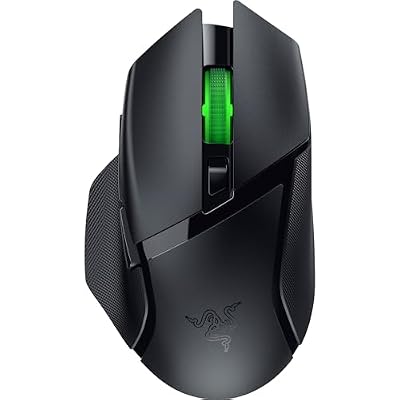
Razer Basilisk V3 X HyperSpeed Customizable Wireless Gaming Mouse, Black | Mechanical Switches Gen-2, 5G Advanced 18K Optical Sensor, Chroma RGB, 9 Programmable Controls, 285 Hr Battery
Included for '18 Best Razer Mouse Gaming Mices in 2026' as a representative home product in this roundup; selection reflects the product set returned for this topic.
View on Amazon
Razer Naga V2 HyperSpeed Wireless MMO Gaming Mouse, 400 Hr Battery, Black | 19 Programmable Buttons, HyperScroll Technology, Focus Pro 30K Optical Sensor, Mechanical Mouse Switches Gen-2
Included for '18 Best Razer Mouse Gaming Mices in 2026' as a representative home product in this roundup; selection reflects the product set returned for this topic.
View on Amazon
Razer Naga V3 Pro Wireless MMO Gaming Mouse with Swappable Side Plates | 23 Programmable Buttons w/ 3 Swappable Side Plates, HyperScroll Tilt Wheel, 280 Hr Battery, Multi-Mode Connectivity
Included for '18 Best Razer Mouse Gaming Mices in 2026' as a representative home product in this roundup; selection reflects the product set returned for this topic.
View on Amazon
Razer Cobra Wired Gaming Mouse, Gen-3 Optical Switches, 58g, Black | Chroma RGB Lighting with Underglow, Precise 8500 DPI Optical Sensor, 100% PTFE Mouse Feet
Included for '18 Best Razer Mouse Gaming Mices in 2026' as a representative home product in this roundup; selection reflects the product set returned for this topic.
View on Amazon
Razer Viper V3 HyperSpeed Wireless PC Gaming Mouse, 82g, Black | 30K DPI Optical Sensor, Up to 280 Hr Battery Life, Mechanical Switches Gen-2, 6 Programmable Buttons, 1 x AA Battery included
Included for '18 Best Razer Mouse Gaming Mices in 2026' as a representative home product in this roundup; selection reflects the product set returned for this topic.
View on AmazonUpdated November 2026 — The best Razer gaming mouse depends on your grip: the Razer Viper V4 Pro suits competitive FPS play, the Razer DeathAdder V4 Pro suits palm-grip comfort, and the Razer Basilisk V3 Pro 35K suits hybrid gaming and productivity with extra buttons.
Razer sells four main mouse families: Viper for lightweight symmetrical esports, DeathAdder for ergonomic palm grips, Basilisk for button-rich all-rounders and Naga for MMOs, plus the lightweight Cobra. This guide adds a use-case comparison table, picks by grip and by connection (wired or wireless), answers to the most common Razer searches such as the best wired Razer gaming mouse and the best gaming mouse pad for a Naga, and non-Razer alternatives. Specs come from Razer’s retail listings and named outlets; Razer renames and refreshes models often, so confirm the exact variant before you buy.
🛒 Best Price Today
Prime members get fast, free shipping on everything above, plus member-only deals. New members get a 30-day free trial — cancel anytime.
Best Razer Gaming Mice in 2026
For five years now Razer has been pushing hard to take the competitive mouse throne, and the DeathAdder V3 Pro and Viper V3 Pro family has finally pulled the brand level with Logitech G at the top tier.
Quick Answer (TLDR)
Top pick: Razer DeathAdder V3 Pro – the most polished ergonomic competitive mouse, pairing the Focus Pro 30K sensor with the HyperPolling 8,000Hz dongle.
Value pick: Razer Cobra Pro – a lightweight symmetric design built around the Focus Pro 30K sensor.
Why Razer
The brand’s optical switches are now third-generation and have shut down the double-click failure that dogged Razer for years. The HyperPolling 8,000Hz dongle is an underrated weapon – Razer sells it as a standalone accessory that drops into the whole Pro range, whereas rivals tie 8,000Hz polling to their latest flagship only. Synapse 4 has settled into a reliable configuration tool, and Razer’s per-axis sensitivity options are very granular.
Our Top 5 Razer Mouse Picks
1. Razer DeathAdder V3 Pro – The ergonomic competitive flagship. Focus Pro 30K sensor, optical Gen-3 switches, 63g weight, and HyperPolling 8,000Hz dongle compatibility. Battery life around 90 hours at 1,000Hz. Best for: Claw and palm grip competitive FPS players chasing the most refined ergonomic shape.
2. Razer Viper V3 Pro – The symmetric counterpart to the DeathAdder V3 Pro. Same optical Gen-3 switches, 54g weight, ambidextrous shape. Best for: Fingertip and light-claw grip players who lean toward symmetric mice.
3. Razer Cobra Pro – The midrange wireless symmetric option. Focus Pro 30K sensor, 77g weight, customizable underglow RGB, and 100-hour battery. Best for: Wireless players wanting a premium sensor at midrange money, plus RGB.
4. Razer Basilisk V3 Pro – The MMO and RPG flagship. Focus Pro 30K sensor, 11 programmable buttons, a customizable tactile scroll wheel with HyperScroll, and Qi wireless charging. Best for: MMO, RPG, and productivity users who want a heavier mouse loaded with buttons.
5. Razer Naga V2 Pro – The 12-button MMO mouse with swappable side panels (2-button, 6-button, 12-button) and a Focus Pro 30K sensor. Best for: MMO players who want to dial button count to the game.
Buyer’s Guide
For 2026 the Razer sensor stack breaks into Focus Pro 35K (Viper V3 Pro), Focus Pro 30K (DeathAdder V3 Pro, Cobra Pro, Basilisk V3 Pro, Naga V2 Pro), and the older Focus 26K still sitting on shelves. What actually separates the V3 Pro flagships is the Gen-3 optical switches and HyperPolling support, not the DPI ceiling.
HyperSpeed Wireless is Razer’s proprietary 2.4GHz protocol running at sub-1ms latency. The HyperPolling 8,000Hz Wireless Dongle is sold separately and works with every Pro family mouse – making it the simplest 8,000Hz upgrade going. Bluetooth shows up on the Basilisk V3 Pro and Naga V2 Pro for multi-device productivity, but you won’t find it on the Viper or DeathAdder Pro models.
Common Brand-Specific Pitfalls
The most common trap is grabbing the original DeathAdder V3 (no “Pro”) and expecting wireless. The base V3 is wired-only and runs an older sensor generation, so always confirm “V3 Pro” if you want the wireless flagship features. Second trap: the V3 Pro family ships large pure PTFE skates with a thin protective film, and plenty of buyers never peel it off, which wrecks glide. Flip the mouse over before you complain. Third: HyperPolling 8,000Hz hammers battery life – in real use you’ll get 25-30 hours instead of 90. Fine for tournaments, but leave it at 1,000Hz for daily play. Fourth: the Basilisk V3 Pro’s HyperScroll wheel has a small but noticeable initial-rotation friction some users dislike; tune it in Synapse to taste. Lastly, Synapse on Windows 11 still occasionally won’t detect a freshly plugged Pro mouse – restart the Synapse service rather than reinstalling.
FAQ
Does the DeathAdder V3 Pro support 8,000Hz polling? Only with the separately purchased HyperPolling Wireless Dongle. The standard dongle in the box tops out at 4,000Hz polling.
Are Razer optical switches Gen-3 fixed for double-click? Yes – the Gen-3 optical switches in the V3 Pro family eliminated the double-click failure seen on Gen-1 switches in older DeathAdder V2 Pro units.
How does the DeathAdder V3 Pro compare to Logitech G Pro X Superlight 2 DEX? Both are ergonomic, both carry flagship sensors, both sit around 60-63g. The DeathAdder runs slightly larger with a more pronounced thumb rest; the DEX is a touch more compact and its rear hump sits differently. Try both shapes if you can.
Can I use Razer mice on Mac? Yes – Synapse runs on macOS and the Pro mice work on Apple Silicon, with RGB and button macros fully configurable.
HyperPolling 8K Setup Guide
Razer’s HyperPolling 8K Wireless Dongle is one of the brand’s strongest selling points, and knowing when and how to deploy it gets you the most from it. The standard dongle bundled with V3 Pro mice handles 4,000Hz polling, which is plenty for most competitive play. The separately purchased HyperPolling 8K Dongle takes polling to 8,000Hz across all compatible Pro mice – DeathAdder V3 Pro, Viper V3 Pro, and Cobra Pro.
The cost is battery: 8K polling cuts runtime by roughly 65-70% versus 1K. For tournament play that’s livable since you charge between matches; for everyday use, 1K or 4K is the sensible default. The HyperPolling Dongle also slots into future Razer Pro mice arriving in 2026 and 2027, so it’s a forward-compatible buy.
Real-World Use Case Scenarios
If you’re a competitive CS2 player with a palm or claw grip, the DeathAdder V3 Pro paired with the HyperPolling 8K Dongle is the highest-performance Razer rig you can build. The 8,000Hz polling reduces input latency, and the shape suits palm and claw grips.
For the Valorant or Apex Legends player on a fingertip or light-claw grip, the Viper V3 Pro is the right Razer call. Its lighter 54g weight speeds up micro-adjustments, and the symmetric shape fits the agile playstyle those games reward. The Focus Pro 35K sensor handles hard flick shots without smoothing them out.
For the MMO player who streams or makes content, the Basilisk V3 Pro with Qi charging built into a charging mousepad is one of the most workflow-friendly setups out there. The 11 buttons cover MMO macros while the mouse tops up continuously – you never stop to recharge it.
Final Take
Razer’s 2026 mouse lineup is the strongest competitive showing the brand has ever fielded. The DeathAdder V3 Pro is a top choice for any ergonomic-grip competitive FPS player, competing closely with the Logitech G Pro X Superlight 2 DEX thanks to a slightly more refined shape and the HyperPolling option. The Viper V3 Pro stays the symmetric competitive benchmark. For wireless flexibility at midrange money, the Cobra Pro is among the better-value wireless mice. Razer has earned its competitive standing in 2026, and its ongoing work on HyperPolling, Focus Pro refinement, and Gen-3 optical switches should keep the range competitive through 2027.
Related Guides
Best Razer Gaming Mouse by Use Case (November 2026)
| Model | Best for | Connection | Key stated specs | Tier |
|---|---|---|---|---|
| Razer Viper V4 Pro | Competitive FPS, claw and fingertip | Wireless | 49 g · 50K optical sensor · 180 hr battery | Premium |
| Razer Viper V3 Pro | Proven esports pick | Wireless | 54 g · 35K optical sensor · Gen-3 optical switches | Upper-mid |
| Razer DeathAdder V4 Pro | Palm and hybrid grip, right-handed | Wireless | 56 g · 8K polling · HyperSpeed Wireless Gen-2 | Premium |
| Razer DeathAdder V3 | Wired ergonomic esports | Wired | 59 g · 8 kHz · Focus Pro 30K · Gen-3 optical switches | Mid-range |
| Razer Basilisk V3 Pro 35K | Hybrid gaming and work | Wireless | 35K sensor · 140 hr battery · HyperScroll Tilt wheel | Upper-mid |
| Razer Cobra Pro | Lightweight claw grip | Wireless | 2.4 GHz · 30K sensor · 170 hr battery · Gen-3 optical switches | Mid-range |
Pick by shape first, then by connection. Razer’s lineup lists polling rates and weights per variant, and outlets sometimes quote different numbers for the same mouse, so treat these as attributed claims.
Best Razer Mouse for FPS: Viper Family
The best Razer mouse for FPS in 2026 is the Viper V4 Pro, which RTINGS names the best Razer mouse for FPS gaming and PC Gamer ranks ahead of the DeathAdder V4 Pro. FPS players pick these mice for low weight, a symmetrical shape that suits claw and fingertip grips, and a sensor built for fast flicks.
What to expect at this tier:
- Weights from about 49 g to 54 g, well under the 80 g class of older Razer designs.
- Wireless with a USB dongle and long battery life, with polling-rate options that cut runtime when raised.
- Symmetrical bodies that work for right- and left-handed players, though side buttons usually sit on the left.
- Premium pricing for the newest model and a lower tier for the previous generation.
Razer Viper V4 Pro — Best for Competitive FPS

Razer Viper V4 Pro Wireless Esports Gaming Mouse, 49g,180Hr Battery, Black | Ultra Lightweight, 50K DPI Optical Sensor, 8K Polling, Gen-4 Optical Switches, Scroll Wheel, USB-C Charging, for PC & Mac
Included for '18 Best Razer Mouse Gaming Mices in 2026' as a representative home product in this roundup; selection reflects the product set returned for this topic.
View on AmazonSpec line: 49 g · 50K DPI optical sensor · 180 hr battery · symmetrical · wireless
- 49 g weight, per the retail listing.
- 50K DPI optical sensor and up to 180 hours of battery, per the listing.
- Symmetrical shape suited to claw and fingertip grips.
- Wireless HyperSpeed link; optional higher polling raises power draw.
This is the newest Viper and the model several 2026 roundups put first for FPS. It suits players who want the lowest weight in the Razer range. Because it is new, long-term durability feedback is limited, and the premium cost matters if you are only a casual player.
Pros: Very low weight; long battery claim; symmetrical shape; high-end sensor.
Cons: Premium cost; limited long-term feedback; too small for large palm grips.
Skip it if you use a palm grip with large hands.
Razer Viper V3 Pro — Best Proven Esports Pick

Razer Viper V3 Pro Wireless Esports Gaming Mouse, 54g Lightweight, Black | 35K DPI Optical Sensor, Gen3 Optical Switches, 8 Programmable Controls, 95 Hr Battery, 8000 Hz Polling Rate, for PC & Mac
Included for '18 Best Razer Mouse Gaming Mices in 2026' as a representative home product in this roundup; selection reflects the product set returned for this topic.
View on AmazonSpec line: 54 g · 35K DPI optical sensor · Gen-3 optical switches · symmetrical · wireless
- 54 g weight and 35K optical sensor, per the listing.
- Gen-3 optical switches, which address the double-click complaints about older Razer switches.
- Symmetrical body, wireless operation.
- Check Razer’s page for the HyperPolling options on your variant.
One roundup calls the Viper V3 Pro the safest pro-validated FPS pick. If the V4 Pro is out of reach, this previous-generation model is a strong choice and may sit at a lower tier.
Pros: Established design; light; Gen-3 switches; symmetrical shape.
Cons: Superseded by the V4 Pro; short for big hands.
Skip it if you want the very newest sensor and weight.
Best Razer Gaming Mouse for Palm Grip: DeathAdder
The best Razer gaming mouse for palm grip is the DeathAdder, whose tall, flared shape rests the whole hand on the body. It is right-handed only and works best for medium to large hands.
Razer DeathAdder V4 Pro — Best for Ergonomic Right-Handed Play

Razer DeathAdder V4 Pro Wireless Gaming Mouse, 8K Polling Rate, 56g, Black | HyperSpeed Wireless Gen-2, Optical Scroll Wheel, Optical Switches Gen-4, Focus Pro 45K Sensor Gen-2, Up to 150 Hr Battery
Included for '18 Best Razer Mouse Gaming Mices in 2026' as a representative home product in this roundup; selection reflects the product set returned for this topic.
View on AmazonSpec line: 56 g · 8K polling · HyperSpeed Wireless Gen-2 · optical scroll wheel · right-handed
- 56 g weight, per the listing.
- 8K polling rate with HyperSpeed Wireless Gen-2, per the listing.
- Optical scroll wheel, per the listing.
- Ergonomic right-handed shape, taller and wider than the Viper.
Tom’s Hardware says it improves on the V3 Pro with a better sensor, switches, scroll wheel and battery life, and Empire named it its best overall gaming mouse in April 2026. Small hands may find it large.
Pros: Comfortable palm shape; light for its size; high polling support.
Cons: Right-handed only; premium cost; too large for small hands.
Skip it if you are left-handed or prefer claw grip.
Best Wired Razer Gaming Mouse
The best wired Razer gaming mouse is the DeathAdder V3 for ergonomic grips or the Basilisk V3 for a button-rich layout. A cable removes battery weight and charging, but cable drag matters, so a flexible cable or a mouse bungee helps.
Razer DeathAdder V3 — Best Wired Ergonomic Esports Mouse

Razer DeathAdder V3 Wired Gaming Mouse, 8Khz, 59g, Black | Focus Pro 30K Optical Sensor, Fast Optical Switches Gen-3, 6 Programmable Buttons, Ergonomic, Speedflex Cable
Included for '18 Best Razer Mouse Gaming Mices in 2026' as a representative home product in this roundup; selection reflects the product set returned for this topic.
View on AmazonSpec line: Wired · 59 g · 8 kHz polling · Focus Pro 30K · Gen-3 optical switches
- 59 g weight and 8 kHz polling, per the listing.
- Focus Pro 30K optical sensor and Gen-3 optical switches, per the listing.
- Ergonomic right-handed shape for palm and hybrid grips.
- Do not confuse it with the wireless DeathAdder V3 Pro.
This is the wired option for players who want the DeathAdder shape without charging. It is also the direct answer to the search “best wired Razer gaming mouse” when you want to keep weight low.
Pros: No battery; light for a wired ergonomic mouse; high polling support.
Cons: Cable drag; right-handed only.
Skip it if you want wireless.
Razer Basilisk V3 Pro: Best for Hybrid Gaming and Work
Razer Basilisk V3 Pro 35K — Best Button-Rich Wireless All-Rounder

Razer Basilisk V3 Pro 35K Wireless Gaming Mouse, 140 Hr Battery, Black | 35K DPI Optical Sensor Gen 2, HyperScroll Tilt Wheel, 13 Customizable Controls, Chroma RGB, Optical Switches Gen 3
Included for '18 Best Razer Mouse Gaming Mices in 2026' as a representative home product in this roundup; selection reflects the product set returned for this topic.
View on AmazonSpec line: Wireless · 35K DPI optical sensor Gen 2 · 140 hr battery · HyperScroll Tilt wheel
- 35K optical sensor (Gen 2) and up to 140 hours of battery, per the listing.
- HyperScroll Tilt wheel for horizontal scrolling and macros.
- Many programmable buttons and an adjustable thumb layout.
- Heavier than the Viper line.
Tom’s Hardware picks the Basilisk V3 Pro 35K as its best all-purpose Razer mouse. It suits creators and strategy players who want programmable controls near the thumb; competitive FPS players should look at the Viper family.
Pros: Many programmable controls; long battery; flexible scroll wheel.
Cons: Heavier; premium cost.
Skip it if weight matters most.
Razer Cobra Pro: Best Lightweight Razer for Claw Grip
Razer Cobra Pro — Best for Claw-Grip Lightweight Play

Razer Cobra Pro Wireless Gaming Mouse, 2.4 Ghz, 170 Hr Battery, Black | 30K Optical Sensor, Gen-3 Optical Switches, Bluetooth & USB Type C, 10 Customizable Controls, Chroma RGB Lighting
Included for '18 Best Razer Mouse Gaming Mices in 2026' as a representative home product in this roundup; selection reflects the product set returned for this topic.
View on AmazonSpec line: Wireless 2.4 GHz · 30K optical sensor · 170 hr battery · Gen-3 optical switches
- 30K optical sensor and up to 170 hours of battery, per the listing.
- Gen-3 optical switches, per the listing.
- Compact ambidextrous body.
- Not the same as the wired Cobra covered in the picks above.
The Cobra Pro is a compact, mid-range wireless option for claw and fingertip grips. It is less comfortable for large palm grips.
Pros: Compact; long battery; mid-range tier.
Cons: Small for large hands; fewer buttons.
Skip it if you have large hands.
Best Razer MMO Gaming Mouse and Naga Options
The best Razer MMO gaming mouse is the Naga V2 HyperSpeed for most players and the Naga V3 Pro for those who want swappable side plates. Reviewers advise skipping the Naga unless you truly need that many thumb buttons.
Best Wired Mouse Gaming Naga: What to Know
Current Naga models are wireless. The closest wired option is an older Naga or the wired Basilisk V3 as a button-rich alternative. Check Razer’s page for any wired Naga variant still on sale.
Best Gaming Mouse Pad for Naga
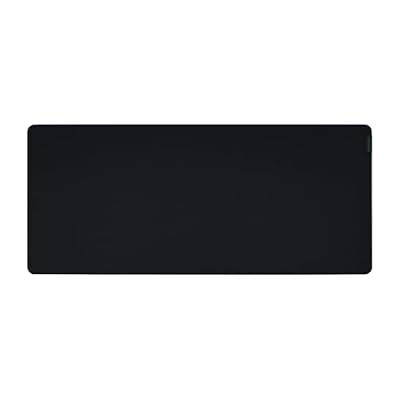
Razer Gigantus V2 Cloth Gaming Mouse Pad (XXL), Thick, Non-Slip Base, Black | High-Density Foam
Included for '18 Best Razer Mouse Gaming Mices in 2026' as a representative home product in this roundup; selection reflects the product set returned for this topic.
View on AmazonThe best gaming mouse pad for a Naga is a large, smooth cloth pad with a stitched edge, because MMO play involves long sessions and constant thumb use. The Razer Gigantus V2 Cloth Gaming Mouse Pad (XXL) is a thick cloth pad with a non-slip base and high-density foam per the listing. Avoid glass or glossy surfaces unless the maker says they are supported.
Best Non-Razer Gaming Mouse and Mice Like Razer
If you want the best non-Razer gaming mouse, three alternatives cover the main Razer roles. Match the shape to your grip rather than the brand.
Logitech G Pro X Superlight 2 — Best Non-Razer Wireless for FPS

Logitech G Pro X Superlight 2 Lightspeed Wireless Gaming Mouse, Black | Lightweight, LIGHTFORCE hybrid switches, HERO 2 sensor, 32,000 DPI, 5 programmable buttons, USB-C charging, Mac & PC gaming
Included for '18 Best Razer Mouse Gaming Mices in 2026' because the listing is a hybrid/pocket-spring build, which is the attribute this article compares.
View on AmazonWireless · about 60 g per Logitech · HERO 2 sensor · LIGHTFORCE hybrid switches. The usual FPS rival to the Viper family. Trade-off: premium tier and a shape that is less ergonomic than a DeathAdder.
Logitech G502 X — Best Mouse Like a Basilisk

Logitech G502 X Wired Gaming Mouse - Black | Optical Switches, 13 Buttons, Infinite Scroll, PC/MacOS Compatible
Included for '18 Best Razer Mouse Gaming Mices in 2026' as a representative home product in this roundup; selection reflects the product set returned for this topic.
View on AmazonWired · 13 buttons · optical switches · infinite scroll wheel. A button-heavy alternative for work and MMO play. Trade-off: heavier than esports mice.
HyperX Pulsefire Haste 2 — Best Budget Lightweight Alternative

HyperX Pulsefire Haste 2 – Wired Gaming Mouse- Ultra Lightweight, 53g, 8000Hz Polling Rate, Precision Sensor, Hyperflex 2 Cable, Plug and Play – Black
Included for '18 Best Razer Mouse Gaming Mices in 2026' as a representative home product in this roundup; selection reflects the product set returned for this topic.
View on AmazonWired · 53 g · 8000 Hz polling · ultra-lightweight shell. A mid-range wired option for claw and fingertip grips. Trade-off: the perforated shell collects dust on some models.
Razer Mouse Buying Guide: Quick Thresholds
Weight
Competitive FPS players usually want under 60 g. Palm-grip and productivity users can accept 60 to 90 g if the shape fits. Heavier mice are easier to control for slow tracking aim.
Polling Rate
1,000 Hz is plenty for most players. Raising polling to 4,000 or 8,000 Hz reduces battery life on wireless models and needs a capable CPU and USB port, so most players leave it lower.
Wired or Wireless
Wired mice avoid charging and weigh less than many wireless ones. Wireless mice remove cable drag. Modern wireless links are competitive for FPS, so choose by comfort and battery.
Hand Size
Measure from wrist crease to the tip of the middle finger. Under about 17 cm suits compact Cobra and Viper shapes; over about 19 cm suits DeathAdder or Basilisk.
Best Razer Gaming Mouse: Quick Answers
What is the best Razer gaming mouse overall?
For FPS the best Razer gaming mouse is the Viper V4 Pro, while the DeathAdder V4 Pro is the pick for palm grip. The right choice depends on grip and hand size.
What is the best Razer FPS gaming mouse?
The Viper V4 Pro, with the Viper V3 Pro as a proven previous-generation alternative. Both are light and symmetrical.
What is the best wired Razer gaming mouse?
The DeathAdder V3 suits ergonomic grips and the Basilisk V3 suits a button-rich layout. Both are wired, so cable flexibility matters.
What is the best Razer MMO gaming mouse?
The Naga V2 HyperSpeed for most players, or the Naga V3 Pro with swappable plates. The Basilisk V3 Pro is a lighter alternative.
What is a good gaming mouse like Razer but not Razer?
The Logitech G Pro X Superlight 2 for FPS, the Logitech G502 X for button-heavy play, and the HyperX Pulsefire Haste 2 for budget lightweight use.
What is the best gaming mouse pad for a Razer Naga?
A large smooth cloth pad such as the Razer Gigantus V2 XXL suits long MMO sessions and heavy thumb use.
Frequently Asked Questions
Should I choose a Viper or a DeathAdder shape?
The Viper is a low, symmetrical ambidextrous shape favoured by claw and fingertip players and by those who want the lightest possible mouse. The DeathAdder is a right-handed ergonomic shape with a tall hump and a pronounced thumb rest, ideal for palm grip and larger hands. Both share similar internals, so the shell decides.
Is the Focus Pro 35K sensor meaningfully better?
Beyond about 20,000 DPI the resolution numbers are marketing, since almost nobody plays above 3200 DPI. The real improvements are better tracking on glass and cloth surfaces, smart tracking that maintains a consistent lift-off distance, and asymmetric cut-off tuning. Those are useful refinements rather than a step change in aim performance.
What is the HyperPolling dongle and do I need it?
HyperPolling raises the wireless report rate to 4000Hz or 8000Hz on supported mice, reducing input latency and smoothing cursor motion. It significantly cuts battery life and raises CPU usage. It is worthwhile on a 240Hz or faster display for competitive play, and largely imperceptible at 144Hz or below.
How long do the optical switches last?
Razer’s third-generation optical switches are rated for around 90 million clicks and actuate with an infrared beam, so they are immune to the contact wear that causes unintended double-clicking on traditional mechanical switches. The click feel is slightly lighter and crisper than an Omron, which some players prefer and others find too sensitive.
Is the Naga still the best MMO option from Razer?
The Naga V2 Pro is the most flexible, offering three swappable side plates with 12-button, 6-button and 2-button configurations, so one mouse covers MMO, MOBA and shooter needs. It is heavier than a dedicated FPS mouse, so competitive shooter players should still pair it with something lighter for ranked play.