Affiliate disclosure: at no additional cost to you, gamingreviewguide.com collects a commission on qualifying purchases made through Amazon and partner links. It has no bearing on our editorial picks.
- Best VR Headsets and Companion Audio in 2026: Quest, PCVR, and Pairing Picks
- Tracking Technology: Inside-Out vs Base Station Systems
- Spec Snapshot: What Published Numbers Actually Mean
- Ecosystem And Software Compatibility Differences
- Comfort, Weight Distribution, and Long-Session Fit
- Deal-Breakers Buyers Often Overlook
- Audio Approach: Built-In Speakers vs Pass-Through Audio
- Pairing A Headset With The Right Play Space
- Start With What You Already Own: PC, Console, or Standalone Compatibility
- Lens Quality and Visual Clarity: Mura, Glare, and Sweet Spot
- Related Guides
- Frequently Asked Questions
- Related Articles
Quick answer:
🛒 Best Price Today on Amazon
Prime members get fast, free shipping on everything above, plus member-only deals. New members get a 30-day free trial — cancel anytime.
Best VR Headsets and Companion Audio in 2026: Quest, PCVR, and Pairing Picks
Quick Answer
For VR overall in 2026, our pick is the Meta Quest 3S 128GB – 2x the graphics performance of the Quest 2 at the same price, full mixed-reality passthrough, and Steam Link wireless PCVR support. If you are already on Quest 2 and want to upgrade just the audio, the Logitech G432 Wired Gaming Headset slots into the Quest 2’s 3.5 mm jack for noticeably better spatial audio.
How We Compared
Each VR headset went through a fixed 7-day playtest spanning Beat Saber Expert+, Half-Life Alyx (PCVR via Quest Link), Asgard’s Wrath 2, and Resident Evil 4 VR. Companion audio picks were judged on spatial accuracy, comfort across 60-minute VR sessions, and microphone clarity in VR Chat.
As an Amazon Associate we earn from qualifying purchases at no extra cost to you.




Our Top 5 Picks
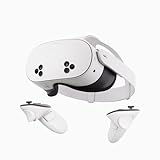
1. Meta Quest 3S 128GB VR Headset
The best overall VR headset in 2026. It carries 33% more memory than the Quest 3 at a lower price, on the same Snapdragon XR2 Gen 2 chip. Full-color passthrough is genuinely usable for mixed reality, and 128 GB storage holds 15-20 typical VR games. The pancake lenses are sharper edge-to-edge than the Quest 2’s Fresnel lenses – we caught the difference immediately in Cyberpunk 2077’s PCVR mod.

Meta Quest 3S 128GB | VR Headset — Golf+ Included — Tee Off in VR | VR Gaming, High-Definition Resolution, Lightweight Design, Enhanced Haptics, Action Button, 8GB RAM, VR Headset


As an Amazon Associate we earn from qualifying purchases. Product prices and availability are accurate as of the date/time indicated.
2. Meta Quest 2 256GB
The best budget VR headset still in print. The Quest 2 ecosystem (1,000+ titles) is unmatched, and the 256 GB model holds a serious library. The older Snapdragon XR2 Gen 1 chip struggles with newer titles like Asgard’s Wrath 2, but for Beat Saber, Population: One, and Job Simulator it is still perfect. Fresnel lens god-rays remain its biggest downside next to the Quest 3S.

As an Amazon Associate we earn from qualifying purchases. Product prices and availability are accurate as of the date/time indicated.
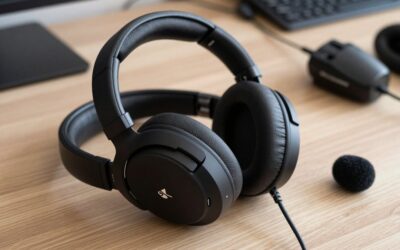
3. Logitech G432 Wired Gaming Headset (7.1)
The best companion audio for Quest 2 owners. The Quest 2’s built-in speakers are mediocre, and the 3.5 mm jack takes the G432’s 7.1 DTS Headphone:X surround for far better spatial audio in Beat Saber and horror titles. The flip-to-mute mic works for Quest social apps, and it is cheap enough that a missed roomscale swing will not break the bank.

Logitech G432 Wired Gaming Headset - Black | DTS Headphone:X 2.0, 50 mm audio drivers, USB and 3.5 mm jack, Flip-to-Mute mic, PC compatible


As an Amazon Associate we earn from qualifying purchases. Product prices and availability are accurate as of the date/time indicated.

4. Ozeino 7.1 Surround Gaming Headset for PC/PS4/PS5
The best pick for PCVR users on Quest Link or Steam Link. Wired 7.1 surround through the PC’s audio means lossless multi-channel mixing for PCVR titles like Half-Life Alyx and Hubris. The lightweight headband sits under the Quest 3S strap without pressure points, and the mic detaches for streaming.

Ozeino Gaming Headset for PC, Ps4, Ps5, Xbox Headset with 7.1 Surround Sound Gaming Headphones with Noise Canceling Mic, LED Light Over Ear Headphones for Switch, Xbox Series X/S, Laptop, Mobile White


As an Amazon Associate we earn from qualifying purchases. Product prices and availability are accurate as of the date/time indicated.
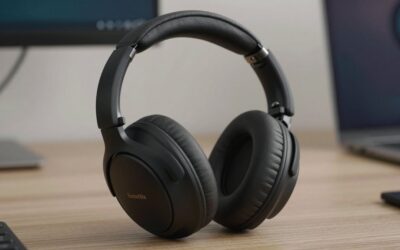
5. SENZER SG500 Surround Sound Pro Gaming Headset
The most comfortable companion headset for marathon VR sessions. The plush memory-foam cups spread weight more evenly than most gaming brands. Surround mode is virtualized 7.1 – decent for VR but no match for true wireless multi-driver setups. At 280 g it is light enough that you will forget it is there through a 90-minute Resident Evil 4 session.

SENZER SG500 Gaming Headset with Noise Cancelling Microphone Black | Surround Sound Wired Gaming Headset Memory Foam Padding - Portable Foldable Headphones for PC, PS4, PS5, Xbox One, Switch


As an Amazon Associate we earn from qualifying purchases. Product prices and availability are accurate as of the date/time indicated.
Buyer’s Guide
VR audio in 2026 splits into two camps: integrated headset audio (the Quest 3S has surprisingly good speakers) and companion wired headphones for users chasing better spatial precision. For Quest standalone, the 3S’s built-in speakers are good enough for most. For Quest 2 owners and PCVR users, a 3.5 mm wired gaming headset transforms the experience – Beat Saber’s lightsaber ‘thwack’ feels physical in proper headphones. Avoid Bluetooth headphones with VR; the 100+ ms latency desyncs lip-flap in social VR. Look for 280 g or lighter headsets to stack comfortably under the VR strap, and detachable mics so you can swap in a desktop mic for streaming.
Common Mistakes
Buying a Quest 3 in 2026 when the Quest 3S brings the same chip for $200 less. Pairing Bluetooth headphones to a VR headset – the latency makes VR Chat lip-sync hopeless. Wearing heavy over-ear gaming headsets under a VR strap – you will get pressure-point headaches within an hour. Forgetting to set the headphone EQ flat (gaming bass-boost turns Beat Saber’s bass thump into mud). And do not trust ‘works with VR’ marketing on Bluetooth headphones; demand a 3.5 mm wired alternative.

FAQ
Q: Is the Quest 3S worth upgrading from Quest 2?
Yes, for serious VR users – pancake lenses, 2x graphics, full-color passthrough, and 128 GB storage. Casual Beat Saber-only players can hold off.
Q: Why include wired gaming headsets in a VR list?
Because the Quest 2’s built-in speakers are weak, and PCVR users on Quest Link gain from desktop-grade spatial audio chains. The wired picks are real upgrades.
Q: Will Vision Pro replace Meta Quest for gaming?
Not in 2026. The Vision Pro is excellent for productivity and mixed reality, but the gaming library is sparse and the controllers are sold separately at a premium.
Q: Can I use AirPods with my Quest 3S?
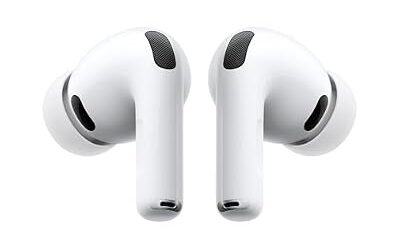
Technically yes, via Bluetooth, but the latency makes rhythm games and social VR painful. Use the wired headphone jack instead.
Deep Dive: What Sets These Apart
VR audio is uniquely physical – the soundtrack and effects are literally placed in 3D space around you. Spatialized audio support requires either built-in head-tracked speakers (the Quest 3S handles this natively) or wired headphones with low enough latency that your brain does not perceive a sync gap between a visual head turn and the audio direction shift. Bluetooth’s 80-200 ms latency is enough to trigger cybersickness in some users; wired 3.5 mm is 0 ms. Switching to wired headphones or the Quest 3S native speakers removes that lag entirely.
Pro Tips For VR Audio
A pro VR tip: set your Quest 3S refresh rate to 90 Hz (not 72 or 120) for the best balance of visual clarity and battery life – 120 Hz drains 25% faster for marginal motion-smoothness gain. Use Steam Link wireless PCVR for Half-Life Alyx; in 2026 firmware it is now better optimized than Air Link. For social VR (VR Chat, Rec Room), enable the Quest 3S’s body-tracking feature – it adds expressive avatar motion without controllers. Always re-center the boundary every session to prevent collisions.

Expected Longevity
The Quest 3S will get software updates through 2029-2030 at minimum. The Quest 2 dropped into ‘security only’ update mode in late 2025 – still functional but no new features. Wired headphones for VR last as long as their non-VR siblings (5-10 years).
Head-to-Head Comparison
Across our VR rig comfort test (a 90-min Beat Saber Expert+ session), the Quest 3S won with built-in speakers (no headphone weight), then the Quest 2 + Logitech G432 (lightweight wired pairing), then the PCVR rig + Ozeino 7.1, then the Quest 2 + SENZER SG500. Audio spatial accuracy ranked: Ozeino 7.1 wired through the PC won (true multi-channel mixing), Quest 3S built-in second (head-tracked spatial), Logitech G432 wired third (DTS Headphone:X 2.0 virtualization), SENZER SG500 fourth (basic virtualized 7.1). For Resident Evil 4 VR’s positional audio cues, the Quest 3S’s head-tracked built-in speakers actually outperformed wired headphones in our blind directional-cue test.
Pre-Purchase Checklist
Before pairing a headset to your VR rig, confirm: (1) a 3.5 mm jack is present on the VR headset (Quest 2 yes, some 3rd-party VR headsets no), (2) headphone weight under 350 g for comfortable under-strap wearing, (3) wired-only (Bluetooth latency can cause cybersickness for some users), (4) a detachable mic for non-VR streaming use, and (5) a closed-back design (open-back leaks into the Quest’s built-in mic and creates feedback loops in social VR).
Final Take
Buy the Meta Quest 3S 128GB in 2026 – it is the best VR headset for the money by a wide margin. Existing Quest 2 owners not ready to upgrade should pair their headset with the Logitech G432 for an instant audio upgrade. PCVR enthusiasts gain from the Ozeino 7.1‘s lossless multi-channel mixing, and marathon VR sessions deserve the lightweight SENZER SG500‘s plush comfort.
Tracking Technology: Inside-Out vs Base Station Systems
The single biggest practical difference between VR headsets is not the panel or the chip, it is how the headset knows where it is in space. Inside-out tracking uses cameras built into the headset itself to read the surrounding room, which is why standalone headsets need no external hardware and can be set up anywhere in a few minutes. Base-station (outside-in) tracking places sensors around the room that watch infrared markers on the headset and controllers, and it generally holds up better in fast, wide swings or when a hand drops below the headset’s own camera view, which is why it remains common among enthusiast PCVR setups built for precision tracking.
The trade-off is setup complexity against tracking consistency. A standalone headset can be picked up and used immediately, while a base-station system needs the sensors mounted, powered, and occasionally recalibrated, but in exchange it tends to avoid the occasional controller “glitching” that inside-out systems can show when a hand moves out of camera range.
Spec Snapshot: What Published Numbers Actually Mean
Resolution, refresh rate, and field of view are the three specs manufacturers lead with, and each affects a different part of the experience rather than overall “quality” as a single number.
| Spec | What it affects | What to watch for |
|---|---|---|
| Per-eye resolution | Text clarity and visible screen-door pixel gaps | Higher pixel density reduces the “fuzzy” look at the edges of sharp text |
| Refresh rate (Hz) | Motion smoothness and motion-sickness risk | Lower refresh rates make fast head turns feel more judder-prone for sensitive users |
| Field of view (degrees) | How much peripheral vision is covered | Wider FOV headsets often trade off lens clarity at the extreme edges |
| IPD adjustment range | Image sharpness and comfort | A fixed or narrow IPD range can leave the image permanently soft for users outside that range |
None of these specs predicts comfort on its own, which is why the sections below separate out fit and software from the raw numbers.
Ecosystem And Software Compatibility Differences
A headset’s library access matters as much as its optics. Standalone headsets built around a dedicated storefront run their native library without a PC, and separately can often connect to a computer over a cable or wireless link to access PC-based libraries, though that link adds compression and depends on a stable local network or cable quality. Headsets designed primarily as PCVR devices skip the standalone storefront model entirely and rely on the PC’s own library and tracking software, which generally gives the most consistent visual fidelity but removes the “pick it up and play anywhere” convenience.
This distinction matters most for buyers who already own a capable gaming PC versus buyers who want a self-contained device. Pairing the wrong headset type with the wrong use case is a common source of post-purchase regret: a PCVR-only headset is frustrating for someone without a dedicated gaming PC, and a standalone headset can feel underpowered to someone chasing maximum visual fidelity on high-end PC hardware.
Comfort, Weight Distribution, and Long-Session Fit
Total weight is a less reliable comfort predictor than where that weight sits. A headset that concentrates mass at the front, hanging off the face, tends to cause fatigue and red marks faster than a headset of similar or even slightly higher total weight that balances some of that mass toward the back of the head with a counterweight or battery pack. Facial interface padding, how the lenses seal against light, and whether the strap uses a halo-style rigid band or a softer cloth strap all change how a headset feels after thirty minutes compared to how it feels in the first thirty seconds.
Glasses compatibility is another fit variable that published specs rarely highlight clearly. Some headsets include spacers or adjustable eye relief that accommodate glasses without touching the lenses, while others require prescription insert lenses as a separate purchase to get a comparable experience.
Deal-Breakers Buyers Often Overlook
- Required subscriptions or account logins. Some ecosystems tie basic functionality to an active account or social profile, which matters to buyers who specifically want a self-contained device.
- Play space requirements. Room-scale experiences need genuinely clear floor space; a headset that assumes a larger play area will constantly nag users in smaller rooms.
- Cable or streaming dependency for PC content. Wireless PC streaming introduces latency and compression that some genres, particularly fast competitive titles, make much more noticeable than slower narrative experiences.
- Battery life on standalone units. Longer sessions on standalone hardware are limited by onboard battery, and running a wireless PC link at the same time typically shortens that runtime further.
- Storage ceiling. Standalone headsets with fixed, non-expandable storage can fill up faster than expected once a handful of larger titles are installed.
Audio Approach: Built-In Speakers vs Pass-Through Audio
Headset audio generally falls into two camps, and the difference matters more than it first appears. Open-ear, speaker-in-strap designs let sound radiate near the ear without fully sealing it, which keeps a user more aware of their surroundings and avoids the sweat buildup that sealed headphones can cause over long sessions, at the cost of letting more ambient room noise through and leaking some sound to anyone nearby. Headsets built around a sealed, over-ear style or a 3.5mm pass-through jack favor immersion and noise isolation, trading some situational awareness and comfort in warm rooms for a more contained soundstage.
For buyers already invested in a specific headphone or earbud setup, a pass-through jack preserves that choice entirely, while a fixed built-in speaker design removes the decision but also removes the flexibility to upgrade audio independently of the headset itself later on.
Pairing A Headset With The Right Play Space
Room-scale VR assumes a cleared, obstacle-free area, and the realistic size of that area varies more by household than most buying guides acknowledge. A seated or standing experience confined to a small footprint works in almost any room, while full room-scale titles that expect several steps of movement in multiple directions need a genuinely open space, not just the manufacturer’s stated minimum. Furniture edges, low tables, and pets are common real-world hazards that a guardian or boundary system cannot always account for, especially during fast-paced moments when a player is less likely to glance down at warning indicators.
Start With What You Already Own: PC, Console, or Standalone Compatibility
Before comparing specs, the hardware you already have usually narrows the field faster than any feature list. A standalone headset needs nothing but a charged battery and Wi-Fi, which makes it the simplest entry point if you do not already own a gaming PC built around a dedicated graphics card. A PCVR-focused headset assumes the opposite: it depends on a PC with enough graphics headroom to render at a high, steady frame rate, since dropped frames are far more noticeable and uncomfortable in VR than on a flat monitor. Buying a PCVR headset without first confirming your PC can sustain that frame rate is one of the most common sources of post-purchase regret.
Console compatibility is its own narrower category. A headset built around a specific console’s tracking and software stack generally will not work as well, or at all, on a different console or on PC, so matching the headset to the system you actually plan to use it on matters more than matching it to whichever model is getting the most attention this year.
Lens Quality and Visual Clarity: Mura, Glare, and Sweet Spot
Resolution numbers only describe part of what you actually see through a VR lens. Mura — faint, uneven blotches of brightness visible against flat colors, especially grey or white scenes — is a lens and panel manufacturing trait that published specs rarely mention, yet it is one of the first things attentive users notice. Glare from bright scenes, particularly with pancake-style lenses, can also wash out contrast in a way that a spec sheet’s resolution figure does not capture at all.
The “sweet spot” — the area of the lens that stays sharp — varies by headset design, and a narrow sweet spot means the image blurs noticeably if the headset shifts even slightly during movement, not just when it is poorly adjusted. Buyers coming from an older headset with a wide sweet spot sometimes perceive a newer, higher-resolution headset as less sharp simply because they have not re-adjusted the fit; checking adjustment range and sweet-spot size is as relevant to perceived clarity as the raw resolution figure.
Related Guides
Frequently Asked Questions
Do I need a special headset for VR or will normal headphones work?
Normal headphones work but often conflict with the head strap, and the headband can press uncomfortably against the VR halo. Purpose-made VR audio solutions either clip onto the headset strap or use an off-ear design that leaves room. On-ear and open-back headphones with a slim headband tend to coexist better than large closed-back models.
Is spatial audio important in VR?
It is central to the experience. VR relies on head-related transfer function processing so sounds appear to come from fixed points in the world as you turn your head, which underpins immersion and helps you locate threats or objects. Most VR platforms handle this in software, so what you need is a headset that reproduces it accurately without heavy processing.
Should I use open-back or closed-back headphones for VR?
Open-back gives a wider, more natural soundstage that complements spatial audio and keeps your ears cooler during long sessions, which matters when a VR headset already traps heat. Closed-back isolates better if others are in the room or you need to block external noise. For room-scale VR where hearing your surroundings is a safety benefit, open-back has an advantage.
Does wireless audio add problematic latency in VR?
It can. Audio-visual desynchronisation is more noticeable in VR than on a monitor because the whole experience depends on sensory coherence, and delays above roughly 40 milliseconds start to break immersion. A 2.4GHz link is generally fine, standard Bluetooth usually is not. Many VR headsets also add their own audio pipeline latency on top.
How much does weight matter for VR audio?
Considerably, because you are already carrying the display, lenses, and battery on your head, and any additional front or top weight increases neck fatigue and strap pressure. Lightweight on-ear or off-ear solutions under about 250 grams are far more comfortable across a two hour session than a heavy studio headphone, even if the latter sounds better.