🛒 Best Price Today on Amazon
Prime members get fast, free shipping on everything above, plus member-only deals. New members get a 30-day free trial — cancel anytime.
- Quick Answer: Which Chair Fits Which Buyer
- What Lumbar Support Means in a Gaming Chair
- Best Gaming Chairs for Back Pain: Premium Tier
- Best Gaming Chairs for Back Pain: Mid-Range and Budget Tiers
- High Back, Mid Back and Race Back: What the Terms Mean
- Best Chairs for Gaming Posture: Features to Check
- Pick X If: Decision Table
- Ergonomic Office Chair Alternatives
- Best Supportive Gaming Chairs by Budget Tier
- Who Should Be Cautious With Any Gaming Chair
- Best Gaming Chairs for Spine Comfort: How to Judge a Listing
- Seat Depth, Headrest and Setup Tips
- Frequently Asked Questions
Updated November 2026 – For the best gaming chairs for back pain and lumbar support, reviewers most often point to the Secretlab Titan Evo for its adjustable lumbar arch and size range, and the Razer Iskur V2 for its adjustable lumbar, with the Corsair T3 Rush and Razer Iskur V2 X as lower-cost options.
A gaming chair is not a treatment for back pain, and no chair fixes a medical problem. What a well-built chair can do is let you adjust lumbar shape, seat depth, arm height and recline so long sessions feel less tiring. If you have persistent, severe or worsening pain, numbness or leg symptoms, see a doctor or physiotherapist before buying anything. This guide covers the best gaming chairs for back pain and lumbar support as reviewers and makers describe them, explains the features that matter, and lists ergonomic office-chair alternatives.
Quick Answer: Which Chair Fits Which Buyer
- Best all-round lumbar adjustability and size range: Secretlab Titan Evo.
- Best for dialing in lumbar with knobs: Razer Iskur V2.
- Budget with included lumbar cushion: Corsair T3 Rush or Corsair TC200.
- Mid-range, fixed built-in lumbar: Razer Iskur V2 X.
- Premium PU leather and firm shaping: Noblechairs Epic or Legend.
- Brand-name ergonomic gaming design: Herman Miller x Logitech G Vantum.
| Chair | Best for | Lumbar type (as listed or reported) | Stated fit | Limits |
|---|---|---|---|---|
| Secretlab Titan Evo | Most buyers | 4-way lumbar arch built into the backrest, adjustable in height and depth | Three sizes; reviewers cite roughly 5’0″ to 6’9″ and up to 395 lb across sizes | Premium tier |
| Razer Iskur V2 | Fine lumbar tuning | Adjustable lumbar with side knobs, described as 6D by one reviewer | One review cites 5’3″ to 6’6″ and up to 299 lb | Premium tier; headrest pillow less praised than the Titan’s |
| Razer Iskur V2 X | Mid-range comfort | Built-in, fixed | Fabric build, 152-degree recline reported | Not adjustable |
| Corsair T3 Rush | Budget | Included lumbar cushion | See the maker’s size chart | Smaller adjustment range |
| Corsair TC200 | Budget to mid-range | Included lumbar cushion, as the maker lists | See the maker’s size chart | Cushion position is the only tuning |
| Noblechairs Epic | Firm PU leather support | Lumbar pad as the maker lists | Rated weight and height on the maker’s page | Less coverage from reviewers |
| Herman Miller x Logitech G Vantum | Brand-name ergonomics | As described by the makers | Check the size guidance | Weakly sourced in this guide |
What Lumbar Support Means in a Gaming Chair
Lumbar support is a curve or pad that fills the gap between the lower back and the seat back. Gaming chairs deliver it in three ways: a removable pillow you strap on, a pad or arch built into the backrest, or an adjustable mechanism that moves the support up, down, in or out. A built-in adjustable arch usually suits more body types than a loose pillow, because you can match its height to your own spine instead of sliding a cushion around.
- Pillow: cheapest, easy to replace, can slip during long sessions.
- Fixed built-in: consistent, but if its position does not fit you, nothing can be changed.
- Adjustable built-in: costs more and gives the best chance of a good fit, for example the Secretlab 4-way arch or the Razer knob system.
Best Gaming Chairs for Back Pain: Premium Tier
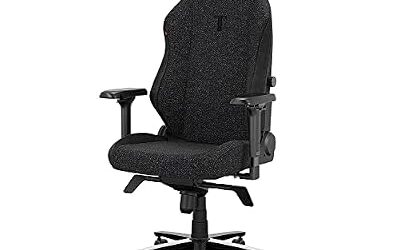
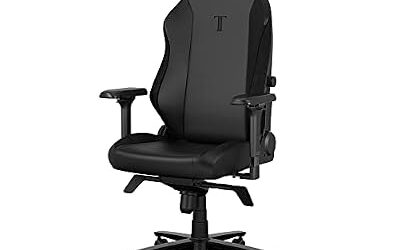
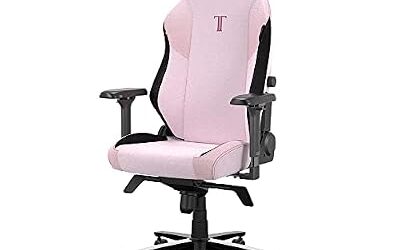
Secretlab Titan Evo – Best for Adjustable Lumbar and Size Choice
Specs: 4-way lumbar arch, adjustable in height and depth · Three sizes · 4D armrests as listed by Secretlab · Magnetic head pillow · Fabric, PU leather or hybrid upholstery options.
Reviewers at several outlets name the Titan Evo their top pick for back comfort. LevelRig calls it its best pick for back pain, and others cite its built-in arch as the reason. Secretlab lists Small, Regular and XL sizes, and reviewers cite a user range of about 5’0″ to 6’9″ and a rated weight up to 395 lb on the largest size. Tom’s Guide says the chair has more customizable arms and a better headrest pillow than the Razer Iskur V2. The chair has a firm foam seat and a reclining backrest with a tilt lock, and it is assembled from parts with a printed guide. As a premium chair, it is a long-term purchase.

Secretlab Titan Evo Black Gaming Chair - Regular, Leatherette, Ergonomic | Lumbar Support, High Back, Reclining, Magnetic Head Pillow, Standard (285 lbs), 4D Armrests, Height Adjustable, Basic
Included for 'Best Gaming Chairs for Back Pain and Lumbar Support in 2026' as a representative pillow in this roundup; selection reflects the product set returned for this topic.
View on AmazonRazer Iskur V2 – Best for Fine Lumbar Tuning With Knobs
Specs: Adjustable lumbar, knob-driven, described as 6D by one reviewer · Redesigned backrest · PU leather or fabric · Premium tier.
Tom’s Guide calls the Iskur V2 its top gaming chair for back pain, and other reviewers single out the lumbar system as the best feature, adjusted with knobs on either side of the chair. One review cites a fit range of about 5’3″ to 6’6″ and a weight limit near 299 lb, which is narrower than the Titan Evo’s, so tall or heavier buyers should read Razer’s listing. The tiered pricing and finishes vary, and the leather version is available in black or with green trim, according to Tom’s Guide. If you like adjusting the lumbar depth every day, the Iskur V2 is the closest competitor to the Titan Evo.
Noblechairs Epic – Best for Firm PU Leather Support
Specs: PU leather or fabric options as the maker lists · Lumbar pad · 4D armrests on the maker’s higher models · Steel frame, as the maker describes.
The Noblechairs Epic is a long-running model with a firmer, more upright feel than the Titan Evo, and reviewers describe the range as having solid build quality. Search coverage for this model is thinner than for the Secretlab and Razer chairs, so read Noblechairs’ own specification page for the exact lumbar adjustment, size and warranty. Noblechairs also sells the Legend, which a roundup calls the best premium PU leather option with a five-year warranty, and the ICON, which that outlet lists with adjustable lumbar support and an included pillow. Different versions exist in each series, so match your model before comparing reviews.

noblechairs Epic Reclining Gaming Chair and Reclining Office Chair, PU Hybrid Leather, Black Edition
Included for 'Best Gaming Chairs for Back Pain and Lumbar Support in 2026' because the listing is a hybrid/pocket-spring build, which is the attribute this article compares.
View on AmazonHerman Miller x Logitech G Vantum – Best for Brand-Name Ergonomic Design
Specs: Collaboration between Herman Miller and Logitech G · Gaming-oriented frame · Adjustable arms and recline as described by the makers.
The Vantum appears in a roundup of gaming chairs and combines Herman Miller’s ergonomic design experience with Logitech G’s gaming focus. Reviewers have said little in the sources reviewed here about how its lumbar performs, so this entry is limited to the fact that it exists and is aimed at gamers. If you are drawn to it, check the makers’ pages for lumbar type, size range and warranty terms.
Best Gaming Chairs for Back Pain: Mid-Range and Budget Tiers
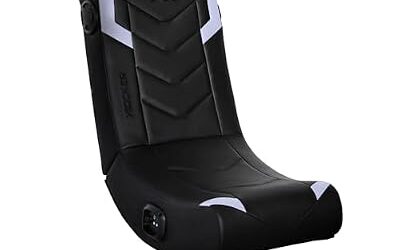
Razer Iskur V2 X – Best Mid-Range Chair With Built-In Lumbar
Specs: Plush fabric build · Fixed built-in lumbar per Rigworthy · 152-degree recline reported · Mid-range tier.
Rigworthy lists the Iskur V2 X as a lower-cost relative of the Iskur V2, but notes its lumbar support is built in and fixed. That is fine if the curve happens to match your back and a drawback if it does not. Mister Man Cave recommends it for long console and desk sessions.

Razer Iskur V2 X Ergonomic Gaming Chair, Black | Built-In Lumbar Support, Wide Seat, High Density Foam Cushions, Adjustable 152 Degree Recline, 2D Armrests, Plush Fabric
Included for 'Best Gaming Chairs for Back Pain and Lumbar Support in 2026' as a representative home product in this roundup; selection reflects the product set returned for this topic.
View on AmazonCorsair T3 Rush – Best Budget Chair With a Lumbar Cushion
Specs: Breathable fabric · Included lumbar and head cushions · 4D arms as listed by Corsair · Budget tier.
Kommando Tech calls the T3 Rush perhaps the best budget gaming chair. The lumbar cushion is removable, which makes it easy to position or replace, but it cannot match a built-in adjustable arch. Check the maker’s chart before buying if you are particularly tall or heavy.

Corsair T3 Rush Fabric Gaming Chair (2023) – Charcoal | Racing-Inspired Design, Soft Fabric Exterior, Padded Neck Cushion, Memory Foam Lumbar Support, Adjustable Seat Height
Included for 'Best Gaming Chairs for Back Pain and Lumbar Support in 2026' because the listing is memory foam, which is the attribute this article compares.
View on AmazonCorsair TC200 – Best for Budget Plush Padding
Specs: Soft fabric or leatherette options as the maker lists · Included lumbar pillow · Adjustable arms · Budget to mid-range tier.
The TC200 sits above the entry-level TC100 line in Corsair’s range, with a thicker feel and a lumbar pillow included. Reviewers do not agree on one verdict across versions, so look at the exact option you are considering and the stated weight limit.
High Back, Mid Back and Race Back: What the Terms Mean
High-back gaming chairs have a backrest that reaches above the shoulders, usually with a headrest pillow, while mid-back chairs stop around the shoulder blades. Race-back chairs follow the bucket-seat shape, with raised side bolsters and a tall back. For lower back comfort, the height of the back matters less than where the lumbar curve sits relative to your waist, so test or read how far the lumbar can move. Taller users generally need a high back to support the upper spine and neck, while shorter users should make sure the headrest does not push the head forward.
Best Chairs for Gaming Posture: Features to Check
| Feature | Why it matters | What to look for |
|---|---|---|
| Lumbar adjustment | Lets you match the support to your spine’s curve | Height and depth adjustment, not only a pillow |
| Seat depth and width | Prevents pressure behind the knees | A gap of a few fingers between knee and seat edge |
| Armrest adjustment | Keeps shoulders relaxed | 3D or 4D arms as the maker lists |
| Recline and tilt lock | Lets you vary posture | Recline range and a lock for different positions |
| Headrest | Supports the neck while leaning back | An adjustable or magnetic pillow |
| Upholstery | Heat and sweat comfort | Fabric breathes, PU leather wipes clean |
| Size range | Fit for your height and weight | Small, regular and XL options |
Pick X If: Decision Table
| Pick this | If you |
|---|---|
| Secretlab Titan Evo | Want adjustable lumbar and a size that fits you accurately. |
| Razer Iskur V2 | Like knob-based fine tuning and fit within its stated size range. |
| Razer Iskur V2 X | Want a mid-range plush chair and the fixed curve suits you. |
| Corsair T3 Rush or TC200 | Have a tight budget and are fine moving a cushion. |
| Noblechairs Epic | Prefer a firm PU leather feel. |
| Vantum | Specifically want a Herman Miller collaboration. |
Ergonomic Office Chair Alternatives
Many people with back concerns find that a dedicated ergonomic office chair gives more adjustment than a gaming chair. Mesh office chairs from established makers often list adjustable lumbar, seat depth and synchronized tilt as standard. A roundup in the sources above picks the Herman Miller Embody for its ergonomic design. Office chairs lack the racing look and often the head pillow, but they usually have better ventilation. If you want one, read the maker’s documentation for the weight and height ranges and the warranty.
- Mesh ergonomic chairs: breathable, with adjustable lumbar on most mid and premium models.
- Kneeling or saddle chairs: a different posture; not for everyone, so try one first.
- Sit-stand desks: change position during the day instead of relying on one chair.
Best Supportive Gaming Chairs by Budget Tier
Budget tier
The Corsair T3 Rush and TC200 give you a removable lumbar cushion and basic recline. They suit shorter sessions and average body sizes. Because the cushion is the only lumbar element, spend a few minutes positioning it at the curve of your lower back and revisit the position during the day.
Mid-range tier
The Razer Iskur V2 X is the mid-range pick in this guide, with a built-in fixed lumbar and a fabric build. Mid-range chairs often drop one adjustment, such as lumbar depth or arm direction, to reach their tier, so decide which adjustment you can live without.
Premium tier
The Titan Evo, Iskur V2 and Noblechairs models sit here, along with the Vantum. You are paying for adjustability, materials and warranty terms. Compare the warranty length the maker states and what it covers, such as the gas lift, mechanisms and upholstery, before buying.
Who Should Be Cautious With Any Gaming Chair
People with an existing spinal condition, recent injury or ongoing pain should ask a clinician what sitting setup suits them before buying. A bucket-style seat with raised side bolsters can feel restrictive for some bodies and wide for others, and a very firm back can be uncomfortable if it does not match your curve. Check the return policy where you buy, as a chair that does not suit you is better returned than endured.
Best Gaming Chairs for Spine Comfort: How to Judge a Listing
When you read a product page, look for what the maker actually states: the lumbar mechanism, the seat dimensions, the rated weight and height, the foam type, and the warranty. Marketing words such as orthopedic or spine-friendly are not standards, and they do not promise any health result. Reviewer comments about long-session comfort are opinions from individual bodies, so weigh them against your own height, weight and desk setup.
Seat Depth, Headrest and Setup Tips
- Seat depth: if the seat is too deep for your legs, the lumbar support ends up in the wrong place; a smaller size or a cushion behind the back can help.
- Headrest: position it where it supports the base of the skull, not where it pushes the head forward.
- Screen height: your eyes should be level with the top third of the screen.
- Feet: keep feet flat on the floor or a footrest.
- Move often: change position and take breaks, because no posture is ideal for hours.
- Assembly: follow the manual, particularly for the gas lift and the recline mechanism.
Frequently Asked Questions
What is the best gaming chair for back pain?
Reviewers most often name the Secretlab Titan Evo and the Razer Iskur V2. The Titan Evo is praised for its size range and 4-way lumbar arch, and the Iskur V2 for its adjustable lumbar. A chair is not a treatment, so persistent pain should be assessed by a clinician.
Are gaming chairs good for your back?
A chair with adjustable lumbar, seat depth and arms can make sitting more comfortable, but it does not cure or prevent back problems. Changing position and taking breaks matter as much as the chair.
What is the best gaming chair for lower back support?
Chairs with adjustable built-in lumbar, such as the Secretlab Titan Evo and the Razer Iskur V2, give the most control over where the support sits. A fixed lumbar like the Iskur V2 X works only if the curve matches your body.
Is a high back or mid back gaming chair better?
A high back gives more upper-spine and neck support, so taller users usually prefer it. Mid-back chairs are lighter and can suit smaller users. Lumbar position matters more than overall height.
Does a gaming chair or an office chair give better posture support?
Both can, depending on the model. Ergonomic office chairs often offer more adjustment, while gaming chairs add head pillows and a racing style. Compare the adjustments each maker lists.
When should I see a doctor about back pain?
See a doctor if pain is severe, lasts for weeks, spreads into the legs, or comes with numbness or weakness. A chair cannot diagnose or treat these symptoms.