🛒 Best Price Today on Amazon
Prime members get fast, free shipping on everything above, plus member-only deals. New members get a 30-day free trial — cancel anytime.

Pimax Crystal Super VR Headset, 3840x3840 per Eye, Ultrawide, 140° FOV, Eye- Tracking, Ultra-Sharp for Flight & Racing Simulators & Gaming, DP Connection with PC
Included for 'Best VR Headset for Sim Racing: Top PCVR Picks for 2026' because the listing specifies 3840x3840 per Eye and Ultrawide, details this guide uses to compare options.
View on Amazon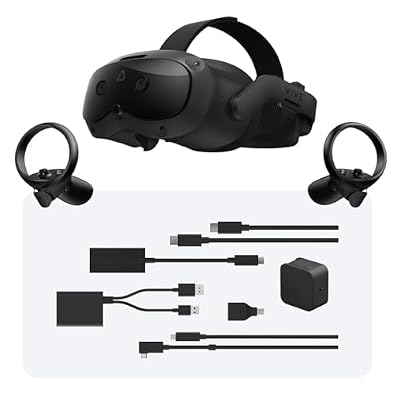
HTC Vive Focus Vision Wired Bundle — XR Headset with DisplayPort PC VR Streaming Kit
Included for 'Best VR Headset for Sim Racing: Top PCVR Picks for 2026' as a relevant option in this category; details come from the product listing.
View on Amazon
Meta Quest 3 512GB, VR Without Wires, Gorilla Tag Cardboard Monkenaut Bundle, Amazon Exclusive, 3-Month Trial of Meta Horizon+ Included
Included for 'Best VR Headset for Sim Racing: Top PCVR Picks for 2026' because the listing specifies VR Without Wires and Gorilla Tag Cardboard Monkenaut Bundle, details this guide uses to compare options.
View on Amazon
Meta Quest 3S 128GB | Virtual Reality — VR Headset — Gorilla Tag Bundle
Included for 'Best VR Headset for Sim Racing: Top PCVR Picks for 2026' because the listing specifies Virtual Reality — VR Headset — Gorilla Tag Bundle, details this guide uses to compare options.
View on AmazonThe best VR headset for sim racing should make braking markers, mirrors, dashboards, distant cars, and track details easy to read while maintaining smooth head movement. Resolution matters, but field of view, refresh rate, DisplayPort support, comfort, tracking, and GPU demand determine whether a headset works for long racing sessions.
Best VR Headsets for Sim Racing Compared
| VR Headset | Best For | Resolution Per Eye | Refresh Rate | FOV |
|---|---|---|---|---|
| Pimax Crystal Super | Maximum racing clarity | Up to 3840 x 3840 | 72/90Hz | Up to 140° horizontal |
| Pimax Crystal Light | High-end value | 2880 x 2880 | 72/90/120Hz | 110° horizontal |
| Bigscreen Beyond 2 | Lightweight racing | 2560 x 2560 | 75/90Hz | 108° horizontal |
| Meta Quest 3 | Accessible PCVR | 2064 x 2208 | Up to 120Hz | 110° horizontal |
| HTC VIVE Pro 2 | SteamVR racing rigs | 2448 x 2448 | 90/120Hz | Up to 120° horizontal |
Pimax Crystal Super
Best For: Maximum visual clarity and wide-FOV racing
Pimax Crystal Super is designed around extremely high-resolution PCVR, making it particularly relevant to sim racing where dashboard text, distant braking points, corner entry markers, and approaching cars all benefit from greater pixel density. Its modular optical system lets buyers prioritize either maximum clarity or a wider field of view.
Depending on the optical engine, Crystal Super reaches up to 3840 x 3840 pixels per eye and as much as 57 pixels per degree. Pimax also offers 50 PPD and ultrawide configurations, with horizontal field of view extending as far as 140 degrees on the ultrawide option.
Key Features
- Up to 3840 x 3840 resolution per eye
- Up to 57 PPD
- Up to 140° horizontal field of view
- 72Hz and 90Hz modes
- QLED + Mini-LED optical options
- Micro-OLED optical option
- Built-in eye tracking
- Dynamic foveated rendering
- DisplayPort 1.4 connection
- Inside-out tracking
- Optional Lighthouse support
What Makes It Different
The interchangeable optical engine is the defining feature. A sim racer can select the 57 PPD configuration for maximum instrument and road-detail clarity, choose 50 PPD for a wider visual envelope, or move toward the ultrawide engine when peripheral awareness matters more than absolute central pixel density.
A wider FOV can be especially valuable in wheel-to-wheel racing because more of the cockpit, side window, mirrors, and nearby competitors remain inside the visible area without requiring constant head movement. Higher PPD serves a different purpose by improving how clearly small dashboard information and distant track objects appear.
Pros
- Extremely high per-eye resolution
- Multiple optical engine choices
- Very high pixel density
- Wide-FOV options
- Eye tracking
- Dynamic foveated rendering
- Native PCVR DisplayPort connection
Cons
- Requires a powerful gaming PC
- More complex than mainstream headsets
- Premium positioning
- Higher rendering demands at native resolution
Use Case and Who It’s For
Crystal Super suits dedicated sim racers with high-end GPUs, permanent wheel-and-pedal rigs, and enough PC performance to exploit very high-resolution VR. It is particularly compelling when cockpit readability and distant track detail are priorities, while the available optical engines let experienced users choose between clarity and peripheral immersion.
Pimax Crystal Light
Best For: High-resolution PCVR without flagship complexity
Pimax Crystal Light offers much of the visual clarity that sim racers need while using a simpler design than Crystal Super. Its dual QLED panels provide 2880 x 2880 pixels per eye, while glass aspheric lenses and 35 PPD help keep small text, car interiors, braking markers, and track details easier to identify.
The headset supports 72Hz, 90Hz, and 120Hz operation with a horizontal FOV of 110 degrees. It connects through DisplayPort 1.4a and USB 3.0 rather than relying on compressed wireless PC streaming, which makes it particularly well suited to seated racing rigs where the headset cable is less restrictive.
Key Features
- 2880 x 2880 resolution per eye
- 35 PPD
- 110° horizontal FOV
- 72/90/120Hz refresh modes
- QLED display
- Mini-LED local dimming on applicable version
- Glass aspheric lenses
- DisplayPort 1.4a
- Four-camera inside-out tracking
- 58–72 mm manual IPD adjustment
- 815 g headset weight
What Makes It Different
Crystal Light combines high resolution with a native DisplayPort connection, avoiding the video compression required by standalone headsets that stream PCVR over USB or Wi-Fi. For racing, where the headset remains close to a fixed cockpit, the trade-off of a cable can be easier to accept than in room-scale VR.
The 120Hz option also provides useful flexibility. Competitive sim racers may prefer a higher refresh rate for fluid steering and rapid head movement, while 72Hz or 90Hz can reduce GPU load when visual quality settings are more important. Running 2880 x 2880 per eye still requires substantial rendering performance.
Pros
- Excellent resolution for cockpit detail
- Up to 120Hz
- Native DisplayPort connection
- No wireless compression
- Inside-out tracking
- Strong pixel density
- Designed with simulation use in mind
Cons
- Heavy compared with lightweight alternatives
- No built-in eye tracking
- High resolution demands a strong GPU
Use Case and Who It’s For
Crystal Light makes sense for racers who want sharper visuals than mainstream standalone headsets without moving into the most expensive PCVR hardware. It is especially appropriate for iRacing, Assetto Corsa Competizione, Automobilista 2, and other sims where reading cockpit data and seeing distant track features can materially improve the experience.
Bigscreen Beyond 2
Best For: Long races and minimum headset weight
Bigscreen Beyond 2 takes a different approach by prioritizing compact dimensions and extremely low headset weight. The headset itself weighs only 107 grams and uses dual OLED displays with a resolution of 2560 x 2560 per eye, giving sim racers a high-resolution image without placing a large enclosure on the front of the head.
It operates at 75Hz or 90Hz and provides a measured 108-degree horizontal field of view, 96-degree vertical FOV, and 116-degree diagonal FOV. DisplayPort 1.4 handles the PC connection, while tracking relies on SteamVR base stations rather than an integrated inside-out camera system.
Key Features
- 2560 x 2560 resolution per eye
- OLED displays
- 75Hz and 90Hz refresh rates
- 108° horizontal FOV
- 32 peak PPD
- 107 g headset-only weight
- DisplayPort 1.4
- Adjustable per-eye IPD
- SteamVR tracking
- Five-meter fiber-optic cable
What Makes It Different
The low weight is its strongest sim-racing advantage. Headset mass becomes increasingly noticeable during endurance races, league sessions, or long practice periods where the driver may remain in VR for hours. Beyond 2 removes much of the front-heavy feeling associated with larger PCVR headsets.
OLED is another advantage for tracks with strong contrast, night racing, tunnels, and dark cockpit interiors. Individual pixels can switch off for black, giving darker scenes a deeper appearance than traditional LCD panels. That visual benefit comes without requiring the large housing commonly associated with high-resolution headsets.
Pros
- Extremely light headset
- High-resolution OLED displays
- Strong contrast
- Native DisplayPort
- Compact physical design
- Adjustable IPD
Cons
- Requires SteamVR base stations
- Base stations are not included
- Maximum refresh rate is 90Hz
- Additional audio solution may be desirable
Use Case and Who It’s For
Beyond 2 is particularly appealing to endurance racers who care about comfort as much as resolution. It works best in a permanent sim rig where SteamVR base stations can remain installed. Drivers who become uncomfortable wearing heavier headsets may find its low mass more meaningful than another increase in maximum resolution.
Meta Quest 3
Best For: Accessible PCVR and standalone gaming
Meta Quest 3 is not a dedicated PCVR headset, but it remains a practical option for sim racers who also want standalone VR. It uses LCD displays with a per-eye resolution of 2064 x 2208 and supports refresh rates up to 120Hz, while the optical system provides roughly 110 degrees of horizontal field of view.
Unlike native DisplayPort headsets, Quest 3 receives PCVR video through a streamed connection when used with a gaming PC. That makes setup more flexible but introduces an additional encoding and transmission stage. For casual racing this can be acceptable, although dedicated sim rigs may favor a direct display connection.
Key Features
- 2064 x 2208 pixels per eye
- Up to 120Hz
- 110° horizontal FOV
- Pancake optics
- Standalone VR capability
- Inside-out tracking
- Wired PC streaming support
- Wireless PCVR support
- Integrated controllers
- Broad standalone game ecosystem
What Makes It Different
Versatility is the main reason to consider Quest 3. After finishing a racing session, the headset can operate independently without the gaming PC for room-scale titles, mixed-reality applications, entertainment, and fitness experiences. Dedicated racing headsets such as Crystal Light cannot provide the same standalone flexibility.
Pancake lenses also create a large usable clarity area compared with older Fresnel designs, helping the image stay readable when the eyes move away from the absolute center. In a cockpit, this can make mirrors, dashboard elements, timing displays, and peripheral information easier to glance toward without moving the entire head.
Pros
- Standalone and PCVR use
- Up to 120Hz
- Pancake lenses
- Inside-out tracking
- No base stations required
- Broad VR software ecosystem
Cons
- No native DisplayPort PCVR input
- PC image is streamed
- Compression can reduce fine detail
- Battery management remains part of PCVR use
Use Case and Who It’s For
Quest 3 is ideal for users entering VR sim racing who want one headset for racing and general VR rather than a device permanently tied to a cockpit. Its combination of accessible setup, strong optics, and standalone capability makes it flexible, although serious racers may eventually prefer direct DisplayPort PCVR.
HTC VIVE Pro 2
Best For: Existing SteamVR racing setups
HTC VIVE Pro 2 remains relevant for racers who already own SteamVR base stations or want established Lighthouse tracking. Its dual RGB low-persistence LCDs provide 2448 x 2448 pixels per eye, with 90Hz and 120Hz refresh options and a horizontal field of view rated up to 120 degrees.
Full-resolution operation uses DisplayPort, with HTC specifying DisplayPort 1.4 with DSC for full-resolution mode. The headset supports SteamVR Tracking 2.0 and remains compatible with older 1.0 base stations, allowing it to integrate with established VR rooms and racing rigs that already use Lighthouse hardware.
Key Features
- 2448 x 2448 pixels per eye
- Dual RGB low-persistence LCD
- 90Hz and 120Hz refresh rates
- Up to 120° horizontal FOV
- DisplayPort connection
- SteamVR Tracking 2.0
- 57–70 mm adjustable IPD
- Adjustable eye relief
- Integrated removable headphones
- Compatible with Lighthouse 1.0 and 2.0
What Makes It Different
The VIVE Pro 2 is less about the latest optical design and more about a mature SteamVR hardware ecosystem. Racers who already own base stations can continue using precise Lighthouse tracking without replacing the surrounding setup, making the headset easier to integrate into an established motion rig or multi-purpose VR room.
Its 120Hz refresh mode is also useful for racers who prioritize motion fluidity. Running full resolution at that refresh rate can place a heavy load on the GPU, however, so many systems may require reduced supersampling or graphics settings to maintain consistent frame timing in demanding simulators.
Pros
- High per-eye resolution
- Up to 120Hz
- Wide stated horizontal FOV
- Native DisplayPort connection
- Proven SteamVR tracking
- Integrated audio
- Adjustable eye relief
Cons
- Requires external base stations
- Older lens technology than newer headsets
- Full resolution and 120Hz demand significant GPU power
Use Case and Who It’s For
VIVE Pro 2 makes the most sense for sim racers who already have a Lighthouse environment and want to continue using it. It can also suit rigs where precise SteamVR tracking and high refresh rates matter more than minimizing headset weight or obtaining the newest pancake or aspheric lens technology.
How to Choose the Best VR Headset for Sim Racing
Resolution and Pixel Density
Resolution directly affects how clearly you can read small dashboard numbers, steering-wheel displays, trackside boards, and distant vehicles. However, raw resolution does not tell the full story because field of view spreads those pixels across different angles. PPD is therefore another useful measure when comparing racing-focused headsets.
A headset with very high resolution can also overwhelm the GPU if the game is rendered near native resolution. Sim racing titles often combine complex physics with detailed environments and many visible cars, so GPU performance must be considered alongside the headset rather than after it has already been purchased.
Field of View
Wide FOV improves peripheral awareness by showing more of the cockpit and surrounding track at once. This can help when another car moves alongside you, when checking mirrors, or when judging corner entry without excessive head movement. For sim racing, horizontal FOV is generally more meaningful than a large diagonal marketing figure.
Extremely wide FOV also increases rendering requirements because more of the virtual scene becomes visible. A headset such as Crystal Super therefore offers multiple optical configurations rather than assuming maximum width is ideal for everyone. Some racers will prefer higher central clarity over a wider peripheral image.
Refresh Rate
Refresh rate determines how frequently the display updates. Higher refresh rates can make steering corrections, head movement, curbs, passing scenery, and nearby cars appear smoother. Ninety hertz is common in premium PCVR, while Crystal Light and VIVE Pro 2 can reach 120Hz under supported configurations.
The GPU must produce enough frames consistently to make the selected refresh rate useful. Stable 90Hz can feel better than an unstable attempt to reach 120Hz. Sim racers should therefore choose refresh rate together with render resolution and graphics settings rather than treating maximum Hz as an isolated specification.
DisplayPort vs Streamed PCVR
Native DisplayPort sends the headset a direct display signal from the graphics card. Crystal Light, Crystal Super, Beyond 2, and VIVE Pro 2 use direct PC video connections, avoiding the compression stage associated with streaming a rendered PC image to a standalone headset such as Quest 3.
Streaming provides more flexibility and can reduce cable complexity, but compressed video may soften distant details or create artifacts in complex scenes. Those differences matter more in sim racing than in some VR genres because racers spend significant time looking toward distant track surfaces, cars, barriers, and fine cockpit text.
Comfort and Weight
Weight becomes especially important during endurance racing. A headset that feels acceptable for a 20-minute session can create pressure on the face or neck after two hours. Bigscreen Beyond 2 is notable because its headset weighs only 107 grams, while larger high-resolution PCVR devices can exceed 800 grams.
Balance matters as much as the published number. A heavier headset with good weight distribution may feel more comfortable than a lighter but front-heavy design. Facial interface shape, head strap adjustment, ventilation, cable routing, and driving posture also influence how comfortably the headset sits during long stints.
Tracking Requirements
Sim racing does not require complex controller tracking because the wheel, pedals, and shifter handle most input. Head tracking still needs to remain stable, however, because small tracking errors can make the cockpit appear to move unexpectedly and can increase discomfort during precise driving.
Inside-out headsets are convenient because they do not require external hardware around the room. SteamVR Lighthouse systems add setup complexity but provide an established tracking environment. For a permanent racing rig, either approach works because the driver remains seated within a relatively predictable tracking area.
Eye Tracking and Foveated Rendering
Eye tracking can reduce rendering load through dynamic foveated rendering, where the GPU concentrates image quality around the area being viewed and lowers detail elsewhere. This is especially useful with extremely high-resolution headsets because fully rendering every pixel at maximum quality can be demanding even for flagship GPUs.
Crystal Super includes eye tracking and supports dynamic foveated rendering, while Crystal Light does not include eye tracking. The practical benefit depends on software support and configuration, so racers should not assume that every simulator automatically gains the same performance improvement from an eye-tracked headset.
GPU Requirements
VR effectively asks the GPU to generate high-resolution images for both eyes at a stable frame rate. A headset running 3840 x 3840 pixels per eye therefore presents a much greater rendering workload than a lower-resolution model, particularly when supersampling or high-quality anti-aliasing is enabled.
High-end headsets should be considered part of a complete PC upgrade path. If the current graphics card cannot maintain the desired refresh rate, lowering render scale can restore performance but also reduces some of the visual clarity that motivated the headset purchase in the first place.
VR Headset vs Triple Monitors for Sim Racing
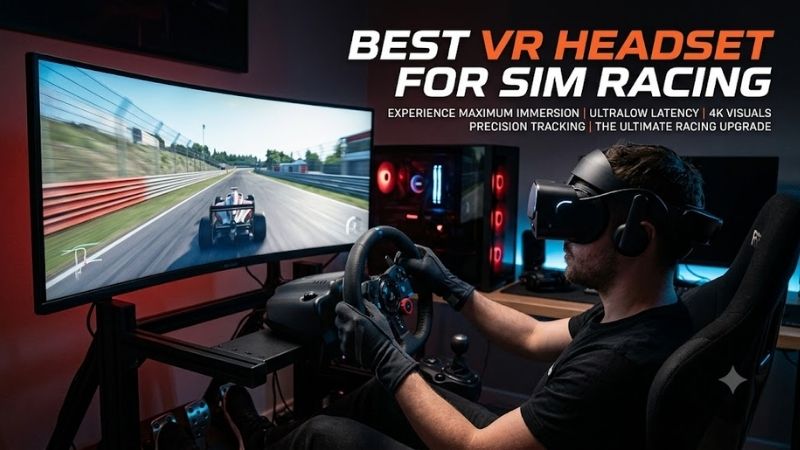
VR provides stereoscopic depth and places the driver’s viewpoint inside the virtual cockpit. Looking into an apex, checking mirrors, and judging the distance to another vehicle can feel natural because the view moves with the head. It also allows a wide virtual view without physically installing three large displays around the rig.
Triple monitors provide a fixed image without headset weight, lens adjustment, VR software, or motion discomfort. They also make physical buttons, keyboards, dashboards, and real-world equipment easier to see. The choice depends on whether immersion and depth perception or convenience and physical visibility matter more to the driver.
FAQ
Is VR good for sim racing?
Yes. VR can provide strong depth perception, natural head movement, and a convincing sense of cockpit scale. It is particularly effective when judging corners and nearby cars. The main trade-offs are GPU requirements, headset comfort, setup complexity, and the possibility of motion discomfort for some users.
What resolution is best for sim racing VR?
There is no single required resolution, but higher pixel density improves dashboard readability and distant track detail. Headsets around 2500 pixels per eye already provide substantial clarity, while premium models approaching 3000 to 3800 pixels per eye can look sharper but require much more graphics performance.
Is 90Hz enough for sim racing?
Yes. Ninety hertz is a strong target for smooth sim racing when the PC can maintain consistent frame timing. A 120Hz headset can provide even smoother motion, but lowering visual quality heavily just to reach 120Hz may not be worthwhile. Stable performance matters more than selecting the highest refresh mode available.
Is Meta Quest 3 good for sim racing?
Quest 3 works well as an accessible PCVR option, especially for players who also want standalone VR. Its pancake optics and 2064 x 2208 per-eye display provide good clarity, but PCVR video is streamed rather than delivered through a native DisplayPort connection, which can reduce fine-detail quality compared with dedicated PCVR headsets.
Do I need VR controllers for sim racing?
Usually not once the simulator is running. A steering wheel, pedals, shifter, and button box handle most racing inputs. Some VR software or initial setup processes may still use controllers, however, so whether they are needed depends on the headset platform and how the simulator interface is configured.
What PC hardware do I need for high-resolution VR racing?
Requirements vary by simulator and headset, but very high-resolution PCVR benefits from a strong modern GPU and CPU. Pimax lists higher-end RTX-class cards for the best Crystal Super experience, while render scale and graphics settings can be reduced on weaker systems to maintain stable performance.
Conclusion
The best VR headset for sim racing depends on whether you prioritize maximum clarity, wide FOV, comfort, or simple setup. Crystal Super targets flagship visuals, Crystal Light balances resolution and refresh rate, Beyond 2 minimizes weight, Quest 3 offers flexible PCVR, and VIVE Pro 2 remains useful for established SteamVR racing rigs.