🛒 Best Price Today on Amazon
Prime members get fast, free shipping on everything above, plus member-only deals. New members get a 30-day free trial — cancel anytime.
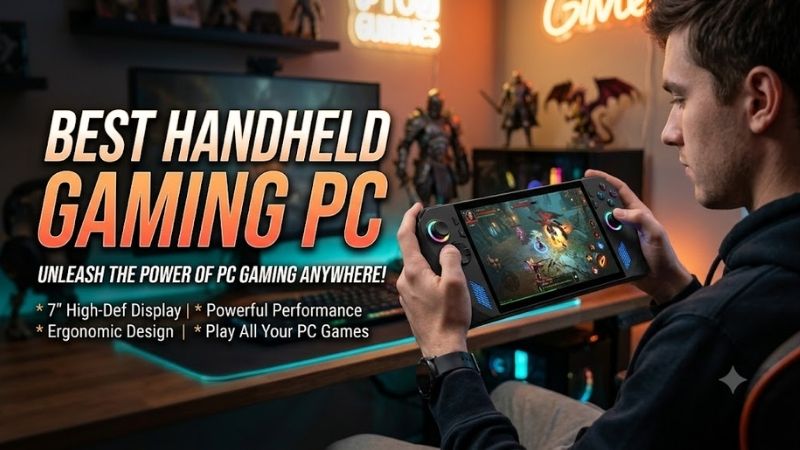
The best handheld gaming PC should balance performance, battery life, screen quality, controls, and portability without making every game feel like a compromise. Modern handhelds can run demanding PC titles, but the right choice depends on whether you prioritize Windows flexibility, SteamOS simplicity, OLED visuals, or maximum power.
Quick answer: For most people in 2026, the best handheld gaming pc for portable aaa gaming is the Handheld — our #1 rated choice. See the full ranked comparison, alternatives and buying advice below.
Best Handheld Gaming PCs Compared
| Handheld | Best For | Processor | Display | Battery |
|---|---|---|---|---|
| ROG Xbox Ally X20 (2026) | Premium Windows gaming | Ryzen AI Z2 Extreme | 7.4″ OLED, 1080p, 120Hz | 80Wh |
| Lenovo Legion Go Gen 2 | Large-screen gaming | Up to Ryzen Z2 Extreme | 8.8″ OLED, 1200p, 144Hz | 74Wh |
| Steam Deck OLED | Console-like simplicity | AMD 6nm custom APU | 7.4″ HDR OLED, 90Hz | 50Wh |
| MSI Claw 8 AI+ | Intel handheld gaming | Core Ultra 7 258V | 8″ IPS, 1200p, 120Hz VRR | 80Wh |
| AYANEO 3 | Enthusiast customization | Ryzen AI 9 HX 370 option | 7″ OLED, up to 144Hz | 49Wh |
ROG Xbox Ally X20 (2026)
Best For: Premium Windows handheld gaming
ROG Xbox Ally X20 is built around AMD’s Ryzen AI Z2 Extreme processor with eight CPU cores and sixteen threads, paired with integrated Radeon graphics. ASUS combines that platform with 24GB of LPDDR5X memory and a 1TB PCIe 4.0 M.2 2280 SSD, giving demanding Windows games substantial memory and storage headroom.
The display is a major upgrade over earlier Ally designs. ASUS uses a 7.4-inch 1920 x 1080 OLED touchscreen with a 120Hz refresh rate, FreeSync Premium Pro, 100% DCI-P3 coverage, and rated brightness of 600 nits in SDR and 1,400 nits for HDR peaks. That combination targets both smooth motion and stronger contrast.
Key Features
- AMD Ryzen AI Z2 Extreme
- 24GB LPDDR5X memory
- 1TB PCIe 4.0 M.2 2280 SSD
- 7.4-inch 1920 x 1080 OLED display
- 120Hz refresh rate
- FreeSync Premium Pro
- 80Wh battery
- USB4
- USB-C 3.2 Gen 2
- microSD Express reader
- Wi-Fi 6E
- 756 g weight
What Makes It Different
The 80Wh battery is unusually large for a handheld gaming PC, which matters because high-performance APUs and 120Hz OLED screens can consume significant power. ASUS also uses a standard M.2 2280 SSD instead of a smaller handheld-specific format, giving owners a broader selection of potential storage upgrades.
Connectivity makes the X20 useful beyond handheld play. One USB4 port supports DisplayPort 2.1 and power delivery, while another USB-C port handles DisplayPort and charging. That allows the system to connect to monitors, docks, storage, keyboards, mice, and other PC peripherals when you want to turn it into a compact desktop.
Pros
- Powerful current-generation AMD processor
- 120Hz OLED display
- Large 80Wh battery
- 24GB memory
- Standard M.2 2280 storage
- FreeSync Premium Pro
- Strong USB connectivity
Cons
- 756 g is substantial for handheld play
- Windows still requires occasional touchscreen navigation
- High-end hardware can consume battery quickly under load
Use Case and Who It’s For
ROG Xbox Ally X20 is aimed at players who want a high-end Windows handheld without sacrificing a fast OLED display, large battery, or broad PC compatibility. It suits Game Pass users, Steam players, emulation enthusiasts, and gamers who also want to dock the device to a monitor and use it like a compact Windows machine.
Lenovo Legion Go Gen 2
Best For: Large OLED screen and detachable controls
Lenovo Legion Go Gen 2 stands out with an 8.8-inch 1920 x 1200 OLED touchscreen running at up to 144Hz with variable refresh rate. Lenovo specifies 500 nits of brightness, 100% DCI-P3 coverage, and VESA True Black 1000 certification, creating one of the largest and most visually ambitious displays in the handheld PC category.
Performance configurations extend up to AMD’s Ryzen Z2 Extreme, with Lenovo offering memory and storage combinations that vary by model. The Z2 Extreme configuration pairs Zen 5 CPU technology with Radeon 890M integrated graphics, making it appropriate for users who want more performance potential than entry-level handheld processors provide.
Key Features
- Up to AMD Ryzen Z2 Extreme
- 8.8-inch OLED touchscreen
- 1920 x 1200 resolution
- 144Hz variable refresh rate
- 500-nit rated brightness
- 74Wh battery
- Detachable TrueStrike controllers
- Hall Effect joysticks
- FPS controller mode
- Dual USB-C ports
- microSD reader
- Built-in kickstand
What Makes It Different
The detachable controllers make the Legion Go Gen 2 fundamentally more flexible than most handheld PCs. They can be removed when the display is sitting on its kickstand, and the right controller can work with Lenovo’s FPS base to provide mouse-like control. That creates options for shooters and desktop-style gaming without carrying a separate controller.
Lenovo also equips the device with a 74Wh battery, providing substantially more capacity than the original Legion Go generation. Two USB-C ports support high-speed data, DisplayPort output, and charging, while the integrated kickstand allows the display to sit independently when the controllers are detached.
Pros
- Large 8.8-inch OLED display
- 144Hz VRR
- Detachable controllers
- Useful built-in kickstand
- FPS controller mode
- Large 74Wh battery
- Dual USB-C connectivity
Cons
- Starting weight is around 920 g with controllers
- Large chassis is less convenient for travel
- 1200p resolution can be demanding in newer games
Use Case and Who It’s For
Legion Go Gen 2 is best for players who value screen size and versatility more than minimum weight. It works particularly well for strategy games, RPGs, desktop-style titles, and shooters because the display is spacious and the detachable controllers offer different ways to play. It is closer to a portable gaming station than a pocketable console.
Steam Deck OLED
Best For: Simple console-like PC gaming
Steam Deck OLED remains one of the most approachable handheld PCs because Valve controls both the hardware and SteamOS software experience. Its custom 6nm AMD APU combines a four-core, eight-thread Zen 2 CPU with eight RDNA 2 compute units, supported by 16GB of LPDDR5 memory and either 512GB or 1TB of NVMe storage.
The 7.4-inch HDR OLED display runs at 1280 x 800 with a refresh rate up to 90Hz. Valve specifies 600 nits in SDR, 1,000 nits peak HDR brightness, a contrast ratio above 1,000,000:1, and 110% P3 color gamut coverage. The lower resolution also reduces GPU demand compared with 1080p or 1200p handheld displays.
Key Features
- Custom 6nm AMD APU
- 16GB LPDDR5 memory
- 512GB or 1TB NVMe storage
- 7.4-inch HDR OLED display
- 1280 x 800 resolution
- Up to 90Hz refresh rate
- Dual trackpads
- Four rear buttons
- 50Wh battery
- Wi-Fi 6E
- SteamOS 3
- Approximately 640 g
What Makes It Different
SteamOS is the biggest reason to choose Steam Deck OLED. Rather than exposing the player to the full Windows desktop during everyday use, Valve provides an interface designed around controllers, game libraries, suspend and resume behavior, updates, and performance settings. This reduces much of the friction associated with operating Windows on a small touchscreen.
The dual trackpads also make PC-native games easier to control when they were originally designed around a mouse. Strategy games, management titles, older PC releases, and desktop navigation can benefit from the additional input options. Valve also includes four assignable rear buttons and a six-axis gyro for customized control layouts.
Pros
- Excellent SteamOS interface
- HDR OLED display
- Dual trackpads
- Good control customization
- Lower 640 g weight
- Wi-Fi 6E
- Strong suspend and resume experience
Cons
- Lower raw performance than newer flagship Windows handhelds
- Some games with anti-cheat may have compatibility limitations
- 800p display is less sharp than 1080p or 1200p rivals
Use Case and Who It’s For
Steam Deck OLED is ideal for users who want handheld PC gaming to behave more like a console. It works especially well when most of your library is on Steam and you prefer quick access to games over managing Windows. Its lower power requirements, OLED panel, trackpads, and software integration remain major strengths despite newer hardware appearing.
MSI Claw 8 AI+
Best For: Intel-based handheld gaming
MSI Claw 8 AI+ uses Intel’s Core Ultra 7 258V processor with integrated Arc 140V graphics and 32GB of LPDDR5X-8533 memory. Storage is provided by a 1TB PCIe Gen4 NVMe SSD, while the operating system is Windows 11 Home. This makes the Claw one of the most distinctive alternatives to the AMD-heavy handheld market.
The display is an 8-inch 1920 x 1200 IPS-level touchscreen with a variable refresh range up to 120Hz. Unlike many OLED competitors, the Claw emphasizes VRR and a larger 16:10 IPS panel. The 80Wh battery matches some of the largest capacities in the category, helping offset the power requirements of high-performance Windows gaming.
Key Features
- Intel Core Ultra 7 258V
- Intel Arc 140V graphics
- 32GB LPDDR5X-8533 memory
- 1TB PCIe Gen4 SSD
- 8-inch 1920 x 1200 display
- 120Hz variable refresh rate
- 80Wh battery
- Hall Effect sticks
- Hall Effect triggers
- Two Thunderbolt 4 ports
- Wi-Fi 7
- 795 g weight
What Makes It Different
Connectivity is a major advantage. MSI includes two Thunderbolt 4 ports supporting DisplayPort and power delivery, giving users two high-speed interfaces for docking, charging, monitors, storage, and other peripherals. Wi-Fi 7 and Bluetooth 5.4 also provide newer wireless standards than many competing handhelds.
Hall Effect joysticks and triggers use magnetic sensing rather than relying on traditional potentiometer contact surfaces. The controls are complemented by programmable rear macro buttons, HD haptics, and a six-axis IMU. These features make the Claw particularly relevant to players who want console-like controls alongside full Windows compatibility.
Pros
- 32GB memory
- Large 80Wh battery
- 120Hz VRR display
- Two Thunderbolt 4 ports
- Hall Effect sticks and triggers
- Wi-Fi 7
- Full Windows compatibility
Cons
- 795 g is heavy for extended handheld use
- IPS lacks OLED black levels
- Windows requires more management than SteamOS
Use Case and Who It’s For
MSI Claw 8 AI+ suits users who want an Intel-based handheld with substantial memory, modern wireless networking, and strong docking potential. Its dual Thunderbolt 4 ports are especially useful for people who treat their handheld as both a portable gaming system and a small Windows PC connected to external displays and peripherals.
AYANEO 3
Best For: Enthusiasts who want unusual customization
AYANEO 3 is designed for enthusiasts who want more configuration choices than mainstream handheld PCs normally provide. Processor options include AMD Ryzen AI 9 HX 370 and Ryzen 7 8840U, while memory configurations extend from 16GB to 64GB and storage options range from 512GB to 4TB depending on the selected model.
The display can be configured with either a 7-inch 1920 x 1080 OLED panel running at up to 144Hz or an LCD alternative. AYANEO rates the OLED version at 800 nits and offers selectable refresh rates of 60, 90, 120, and 144Hz, giving users more display configuration flexibility than most fixed-spec handhelds.
Key Features
- Ryzen AI 9 HX 370 option
- Ryzen 7 8840U option
- Up to 64GB LPDDR5X memory
- Up to 4TB PCIe 4.0 storage
- 7-inch 1080p OLED option
- Up to 144Hz refresh rate
- Modular control system
- Hall Effect joysticks
- Hall Effect triggers
- Dual USB4 ports
- OCuLink
- 49Wh battery
What Makes It Different
The modular controller system is the AYANEO 3’s defining feature. Users can replace control modules with different configurations, including standard controls, touchpad-equipped layouts, and a six-button fighting arrangement. Buttons can also be customized, giving enthusiasts more freedom to tailor the physical control layout around specific games.
OCuLink provides another unusual feature. Its high-bandwidth external PCIe connection can be used with compatible external graphics solutions, allowing the handheld to become part of a more powerful desktop gaming setup. Two USB4 ports provide additional display, data, and charging flexibility when the device is docked.
Pros
- Powerful processor configurations
- Up to 64GB memory
- Up to 4TB storage
- 144Hz OLED option
- Modular controls
- Dual USB4
- OCuLink expansion
Cons
- Smaller 49Wh battery
- More enthusiast-oriented than mainstream handhelds
- Numerous configurations make purchasing more complicated
Use Case and Who It’s For
AYANEO 3 is aimed at enthusiasts who enjoy tuning hardware as much as using it. The modular controllers, high-memory configurations, OLED display option, OCuLink connection, and extensive storage choices provide uncommon flexibility. It makes less sense for players who simply want the easiest possible route from power-on to playing games.
How to Choose the Best Handheld Gaming PC
Processor and GPU Performance
A handheld processor must deliver enough performance without consuming laptop-level power. Newer chips such as Ryzen AI Z2 Extreme and Ryzen Z2 Extreme provide more CPU and graphics capability than older handheld APUs, but maximum performance usually comes with increased power draw. Faster hardware therefore does not automatically mean longer playable sessions.
Consider the games you actually play. Indie titles, emulators, and older games can perform well on modest hardware at low power limits, while newer AAA releases benefit more from faster integrated graphics. Buying the most powerful chip makes sense when demanding games dominate your library, but efficiency may matter more for lighter titles.
Display Resolution
Higher resolution improves text and image sharpness but increases the number of pixels the integrated GPU must render. A 1920 x 1200 display contains significantly more pixels than Steam Deck’s 1280 x 800 panel. Demanding games may therefore require lower internal resolution, upscaling, or reduced settings to maintain smooth performance.
Screen size also changes how useful additional resolution feels. On a seven-inch display, the visual difference between 800p and 1080p can be noticeable, but it is smaller than on a desktop monitor. Prioritize a balanced combination of resolution, refresh rate, contrast, VRR support, and battery impact rather than chasing pixel count alone.
OLED vs IPS
OLED displays provide individually controlled pixels, allowing true blacks and excellent contrast. Steam Deck OLED, Legion Go Gen 2, ROG Xbox Ally X20, and selected AYANEO 3 configurations use OLED panels. Dark games and HDR content can look particularly impressive because black areas are not illuminated by a conventional backlight.
IPS displays still offer advantages, including predictable performance and no OLED burn-in concern from static interface elements. MSI Claw 8 AI+ uses a 120Hz VRR IPS-level panel, combining high refresh with adaptive synchronization. Choose OLED for contrast and image impact, while IPS remains entirely suitable for responsive portable gaming.
Variable Refresh Rate
VRR synchronizes display refresh behavior with fluctuating game frame rates, reducing visible tearing and making inconsistent performance appear smoother. This is particularly valuable on handheld hardware because AAA games may operate across a wider frame-rate range than they would on a desktop equipped with a powerful dedicated GPU.
ROG Xbox Ally X20, Legion Go Gen 2, and MSI Claw 8 AI+ all offer variable-refresh technologies. Steam Deck OLED instead provides flexible refresh-rate control up to 90Hz. Either approach can improve perceived smoothness, but VRR provides greater flexibility when frame rate moves dynamically rather than staying at one fixed target.
Battery Capacity
Battery capacity ranges dramatically across handheld PCs. Steam Deck OLED uses a 50Wh battery, Legion Go Gen 2 increases that to 74Wh, while ROG Xbox Ally X20 and MSI Claw 8 AI+ reach 80Wh. AYANEO 3 uses 49Wh, emphasizing compact hardware flexibility rather than maximum battery size.
Capacity alone cannot predict runtime. Processor power limits, screen brightness, refresh rate, game load, Wi-Fi usage, and operating-system behavior all influence consumption. A less powerful handheld running a lightweight game at low wattage can last longer than a device with a much larger battery operating near maximum performance.
Weight and Ergonomics
Handheld weight becomes increasingly important during sessions where the system is held continuously rather than resting on a table. Steam Deck OLED weighs around 640 grams, while ROG Xbox Ally X20 is 756 grams, MSI Claw 8 AI+ is 795 grams, and Legion Go Gen 2 starts around 920 grams with its controllers attached.
Heavier devices are not automatically uncomfortable because grip shape and weight distribution matter, but extra mass becomes difficult to ignore during long sessions. If you frequently play in bed, on flights, or while commuting, portability may deserve higher priority than an extra inch of screen size or maximum processor performance.
Windows vs SteamOS
Windows provides broad access to Steam, Xbox Game Pass, Epic Games Store, Battle.net, launchers, mods, productivity software, and conventional desktop applications. The trade-off is an interface originally designed for mouse and keyboard use, so occasional touchscreen navigation or controller-focused utility software is still necessary.
SteamOS provides a more focused handheld experience with controller-driven menus and tight Steam integration. Compatibility is not universal, particularly for some games using specific anti-cheat systems, but the operating environment feels closer to a traditional console. Choose based on game library and tolerance for Windows management.
Storage and Expansion
AAA PC games can consume well over 100GB each, making storage capacity increasingly important. A 1TB drive provides a more comfortable starting point than 512GB if large releases dominate your library. Devices using common M.2 formats can also provide a more straightforward storage-upgrade path than systems with unusual internal layouts.
MicroSD expansion is useful for indie games, emulation libraries, and titles that do not depend heavily on SSD throughput. It does not replace internal NVMe storage for every workload, but it provides an inexpensive way to increase capacity. Check the supported card standard because handheld readers vary significantly in maximum interface speed.
FAQ
Is a handheld gaming PC powerful enough for AAA games?
Yes, current handheld PCs can run many AAA games, but settings and resolution usually need to be adjusted. Integrated graphics cannot match high-end desktop GPUs, so medium or low settings, dynamic resolution, and technologies such as FSR can be useful. Performance also varies significantly from one game engine to another.
Is Steam Deck OLED still worth buying in 2026?
Steam Deck OLED remains relevant when software simplicity, OLED image quality, control flexibility, and battery efficiency matter more than maximum raw performance. Newer Windows handhelds provide faster hardware, but Steam Deck’s integrated SteamOS experience remains one of its most important advantages for portable play.
Is Windows better than SteamOS for a handheld?
Windows offers broader software compatibility, while SteamOS provides a cleaner controller-first experience. Windows is preferable if Xbox Game Pass, multiple launchers, mods, or desktop applications matter. SteamOS is better suited to users whose library is primarily on Steam and who want fewer operating-system interruptions.
Do I need 32GB of RAM in a handheld gaming PC?
Not necessarily. Many handheld games still operate effectively with 16GB, while 24GB or 32GB gives more headroom for newer titles, multitasking, and integrated graphics that share system memory. More RAM becomes particularly relevant when the handheld is also used as a docked Windows PC for productivity or creative tasks.
Is OLED better for handheld gaming?
OLED provides deeper blacks, high contrast, fast pixel response, and strong HDR potential, making games visually impressive on a compact display. IPS remains a good choice when the panel provides strong color, brightness, and VRR. Display technology should be considered alongside resolution, refresh rate, power use, and price.
Can a handheld gaming PC replace a laptop?
A handheld can handle many laptop tasks when connected to a monitor, keyboard, mouse, and dock, especially if it runs Windows. However, the built-in screen and controls are optimized for gaming rather than productivity. It can replace a laptop for some users, but frequent typing or professional work still favors a conventional notebook.
Conclusion
The best handheld gaming PC depends on how you balance power, battery life, controls, and software. ROG Xbox Ally X20 targets premium Windows performance, Legion Go Gen 2 adds a large OLED screen and detachable controls, Steam Deck OLED favors simplicity, while MSI Claw 8 AI+ and AYANEO 3 serve users who want different hardware strengths.
Ready to decide? Our #1 pick for 2026 is the Handheld.
Live price & availability on Amazon.