🛒 Best Price Today on Amazon
Prime members get fast, free shipping on everything above, plus member-only deals. New members get a 30-day free trial — cancel anytime.
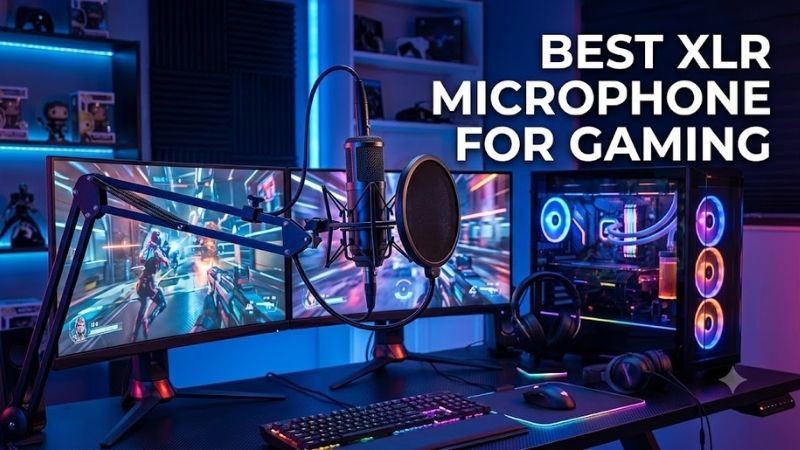
The best XLR microphone for gaming should keep your voice clear while reducing keyboard noise, fan hum, and room reflections around your setup. Dynamic microphones are especially useful for gaming because close placement improves vocal focus, while an XLR connection gives you more control through an audio interface or mixer.
Quick answer: For most people in 2026, the best xlr microphone for gaming is the Microphone — our #1 rated choice. See the full ranked comparison, alternatives and buying advice below.
Best XLR Microphones for Gaming Compared
| Microphone | Best For | Type | Polar Pattern | Frequency Response |
|---|---|---|---|---|
| Shure MV7X | Best Overall | Dynamic | Cardioid | 50 Hz–16 kHz |
| Elgato Wave DX | Streaming and Gaming | Dynamic | Cardioid | 50 Hz–15 kHz |
| RØDE PodMic | Broadcast-Style Voice | Dynamic | Cardioid | 50 Hz–15 kHz |
| Audio-Technica AT2040 | Noisy Gaming Rooms | Dynamic | Hypercardioid | 80 Hz–16 kHz |
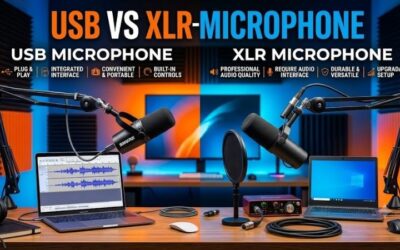
An XLR microphone does not connect directly to a normal USB port. You need an audio interface, mixer, or XLR preamp between the microphone and the gaming PC. This adds cost compared with a USB mic, but it also lets you choose your preamp, adjust gain more precisely, and upgrade the microphone or interface separately later.
Dynamic microphones dominate this roundup because they usually work well when placed close to the mouth and are less sensitive to distant room sound than many condenser designs. That characteristic is useful beside mechanical keyboards, gaming PCs, cooling fans, and untreated walls, although microphone position still matters more than simply choosing XLR.
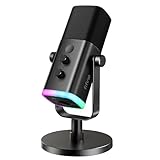
Shure MV7X – Best Overall
Best For: Gamers who want a focused dynamic microphone with straightforward XLR integration
The Shure MV7X is a dynamic XLR microphone with a cardioid pickup pattern and a frequency response of 50 Hz to 16 kHz. Shure designed it for close vocal use, and its directional Voice Isolation approach focuses primarily on sound arriving from the front while reducing unwanted sound entering from other directions.
Its passive XLR output connects to a conventional microphone preamp, mixer, or audio interface. Shure lists an output impedance of 252 ohms and sensitivity of -55 dBV/Pa. Those specifications mean your interface needs enough clean gain to bring the microphone to a comfortable speaking level without excessive background hiss.
Key Features
- Dynamic moving-coil design
- Cardioid polar pattern
- 50 Hz–16 kHz frequency response
- Passive XLR output
- 252-ohm output impedance
- -55 dBV/Pa sensitivity
- All-metal housing
- Adjustable integrated yoke
- 5/8″-27 threaded mounting
- Foam windscreen
What Makes It Different
The MV7X combines a broadcast-style shape with a relatively forgiving cardioid pattern. That is useful for gaming because you do not need to keep your mouth locked into an extremely narrow pickup position. The windscreen also helps control plosive consonants when the mic is placed close enough to reject more room and keyboard noise.
Unlike the standard Shure MV7, the MV7X is designed around XLR rather than USB connectivity. There are no onboard digital controls, headphone monitoring outputs, or USB processing features. That simplicity makes sense when you already own an interface and prefer to manage gain, monitoring, EQ, and compression elsewhere.
Pros
- Focused cardioid pickup
- Good fit for untreated gaming rooms
- All-metal construction
- Integrated yoke
- Compact broadcast-style form
- Standard XLR connectivity
- Works well on boom arms
Cons
- Requires an audio interface
- No onboard mute control
- No headphone output
- Needs adequate preamp gain
Use Case
The MV7X works particularly well on a boom arm positioned roughly a few inches from the mouth, slightly off to one side so it does not block the monitor. Close placement lets you use less interface gain while keeping your voice dominant over keyboard clicks, GPU fans, controller buttons, and other gaming-room noise.
Who It’s For
Choose the MV7X if you want a reliable first XLR gaming microphone without moving into complicated studio hardware. It suits multiplayer gaming, streaming, Discord, voice-over work, and casual content creation, especially when you already own an interface or plan to build an XLR setup that can be upgraded over time.
Elgato Wave DX – Best for Streaming and Gaming
Best For: Gamers already using Elgato streaming hardware or Wave Link workflows
Elgato Wave DX is a dynamic cardioid XLR microphone with a frequency response of 50 Hz to 15 kHz. Elgato lists sensitivity at 2.5 mV/Pa, or -52 dBV/Pa, with 600-ohm impedance. It uses a top-address design, so the player speaks into the end of the microphone rather than toward its side.
Elgato recommends positioning Wave DX about 3 to 5 inches from the mouth. At that distance, the dynamic capsule can capture a strong vocal signal while limiting how much room sound reaches the microphone. The company also states that a booster or inline lifter is not required with a suitable standard XLR interface.
Key Features
- Dynamic capsule
- Cardioid pickup
- 50 Hz–15 kHz response
- 2.5 mV/Pa sensitivity
- 600-ohm impedance
- 3-pin XLR connection
- 440g weight
- Hardened steel chassis
- 5/8-inch mount
- 3/8-inch and 1/4-inch adapters included
What Makes It Different
Wave DX is especially convenient within Elgato’s ecosystem. When paired with a compatible Wave interface, the microphone can be routed through Wave Link for mixing game audio, voice chat, browser sources, music, and stream output. This makes it easier to build separate audio mixes without changing the microphone itself.
The microphone also uses a removable and rotatable logo, making it easier to mount from either direction while keeping the visible side clean on camera. Its swivel mount is designed to avoid interfering with the XLR cable, which is useful when the microphone hangs downward from a low-profile boom arm beside a gaming monitor.
Pros
- Clear dynamic vocal pickup
- No booster required with suitable interfaces
- Compact steel design
- Multiple thread adapters included
- Strong integration with Wave Link
- Easy boom-arm mounting
- Good fit for streaming desks
Cons
- Audio interface sold separately
- XLR cable not included
- No onboard mute switch
- Software benefits depend on your interface setup
Use Case
Wave DX makes sense in gaming setups where several audio sources need to be controlled independently. A streamer can route microphone, game sound, Discord, music, alerts, and capture-card audio through the same software environment while the microphone itself remains a simple analog XLR device.
Who It’s For
Choose Wave DX if you stream regularly, already use Elgato hardware, or expect to build a more sophisticated audio-routing setup later. Gamers who only need voice chat can use a simpler microphone, but creators working with OBS, dual-PC systems, Stream Deck, or multiple audio buses can benefit from the ecosystem around it.
RØDE PodMic – Best Broadcast-Style XLR Microphone
Best For: Gamers and streamers who want a rugged close-talk microphone with integrated pop control
The RØDE PodMic uses a dynamic capsule with a cardioid polar pattern and a frequency range from 50 Hz to 15 kHz. RØDE lists sensitivity at -57 dBV and output impedance at 320 ohms. The microphone requires no phantom power and connects to an interface or mixer through a standard XLR cable.
RØDE builds the PodMic around close vocal use. Its internal pop filter helps control plosive sounds, while the capsule and swing mount are internally suspended to reduce vibration transmitted through a microphone stand or boom arm. Those design choices are useful when a gaming desk experiences movement from typing and mouse activity.
Key Features
- Dynamic microphone
- Cardioid pattern
- 50 Hz–15 kHz frequency range
- -57 dBV sensitivity
- 320-ohm output impedance
- XLR connectivity
- Integrated pop filter
- Internally suspended capsule
- All-metal construction
- Swing mounting system
What Makes It Different
The PodMic emphasizes mechanical durability and physical noise control. Its all-metal body and stainless-steel mesh grille make it feel closer to broadcast equipment than a lightweight desktop accessory. The integrated suspension reduces the need to immediately add a separate shock mount when desk movement is moderate.
Its lower output also means interface quality matters. You need enough clean preamp gain to reach an appropriate level, especially if you speak quietly or position the microphone farther away than intended. Keeping the PodMic close to your mouth normally improves both vocal presence and rejection of surrounding gaming noise.
Pros
- Rugged metal construction
- Built-in pop filtering
- Internal suspension
- Cardioid pickup
- Standard XLR output
- No phantom power required
- Designed for close voice work
Cons
- Requires adequate interface gain
- Relatively heavy
- No USB connection
- No onboard gain or mute controls
Use Case
PodMic works well for gamers who want the microphone permanently mounted to a sturdy boom arm beside the monitor. The close-talk design fits multiplayer chat and streaming particularly well because you can position it near the mouth, lower your gain, and reduce how prominently room reflections or mechanical keyboard sounds enter the signal.
Who It’s For
Choose the PodMic if you like the feel of traditional broadcast hardware and want a durable microphone that can stay mounted for years. It is particularly suitable for streamers, gaming commentators, and creators who do not need onboard USB controls and already plan to manage their microphone through a dedicated interface or mixer.
Audio-Technica AT2040 – Best for Noisy Gaming Rooms
Best For: Gamers who need stronger off-axis rejection around keyboards, fans, and shared spaces
The Audio-Technica AT2040 is a dynamic XLR microphone with a hypercardioid pickup pattern and an 80 Hz to 16 kHz frequency response. Audio-Technica specifies sensitivity at -53 dB, output impedance at 600 ohms, and a switchable low-frequency roll-off beginning at 100 Hz with a 6 dB-per-octave slope.
Its hypercardioid pattern is narrower than a conventional cardioid pattern, allowing the microphone to focus more strongly on sound from directly in front. That can be beneficial when positioned correctly in a gaming room, although it also means the player needs to maintain more consistent microphone placement during long sessions.
Key Features
- Dynamic element
- Hypercardioid polar pattern
- 80 Hz–16 kHz frequency response
- -53 dB sensitivity
- 600-ohm impedance
- Switchable 100 Hz low-frequency roll-off
- Three-pin XLR output
- Integrated shock isolation
- Multistage internal pop filter
- All-metal body
What Makes It Different
Audio-Technica integrates both an internal pop filter and a specially designed shock-isolation system into the AT2040. The internal filtering helps control plosives during close use, while the mechanical isolation reduces vibrations travelling through a boom arm or microphone stand from desk movement.
The switchable low-frequency roll-off can also be useful in gaming setups where low rumble comes from desk vibration, PC fans, HVAC systems, or movement around the room. It is not a substitute for proper microphone placement, but it provides a simple analog way to reduce unwanted low-frequency energy before the signal reaches software.
Pros
- Strong hypercardioid isolation
- Integrated pop filtering
- Built-in shock isolation
- Switchable low-frequency roll-off
- Durable metal construction
- Standard XLR connection
- Useful in noisy rooms
Cons
- Narrow pickup requires careful positioning
- Heavier than compact broadcast microphones
- No USB connectivity
- Requires sufficient interface gain
Use Case
The AT2040 fits a gaming desk where a mechanical keyboard, nearby PC tower, room fan, or other player creates constant background noise. Mounting the microphone close to your mouth and aiming its rejection zones toward the loudest unwanted sources can produce a cleaner signal than placing a microphone far away.
Who It’s For
Choose the AT2040 if noise rejection is one of your highest priorities and you can maintain consistent microphone position. It is especially useful for streamers in untreated bedrooms, shared gaming spaces, and desks with loud keyboards where a wider pickup pattern may capture more environmental sound than necessary.
How to Choose the Best XLR Microphone for Gaming
Dynamic vs. Condenser
Dynamic microphones are usually easier to manage in untreated gaming rooms because they are commonly used close to the speaker and require less gain from distant room sound. They do not magically remove keyboard noise, but close placement creates a better voice-to-background ratio than positioning a sensitive microphone far across the desk.
Condenser microphones can capture more high-frequency detail and subtle vocal information, but they also tend to reveal more room reflections and nearby equipment. Gamers with acoustic treatment and quiet setups may appreciate that sensitivity, while typical bedrooms and home offices often benefit from a close dynamic microphone.
Cardioid vs. Hypercardioid
A cardioid microphone captures primarily from the front and reduces sound from behind. This pattern is forgiving if you move slightly while gaming. Hypercardioid microphones narrow the front pickup area further, which can improve isolation but makes placement more important because turning away can reduce vocal level or change tone.
For most gamers, cardioid provides the easiest balance between rejection and movement tolerance. Hypercardioid makes more sense when background sound is difficult to control and you can keep the microphone close. The pattern should complement your desk arrangement rather than being chosen only because stronger rejection sounds better on paper.
Check Interface Gain
Dynamic XLR microphones often produce lower output than USB condensers, so your audio interface must provide sufficient clean preamp gain. A low-output microphone connected to a weak preamp may force you to raise gain near maximum, where some interfaces can introduce more audible hiss or leave too little level for quiet speakers.
Do not assume every microphone needs an inline booster. Elgato explicitly states that Wave DX does not require one with a suitable interface, while other dynamic mics may still work perfectly well through modern interfaces with capable preamps. Start with your interface specifications before adding unnecessary signal-boosting hardware.
Position the Microphone Close
Microphone placement usually affects gaming voice quality more than small differences between reputable XLR models. Dynamic broadcast microphones generally work best a few inches from the mouth. Close placement raises the level of your voice relative to keyboard, mouse, PC fan, room echo, and other sounds occurring farther away.
Position the microphone slightly to the side of your mouth rather than directly in front when possible. This keeps it out of your monitor view and reduces direct bursts of air from consonants. A boom arm makes maintaining that distance easier and allows the microphone to move away when you switch from multiplayer gaming to casual use.
Consider Keyboard Noise
No microphone can identify which sound comes from your voice and which comes from a mechanical keyboard before the signal reaches processing software. The most effective solution is physical placement: keep the microphone close to your mouth and point the least sensitive side of the pickup pattern toward the keyboard whenever possible.
Software noise suppression can further reduce typing, but heavy processing sometimes affects natural voice quality. Starting with a strong clean signal gives Discord, OBS filters, NVIDIA Broadcast, noise gates, and other processing tools less work to do. Good microphone technique should therefore come before aggressive software filtering.
Decide Whether You Need an Audio Interface
An XLR microphone requires an interface or mixer because the analog microphone signal must be amplified and converted into digital audio for the PC. Interfaces also provide physical gain controls, headphone monitoring, and sometimes routing or mute features that can be faster to adjust during a game than opening software menus.
The downside is total system cost. A microphone, interface, XLR cable, and boom arm can cost much more than a USB microphone. XLR makes the most sense when you want better upgrade flexibility, multiple audio sources, physical controls, or a streaming setup that may expand beyond simple game chat later.
Do You Need Phantom Power?
The dynamic microphones in this roundup do not require 48V phantom power to operate. Phantom power is commonly needed for condenser microphones and some active audio devices. If your interface provides a 48V switch, leave it disabled unless the microphone or connected equipment specifically requires it.
This distinction can simplify an XLR gaming setup because dynamic microphones need only the microphone cable and preamp gain. However, some inline boosters require phantom power even when the microphone itself does not, so check the requirements of every device in the signal chain before changing interface power settings.
FAQ
Is an XLR Microphone Better Than USB for Gaming?
Not automatically. XLR gives you more flexibility in choosing interfaces, preamps, mixers, and future upgrades, while USB microphones are faster to install and cheaper as complete systems. XLR becomes more attractive for streaming, content creation, or setups where you want physical audio controls and multiple sources.
Do I Need an Audio Interface for an XLR Gaming Microphone?
Yes. A normal gaming PC cannot use the raw analog XLR signal directly through USB. The microphone connects to an audio interface or mixer, which supplies preamp gain and converts the signal into digital audio. The interface then connects to the PC through USB or another supported digital connection.
Is a Dynamic Microphone Good for Gaming?
Yes. Dynamic microphones are particularly useful in bedrooms and untreated gaming spaces because they work well at close speaking distances. Keeping the mic near your mouth improves vocal level relative to background sound, making mechanical keyboards, fans, and room reflections less prominent in the final signal.
Does an XLR Microphone Need Phantom Power?
Not always. The Shure MV7X, Elgato Wave DX, RØDE PodMic, and Audio-Technica AT2040 are dynamic microphones and do not require phantom power for normal operation. Condenser microphones and certain inline preamps may require 48V, so always check the exact hardware before enabling it.
Which Polar Pattern Is Best for Gaming?
Cardioid is usually the easiest choice because it focuses on your voice while remaining reasonably forgiving when you move. Hypercardioid provides tighter front pickup and greater side rejection, but microphone alignment becomes more important. Your keyboard position and room noise should determine which pattern is more useful.
How Close Should an XLR Gaming Microphone Be?
Close placement is usually ideal for dynamic gaming microphones. Elgato recommends roughly 3 to 5 inches for Wave DX, and similar close positioning works well with many broadcast-style dynamic microphones. Adjust distance by ear because speaking volume, microphone sensitivity, plosive control, and interface gain all affect the result.
Conclusion
The best XLR microphone for gaming depends on your room and audio workflow. Shure MV7X offers balanced performance, Wave DX fits streaming ecosystems, RØDE PodMic provides rugged broadcast styling, and Audio-Technica AT2040 adds tighter noise rejection. Pair any of them with a capable interface and proper close placement for the best result.
Ready to decide? Our #1 pick for 2026 is the Microphone.
Live price & availability on Amazon.