Table of Contents
- 0.1 🛒 Best Price Today on Amazon
- 1 Best Monitors Under $1000 at a Glance
- 2 MSI MPG 321URX QD-OLED — Best Overall
- 2.1 Best For
- 2.2 Key Features
- 2.3 What Makes It Different
- 2.4 Pros
- 2.5 Cons
- 2.6 Use Case
- 2.7 Who It’s For
- 3 Alienware AW2725Q — Best 27-Inch 4K OLED
- 3.1 Best For
- 3.2 Key Features
- 3.3 What Makes It Different
- 3.4 Pros
- 3.5 Cons
- 3.6 Use Case
- 3.7 Who It’s For
- 4 Alienware AW2725DF — Best for Competitive Gaming
- 4.1 Best For
- 4.2 Key Features
- 4.3 What Makes It Different
- 4.4 Pros
- 4.5 Cons
- 4.6 Use Case
- 4.7 Who It’s For
- 5 Alienware AW2725QF — Best Dual-Resolution Monitor
- 5.1 Best For
- 5.2 Key Features
- 5.3 What Makes It Different
- 5.4 Pros
- 5.5 Cons
- 5.6 Use Case
- 5.7 Who It’s For
- 6 How to Choose the Best Monitor Under $1000
- 6.1 Resolution and Refresh Rate
- 6.2 OLED vs Fast IPS
- 6.3 Connectivity
- 6.4 Screen Size and Pixel Density
- 7 FAQ
- 7.1 Is $1,000 enough for a high-end gaming monitor?
- 7.2 Is 4K 240Hz better than 1440p 360Hz?
- 7.3 Is an OLED monitor worth buying under $1000?
- 7.4 What should console gamers look for?
- 8 Conclusion
🛒 Best Price Today on Amazon
Prime members get fast, free shipping on everything above, plus member-only deals. New members get a 30-day free trial — cancel anytime.
Shopping for the best monitor under 1000 dollars opens the door to premium OLED, 4K, and high-refresh gaming displays without entering flagship pricing. The strongest choices differ mainly in resolution, refresh rate, panel type, connectivity, and whether you favor cinematic image quality, esports speed, or mixed PC and console use.
Quick answer: For most people in 2026, the best monitor under $1000 is the MSI MPG 321URX QD-OLED — our #1 rated choice. See the full ranked comparison, alternatives and buying advice below.
Best Monitors Under $1000 at a Glance
| Monitor | Best For | Resolution | Refresh Rate | Panel | Response Time |
|---|---|---|---|---|---|
| MSI MPG 321URX QD-OLED | Best overall | 3840 × 2160 | 240Hz | QD-OLED | 0.03ms GtG |
| Alienware AW2725Q | Best 27-inch 4K OLED | 3840 × 2160 | 240Hz | QD-OLED | 0.03ms GtG |
| Alienware AW2725DF | Best for competitive gaming | 2560 × 1440 | 360Hz | QD-OLED | 0.03ms GtG |
| Alienware AW2725QF | Best dual-resolution option | 4K / FHD | 180Hz / 360Hz | Fast IPS | 0.5ms GtG |
MSI MPG 321URX QD-OLED — Best Overall
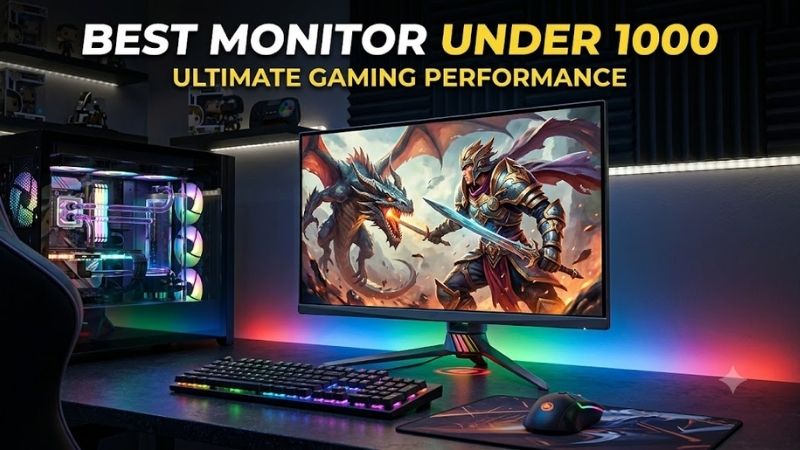
The MSI MPG 321URX QD-OLED is the most balanced 32-inch option here for gamers who want 4K detail without giving up a 240Hz refresh rate. Its 31.5-inch QD-OLED panel runs at 3840 × 2160, reaches 0.03ms GtG response time, and supports G-SYNC Compatible operation for smoother variable-refresh gaming today.
Best For
High-end PC gaming, 4K gaming, console gaming, and mixed gaming/work setups.
Key Features
- 31.5-inch QD-OLED panel
- 3840 × 2160 resolution
- 240Hz refresh rate
- 0.03ms GtG response time
- DisplayHDR True Black 400
- HDMI 2.1
- DisplayPort 1.4a
- USB-C with up to 90W Power Delivery
- Built-in KVM
- G-SYNC Compatible
- Three-year warranty including panel burn-in coverage
What Makes It Different
What separates the 321URX from simpler 4K OLED models is its workstation-friendly connectivity. USB-C supports DisplayPort Alt Mode with up to 90W power delivery, while a built-in KVM can control multiple systems from one keyboard and mouse. The trade-off is that 4K at 240Hz demands a very powerful GPU.
Pros
- 4K and 240Hz in one display
- Deep OLED blacks and fast pixel response
- 90W USB-C charging
- Useful KVM for multi-PC setups
- Full-bandwidth HDMI 2.1
- Strong console connectivity
Cons
- 4K 240Hz places a heavy load on the GPU
- OLED requires sensible static-content management
Use Case
Choose the MPG 321URX if you play visually demanding single-player games but also want enough refresh-rate headroom for shooters, racing games, and competitive titles. Its USB-C charging and KVM are especially useful for gamers switching between a desktop gaming PC and a work laptop.
Who It’s For
This is the most versatile choice for someone spending close to the top of the budget and wanting one premium display to cover 4K PC gaming, current consoles, productivity, and media. MSI currently lists the MPG 321URX below the $1,000 ceiling in its US store, though retail pricing can change.
Alienware AW2725Q — Best 27-Inch 4K OLED
The Alienware AW2725Q targets players who want the sharpness of 4K on a smaller 27-inch-class screen. Its 26.7-inch QD-OLED panel combines 3840 × 2160 resolution, a 240Hz refresh rate, 0.03ms GtG response time, and 166 pixels per inch, producing especially crisp text, fine HUD elements, and detailed game worlds.
Best For
Players who want very high pixel density, OLED contrast, and 240Hz gaming without moving to a 32-inch display.
Key Features
- 26.7-inch QD-OLED panel
- 3840 × 2160 resolution
- 240Hz refresh rate
- 166 PPI
- 0.03ms GtG response time
- 99% DCI-P3 coverage
- G-SYNC Compatible
- FreeSync Premium Pro
- Two HDMI 2.1 ports
- DisplayPort 1.4
- Dolby Vision support
- Three-year limited hardware warranty
What Makes It Different
Its two HDMI 2.1 inputs and DisplayPort 1.4 support 4K up to 240Hz, while G-SYNC Compatible and FreeSync Premium Pro cover common variable-refresh setups. USB-C is included, but its 15W power delivery is far less useful for laptop charging than the MSI. This model fits premium desktop gaming more than one-cable productivity.
Pros
- Exceptionally high pixel density
- 4K at up to 240Hz
- QD-OLED contrast and response
- HDMI 2.1 for modern gaming systems
- G-SYNC and FreeSync support
- Compact footprint for a 4K gaming display
Cons
- USB-C charging is limited to 15W
- Smaller image than 32-inch 4K alternatives
Use Case
The AW2725Q works particularly well for RPGs, strategy games, racing titles, action games, and mixed productivity where small text and fine visual details benefit from dense 4K pixels. Competitive games can still use its 240Hz ceiling, provided the GPU can render sufficiently high frame rates.
Who It’s For
Pick this monitor when you sit relatively close to the display and value sharpness more than physical screen size. Dell currently lists the AW2725Q below $1,000 in the US, making it one of the more accessible ways to combine a 27-inch-class 4K QD-OLED panel with a 240Hz refresh rate.
Alienware AW2725DF — Best for Competitive Gaming
The Alienware AW2725DF shifts the budget toward frame rate rather than pixel count. It uses a 26.7-inch QD-OLED panel with 2560 × 1440 resolution, a 360Hz refresh rate, and 0.03ms GtG response time. That combination makes it especially relevant for competitive shooters where motion clarity and latency matter more than 4K detail.
Best For
Competitive FPS players, esports games, high-frame-rate gaming, and PCs that can regularly exceed 240 FPS at 1440p.
Key Features
- 26.7-inch QD-OLED panel
- 2560 × 1440 resolution
- 360Hz refresh rate
- 0.03ms GtG response time
- Height, pivot, swivel, and tilt adjustment
- Premium OLED motion characteristics
- Current Dell US pricing below $1,000
What Makes It Different
At 1440p, the GPU workload is also lower than on a 4K 240Hz monitor, so high frame rates are easier to sustain with upper-midrange and high-end graphics cards. The main compromise is obvious: games, desktop text, and media are not as sharply rendered as on 4K alternatives, especially when viewed close to the screen.
Pros
- 360Hz refresh rate
- QD-OLED pixel response
- Lower GPU demand than 4K
- Strong fit for competitive shooters
- Fully adjustable stand
- Leaves considerable room below a $1,000 budget
Cons
- Lower resolution than 4K competitors
- 360Hz matters most when games run at very high FPS
Use Case
The AW2725DF makes the most sense for Counter-Strike 2, Valorant, Overwatch 2, Fortnite, Rainbow Six Siege, and other titles where high frame rates are achievable. It also preserves OLED’s dark-scene contrast, giving it an image-quality advantage over many traditional high-refresh esports monitors.
Who It’s For
Choose it when competitive responsiveness matters more than maximum pixel density. Dell currently lists the AW2725DF at substantially below $1,000 in the US, so the remaining budget could go toward a stronger GPU, monitor arm, peripherals, or other upgrades rather than features that provide little benefit in esports.
Alienware AW2725QF — Best Dual-Resolution Monitor
The Alienware AW2725QF takes a different approach with dual-resolution operation instead of OLED. It can run 3840 × 2160 up to 180Hz in 4K mode or 1920 × 1080 up to 360Hz in FHD mode, letting one display cover detailed single-player gaming and faster competitive play without locking you into one resolution.
Best For
Gamers who frequently switch between visually demanding 4K titles and competitive games that benefit from much higher refresh rates.
Key Features
- 27-inch display
- 3840 × 2160 up to 180Hz
- 1920 × 1080 up to 360Hz
- Fast IPS panel
- G-SYNC Compatible
- VESA AdaptiveSync
- Two HDMI 2.1 ports
- DisplayPort 1.4
- USB-A and USB-C connectivity
What Makes It Different
Its Fast IPS design avoids OLED-specific image retention concerns, and HDMI 2.1, DisplayPort 1.4, USB-A, and USB-C expand device support. The trade-off is image quality: IPS cannot match OLED black levels or pixel response. Choose it when versatility and high-refresh switching matter more than OLED contrast.
Pros
- Switches between 4K and high-refresh FHD
- No OLED burn-in consideration
- HDMI 2.1 connectivity
- Broad USB selection
- Much cheaper than the $1,000 limit
- Useful for mixed competitive and single-player gaming
Cons
- IPS blacks cannot match OLED
- FHD looks relatively soft on a 27-inch screen
Use Case
Use 4K mode for RPGs, racing games, simulations, productivity, and detailed single-player releases, then move to the higher-refresh FHD mode for competitive shooters. This format is useful when buying separate 4K and esports monitors would take more desk space or cost more overall.
Who It’s For
This monitor suits buyers who want flexibility rather than the strongest possible HDR presentation. Dell currently positions the AW2725QF far below the $1,000 limit in the US, so it is especially compelling when the budget must also cover a graphics-card upgrade capable of driving high frame rates.
How to Choose the Best Monitor Under $1000
Resolution and Refresh Rate
At this budget, resolution should match both your GPU and the games you play. A 4K 240Hz display is ideal for a powerful gaming PC, modern single-player titles, and sharp desktop work, but reaching very high frame rates at 4K is demanding. Competitive players often gain more from 1440p at 360Hz than from extra pixel density.
OLED vs Fast IPS
OLED and QD-OLED panels deliver near-black pixel control and extremely fast pixel transitions, which helps dark scenes and motion look cleaner. Their main consideration is long-term static-content exposure, so panel-care features and warranty terms matter. Fast IPS gives up deep blacks but remains practical for heavy desktop use.
Connectivity
Connectivity matters if the monitor will serve more than one system. HDMI 2.1 is valuable for modern consoles and high-bandwidth PC connections, while USB-C can simplify laptop use when it supports video and meaningful power delivery. A KVM is useful when one keyboard and mouse need to switch between two computers.
Screen Size and Pixel Density
Screen size changes how resolution feels. A 32-inch 4K display gives a large, immersive image while keeping strong pixel density, whereas 27-inch 4K looks exceptionally sharp from typical desk distance. A 27-inch 1440p model uses fewer pixels but can devote more of the system’s performance budget to very high frame rates.
FAQ
Is $1,000 enough for a high-end gaming monitor?
Yes, $1,000 is enough for a premium gaming monitor, including several 4K 240Hz and 1440p 360Hz OLED models. The important choice is not simply spending the full budget, but matching resolution and refresh rate to your GPU, game library, desk size, and whether the display must also handle work or console gaming.
Is 4K 240Hz better than 1440p 360Hz?
For most high-end gaming PCs, 4K 240Hz is more versatile because it combines sharp image quality with a refresh ceiling well beyond 144Hz. A 360Hz monitor makes more sense for competitive players who regularly run esports titles at extremely high frame rates and are willing to trade some resolution for smoother motion.
Is an OLED monitor worth buying under $1000?
OLED is worth considering under $1,000 when contrast, HDR presentation, and fast pixel response are priorities. It is less ideal for users who leave static interfaces on screen for long periods every day. Buyers mixing gaming with office work should compare panel-care tools, warranty coverage, brightness, and desktop habits.
What should console gamers look for?
A console-focused buyer should prioritize HDMI 2.1, variable refresh rate support, and a resolution that matches current console output. A 4K monitor is generally the natural fit for PlayStation 5 and Xbox Series X use. Extra PC-only refresh capability above console limits can still matter if the same screen serves a gaming desktop.
Conclusion
The best monitor under 1000 depends on where you want the budget to work hardest. MSI’s MPG 321URX is the strongest all-round 32-inch 4K OLED option, Alienware’s AW2725Q favors compact 4K sharpness, the AW2725DF targets 360Hz esports, and the AW2725QF adds flexible dual-resolution gaming at a lower cost.
Ready to decide? Our #1 pick for 2026 is the MSI MPG 321URX QD-OLED.
Live price & availability on Amazon.