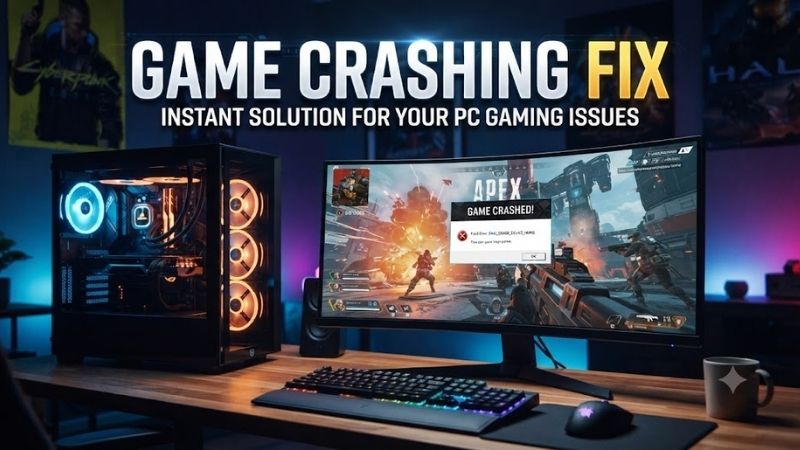
Game Crashing Fix procedures are crucial when sudden desktop freezes, driver faults, and unexpected restarts interrupt your play. Failing power supplies, defective memory, and elevated temperatures consistently crash modern titles. This comprehensive guide pinpoints proven hardware solutions to restore desktop stability quickly.
How to Choose the Best Hardware Solutions
Implementing an effective game crashing fix requires analyzing core hardware components that control system temperature, memory integrity, and electrical delivery. Gamers should diagnose hardware symptoms systematically before purchasing expensive components. Targeted troubleshooting identifies faulty equipment accurately and saves money.
Thermal Dissipation and Cooling Capacity
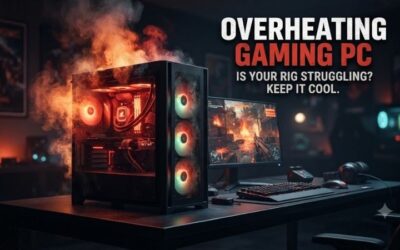
Thermal overload represents one of the primary drivers of desktop instability during marathon gaming sessions. High temperatures on modern central processing units force silicon components to throttle down clock rates or shut off immediately to prevent permanent damage. Superior heat dissipation ensures sustained clock stability under load.
Selecting a dual-tower air cooler or premium liquid radiator delivers the thermal headroom necessary for demanding game engines. High quality heatsinks paired with optimized thermal paste ensure direct heat transfer away from sensitive processor cores. Keeping thermal metrics low stabilizes performance and eliminates sudden thermal dropouts.
Power Supply Headroom and Voltage Stability
Modern graphics cards introduce massive transient voltage spikes that quickly overwhelm weak or aging power supplies. Searching for an enduring game crashing fix often requires upgrading to a power supply with sufficient wattage reserves. Stable twelve volt rail outputs guarantee continuous electrical delivery during intense combat scenes.
Premium power supply units feature gold or platinum efficiency ratings alongside Japanese capacitors to filter electronic ripple cleanly. Modular cable configurations simplify case management and prevent accidental shorts caused by pinched wires. Choosing a reputable power unit shields expensive components from destructive voltage drops.
Memory Frequency and Stability Timing
Unstable system memory remains a pervasive cause of sudden crashes to desktop without warning or error dialogs. Aggressive factory overclock profiles frequently push silicon beyond physical tolerance levels under heavy memory loads. Testing memory modules at standard baseline frequencies helps reveal hidden hardware timing faults quickly.
Purchasing matched memory kits verified by motherboard compatibility lists guarantees reliable communication across system buses. Proper thermal heat spreaders prevent memory modules from overheating inside crowded cases during extended matches. Balanced timings deliver responsive frame pacing while preventing memory allocation failures.
Solid State Drive Health and Thermal Throttling
Modern game titles stream vast quantities of high resolution textures directly from storage drives in real time. Compromised solid state drives with bad sectors or degraded memory cells trigger severe texture pop in and sudden executable freezes. Regularly monitoring drive health telemetry prevents catastrophic data corruptions during play.
Fast storage drives operating on modern bus protocols generate substantial heat during prolonged read operations. Without adequate heatsink coverage, high thermal levels cause controller chips to throttle speeds or drop connection buses completely. Upgrading to cooled solid state drives ensures continuous texture streaming without crashes.
Top Picks for Resolving System Instability
Finding an enduring game crashing fix demands dependable hardware upgrades designed to handle aggressive computational demands. Investing in high grade cooling, stable memory, and clean power delivery eliminates mysterious crashes. The following curated hardware components provide proven stability and stellar performance for gamers.
| Model | Hardware Type | Primary Function | Ideal Application | Key Advantage |
|---|---|---|---|---|
| Noctua NH-D15 G2 | Dual-Tower Air Cooler | CPU Heat Dissipation | High-Load Gaming Rigs | Quiet Thermal Control |
| Corsair Vengeance DDR5 | 32GB RAM Kit | High-Speed System Memory | Modern Gaming Systems | Rock-Solid Stability |
| Seasonic Focus GX-850 | ATX Power Supply | Clean Power Delivery | High-End GPU Configurations | Flawless Voltage Control |
| Samsung 990 PRO | NVMe PCIe 4.0 SSD | Fast Storage and Asset Streaming | Open-World Game Engines | Extreme Read Reliability |
Noctua NH-D15 G2 CPU Cooler
The Noctua NH-D15 G2 suits competitive PC builders who struggle with severe thermal throttling during high performance gaming. It incorporates advanced dual tower heatsinks and dual whisper quiet fans to pull heat away from hot silicon. Gamers experience steady clock rates without worrying about sudden thermal shutdown crashes.
Enthusiasts will appreciate its exceptional craftsmanship and tool free mounting mechanism that ensures perfect contact pressure. While its immense physical size can crowd compact chassis interiors or tall memory sticks, its thermal performance remains unrivaled. It represents a stellar investment for continuous thermal stability.
Corsair Vengeance DDR5 32GB Memory Kit
The Corsair Vengeance DDR5 kit provides a permanent game crashing fix for desktop setups suffering from memory allocation faults. It features hand sorted memory integrated circuits designed to sustain intense multitasking and aggressive workloads. Modern game titles load textures reliably without throwing unexpected memory access errors.
Gamers will value its sleek low profile aluminum heat spreader that fits effortlessly under bulky air coolers. While activating extreme overclock profiles on older motherboards requires careful BIOS updates, standard operational profiles run flawlessly. It stands out as an exceptional upgrade for reliable system memory performance.
Seasonic Focus GX-850 Power Supply
The Seasonic Focus GX-850 is tailored for gaming enthusiasts who experience abrupt desktop reboots during intense multiplayer battles. It delivers eight hundred fifty watts of continuous clean power backed by high grade Japanese capacitors. This reliable power delivery suppresses dangerous transient spikes from modern graphics cards.
System builders love its fully modular cable design and quiet fluid dynamic bearing fan that remains silent under moderate loads. Although the included modular cables feel slightly stiff when bent inside compact mini ITX cases, electrical delivery remains flawless. It offers unmatched long term durability for power hungry setups.
Samsung 990 PRO PCIe 4.0 NVMe SSD
The Samsung 990 PRO NVMe SSD is engineered for demanding gamers who suffer from asset streaming lockups and game crashes. It delivers blazing read speeds up to seventy-four hundred megabytes per second, streaming expansive game worlds effortlessly. Fast access speeds ensure game assets buffer instantly into system memory without delay.
Gamers playing modern titles will adore the seamless level transitions and comprehensive thermal management software. While budget conscious users might find the premium price tag steep compared to entry level storage drives, the rock solid reliability justifies every cent. It represents the gold standard for reliable game storage.
Frequently Asked Questions About PC Gaming Stability
Investigating an urgent game crashing fix often raises critical questions regarding hardware compatibility, thermal safety, and power delivery. Understanding how hardware components interact helps desktop owners resolve game crashes safely and efficiently. The following detailed answers address common troubleshooting questions.
How Does Defective RAM Cause Games to Crash
Resolving a persistent game crashing fix scenario frequently points directly to unseated, mismatched, or corrupted memory modules. When software attempts to store transient gaming assets into malfunctioning memory addresses, the operating system triggers an instant crash. Faulty memory addresses prevent applications from running.
Testing memory modules individually using integrated diagnostic utilities helps isolate defective hardware sticks quickly. Replacing damaged memory restores seamless system operations and stops unexpected desktop crashes across demanding titles. Running memory sticks within verified factory parameters ensures consistent daily stability.
Can an Aging Power Supply Cause Desktop Freezes
An aging or underpowered power supply unit can cause severe system lockups whenever high end graphics cards demand burst energy. Degraded internal capacitors struggle to filter electrical ripple, creating sudden voltage dips across critical rails. These voltage drops force hardware safety circuits to shut down or freeze the machine.
Upgrading to a high efficiency power supply equipped with adequate wattage headroom prevents unexpected system restarts during gaming. Modern units deliver clean, stabilized current that protects delicate graphics cards from destructive brownouts. Investing in clean power infrastructure guarantees uncompromised hardware longevity.
Why Does Processor Overheating Cause Sudden Shutdowns
Finding a dependable game crashing fix often requires inspecting CPU temperatures during intense gameplay loads. Central processors feature internal thermal monitoring sensors that track semiconductor temperatures every millisecond. When heat levels cross safety thresholds, the processor executes an emergency shutdown immediately.
Replacing dried thermal compound and mounting a capable dual tower heatsink eliminates rapid temperature escalation. Clean airflow channels through computer cases pull fresh ambient air across cooling fins to exhaust thermal build up. Proper thermal dissipation keeps your hardware operating safely without triggering shutdowns.
Does Corrupted Game Storage Trigger System Errors
Corrupted file partitions or degraded storage sectors consistently cause game executables to freeze during loading screens. When games attempt to load world geometry or audio streams from bad drive sectors, system threads lock indefinitely. This read timeout results in application crashes back to the operating system desktop.
Verifying local game files through platform launchers and migrating installations to healthy solid state drives rectifies read errors. Fast solid state drives feature automated wear leveling and error correction firmware that shield gaming data. Maintaining healthy storage drives guarantees smooth level streaming without crashes.
View more products:
Final Thoughts on Resolving Game Freezes
Securing an enduring game crashing fix requires structured hardware diagnostics, high quality cooling, and clean electrical power. Upgrading unstable memory, replacing aging power units, and controlling temperatures ensures uninterrupted gaming. Invest in dependable hardware solutions today to restore peak gaming performance and stability.