Best gaming RAM selection often confuses PC builders facing brutal stutter, random lag, and painful system instability during heavy matches. Our comprehensive guide helps you identify optimal modules, decode complicated memory specs, and select the finest kit to elevate your frame rates without wasting your hard-earned cash.
How to Choose the Best Gaming RAM for Your Rig
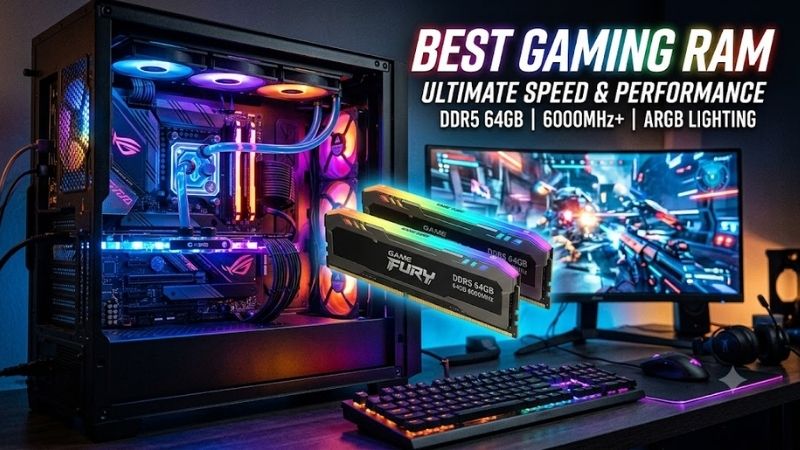
Picking memory requires understanding how technical attributes interact with your motherboard and processor. Many consumers overspend on high megahertz figures without realizing that real-world fluidity relies heavily on balanced primary timings. Evaluating the best gaming RAM means reviewing clock frequency, latency, module height, and capacity.
Target Frequency and Clock Rates
Operating speed indicates how many memory cycles your system conducts every single second. Faster transfer rates help feed modern graphics processors with continuous texture data during intense action sequences. However, running past your processor sweet spot yields diminishing results while generating unwanted heat inside your chassis.
For DDR4 configurations, aiming for thirty-six hundred megahertz provides stellar stability across most mainstream chipsets. Enthusiasts moving toward DDR5 architectures should look around six thousand megahertz to maintain solid price efficiency. Verifying that your motherboard firmware supports desired profiles prevents boot failures.
Latency Timings and Overall Response
Clock frequency tells half the story because access latency determines how quickly your system responds to incoming read requests. The best gaming RAM pairs high frequency with minimal CAS latency figures to keep frame pacing remarkably consistent. Low latency minimizes micro-stuttering during sudden map transitions or particle explosions.
When comparing competing products, look closely at the first number following the CL designation. A lower number indicates faster access intervals, which translates directly to superior minimum frame rates during competitive matches. Balancing frequency and timings guarantees you extract maximum responsiveness from every component.
Memory Capacity Requirements
System memory requirements have expanded significantly as modern game engines render photorealistic open worlds. While sixteen gigabytes once represented the gold standard, modern multiplayer installations easily consume more memory alongside active voice applications, web browsers, recording utilities, and underlying background tasks.
Moving to thirty-two gigabytes ensures comfortable headroom for modern gaming alongside background productivity tasks. Demanding simulations and open-world titles heavily penalize systems that lack sufficient memory space. Allocating sufficient capacity prevents your operating system from offloading active game files to storage drives.
Form Factor and Cooler Clearance
Physical dimensions represent another critical factor before committing your funds to a flashy kit. Massive aluminum heat spreaders and tall RGB illumination diffusers frequently collide with bulky twin-tower CPU air coolers. Measuring socket clearance guarantees your new sticks seat properly without stressing adjacent motherboard slots.
Low-profile designs provide peace of mind by maintaining safe distances beneath fan assemblies and liquid cooling tubes. If you prefer tall decorative light bars, double-check your chassis dimensions and cooler specifications first. Proper physical planning avoids frustrating returns and prevents crowded component arrangements.
Top Picks for Peak Desktop Performance
We evaluated multiple kits through synthetic benchmarks and extended gameplay sessions to identify outstanding hardware across diverse budgets. Finding the best gaming RAM requires comparing real thermal dissipation, out-of-the-box profile stability, aesthetic styling, and component craftsmanship across different desktop architectures.
| Model | Memory Type | Rated Speed | CAS Latency | Primary Advantage |
|---|---|---|---|---|
| Corsair Vengeance RGB | DDR5 | 6000MHz | CL30 | Dynamic lighting software |
| G.Skill Trident Z5 Neo | DDR5 | 6000MHz | CL30 | Optimized AMD EXPO timings |
| Kingston Fury Beast | DDR4 | 3200MHz | CL16 | Compact low-profile format |
| Teamgroup T-Force Delta | DDR5 | 6000MHz | CL38 | Ultra-wide geometric diffuser |
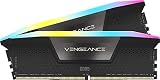
Corsair Vengeance RGB DDR5
The Corsair Vengeance RGB DDR5 kit is ideal for demanding enthusiasts wanting polished illumination and cutting-edge speeds. It features an onboard voltage regulation module, solid heat dissipation, and intuitive utility customization. However, the premium pricing and substantial module height might frustrate budget buyers with air coolers.
Gamers seeking the best gaming RAM for high-end Intel or AMD builds will appreciate its flawless stability during extended marathon sessions. The refined aesthetic elevates modern panoramic cases, while integrated XMP profiles ensure seamless plug-and-play tuning. You achieve blazing asset loading speeds without manual timing friction.
G.Skill Trident Z5 Neo RGB
Tailored specifically for AMD socket platforms, this hardware is perfect for competitive players demanding minimal latency. The aggressive aluminum wing design provides stellar passive cooling, while fine-tuned EXPO profiles guarantee rapid setup. On the downside, the sharp edges require careful handling and the price point sits somewhat steep.
In practical testing, this kit demonstrated exceptional stability across heavy esports titles and workstation tasks alike. The high-quality matte finish blends seamlessly with enthusiast motherboards, preventing unexpected thermal throttling. Enthusiasts wanting plug-and-play optimization will find immense value in this specialized kit.
Kingston Fury Beast DDR4
Budget builders and legacy rig upgraders should consider this dependable option for cost-effective performance uplifts. It delivers exceptional low-profile heatsink clearance and broad motherboard compatibility across older architectures. The primary disadvantage is the lack of support for emerging next-generation motherboard sockets.
Reliability remains the primary reason this option ranks as the best gaming RAM for older socket designs. Plug-and-play auto-overclocking simplifies deployment for beginners who prefer not to navigate complex BIOS menus. It runs cool under pressure while keeping system costs low, making it a pragmatic choice for practical builders.
Teamgroup T-Force Delta RGB
Designed for builders seeking vibrant geometric visuals, this package suits streamers who prioritize custom aesthetics alongside rapid frequencies. The 120-degree ultra-wide lighting diffuser looks magnificent, though the plastic top bracket feels slightly delicate. Thermal performance remains solid thanks to reinforced aluminum alloy armor.
Under intense gaming loads, these modules maintain reliable throughput without exhibiting unexpected voltage drops. Wide compatibility with leading motherboard synchronization software allows you to coordinate complex color waves easily. It represents an exceptional compromise between expressive design and steady high-speed computing.
Frequently Asked Questions About Memory
Upgrading hardware inevitably sparks technical questions regarding capacity thresholds, architecture standards, and configuration strategies. Choosing the best gaming RAM becomes significantly easier once you understand how specific memory parameters influence real frame rates, desktop multitasking, and platform compatibility.
Is 32GB Necessary for Modern PC Titles?
While sixteen gigabytes still permits casual play in older titles, modern simulation and adventure releases demand greater headroom. Demanding games allocate significant memory for high-resolution textures, background physics calculations, and sprawling draw distances. Running lower capacity risks sudden stutters and sluggish paging.
Investing in thirty-two gigabytes provides comfortable overhead for modern gamers who keep chat clients, music players, and multiple browser tabs open simultaneously. The extra capacity shields your operating system from throttling during peak gameplay sequences. It stands as the most sensible recommendation for any modern desktop build.
Does Dual Channel Memory Boost Frame Rates?
Deploying a dual-channel memory configuration effectively doubles bandwidth between your processor and memory controller. Selecting the best gaming RAM in a two-stick configuration ensures your computer communicates across parallel 64-bit channels. Single-channel setups create severe bottlenecks, especially in fast-paced shooter games.
Empirical benchmarks demonstrate that dual-channel memory yields dramatic uplifts in one-percent minimum frame rates. This directly translates into significantly smoother action, eliminating jarring micro-stutter during rapid camera pans. Always place your modules in the recommended motherboard slots to engage multi-channel operation properly.
Can You Mix Different Memory Module Brands?
While a computer may boot with mixed modules installed, combining varied sticks frequently leads to stability issues and crashes. Motherboard memory controllers struggle to coordinate mismatched timings, voltages, and sub-timings across disparate printed circuit boards. The system inevitably defaults to the slowest stick present.
To guarantee system reliability, always purchase factory-matched pairs that share identical silicon bins and tested profiles. Manufacturers calibrate multi-module packs together under controlled conditions to eliminate unpredictable signal interference. Purchasing identical matching hardware avoids endless troubleshooting headaches.
Is DDR5 Backward Compatible With DDR4 Slots?
DDR5 memory modules are physically and electrically incompatible with older DDR4 motherboard slots. The notch location along the pin connector is shifted specifically to prevent inadvertent insertion into incompatible hardware sockets. Attempting to force a stick into an incorrect slot will cause severe damage to your motherboard.
Furthermore, DDR5 incorporates dedicated on-die voltage regulation hardware directly onto the stick itself, unlike previous generations that relied on motherboard regulation. If you plan to upgrade to modern memory standards, you must also purchase a compatible motherboard and processor. Always verify socket specs before ordering parts.
What Is the Impact of Enabling XMP or EXPO?
Extreme Memory Profiles and Extended Profiles for Overclocking store pre-tested operational frequencies and timings directly within your modules. Enabling these profiles inside your motherboard system settings allows your memory to achieve advertised transfer speeds instantly. Leaving them disabled forces your sticks to run basic speeds.
Accessing your setup menu during boot and enabling these settings takes only seconds while unlocking significant computing benefits. System stability remains preserved because these performance configurations undergo thorough validation by manufacturers. It guarantees you receive the exact performance level you paid for originally.
View more products:
Final Thoughts on Upgrading Desktop Memory
Investing in the best gaming RAM transforms your daily computer experience by eliminating choppy frame rates and stabilizing heavy multitasking. Focus on balanced latency, proven motherboard compatibility, and adequate capacity rather than chase excessive frequencies. Choose the kit that fits your platform to unlock glorious, silky gaming.