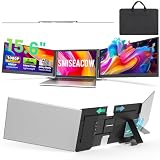
- Top Pick: Synnov 15.6“ Laptop Screen Extender, 1080P FHD Ultra Light & Portable Triple Monitor for Laptops, Fit for 12"-17.3" Laptops, Plug & Play Travel Monitor Extender Compatible with Wins/MacOS/Chrome
- Best Value: Vixtan 14" Triple Laptop Screen Extender, 3.0 lbs Lightweight FHD IPS Portable Monitor for Laptop, USB-C Plug & Play Multi Screen Attachment for 13-17.3" laptops with Windows/Mac/Chrome
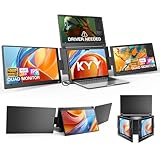
- Premium Choice: KYY Triple Screen Laptop Monitor Extender 15.6" Quad Laptop Screen Extender
A three-screen laptop extender is the closest thing to carrying a full multi-monitor battlestation in your backpack. These clever attachments clamp to the back of your laptop lid and fold out two additional FHD panels, instantly turning a single cramped display into a sprawling three-screen workspace. For remote workers, traders, developers, and anyone who juggles windows, it’s a genuine productivity multiplier that packs flat when you’re done.
The category is competitive, and the meaningful differences come down to weight, panel quality, mounting stability, and cabling. We put the top extenders through daily use to find the ones that deliver a stable, glare-free triple setup without dragging down your laptop.
As an Amazon Associate we earn from qualifying purchases at no extra cost to you. Product prices and availability are accurate as of the date shown and are subject to change.





🛒 Best Price Today on Amazon
Prime members get fast, free shipping on everything above, plus member-only deals. New members get a 30-day free trial — cancel anytime.
Design & Build
These extenders share a common concept but differ in execution. The Synnov 15.6-inch emphasizes ultra-light portability while keeping a full-size panel, and the KEFEYA 15.6-inch pushes thinness to just 0.16 inches for a barely-there travel profile. The Vixtan 14-inch is the featherweight of the group at around 3 pounds, easing strain on your laptop hinge. A standout for flexibility is the Laptop Screen Extender with 235-degree rotation and detachable dual monitor, which lets you reposition or remove a panel on the fly. Aluminum-influenced builds and sturdy clamps keep everything from sagging during long sessions.
Performance
All of these run 1080p FHD panels—IPS on most—so color and viewing angles are consistently good. The performance divide is connection method and compatibility. Single-cable USB-C plug-and-play models like the Synnov and KEFEYA are the simplest to deploy, pulling power and video from one port. The KYY quad-screen extender raises the ceiling by driving up to four screens from a single USB-C line, ideal for the most demanding mobile setups, though some units require a DisplayLink driver. Broad OS support—Windows, macOS, ChromeOS, and Samsung DeX—means most of these adapt to whatever you carry, but always confirm your laptop’s USB-C outputs video before buying.
Pros & Cons
- Triple your workspace anywhere, with no separate monitors to carry.
- Single-cable USB-C setups are quick and clutter-free.
- Lightweight, thin designs fold flat against the laptop lid.
- Wide OS support, including Windows, Mac, Chrome, and DeX.
- Hinge strain is a factor—lighter models are gentler on older laptops.
- Driver installs on some units frustrate Mac and Linux users.
- Brightness lags dedicated desktop monitors in very bright rooms.
Alternatives to Consider
If your laptop lid is thin or aging, prioritize a featherweight model like the Vixtan to minimize hinge stress. Users who want to reposition or detach panels should look at the 235-degree rotation extender for maximum flexibility. And if you need the ultimate mobile command center, the KYY quad-screen extender adds a fourth panel—just budget for the extra weight and a possible driver install.
Related Guides
- Best Gaming Laptop Deals Right Now (2026)
- Dell Inspiron Vs Dell Xps Laptop: Full Comparison (2026)
- Best 4070 Gaming Laptop (2026)
- Double Display Laptop (2026)
Frequently Asked Questions
Will a triple extender work with my laptop?
Single-cable models need a USB-C port with DisplayPort Alt Mode for video output. If yours lacks that, choose a dual-cable USB-C/HDMI version. Verify your port specs before purchasing.
Does it strain the laptop hinge?
The clamp spreads the load, but heavier extenders on thin lids can stress the hinge over time. Lightweight models around 3 pounds are the safest bet for delicate laptops.
Do I need to install drivers?
Pure USB-C DisplayPort Alt Mode extenders are plug-and-play. Units labeled for driver installation use DisplayLink and need a quick software setup, common on multi-panel models.
Does it work with a MacBook?
Many do, though some require the DisplayLink driver on macOS and multi-panel support can vary on Apple Silicon. Check the listing’s Mac compatibility for your specific model.
Verdict
For most people, a single-cable USB-C model like the Synnov or KEFEYA offers the cleanest, lightest triple-screen setup. Choose the featherweight Vixtan if hinge strain worries you, or step up to the KYY quad-screen extender when you want the maximum number of panels on the road. Confirm your laptop’s ports first, and you’ll have a portable multi-monitor rig that transforms how you work anywhere.