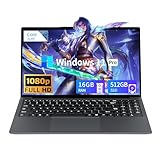
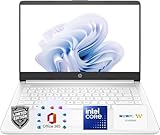
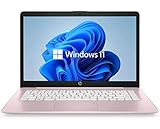
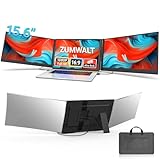
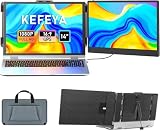
The idea of a double display laptop — a second screen that travels with you — has quietly become one of the most practical productivity upgrades around. Rather than a bulky, expensive dual-screen laptop, most people are better served by a portable screen extender that clips onto their existing machine, instantly doubling (or tripling) their workspace whether they’re in a coffee shop, a hotel room, or a cramped desk. For anyone who juggles spreadsheets, code, research, or trading, the extra real estate is transformative.
These attachable extenders have matured into slim, light, plug-and-play accessories, but they vary in size, weight, and how they connect. We’ve compared the leading laptop screen extenders to help you find the right one for your laptop size and workflow.
As an Amazon Associate we earn from qualifying purchases.





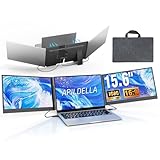
Design & Build
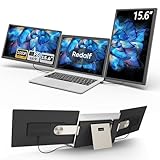
The defining trait of these extenders is how they mount to your laptop lid and fold away for travel. Most here are 14 to 15.6-inch FHD panels that attach magnetically or via a clamp and rotate out beside your main screen. The APILDELLA 15.6-inch Triple and the 15.6-inch One-Cable extender offer larger dual or triple configurations for maximum workspace, while the APILDELLA 14-inch and the 1.87lb Ultra-Portable 14.2-inch prioritize lightness for frequent travelers. The 235° Rotation Detachable model adds flexibility with a screen that swivels for presentations or sharing. Build quality centers on slim aluminum frames and sturdy hinges, and the best fold flush against the laptop when not in use so they barely add bulk to your bag.
Performance
For extending your workspace, these deliver exactly what they promise: crisp 1080p secondary displays that make multitasking dramatically easier. The connection method is the key practical difference. The 15.6-inch One-Cable extender and USB-C models simplify life with a single cable carrying both video and power via USB-C, though some may require a driver depending on your laptop’s ports. The APILDELLA 14-inch even includes a built-in speaker, a handy touch for media. Weight and screen size trade off against each other: the featherweight 1.87lb 14.2-inch model is ideal if portability trumps all, while the 15.6-inch triple setups give you the most screen area at the cost of extra heft. Match the panel size to your laptop — a 15.6-inch extender pairs best with a 15-to-17-inch laptop.
Pros & Cons
- Instant portable dual (or triple) screen that hugely boosts multitasking on the go.
- Plug-and-play setup — most connect over USB-C or HDMI and fold away for travel.
- Lightweight options add minimal bulk for frequent travelers.
- Rotating models enable easy screen-sharing and presentations.
- Some require a driver depending on your laptop’s ports, adding a setup step.
- Larger triple setups add weight and can make the laptop lid top-heavy.
- Panel size must match your laptop; an oversized extender looks and feels awkward.
Alternatives to Consider
If you work mostly at a fixed desk, a standalone portable monitor on a kickstand — or simply a second desktop monitor — gives you a larger, more stable second screen without attaching to your laptop. For those who genuinely need built-in dual screens in one chassis, purpose-built dual-screen laptops exist but cost far more and add weight. For the common goal of a travel-friendly workspace boost, though, these clip-on extenders are the most flexible and affordable route.
Frequently Asked Questions
Do laptop screen extenders need a separate power source?
Most draw power over USB-C from your laptop, so a single cable handles both video and power. Larger or brighter models may benefit from a dedicated power input, so check the specs if you’re running on battery.
Will an extender work with any laptop?
Most support Windows, macOS, and often Android via USB-C or HDMI, but some require a driver, and USB-C models need a port that supports video output. Confirm your laptop’s port capabilities before buying.
What size extender should I get?
Match it to your laptop — a 14-inch extender suits 13-to-15-inch laptops, while a 15.6-inch model pairs best with 15-to-17-inch machines. An oversized extender feels unbalanced and looks mismatched.
How much do they add to my bag?
The lightest models weigh under two pounds and fold flush against the laptop, adding little bulk. Triple-screen setups are heavier, so choose based on whether portability or maximum screen area matters more to you.
Verdict
A laptop screen extender is one of the best productivity buys for mobile workers, and the right pick depends on your priorities. For maximum workspace, the APILDELLA 15.6-inch Triple and the One-Cable 15.6-inch deliver, while the 1.87lb 14.2-inch model wins for travelers who count every ounce. Match the size to your laptop and connection needs, and you’ll wonder how you managed with one screen.