🛒 Best Price Today on Amazon
Prime members get fast, free shipping on everything above, plus member-only deals. New members get a 30-day free trial — cancel anytime.
- Best OS for Gaming in 2026: 12 Operating Systems Ranked
- Best gaming OS for most players: Windows 11
- Best Linux gaming OS: Bazzite, SteamOS, CachyOS and Nobara
- Linux gaming and anti-cheat in 2026
- Best gaming OS by hardware: handhelds, mini PCs and desktops
- What to expect at each budget tier
- Related Guides
- Top Devices for Gaming Emulation: Which OS to Choose
- Dual Boot: Run Windows 11 and Linux on One PC
- Also Consider: Premium Handheld
- macOS for Gaming
- Which Gaming OS Should You Pick? Scenarios
- How We Chose These Gaming Operating Systems
- Gaming OS Buying Guide: What to Check Before You Install
- Common Mistakes When Choosing a Gaming OS
- Frequently Asked Questions
- Final Thoughts
- Related Articles
Updated November 2026 — The best gaming OS for most PC players is Windows 11, because it runs every anti-cheat system, supports every major launcher and gets GPU drivers first. SteamOS and Bazzite are the best gaming OS picks for handhelds and single-player Steam libraries, and Windows 10 is no longer a sound choice for a PC you want to keep secure.
The top three picks by name: Windows 11 for compatibility, Bazzite for the strongest Linux experience on handhelds and living-room PCs, and SteamOS for Valve-supported hardware such as the Steam Deck OLED. The rest of this guide ranks twelve operating systems, explains the technical terms, and matches each system to the hardware that runs it best.
| Operating system | Best for | Anti-cheat | GPU drivers | Setup effort |
|---|---|---|---|---|
| Windows 11 | Most players, esports, Game Pass | Full, including kernel-level | Day-one from NVIDIA, AMD, Intel | Low |
| Windows 10 | Nobody starting fresh | Full, but security updates have ended or are ending | Still supplied, Windows 11 prioritized | Low |
| SteamOS | Handhelds, AMD hardware | Limited, developer-dependent | Best on AMD | Low once installed |
| Bazzite | Handhelds, couch PCs | Limited, same Linux rules | NVIDIA and AMD drivers included | Low to medium |
| CachyOS | Linux users chasing frame rates | Limited | Good, rolling updates | Medium |
| Nobara | Linux users who want gaming tweaks preinstalled | Limited | Good, drivers and codecs bundled | Medium |
| Pop!_OS | NVIDIA owners new to Linux | Limited | NVIDIA-focused installer | Medium |
| Ubuntu | People who already use it | Limited | Good, some manual setup | Medium |
| Linux Mint | Simple, stable desktops | Limited | Good, manual driver step | Medium |
| macOS | Mac owners, cloud gaming | Rare | Apple silicon only | Medium |
Best OS for Gaming in 2026: 12 Operating Systems Ranked
This ranking puts game compatibility first, because an operating system that cannot launch your favorite title has no other merit. Driver quality, performance and setup effort follow. The list covers the two Windows versions, six Linux-based systems, macOS and a few Windows variants worth knowing about. Performance figures cited by outlets vary with the game, power limit and driver version, so treat them as directional rather than guaranteed.
- Windows 11 — the safest default for almost every player.
- Bazzite — the best Linux gaming OS for most people.
- SteamOS — Valve’s console-style system for supported AMD hardware.
- CachyOS — a performance-tuned Linux distribution for enthusiasts.
- Nobara — a Fedora-based system with gaming fixes included.
- Pop!_OS — friendly for NVIDIA owners moving to Linux.
- Ubuntu — the most widely documented Linux desktop.
- Linux Mint — stable and simple, with more manual setup for gaming.
- macOS — workable for native Mac games and cloud gaming only.
- Windows 10 — last among mainstream systems because of its support status.
- Windows 11 Pro — the same gaming performance as Home, useful only for business features.
- Trimmed-down Windows builds — community projects that strip components; not recommended for most players.
Best gaming OS for most players: Windows 11
Windows 11 is the best gaming OS for the widest range of players. Independent roundups agree on the same advantages: complete anti-cheat coverage, the broadest game library and GPU drivers that arrive on release day. Microsoft lists DirectStorage and Auto HDR as Windows gaming features, and the Xbox app and Game Pass integrate natively. Developers also design with Windows in mind first, so new releases, mod tools and hardware utilities appear here before anywhere else.
Valve’s Steam Hardware and Software Survey consistently shows Windows as the dominant system among Steam users, with Linux in the low single digits. That share is a practical signal: when a studio decides where to spend testing time, it spends it on Windows.
Windows 11 — Best for compatibility and competitive play
- Anti-cheat: games with kernel-level protection run here and, in most cases, nowhere else.
- Launchers: Steam, Epic, Xbox app, EA, Ubisoft and Battle.net all work natively.
- Hardware features: DirectStorage, HDR calibration, Wi-Fi 7 and new peripherals ship with Windows drivers first.
- GPU launches: new NVIDIA GeForce, AMD Radeon and Intel Arc cards get their most complete driver support here.
Pros: every game and launcher, day-one drivers, Game Pass, easiest modding. Cons: background services and update prompts, a paid license on a custom-built PC, weaker battery life than SteamOS on some handhelds. Skip it if you mainly play single-player Steam games on a handheld and want the leanest, most console-like experience.
Windows 11 requires a compatible 64-bit processor, 4 GB of memory, 64 GB of storage, TPM 2.0 and Secure Boot, according to Microsoft. If you are building a new PC, a retail copy on a USB drive is the simplest way to install it.

Microsoft Windows 11 (USB)
Included for '26 Best Operating Systems For Gaming' as a representative home product in this roundup; selection reflects the product set returned for this topic.
View on AmazonWindows 10 end of support: is it still a gaming option?
Windows 10 is not a sensible choice for a gaming PC you plan to keep. Microsoft ended mainstream support on October 14, 2025 and offered a one-year consumer Extended Security Updates program, which was scheduled to close in October 2026. Check Microsoft’s own support page for the date that applies to your device. Games generally still launch, and frame rates are close to Windows 11, but Windows 10 lacks some newer features such as Auto HDR. A PC that stores payment details and game accounts without security patches becomes a larger risk over time. If your hardware qualifies, upgrade to Windows 11. If it does not, a Linux gaming distribution is the realistic alternative.
Windows 11 Pro vs Home for gaming
Gaming performance does not depend on the edition. Choose Pro only if you need business features such as extra drive-encryption management or remote desktop hosting. A Home owner can move up later with an in-place upgrade.

Windows 11 Pro Upgrade, from Windows 11 Home (Digital Download)
Included for '26 Best Operating Systems For Gaming' as a representative home product in this roundup; selection reflects the product set returned for this topic.
View on AmazonTrimmed-down Windows builds
Community projects strip services from Windows to chase a few extra frames. Reviewers who cover them usually warn that gains are small on modern hardware, that updates and anti-cheat can break, and that downloading an unofficial image carries security risk. Stay on a regular, fully patched Windows 11 install unless you know exactly what you are removing.
Best Linux gaming OS: Bazzite, SteamOS, CachyOS and Nobara
Linux gaming depends on Proton, the compatibility layer built into Steam that translates Windows games so they run on Linux. Valve’s ProtonDB site collects player reports per game, which makes it the best first stop before you commit. Roundups published in 2026 say Linux now runs most Steam libraries well, with gaps concentrated in games that rely on kernel-level anti-cheat or unusual launchers.
Bazzite — Best Linux gaming OS for most people
- Base: a community distribution built on Fedora technology that boots into a Steam-style Game Mode.
- Drivers: reviewers report NVIDIA and AMD drivers are included.
- Hardware: supports desktops and a range of handhelds beyond the Steam Deck.
- Updates: image-based, so a bad update can be rolled back.
Pros: broader hardware support than SteamOS, console-style interface, rollback. Cons: still limited by Linux anti-cheat rules, community rather than Valve support. Skip it if you play competitive shooters with kernel-level protection.
SteamOS — Best for Steam Deck and supported AMD devices
SteamOS is Valve’s own system and the polished choice on supported hardware. Reviewers say it matches Bazzite in frame rates because both rely on the same Proton engine, and that NVIDIA support is still limited. Several handhelds ship with it or have an official version, so check Valve’s list of supported devices before installing it on anything else.
Pros: console-like polish, free, tuned for handheld battery life. Cons: narrow hardware support, little help for NVIDIA graphics. Skip it if you want to install it on a general-purpose desktop with GeForce graphics.
CachyOS — Best for maximum frame rates
CachyOS is an Arch-based, performance-tuned distribution aimed at enthusiasts. Reviewers describe it as the fastest Linux option in some comparisons, though gains over Bazzite or SteamOS depend on the game. It suits people comfortable troubleshooting a rolling-release system.
Nobara — Best for Linux users who want fixes preinstalled
Nobara is a Fedora-based project that bundles codecs, drivers and gaming tweaks, which suits users who already know Linux. It removes several setup steps compared with plain Fedora.
Pop!_OS, Ubuntu and Linux Mint
All three can run Steam well. Pop!_OS is known for an NVIDIA-focused installer, Ubuntu has the largest pool of tutorials, and Linux Mint favors a stable, traditional desktop. You will typically install Steam, Proton tools and a launcher such as Lutris or Heroic yourself, so the effort is higher than with Bazzite.
Linux gaming and anti-cheat in 2026
Anti-cheat is the biggest dividing line between Windows and Linux. Easy Anti-Cheat and BattlEye can work under Proton, but only when a developer switches on the Linux module. Roundups list Fortnite, Valorant and League of Legends among the best-known titles that do not run on Linux, and developers can change this at any time. Before leaving Windows, search the Steam Deck verified status, ProtonDB and the Are We Anti-Cheat Yet community tracker for your specific games.
| Feature | Windows 11 | SteamOS and Bazzite | Other Linux | macOS |
|---|---|---|---|---|
| Kernel-level anti-cheat | Supported | Mostly unsupported | Mostly unsupported | Mostly unsupported |
| Proton compatibility | Not needed | Built in | Via Steam | Not applicable |
| DirectStorage | Native | Not native | Not native | Not applicable |
| HDR | Mature, with Auto HDR | Improving | Varies by desktop | Good on Apple displays |
| GPU drivers | Day-one from all makers | Best on AMD | Good, some setup | Apple silicon only |
Linux vs Windows 11 frame rates
Outlets that compare identical handheld hardware often report Linux-based systems ahead of Windows 11 on frame rates and battery life, with one widely cited comparison showing SteamOS winning four of five games on the Lenovo Legion Go S. Reported gaps range from low single digits to double digits, depending on the title. On desktops with NVIDIA graphics, Windows usually keeps the lead. The takeaway: Linux is competitive, not universally faster.
Best gaming OS by hardware: handhelds, mini PCs and desktops
The right operating system often follows the device. Here is a spec line per device type, with what to expect.
Best gaming OS for handheld PCs
SteamOS and Bazzite are the usual picks on supported handhelds; Windows 11 remains the choice for newer devices whose Linux support is incomplete and for games that need Windows launchers. Always read the maker’s documentation for official OS support.
Steam Deck OLED — Best for SteamOS
7.4-inch HDR OLED · up to 90Hz · Wi-Fi 6E · SteamOS preinstalled. Choose it for console-style Steam play and travel. Skip it if you need Windows-only launchers or anti-cheat titles.

Valve Steam Deck OLED 512GB Handheld Gaming Console - Featuring A High Dynamic Range Screen, A Longer-lasting Battery, Faster Downloads, And Much More
Included for '26 Best Operating Systems For Gaming' as a representative home product in this roundup; selection reflects the product set returned for this topic.
View on AmazonASUS ROG Xbox Ally X — Best for Windows 11 handheld play
7-inch 1080p · 120Hz · Ryzen AI Z2 Extreme · 24 GB memory · 1 TB storage · Windows 11. Choose it for Game Pass and multiple launchers. Skip it if you want a Linux-first experience out of the box.

ASUS ROG Xbox Ally X 7-inch Gaming Handheld, FHD 120Hz Display, AMD Ryzen AI Z2 Extreme, 24GB RAM, 1TB SSD, Windows - BLACK
Included for '26 Best Operating Systems For Gaming' as a representative home product in this roundup; selection reflects the product set returned for this topic.
View on AmazonLenovo Legion Go S — Best for mid-priced handheld flexibility
8-inch · 120Hz · AMD Ryzen Z2 Go · Windows 11 or SteamOS versions offered. Choose it if you want a larger screen and the freedom to pick either system. Check which edition a listing describes before you buy.

Lenovo Legion Go S - 2025 - Mobile Gaming Console - AMD Radeon graphics - 8" PureSight IPS Display - 120Hz - AMD Ryzen™ Z2 Go - 16GB Memory - 512GB Storage - Glacier White - Free PC Game Pass
Included for '26 Best Operating Systems For Gaming' as a representative home product in this roundup; selection reflects the product set returned for this topic.
View on AmazonBest gaming OS for a mini PC or living-room box
A small Windows mini PC runs every launcher and suits players who want a quiet, compact rig. Bazzite works well on an AMD mini PC connected to a TV. Spec line for a typical pick, the ACEMAGICIAN S3A: Ryzen 7 H 255 · Radeon 780M · 16 GB memory · 512 GB PCIe 4.0 SSD.

ACEMAGICIAN S3A Gaming Mini PC, Ryzen 7 H 255 (Up to 4.9GHz, 8C/16T), Radeon 780M Graphics, 16GB RAM, 512GB PCIe4.0 SSD, Mini Desktop Computer for Content Creation, Programming, Gaming & Home Office
Included for '26 Best Operating Systems For Gaming' as a representative home product in this roundup; selection reflects the product set returned for this topic.
View on AmazonBest gaming OS for a low-end or older PC
Older PCs that fail Windows 11’s requirements can still game on a lightweight Linux distribution such as Linux Mint or Ubuntu, provided the graphics card has driver support. Check ProtonDB for your games first, and keep Windows 10 offline if you must use it.
What to expect at each budget tier
- Free: SteamOS, Bazzite, CachyOS, Nobara, Pop!_OS, Ubuntu and Linux Mint cost nothing, but expect some compatibility research.
- Low cost: a Windows 11 Home license on USB covers a custom-built PC; some prebuilt PCs already include one.
- Mid: a compact Windows mini PC gives a quiet desktop that runs every launcher.
- High: a handheld adds portability and a choice of Windows or SteamOS.
- Storage upgrade: a fast NVMe drive helps every OS; a PCIe 4.0 drive is enough for current games.
Related Guides
- Best Gaming Os Linux (2026)
- Best Gaming Handhelds (2026)
- Best Laptop For Students And Gaming (2026)
- Best Dualsense Bluetooth Pairing (2026)
- Best Gaming In Ear Earphones (2026)
Top Devices for Gaming Emulation: Which OS to Choose
For emulation, the operating system matters less than the hardware, but the choice still affects convenience. Windows has the widest emulator support and the easiest controller and shader-cache handling. Bazzite and SteamOS are popular on handhelds because they boot into a controller-friendly interface, and many emulators offer Linux builds or Flatpak packages. A small Windows mini PC suits players who want every emulator to work without hunting for builds, while a Steam Deck-class handheld running SteamOS or Bazzite suits couch play. macOS runs many emulators too, though Apple silicon performance for graphics-heavy systems differs by emulator.
| Device type | Best OS | Why | Watch for |
|---|---|---|---|
| Steam Deck OLED | SteamOS | Controller-first interface, many emulators available | Desktop mode needed for setup |
| Windows handheld | Windows 11 | Widest emulator and frontend support | Battery life on heavy systems |
| Mini PC | Windows 11 or Bazzite | Quiet, TV-friendly, strong integrated graphics | Check cooling for long sessions |
| Older laptop | Linux Mint | Lightweight, good for 8-bit to 32-bit systems | Newer systems need a stronger GPU |
Check each emulator’s own documentation for current hardware requirements, and only use game files you legally own. Emulator performance depends on the system you emulate far more than on the host OS.
Best gaming emulator device spec lines
- ACEMAGICIAN S3A: Ryzen 7 H 255 · Radeon 780M · 16 GB memory · 512 GB PCIe 4.0 SSD · compact desktop for Windows emulation.
- BOSGAME P6: Ryzen 9 6900HX · 24 GB memory · 1 TB PCIe 4.0 SSD · Wi-Fi 6E · listing mentions triple-display support.

BOSGAME P6 Ryzen 9 6900HX Mini PC, 24GB RAM 4800MT/s 1TB PCIe4.0 SSD | Dual LAN, AX210 Wi-Fi 6E, BT 5.3, Triple Display 4K, Light Gaming | Home | Office | Business Great Value PC
Included for '26 Best Operating Systems For Gaming' as a representative home product in this roundup; selection reflects the product set returned for this topic.
View on AmazonDual Boot: Run Windows 11 and Linux on One PC
Dual booting is a practical compromise: Linux for daily use and Windows for the few games with kernel-level anti-cheat. Install each system on its own drive when possible, so an update to one cannot disturb the bootloader of the other. Back up saves first, since partitioning mistakes are the usual cause of lost data.
- Drive layout: one NVMe drive per OS is the cleanest approach.
- Install order: install Windows first, then Linux, so the Linux bootloader detects both.
- Shared games: keep a separate data drive for Steam libraries and mount it on both systems if you can.
- Time check: if the clock shows the wrong time after switching, set Linux or Windows to treat hardware time consistently.
Samsung 990 PRO 2TB — Best for a dedicated Linux or Windows drive
PCIe 4.0 · M.2 2280 · up to 7,450 MB/s sequential read per the maker · 2 TB capacity. Choose it for a fast second drive for a different OS. Skip it if your motherboard only has a SATA or older M.2 slot.

Samsung SSD 990 PRO 2TB, PCIe 4.0 M.2 2280, Up to 7,450 MB/s | NVMe Internal Solid State Hard Drive for High End Computing, Gaming, and Heavy Duty Workstations, (MZ-V9P2T0B/AM)
Included for '26 Best Operating Systems For Gaming' as a representative home product in this roundup; selection reflects the product set returned for this topic.
View on AmazonSamsung 990 EVO Plus 2TB — Best for budget-conscious dual boot
PCIe 4.0 x4 or PCIe 5.0 x2 · M.2 2280 · up to 7,250 MB/s per the maker · 2 TB capacity. Choose it for a lower-cost drive that still beats SATA by a wide margin.
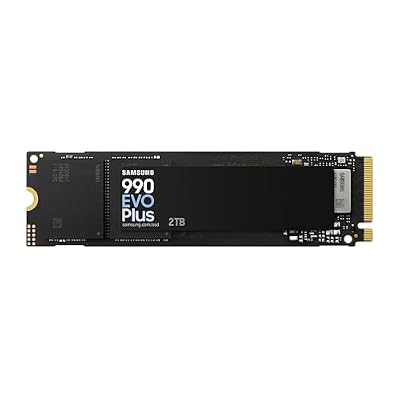
Samsung SSD 990 EVO Plus 2TB, PCIe Gen 4x4 | 5x2 M.2 2280, Up to 7,250 MB/s | NVMe Internal Solid State Drive, Upgrade Storage for PC/Laptops, HMB Technology & Intelligent Turbowrite 2.0 (MZ-V9S2T0B/AM)
Included for '26 Best Operating Systems For Gaming' as a representative home product in this roundup; selection reflects the product set returned for this topic.
View on AmazonAlso Consider: Premium Handheld
Lenovo Legion Go 2 — Best for a large OLED handheld
8.8-inch OLED · up to 144Hz · AMD Ryzen Z2 Extreme · Windows 11. Choose it if you want a big screen and Windows compatibility for every launcher. Skip it if you want the lightest, cheapest handheld; it is bulky and sits at the premium end.

Lenovo Legion Go 2 Gaming Handheld Gaming PC - AMD Ryzen Z2 8C, 32GB RAM, 1TB NVMe SSD, 8.8 WUXGA OLED 144Hz, Windows 11 Home + Carrying Case
Included for '26 Best Operating Systems For Gaming' as a representative home product in this roundup; selection reflects the product set returned for this topic.
View on AmazonmacOS for Gaming
macOS supports a growing but small set of native games, and Apple’s Game Porting Toolkit has helped developers bring titles over. Hardware choice is limited to Apple silicon, and anti-cheat-protected multiplayer games are largely unavailable. Cloud gaming services run in a browser or app on a Mac and sidestep the problem, provided your connection is stable.
Which Gaming OS Should You Pick? Scenarios
| If you | Pick this | Why |
|---|---|---|
| play competitive shooters | Windows 11 | Kernel-level anti-cheat runs only here |
| use Game Pass or the Xbox app | Windows 11 | Native integration |
| own a Steam Deck | SteamOS | Valve supports it directly |
| own a non-Valve handheld and play single-player games | Bazzite | Broad hardware support, console-style interface |
| love tweaking and want top frame rates on Linux | CachyOS | Performance-tuned rolling release |
| already use a Mac | macOS plus cloud gaming | Avoids buying new hardware |
| have an old PC that fails Windows 11 checks | Linux Mint or Ubuntu | Stays supported and secure |
How We Chose These Gaming Operating Systems
This guide is research-based. We compared maker documentation from Microsoft and Valve, driver notes from NVIDIA, AMD and Intel, community compatibility trackers such as ProtonDB and Are We Anti-Cheat Yet, and 2026 comparison articles from independent outlets. We weighed five criteria: game and anti-cheat compatibility, GPU driver support, setup effort, handheld and battery behavior, and long-term security support. Where outlets disagreed on a performance number, we reported the range and noted that results vary. Specs for devices come from maker pages and listings, and anything we could not confirm is left out or marked as depending on the edition.
Gaming OS Buying Guide: What to Check Before You Install
1. Check anti-cheat first
List the five games you play most, then search each on ProtonDB and the Are We Anti-Cheat Yet tracker. If even one competitive title is blocked on Linux, stay on Windows 11 or plan a dual boot.
2. Match the OS to your graphics card
AMD Radeon cards have open-source drivers built into the Linux kernel, which is why they are the smoothest Linux pairing. NVIDIA GeForce cards work on Linux through the distribution’s driver package, with a little more setup. Intel Arc support has improved but still varies by distribution.
3. Confirm Windows 11 eligibility
Run Microsoft’s PC Health Check app. A missing TPM 2.0 or Secure Boot setting is often just a firmware option; an unsupported processor is not. Older processors may need a Linux alternative.
4. Plan your storage
A 1 TB NVMe drive holds a handful of large modern games; a 2 TB drive is more comfortable. Games spread over multiple drives are easy to manage in Steam.
5. Back up before you switch
Copy saves and screenshots to external storage. Steam Cloud covers many saves, but not all, and mod files are rarely included.
6. Budget the license
Linux is free. Windows 11 needs a license on a custom-built PC; many prebuilt PCs include it. A handheld includes its OS in the purchase price.
Common Mistakes When Choosing a Gaming OS
- Switching to Linux without checking your anti-cheat games first.
- Installing Linux on a drive that still holds your Windows install without a backup.
- Trusting an unofficial Windows image from a forum.
- Staying on Windows 10 with no security updates because it still launches games.
- Believing every benchmark gap: results depend on power limits, drivers and game version.
Frequently Asked Questions
What is the best gaming OS right now?
Windows 11 is the best gaming OS for most people. It supports every anti-cheat system, receives drivers first and runs every major launcher. Bazzite or SteamOS is a strong alternative for handhelds and single-player Steam libraries.
What is the best OS for gaming in 2026?
Windows 11 is the best OS for gaming in 2026 for compatibility and competitive play. Bazzite is the best Linux option, and SteamOS suits Steam Deck-class handhelds. The right pick depends on your games, graphics card and tolerance for tinkering.
Is Linux better than Windows 11 for gaming?
Linux can match or beat Windows 11 in some games and on some handhelds, according to reviewer comparisons, but it cannot run titles that need kernel-level anti-cheat. Windows 11 is safer for competitive multiplayer. Check ProtonDB before switching.
Can I still game on Windows 10 in 2026?
Most games still launch, but Microsoft ended mainstream support and the consumer extended update period was scheduled to close in October 2026. Running an unsupported system raises security risk. Upgrade to Windows 11 if your hardware qualifies.
Which gaming OS is best for a handheld PC?
SteamOS and Bazzite are the usual picks because reviewers report better battery life and a controller-first interface than Windows on identical hardware. Windows 11 is useful when you need a launcher not available on Linux. Some handhelds officially support only Windows.
What is the best gaming emulator and OS for it?
There is no single best gaming emulator; the right one depends on the console you want to emulate. For the OS, Windows offers the broadest emulator support, while SteamOS and Bazzite suit handhelds. Use only game files you legally own.
Do I need a special version of Windows 11 for gaming?
No. Windows 11 Home runs games the same way as Pro. Choose Pro only if you need business features such as extra encryption management or remote desktop hosting.
Is macOS good for gaming?
macOS is workable for a limited catalog of native games and for cloud gaming, but it lacks support for many competitive multiplayer titles. Most PC gamers will get a wider library from Windows 11.
Final Thoughts
For most players, Windows 11 is the safest starting point, while Bazzite or SteamOS suit handhelds and single-player Steam libraries. Check your games on ProtonDB and the anti-cheat trackers before you switch.